1. پیژندنه
The ThermoPro TP200B is a digital indoor/outdoor thermometer designed to monitor temperature and humidity levels in your environment. This manual provides detailed instructions for setting up, operating, and maintaining your device to ensure accurate readings and optimal performance.
2. د بسته محتويات
- 1 x ThermoPro TP200B Main Unit (Indoor Display)
- 1 x Outdoor Temperature Sensor (Wireless)
- 5 x AAA بیټرۍ (شامل دي)
- 1 x د کارونکي لارښود
3. کلیدي ځانګړتیاوې
- Large Backlit Display with Large Digits: Features a 3.3-inch LCD display with large digits for easy readability, even in low light conditions.
- اعظمي / دقیقې ریکارډونه: Stores and displays maximum and minimum temperature and humidity records for the past 24 hours.
- Color Air Comfort Indicator: A visual indicator with an arrow shows current air conditions (Dry/Comfort/Wet), allowing for environmental adjustments.
- خورا دقیق لوستل: Equipped with a premium sensor for precise temperature and humidity measurements, accurate to ±2°F and ±2-3%RH.
- د کارونکي دوستانه ډیزاین: Easily adjust settings with three front-facing buttons.
- د ډیری ځای پرځای کولو اختیارونه: Can be wall-mounted, placed on a tabletop, or attached via magnetic back.
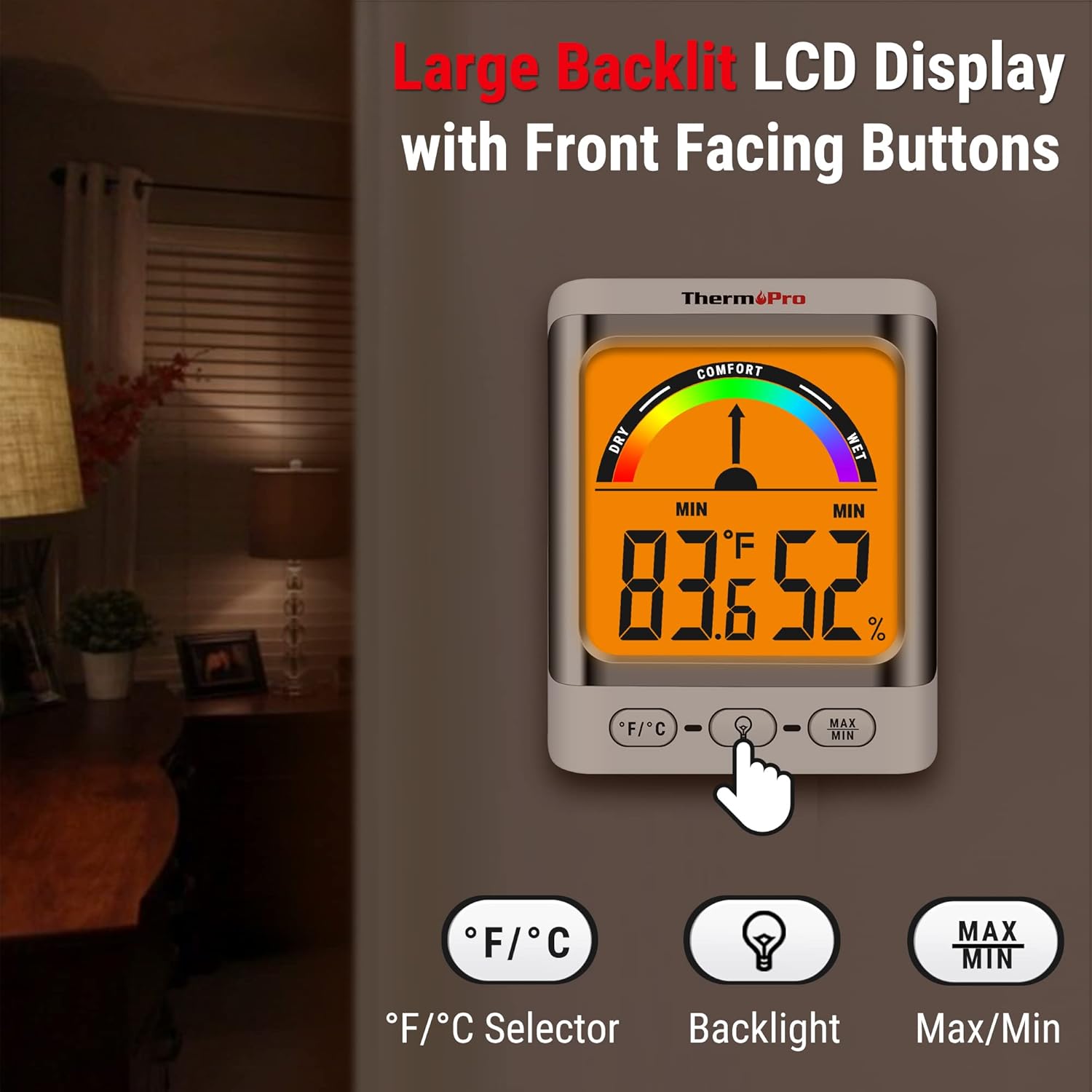
Image: The ThermoPro TP200B main unit display, highlighting the large digits, comfort indicator, and the three control buttons: °F/°C selector, Backlight, and Max/Min.
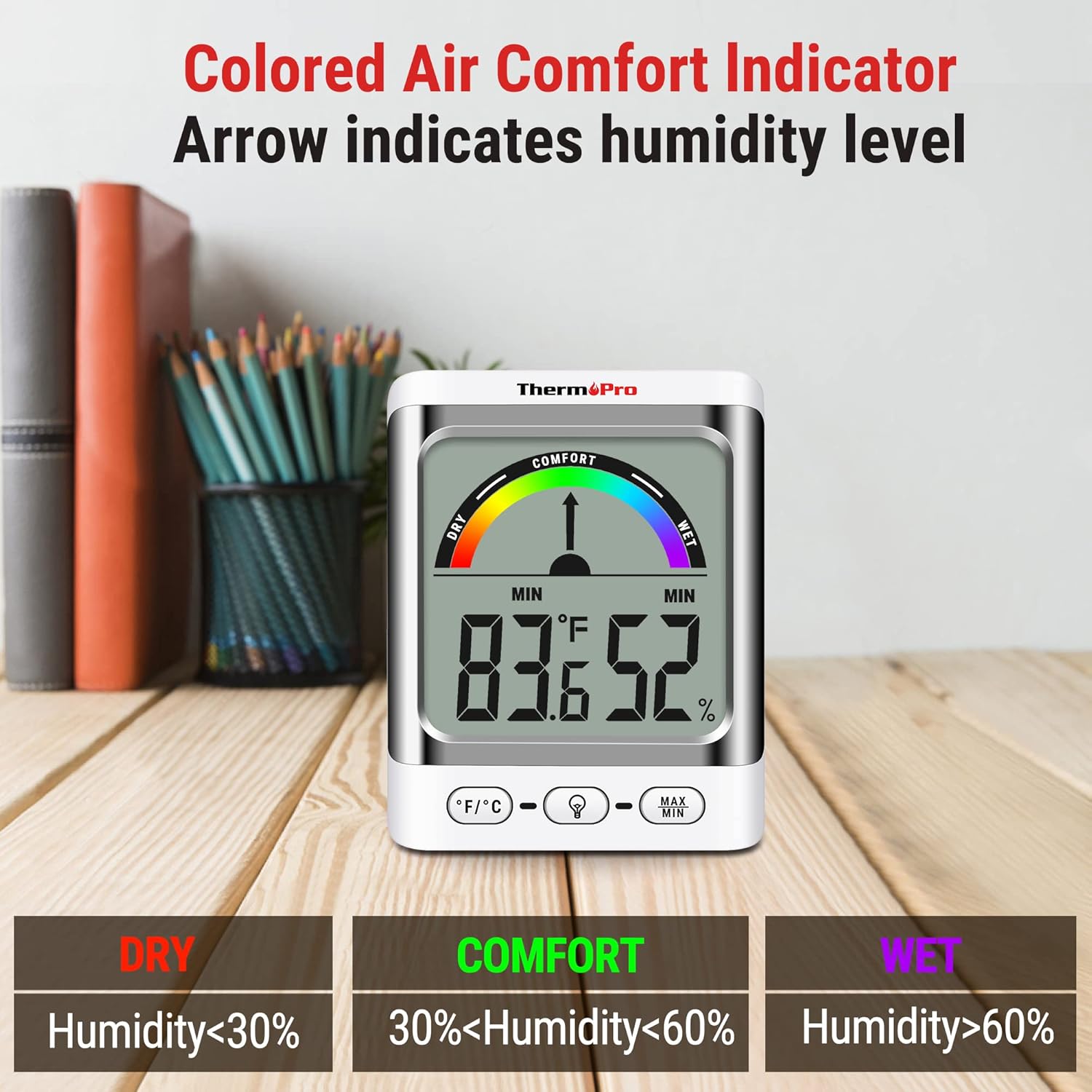
Image: A close-up of the ThermoPro TP200B display, illustrating the colored comfort indicator that visually represents dry (humidity <30%), comfort (30% < humidity < 60%), and wet (humidity >60%) conditions.
4. ترتیب کول
- د بیټرۍ نصب کول:
- د اصلي واحد او بهرنۍ سینسر دواړو په شا کې د بیټرۍ کڅوړه خلاصه کړئ.
- Insert the provided AAA batteries, ensuring correct polarity (+/-).
- د بیټرۍ برخې په خوندي ډول وتړئ.
- د سینسر ځای په ځای کول:
- Place the outdoor sensor in a location that is protected from direct sunlight and precipitation for accurate readings.
- Ensure the sensor is within the 500ft wireless range of the main unit.
- د اصلي واحد ځای پرځای کول:
- The main unit can be placed on a tabletop using its integrated stand, mounted on a wall, or attached to a metallic surface via its magnetic back.
- Position the main unit in a central location indoors for optimal signal reception from the outdoor sensor.

انځور: Examples of flexible placement options for the ThermoPro TP200B, including wall mounting, magnetic attachment to a refrigerator, and freestanding on a countertop.
5. عملیاتي لارښوونې
5.1 ښکاره کولview
The large LCD display shows indoor temperature, humidity, and the comfort level indicator. The outdoor temperature is displayed from the wireless sensor.
5.2 د تڼۍ دندې
- ° F/° C تtonۍ: Press to switch between Fahrenheit and Celsius temperature units.
- د شاته رڼا تڼۍ: Press to activate the backlight for 15 seconds, improving visibility in dim conditions.
- MAX/MIN تڼۍ: ته فشار ورکړئ view the maximum and minimum temperature and humidity recorded over the past 24 hours. Press again to cycle through current, MAX, and MIN readings. Hold to reset MAX/MIN records.

Image: The ThermoPro TP200B displaying maximum and minimum temperature and humidity values, accompanied by a conceptual graph showing how these values fluctuate over a 24-hour period.
6. ساتنه
- پاکول: واحد او سینسر د نرم، d سره پاک کړئamp ټوکر د کثافاتو پاکوونکي مه کاروئ یا په اوبو کې ډوب مه کوئ.
- د بیټرۍ بدلول: Replace batteries when the low battery indicator appears on the display. Ensure to use fresh AAA batteries.
- ذخیره کول: که چیرې وسیله د اوږدې مودې لپاره ذخیره کوئ، نو د لیکیدو مخنیوي لپاره بیټرۍ لرې کړئ.
7. ستونزه حل کول
- No Display/Low Battery Indicator: Replace all batteries in both the main unit and the outdoor sensor.
- ناسم لوستل:
- Ensure the outdoor sensor is not in direct sunlight or exposed to extreme weather conditions.
- Verify the main unit and sensor are within effective range and not obstructed by thick walls or electronic interference.
- Allow both units to stabilize for 30 minutes after initial setup or battery replacement.
- No Signal from Outdoor Sensor:
- Relocate the main unit or sensor closer to each other.
- Check batteries in both units.
- Reset the connection by removing batteries from both units, waiting a few minutes, then reinserting them.
8. مشخصات
| فیچر | تفصیل |
|---|---|
| د ماډل نوم | د TP200B |
| برانډ | ThermoPro |
| ځانګړی ځانګړنه | لوړ دقت |
| رنګ | سپین |
| د ښودلو ډول | ډیجیټل |
| د بریښنا سرچینه | د بیټرۍ چلول (5 AAA بیټرۍ شاملې دي) |
| د تودوخې دقت | ± 2 ° F (± 1.1 ° C) |
| د رطوبت دقت | ±2% from 30% to 80% RH; ±3% outside this range |
| د غبرګون وخت | 0.5 ثانیې |
| د توکي وزن | 4.2 اونس |
| د توکي اوږدوالی | ۷۸۷ انچه |

Image: Multiple ThermoPro TP200B units demonstrating consistent temperature and humidity readings, highlighting the specified accuracy tolerances of ±2°F (±1.1°C) for temperature and ±2% RH (30-80% range) for humidity.

Image: A visual comparison showcasing the large, compact display of the ThermoPro TP200B (3.3 inches) next to a smaller, generic thermometer (1.7 inches), emphasizing its enhanced readability.
9. تضمین او ملاتړ
ترموپرو د دې محصول لپاره د موادو او کاري وړتیا نیمګړتیاو په وړاندې تضمین چمتو کوي. د تضمین تفصيلي معلوماتو، د محصول ثبتولو، یا تخنیکي ملاتړ لپاره، مهرباني وکړئ رسمي ترموپرو ته مراجعه وکړئ. webسایټ ته مراجعه وکړئ یا د دوی د پیرودونکو خدماتو سره اړیکه ونیسئ. د پیرود ثبوت په توګه د پیرود رسید وساتئ.
Official ThermoPro Webسایټ: www.thermopro.com


