پیژندنه
This manual provides essential information for the setup, operation, and maintenance of your OREI Sony UBP-X800M2 Region Free 4K UHD Blu-ray Player. This player is designed for worldwide use, supporting all Blu-ray disc zones (A/B/C) and DVD regions (0-8), with a built-in NTSC↔PAL 4K HD converter. Enjoy stunning 4K UHD visuals, high-resolution audio including Dolby Atmos and DTS:X, and seamless access to streaming services via Wi-Fi or Ethernet.

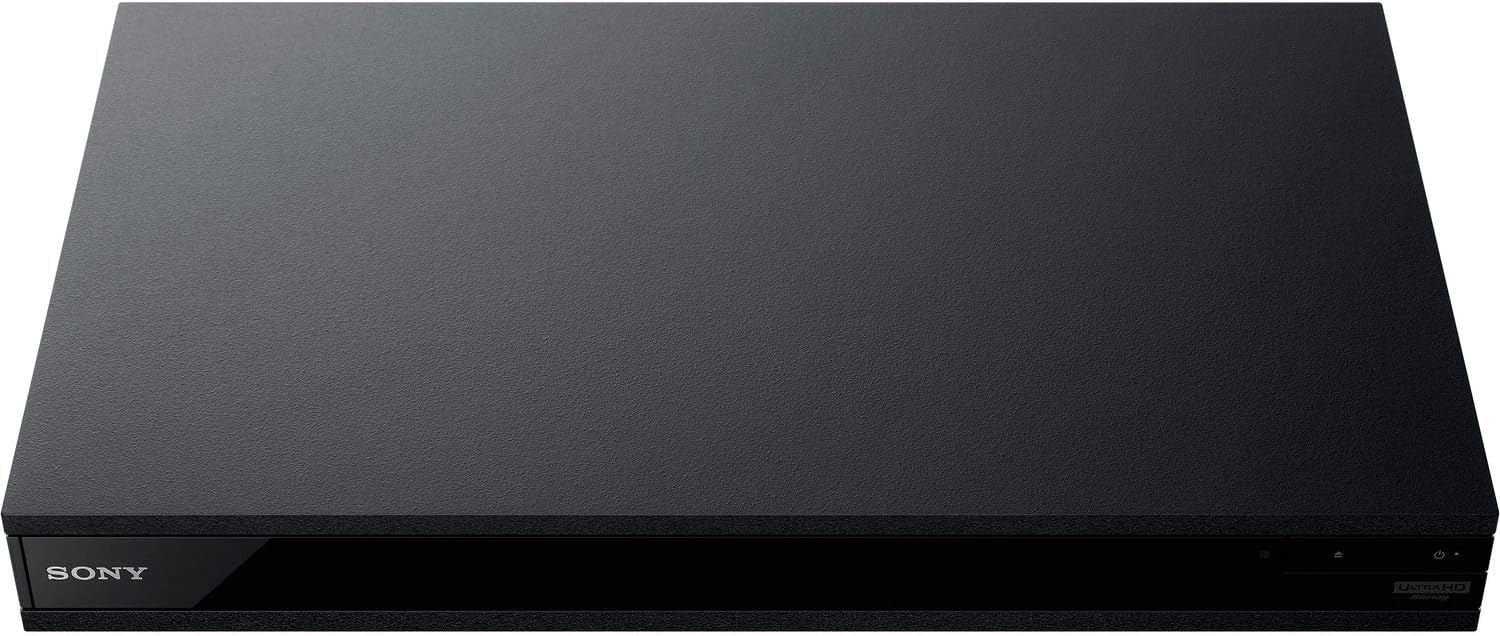
شکل 1: مخکی view of the OREI Sony UBP-X800M2 4K UHD Blu-ray Player.
چمتو کول
۱. خلاصول او ځای پر ځای کول
- په احتیاط سره د بسته بندۍ څخه ټولې برخې لرې کړئ.
- Place the player on a stable, level surface with adequate ventilation.
- Ensure no objects block the ventilation openings.
2. خپل تلویزیون سره نښلول
Connect the player to your TV using an HDMI cable for optimal 4K UHD video and audio.
- د HDMI کیبل یوه پای له سره وصل کړئ HDMI بهر د بلو رې پلیر په شا کې پورټ.
- د HDMI کیبل بل پای په خپل تلویزیون کې د HDMI ان پټ سره وصل کړئ.
- If using an audio receiver, connect the player's HDMI OUT to the receiver's HDMI IN, then the receiver's HDMI OUT to the TV's HDMI IN.

Figure 2: Rear panel connections, showing HDMI, LAN, and audio outputs.
3. د بریښنا پیوستون
- Connect the AC power cord to the player's power input and then to a suitable electrical outlet.
۳. د شبکې اتصال (اختیاري)
For streaming services and firmware updates, connect the player to your home network.
- د تار نښلول: Connect an Ethernet cable from the player's LAN (100) port to your router or modem.
- بې سیم اړیکه: Navigate to the network settings in the player's menu to connect to your Wi-Fi network.
5. Region Changing Instructions
This player supports all DVD regions (0-8) automatically. Blu-ray regions (A, B, C) are changed manually using the remote control.
- Turn the player ON او OPEN THE DISC TRAY.
- Once the tray is completely open, press the corresponding colored button on the remote to select the desired Blu-ray region:
- A زون: فشار ورکړئ ژیړ تڼۍ په ریموټ کنټرول کې.
- زون ب: فشار ورکړئ نیلي تڼۍ په ریموټ کنټرول کې.
- زون C: فشار ورکړئ سرخ بټن په ریموټ کنټرول کې.
- You can now put your disc in the tray and then close the tray.

Figure 3: Remote control with colored buttons for region selection.
عملیاتي لارښوونې
۲. ډیسک پلے بیک
The player supports a wide range of disc formats, including 4K UHD Blu-ray, standard Blu-ray, Blu-ray 3D, DVD, CD, and Super Audio CD (SACD).
- فشار ورکړئ خلاص/بند د ډیسک ټری خلاصولو لپاره په پلیر یا ریموټ کې تڼۍ.
- ډیسک په نرمۍ سره په ټرې کې کیږدئ او د لیبل اړخ یې پورته وي.
- فشار ورکړئ خلاص/بند ت buttonی بیا تی د تری بندولو لپاره.
- The player will automatically begin playback or display a disc menu.

شکل 4: مخکی view د پلیر ډیسک ټری خلاص دی، د ډیسک داخلولو لپاره چمتو دی.
۴. د سټریمینګ خدمتونه
Access popular streaming services like Netflix and YouTube directly from the player's home menu.
- Ensure the player is connected to the internet (Wi-Fi or Ethernet).
- From the home screen, select the desired streaming application.
- Log in with your account credentials to begin streaming.
۴. د USB میډیا پلے بیک
میډیا پلی کړئ files (audio, video, photos) from a USB storage device.
- Insert your USB device into the front USB port.
- Select the USB option from the player's home menu to browse and play your media.
شکل 5: مخکی view of the player with a USB drive inserted into the front port.
ساتنه
۱. د لوبغاړي پاکول
- د لوبغاړي بهرنۍ برخه د نرم او وچ ټوکر سره پاک کړئ.
- د کثافاتو پاکوونکي، موم، یا محلول مه کاروئ.
- ډاډ ترلاسه کړئ چې د هوا د تودولو دروازې د دوړو او کثافاتو څخه پاکې وي.
۲. د ډیسک پاملرنه
- د ګوتو د نښو او سکریچونو څخه د مخنیوي لپاره ډیسکونه د دوی د څنډو سره ونیسئ.
- ډیسکونه د نرم، لینټ نه پاک ټوکر سره پاک کړئ، له مرکز څخه بهر ته یې پاک کړئ.
- ډیسکونه په خپلو بکسونو کې د مستقیم لمر وړانګو او سختې تودوخې څخه لرې وساتئ.
3. د فرم ویئر تازه معلومات
Firmware updates can be done via the internet to ensure optimal performance and access to the latest features.
- Go to the home menu, then setup menu, and then to Software Update.
- Click on "Update Via Internet". If a new firmware is available, the player will automatically update.
- مه کوئ turn off the player while it is updating.
- مه کوئ perform firmware updates by USB unless instructed by OREI support.
د ستونزو حل کول
عام مسایل
- انځور/غږ نشته:
- Check all HDMI and audio cable connections.
- ډاډ ترلاسه کړئ چې د تلویزیون ان پټ سم HDMI پورټ ته تنظیم شوی دی.
- ډاډ ترلاسه کړئ چې پلیر فعال دی.
- ډیسک نه غږیږي:
- ډاډ ترلاسه کړئ چې ډیسک پاک او له سکریچونو څخه پاک دی.
- Verify the disc is inserted correctly (label side up).
- For Blu-ray discs, confirm the player's region setting matches the disc's region (refer to "Region Changing Instructions" in the Setup section).
- Open the tray again and leave the disc in the tray. Once fully open, press the color button to select the region. Then close the tray.
- Region Code Error Message:
If you put in a disc before changing regions, you may get an error message indicating the wrong region. The player remembers this message. To remove that error, you need to reset the player.
- فشار ورکړئ کور button on the remote with no disc inside to go to the home screen.
- Use arrow buttons on the remote to go to the upper right corner where it says چمتو کول او فشار ورکړئ ننوتل.
- ته ښکته کول بیا تنظیم کول on the bottom of the menu.
- وټاکئ د فابریکې ډیفالټ ترتیباتو ته بیا تنظیم کړئ.
- لاندې سکرول او غوره کړئ ټول ترتیبات او فشار ورکړئ ننوتل -> فشار ورکړئ د ننوتلو پیل -> Close ننوتل.
- Turn the player off and then on again after 30 seconds.
- Select Language English and then select quick start mode OFF. You may need to activate network settings again.
- If you prefer not to connect the player to the internet, you may press the کور button and go to the home screen. Now start from step 1 under "Region Changing Instructions" to change regions.
مشخصات
| برانډ | OREI |
| د ماډل نوم | Sony X800M2 (UBP-X800M2) |
| د محصول ابعاد | 19 x 14.1 x 3.8 انچه |
| د توکي وزن | 8.82 پونډه (4000 ګرامه) |
| د رسنیو ډول | Blu-Ray Disc, DVD, 4K UHD Blu-ray, Blu-ray 3D, CD, Super Audio CD |
| قرارداد | ۳۸۴۰x۲۱۶۰ (۴K UHD) |
| د ارتباط ټیکنالوژي | ایترنیټ، HDMI، USB، وای فای |
| د نښلونکي ډول | HDMI |
| د آډیو وتلې حالت | Surround (Dolby Atmos, DTS:X, High-Resolution Audio) |
| رنګ | تور |
| بیټرۍ | 2 AAA بیټرۍ ته اړتیا ده (د لیرې لپاره) |
| ځانګړی ځانګړنه | Region Free (Blu-ray Zones A/B/C, DVD Regions 0-8), Built-in NTSC↔PAL 4K HD Converter |
تضمین او ملاتړ
د تضمین معلومات
For specific warranty details, please refer to the warranty card included with your product or visit the official OREI webسایټ. د پیرود ثبوت په توګه د پیرود رسید وساتئ.
د پیرودونکي ملاتړ
If you encounter any issues or have questions regarding your OREI Sony UBP-X800M2 Blu-ray Player, please contact OREI customer support.
- آنلاین ملاتړ: لیدنه وکړئ په ایمیزون کې د OREI پلورنځی د پوښتنو او مالتړ سرچینو لپاره.
- تخنیکي مرسته: Contact OREI directly for technical support. (Specific contact details not provided in source data, please refer to product packaging or official webسایټ).


