پیژندنه
Welcome to your new TERIOS Mobile Game Controller. This manual provides detailed instructions for setup, operation, and maintenance to ensure optimal performance and an enhanced gaming experience across various platforms including Android smartphones, Windows PCs, and PlayStation 3 consoles. Please read this manual thoroughly before using the device.
کلیدي ځانګړتیاوې
- Innovative Gaming: Designed to enrich your mobile gaming experience with precision and responsiveness.
- پراخه مطابقت: Connects via Bluetooth 4.0 to Android smartphones, and is compatible with Windows PC and PlayStation 3. Supports popular games like PUBG, Call of Duty, and Mobile Legends.
- Gaming Joysticks: Features dual analog sticks for comprehensive and precise control.
- ارګونومیک ډیزاین: Comfortable grip with an integrated smartphone holder for extended gaming sessions.
- د ټربو دنده: Allows for rapid, continuous input with a single button press.
- Responsive Active Buttons: Includes 2 quick access buttons on the back and numerous action buttons for enhanced accuracy.
- د بیټرۍ اوږد ژوند: Up to 12 hours of continuous play on a single charge.
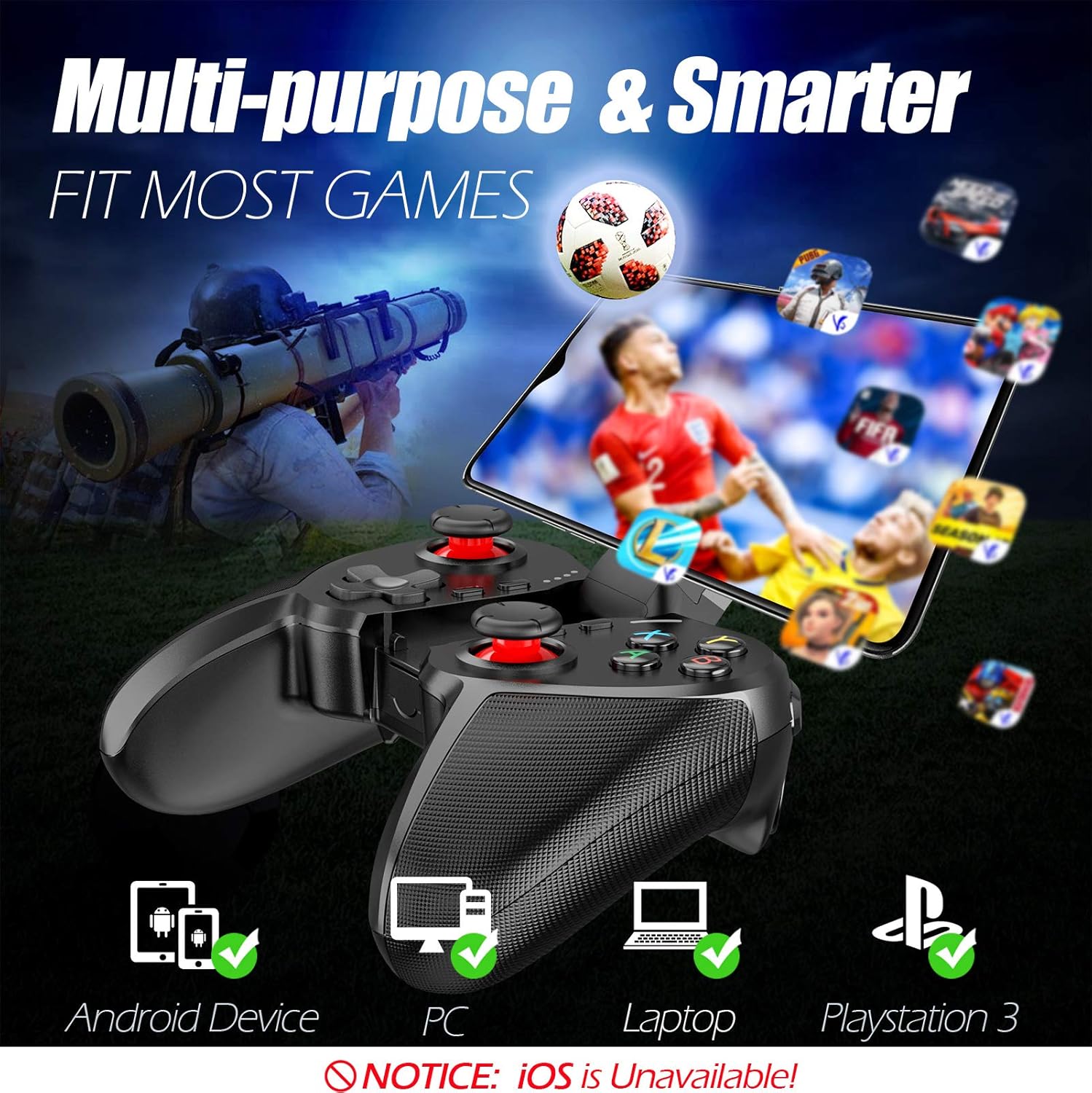
Figure 1: The TERIOS controller is compatible with Android devices, PCs, Laptops, and PlayStation 3.

Figure 2: Detail of the controller's built-in smartphone bracket, accurate buttons, and comfortable soft rubber grips.
تنظیم او پیوستون
1. د کنټرولر چارج کول
Before first use, fully charge the controller. Connect the provided Micro USB cable to the controller's charging port and the other end to a USB power source (e.g., computer USB port, USB wall adapter). The indicator lights will show charging status and turn off when fully charged.

Figure 3: The controller features a 400mAh battery, providing 12-14 hours of playtime with a 2-3 hour charging time.
2. بریښنا کول/بندول
- د فعالولو لپاره: فشار ورکړئ او ونیسئ کور button for 2 seconds. The indicator lights will flash.
- د بریښنا بندولو لپاره: فشار ورکړئ او ونیسئ کور button for 5 seconds until the indicator lights turn off. The controller will automatically power off after 5 minutes of inactivity.
3. Bluetooth Pairing (Android Smartphones / PS3)
- ډاډ ترلاسه کړئ چې کنټرولر بند دی.
- On your Android smartphone or PS3, enable Bluetooth.
- فشار ورکړئ او ونیسئ کور button on the controller until the indicator lights flash rapidly, indicating pairing mode.
- On your device, search for new Bluetooth devices. Select "TERIOS Gamepad" or similar from the list.
- یوځل چې وصل شي، د شاخص رڼا به قوي شي.
4. د PC پیوستون
For PC connection, the controller typically uses a USB dongle (often included). Insert the USB dongle into an available USB port on your PC. The controller should automatically connect. If not, press the کور button to initiate connection.
5. Initial Setup and App (V3 App)
For optimal customization and compatibility with certain mobile games, it is recommended to download the V3 app from the Google Play Store. This app allows you to map virtual keys on your screen to the physical buttons of the controller.
- Download the "V3" app from the Google Play Store.
- Connect the TERIOS gamepad to your smartphone via Bluetooth.
- Open the V3 app and follow the on-screen instructions to customize key mappings for your desired games.

Figure 4: The V3 app allows for easy customization of virtual keys to match controller buttons, creating more combinations.
عملیاتي لارښوونې
۳.۱. د تڼۍ ترتیب او دندې

Figure 5: The TERIOS Mobile Game Controller with a smartphone securely mounted in its integrated holder.
- کیڼ انالوګ سټیک: د حرکت لومړني کنټرول.
- ښي انلاګ سټیک: د کیمرې کنټرول یا ثانوي حرکت.
- ډي-پډ (لارښودونکی پیډ): Precise directional input.
- ABXY تڼۍ: Standard action buttons (A, B, X, Y).
- L1/L2, R1/R2 Buttons: Shoulder and trigger buttons for various in-game actions.
- د انتخاب تtonۍ: Typically used for menu navigation or specific game functions.
- د پیل تڼۍ: معمولا د لوبو د بندولو یا مینو ته د لاسرسي لپاره کارول کیږي.
- د کور تڼۍ: Powers on/off, enters pairing mode, and returns to home screen on some devices.
- د ټربو تڼۍ: Activates the turbo function for other buttons.
- د پاکولو تtonۍ: Deactivates the turbo function.

Figure 6: The dual analog sticks are designed for precise control and execution in games.
۲. د ټربو فعالیت
The Turbo function allows a button to be pressed repeatedly as long as you hold it down, which is useful for rapid-fire actions in games.
- د فعالولو لپاره: فشار ورکړئ او ونیسئ ټربو button, then press the desired action button (e.g., A, B, X, Y, L1, R1). Release both buttons. Now, holding down the action button will activate turbo fire.
- د غیر فعالولو لپاره: فشار ورکړئ او ونیسئ روښانه button, then press the action button for which turbo was activated. Release both buttons.

Figure 7: The dedicated Turbo button enables rapid-fire functionality with one click.
3. Smartphone Holder Usage
The integrated smartphone holder can accommodate most smartphone sizes. Gently extend the holder and place your smartphone securely within the clamps. Ensure the phone is centered for balance.
ساتنه
- پاکول: Use a soft, dry cloth to clean the controller. Do not use abrasive cleaners or solvents.
- ذخیره کول: کنټرولر په یخ او وچ ځای کې د مستقیم لمر وړانګو او سختې تودوخې څخه لرې وساتئ.
- د بیټرۍ پاملرنه: د بیټرۍ د ژوند اوږدولو لپاره، د کنټرولر په مکرر ډول په بشپړه توګه چارج کولو څخه ډډه وکړئ. په منظم ډول یې چارج کړئ، حتی که د اوږدې مودې لپاره نه کارول کیږي.
د ستونزو حل کول
| مسله | احتمالي لامل | د حل لاره |
|---|---|---|
| کنټرولر د بلوتوث له لارې نه نښلي. | Controller not in pairing mode; device Bluetooth off; interference. | Ensure controller is in pairing mode (rapid flashing lights). Check device Bluetooth settings. Move closer to the device. Try restarting both controller and device. |
| Buttons are unresponsive or delayed. | Low battery; software glitch; interference. | Charge the controller fully. Restart the controller. Ensure no other strong wireless signals are nearby. For mobile games, check V3 app settings. |
| کنټرولر ډېر ځله منقطع کېږي. | Low battery; too far from device; interference. | Charge the controller. Stay within the recommended Bluetooth range. Minimize wireless interference. |
| د ټربو فعالیت کار نه کوي. | Incorrect activation sequence; button not supported. | Ensure you press and hold TURBO, then press the desired action button, then release both. Some games or buttons may not fully support turbo. |
د محصول مشخصات
| فیچر | تفصیل |
|---|---|
| برانډ | TERIOS |
| ماډل | T-12 |
| د ارتباط ټیکنالوژي | بلوتوث 4.0 |
| مطابقت لرونکې وسیلې | Android Smartphones, Windows PC, PlayStation 3 |
| د بریښنا سرچینه | د بیټرۍ چلول (لیتیم پولیمر) |
| د بیټرۍ ظرفیت | 400mAh (approx. 1.48 Watt Hours) |
| د لوبې وخت | تر 12-14 ساعتونو پورې |
| د چارج کولو وخت | 2-3 ساعته |
| د تڼیو شمیر | 16 (including ABXY, D-pad, analog sticks, L/R triggers/bumpers, Select, Start, Home, Turbo, Clear) |
| ځانګړي ځانګړتیاوې | Turbo Function, Dual Analog Sticks, In-built Smartphone Holder, Responsive Action Buttons |
| ابعاد (پکیج) | 17 x 12.4 x 7.7 سانتي متره |
| وزن (پیکج) | 310 ګرامه |
د تضمین او ملاتړ معلومات
The TERIOS Mobile Game Controller is designed for durability and performance. For any product-related inquiries, technical support, or warranty claims, please refer to the contact information provided with your purchase or visit the official TERIOS support webسایټ. مهرباني وکړئ د تضمین موخو لپاره د پیرود ثبوت وساتئ.


