1. پیژندنه
The MARATHON Night Owl '86 Projection Clock is designed to provide clear time display and alarm functions with the added convenience of time projection onto a ceiling or wall. This manual provides detailed instructions for setting up and operating your clock.
کلیدي ځانګړتیاوې عبارت دي له:
- 180-degree adjustable time projection with adjustable brightness.
- Alarm clock with two volume settings and a Weekend Mode.
- Large display with adjustable backlight.
- Displays time, date, day of week, and indoor temperature (Celsius or Fahrenheit).
- Dual power options: AC adapter or AAA batteries.

Image 1.1: The MARATHON Night Owl '86 Projection Clock in operation, showing its main display and time projection feature.
2. ترتیب کول
۳.۱ ساعت ته ځواک ورکول
The clock can be powered by either an AC adapter or 3 AAA batteries. For continuous projection and optimal display brightness, AC power is recommended.
2.1.1 د بیټرۍ نصب کول
- Open the battery compartment cover located on the rear of the clock.
- دوه AAA بیټرۍ دننه کړئ، د سم قطبیت ډاډ ترلاسه کړئ (+/-).
- د بیټرۍ کمپارټ پوښ په خوندي ډول وتړئ.
Note: When operating on battery power alone, the projection feature will only activate for approximately 10 seconds when a button is pressed to conserve energy.
2.1.2 د AC بریښنا پیوستون
- Connect the micro USB cable to the clock's micro USB port on the rear.
- Connect the other end of the micro USB cable to the provided wall adapter.
- د دیوال اډاپټر په معیاري بریښنایی آوټ لیټ کې ولګوئ.
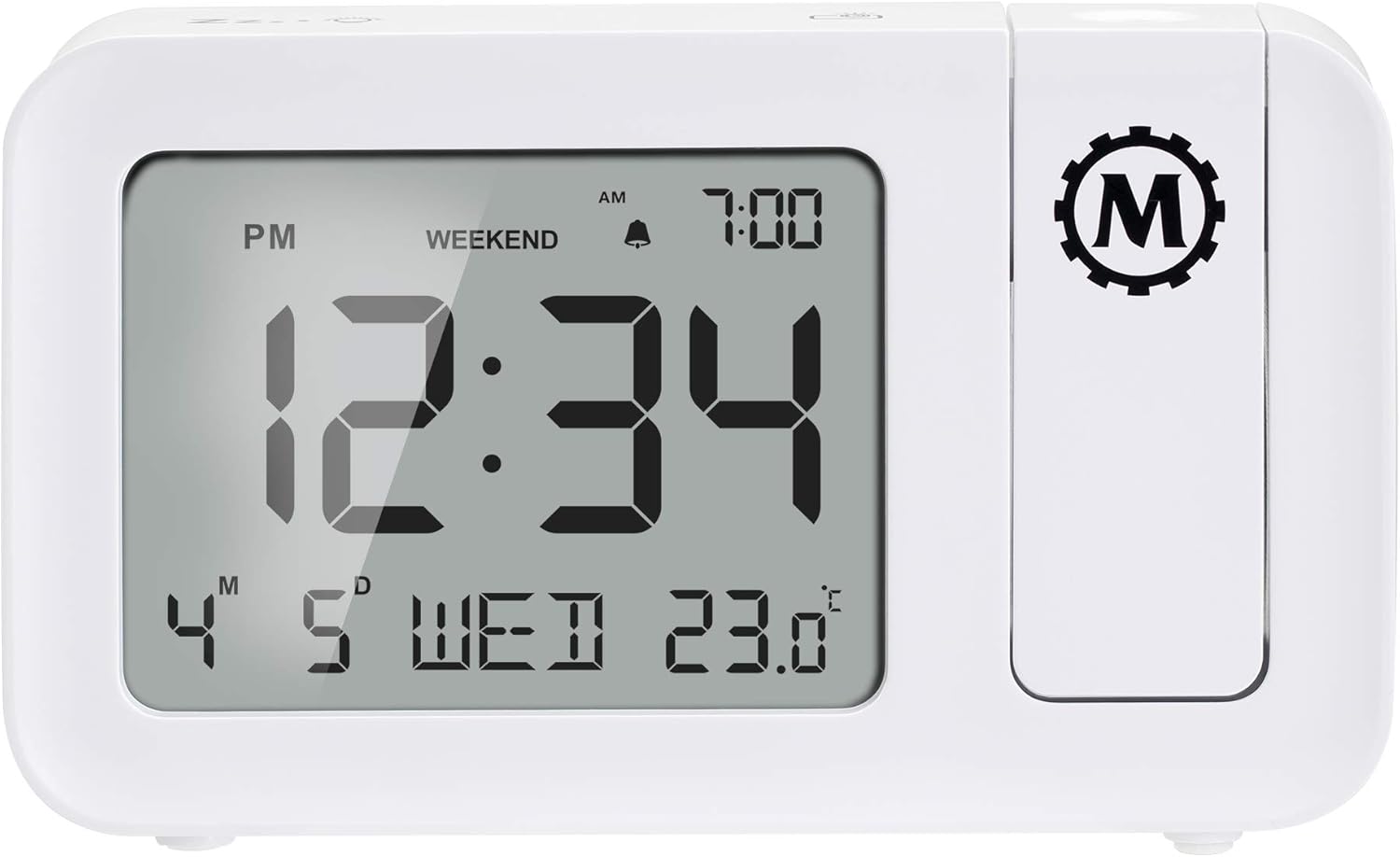
Image 2.1: Rear panel of the clock, illustrating the battery compartment and micro USB power input.
3. عملیاتي لارښوونې
3.1 د وخت او نیټې ټاکل
Refer to the buttons on the clock (typically located on the top or back) for 'SET' or 'MODE' functions. Press and hold the 'SET' button to enter time setting mode. Use '+' or '-' buttons to adjust hours, minutes, year, month, and day. Press 'SET' again to confirm each setting.
3.2 د الارم تنظیم کول
- د 'الارم' تڼۍ کېکاږئ ترڅو view د اوسني الارم وخت.
- د الارم تنظیم کولو حالت ته د ننوتلو لپاره 'الارم' فشار ورکړئ او ونیسئ.
- Use '+' or '-' to adjust the alarm hour and minute.
- د تایید لپاره 'الارم' فشار ورکړئ.
- Toggle alarm ON/OFF using the dedicated alarm switch or button.
3.2.1 د الارم حجم
The clock offers two alarm volume settings: High and Low. Use the 'VOLUME' button or switch to select your preferred level.
۴.۴ د اونۍ پای حالت
Activate 'Weekend Mode' to disable the alarm on Saturdays and Sundays. This feature allows for uninterrupted sleep during weekends without manually turning off the alarm. Refer to the 'WEEKEND' button or setting in the alarm menu.
3.2.3 د سنوز فعالیت
When the alarm sounds, press the 'SNOOZE' button (often a large button on top) to temporarily silence the alarm for approximately 9 minutes. The alarm will sound again after this period.
3.3 Time Projection
The integrated projector can display the time onto a ceiling or wall. The projection can be rotated 180 degrees for optimal viewزاویه.
- Adjust the projector lens to focus the projected time.
- Rotate the projector arm to direct the time display to your desired surface.
- Use the 'PROJECTION BRIGHTNESS' button or switch to adjust the intensity of the projected light.
3.4 د شاته څراغ ښکاره کول
The main display features an adjustable backlight. Use the 'BACKLIGHT' button or dimmer switch to cycle through different brightness levels or turn it off.
3.5 د حرارت درجه ښودنه
The clock displays the indoor temperature. Press the '°C/°F' button to switch between Celsius and Fahrenheit units.

انځور 3.1: مخکی view of the clock, highlighting the large digital display with time, date, and temperature.
4. ساتنه
To ensure the longevity and proper functioning of your MARATHON Night Owl '86 Projection Clock, follow these maintenance guidelines:
- پاکول: د ساعت سطحه په نرم، وچ ټوکر سره پاکه کړئ. د کثافاتو پاکوونکو، محلولونو، یا کیمیاوي سپرې کارولو څخه ډډه وکړئ، ځکه چې دا کولی شي پای یا داخلي برخو ته زیان ورسوي.
- د بیټرۍ بدلول: If using batteries, replace all three AAA batteries simultaneously when the display dims or functions become erratic. Do not mix old and new batteries.
- ځای په ځای کول: ساعت په یوه مستحکم، فلیټ سطحه کې کیږدئ چې د مستقیم لمر وړانګو، سختې تودوخې او لوړې رطوبت څخه لرې وي.
- د اغیزو څخه ډډه وکړئ: Protect the clock from drops or strong impacts, which can damage the internal circuitry or the projection mechanism.
5. ستونزه حل کول
If you encounter issues with your clock, refer to the following common problems and solutions:
| ستونزه | احتمالي لامل | د حل لاره |
|---|---|---|
| د ساعت ښودنه خالي یا تیاره ده. | بریښنا نشته یا ټیټ بیټرۍ. | Ensure AC adapter is securely plugged in. If using batteries, replace with fresh AAA batteries. |
| Time projection is not visible or dim. | Not connected to AC power; projection brightness too low; projector lens out of focus. | Connect to AC power for continuous projection. Adjust projection brightness. Rotate the projector lens to focus the image. |
| اټکل شوی وخت برعکس دی. | Projector orientation needs adjustment. | Rotate the projector arm 180 degrees. Some models may have a dedicated button to flip the projection image. |
| الارم نه غږېږي. | Alarm is off; Weekend Mode is active; volume is too low. | Ensure the alarm is set to ON. Check if Weekend Mode is enabled and disable if necessary. Increase alarm volume. |
| غلط وخت یا نیټه. | Time/date not set correctly or power interruption. | Reset the time and date following the instructions in Section 3.1. |
6. مشخصات
| فیچر | تفصیل |
|---|---|
| برانډ | ماراتون |
| ماډل | Night Owl '86 |
| رنګ | سپین |
| مواد | پلاستیک |
| د محصول ابعاد | 14.48 x 3.56 x 8.64 سانتي متره (5.7 x 1.4 x 3.4 انچه) |
| د توکي وزن | 372 ګرامه |
| د ښودلو ډول | ډیجیټل |
| د بریښنا سرچینه | AC Adapter (100V-240V Universal) or 3 x AAA Batteries |
| ځانګړي ځانګړتیاوې | Adjustable Brightness, Alarm, Large Display, Time Projection |

Image 6.1: Physical dimensions of the MARATHON Night Owl '86 Projection Clock.
7. تضمین او ملاتړ
7.1 د تضمین معلومات
For warranty details, please refer to the documentation included with your product packaging or visit the official MARATHON webسایټ. د معیاري تضمین شرایط معمولا د پیرود نیټې څخه د یوې ټاکلې مودې لپاره د تولید نیمګړتیاوې پوښي.
7.2 د پیرودونکي ملاتړ
If you require assistance or have questions not covered in this manual, please contact MARATHON customer support:
- امریکا/ کاناډا: +1-800-822-4329
- نړیوال: +1-905-764-9420
- Webسایټ: www.MarathonWatch.com


