پیژندنه
This manual provides essential instructions for the safe and efficient use of your Redmi 10000mAh Power Bank (Model PB100LZm). Please read this manual thoroughly before using the product and retain it for future reference.
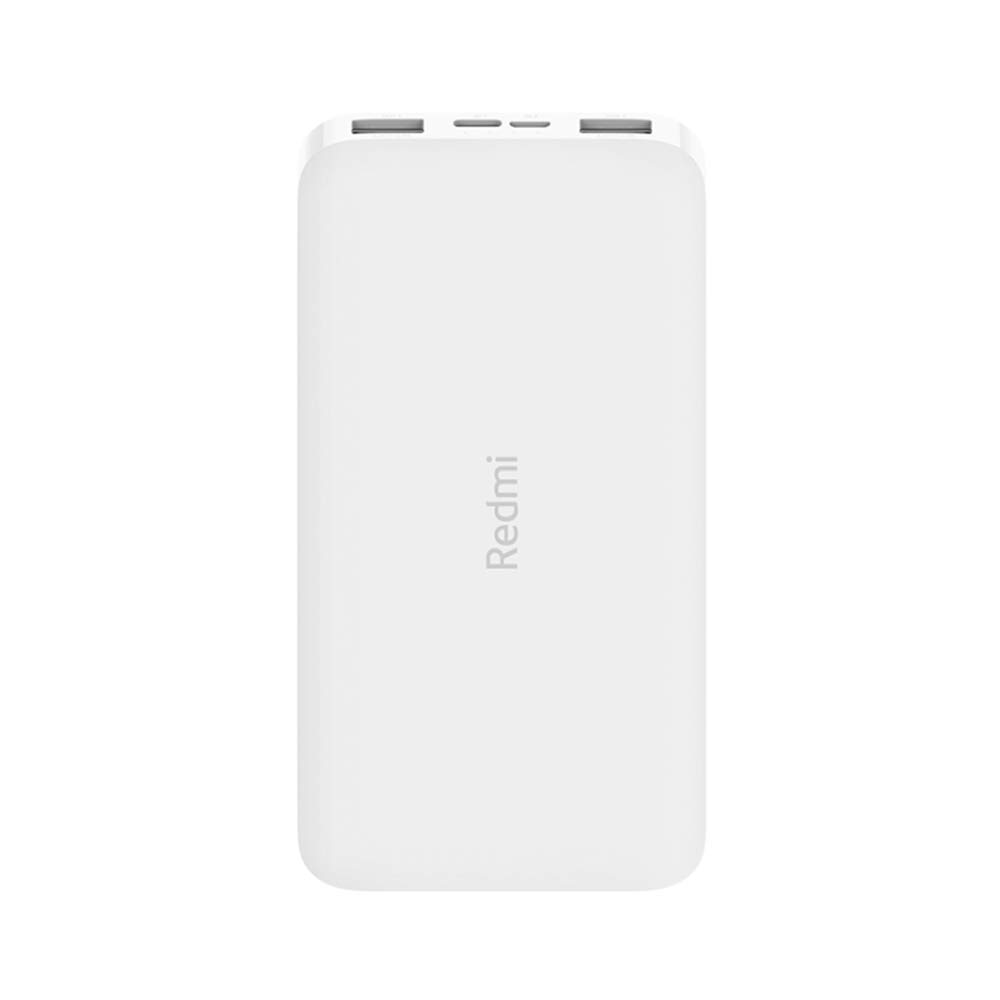
انځور: زاویه لرونکی view of the white Redmi 10000mAh Power Bank.
د خوندیتوب معلومات
To prevent injury, damage to the product, or damage to property, observe the following safety precautions:
- د پاور بانک جلا کول، ترمیم کول یا بدلول مه کوئ.
- د بریښنا بانک د اور، لوړې تودوخې، یا مستقیم لمر وړانګو ته مه ښکاره کوئ.
- د اوبو یا نورو مایعاتو سره د تماس مخنیوی وکړئ.
- د پاور بانک مه غورځوئ، مه یې وهئ، یا یې قوي وایبریشنونو ته مه وړئ.
- د ماشومانو د لاسرسي څخه لرې وساتئ.
- یوازې د مناسب چارج کولو کیبلونه او اډاپټرونه وکاروئ.
- د بریښنا بانک د ځایی مقرراتو سره سم له منځه یوسئ.
محصول پای ته ورسیدview
Familiarize yourself with the components of your Redmi 10000mAh Power Bank.

Image: Close-up of the power bank's top edge showing two USB-A output ports (OUT1, OUT2), one Micro-USB input port (IN1), one USB-C input port (IN2), and four LED battery level indicators.
- د USB-A آوټ پټ پورټونه (OUT1، OUT2): د بهرنیو وسایلو د چارجولو لپاره کارول کیږي.
- Micro-USB Input Port (IN1): د پاور بانک چارج کولو لپاره کارول کیږي.
- USB-C Input Port (IN2): د پاور بانک چارج کولو لپاره کارول کیږي.
- د LED شاخصونه: Four small lights indicating the remaining battery level.
- د بریښنا تڼۍ: Located on the side, used to check battery level or activate charging.

انځور: اړخ view of the power bank highlighting the power button.
چمتو کول
د پاور بانک لومړنی چارج کول
Before first use, fully charge your Redmi 10000mAh Power Bank.
- Connect a compatible USB cable to either the Micro-USB (IN1) or USB-C (IN2) input port on the power bank.
- د کیبل بل پای د USB بریښنا اډاپټر (شامل نه دی) یا د کمپیوټر USB پورټ سره وصل کړئ.
- The LED indicators will light up, showing the charging progress. All four LEDs will be solid when fully charged.
د نښلولو وسایل
The power bank is compatible with mobile phones and other USB-powered devices.
- Use the appropriate charging cable for your device.
- Connect one end of the cable to one of the USB-A output ports (OUT1 or OUT2) on the power bank.
- د کیبل بل پای د خپل وسیله د چارج کولو پورټ سره وصل کړئ.
عملیاتي لارښوونې
د بهرنیو وسایلو چارج کول
Once a device is connected, the power bank should automatically begin charging. If not, press the power button once to initiate charging.

Image: The power bank connected via a USB cable to charge a mobile phone, resting on a wooden table.
- The LED indicators will show the power bank's remaining battery level during charging.
- You can charge two devices simultaneously using both USB-A output ports.
د بیټرۍ کچه چک کول
Press the power button once to check the remaining battery level. The LED indicators will light up for a few seconds:
- 1 LED: 0-25٪ پاتې بیټرۍ
- 2 LEDs: 25-50٪ پاتې بیټرۍ
- 3 LEDs: 50-75٪ پاتې بیټرۍ
- 4 LEDs: 75-100٪ پاتې بیټرۍ
ساتنه
- پاکول: د پاور بانک په نرم او وچ ټوکر سره پاک کړئ. سخت کیمیاوي مواد یا د کثافاتو مواد مه کاروئ.
- ذخیره کول: د پاور بانک په یخ او وچ ځای کې د مستقیم لمر وړانګو او سختې تودوخې څخه لرې وساتئ.
- د بیټرۍ پاملرنه: For optimal battery life, avoid fully discharging the power bank frequently. Recharge it when the battery level is low. If not used for extended periods, charge it to about 50% every three months.
د ستونزو حل کول
| ستونزه | احتمالي حل |
|---|---|
| د پاور بانک چارج نه کوي. |
|
| وسیله د پاور بانک څخه چارج نه کوي. |
|
| ورو چارج کول. |
|
مشخصات
| برانډ | Xiaomi |
| د ماډل شمیره | PB100LZm |
| ظرفیت | 10000 mAh |
| رنګ | سپین |
| د بیټرۍ ډول | لیتیم پولیمر |
| د ننوتلو بندرونه | 1x Micro-USB, 1x USB-C |
| د تولید بندرونه | 2x USB-A (5.1V=2.4A each) |
| مطابقت لرونکې وسیلې | Mobile Phones and other USB-powered devices |
| ابعاد | 15.8 x 8 x 2 سانتي متره |
| وزن | 276 ګرامه |
تضمین او ملاتړ
Based on the provided product information, this product is indicated as having تضمین نشته. For any product-related inquiries or technical support, please refer to the official Xiaomi support channels or your point of purchase.


