پیژندنه
د پیرودلو لپاره مننهasing the Zadro 4" Round LED Makeup Travel Mirror. This compact and portable mirror is designed to provide optimal lighting for makeup application on the go, featuring a built-in rechargeable battery and three color LED light settings. Please read this manual thoroughly before using the product to ensure proper operation and maintenance.
د خوندیتوب مهم معلومات
To reduce the risk of burns, fire, electric shock, or injury to persons, please observe the following:
- Do not use this product near water, such as a bathtub, washbowl, kitchen sink, or laundry tub, in a wet basement, or near a swimming pool.
- Unplug this product from the power outlet before cleaning.
- Do not operate this product if it has a damaged cord or plug, if it is not working properly, or if it has been dropped or damaged.
- تار د ګرمو سطحو څخه لرې وساتئ.
- په هیڅ افتتاح کې هیڅ شی مه پریږدئ یا داخل کړئ.
- په بهر کې مه کاروئ.
- چیرې چې د ایروسول (سپرې) محصولات کارول کیږي یا چیرې چې اکسیجن اداره کیږي کار مه کوئ.
- Always turn off the mirror before storing.
- دا محصول یوازې د هغې د مطلوب کارونې لپاره وکاروئ لکه څنګه چې پدې لارښود کې تشریح شوي.
د بسته محتويات
مهرباني وکړئ د بسته بندۍ محتويات وګورئ ترڅو ډاډ ترلاسه کړئ چې ټول توکي شتون لري:
- Zadro 4" Round LED Makeup Travel Mirror
- د مایکرو USB چارج کولو تار
- Portable Carrying Pouch

Image: The Zadro travel mirror, its micro USB charging cable, and a black carrying pouch, laid out on a white surface.
چمتو کول
ابتدايي چارج کول
Before first use, fully charge your Zadro LED Travel Mirror. The built-in rechargeable battery provides up to 3 hours of continuous use on a single charge.
- Locate the micro USB charging port on the mirror.
- Connect the provided micro USB charging cord to the mirror.
- Plug the other end of the USB charging cord into a compatible USB power adapter (not included) or a computer USB port.
- Allow the mirror to charge until the charging indicator light (if present) indicates a full charge, or for approximately 2-3 hours.
عملیاتي لارښوونې

Image: An annotated diagram highlighting the key features of the Zadro travel mirror, including the finger ring grip, LED lighting, and touch control button.
Powering On/Off and Light Control
The mirror features a multi-functional touch button located at the bottom center of the reflective surface.
- د فعال/بندولو لپاره: Tap the touch button once to turn the LED light on. Tap it again to turn the light off.
- To Change Light Color: While the light is on, tap the touch button repeatedly to cycle through the three color settings:
- Evening (Warm White): Ideal for evening makeup application.
- Office (Cool White): Simulates typical office lighting.
- Daylight (Natural Sunlight): Provides a natural, bright light for outdoor looks.
- د رڼا کمولو/کمولو لپاره: Press and hold the touch button to continuously dim or brighten the LED lighting to your desired intensity. Release the button when the desired brightness is reached.
Using the Finger Ring Grip
The mirror is equipped with a convenient finger ring grip on its back, offering versatile usage options.
- لاسي کارول: Insert your finger through the ring to securely hold the mirror, preventing accidental drops.
- د میز موقف: Flip out the finger ring grip to use it as a stable stand, allowing for hands-free use on any flat surface.

Image: The Zadro travel mirror positioned on a flat surface, demonstrating how its integrated finger ring can be used as a stand for hands-free operation.
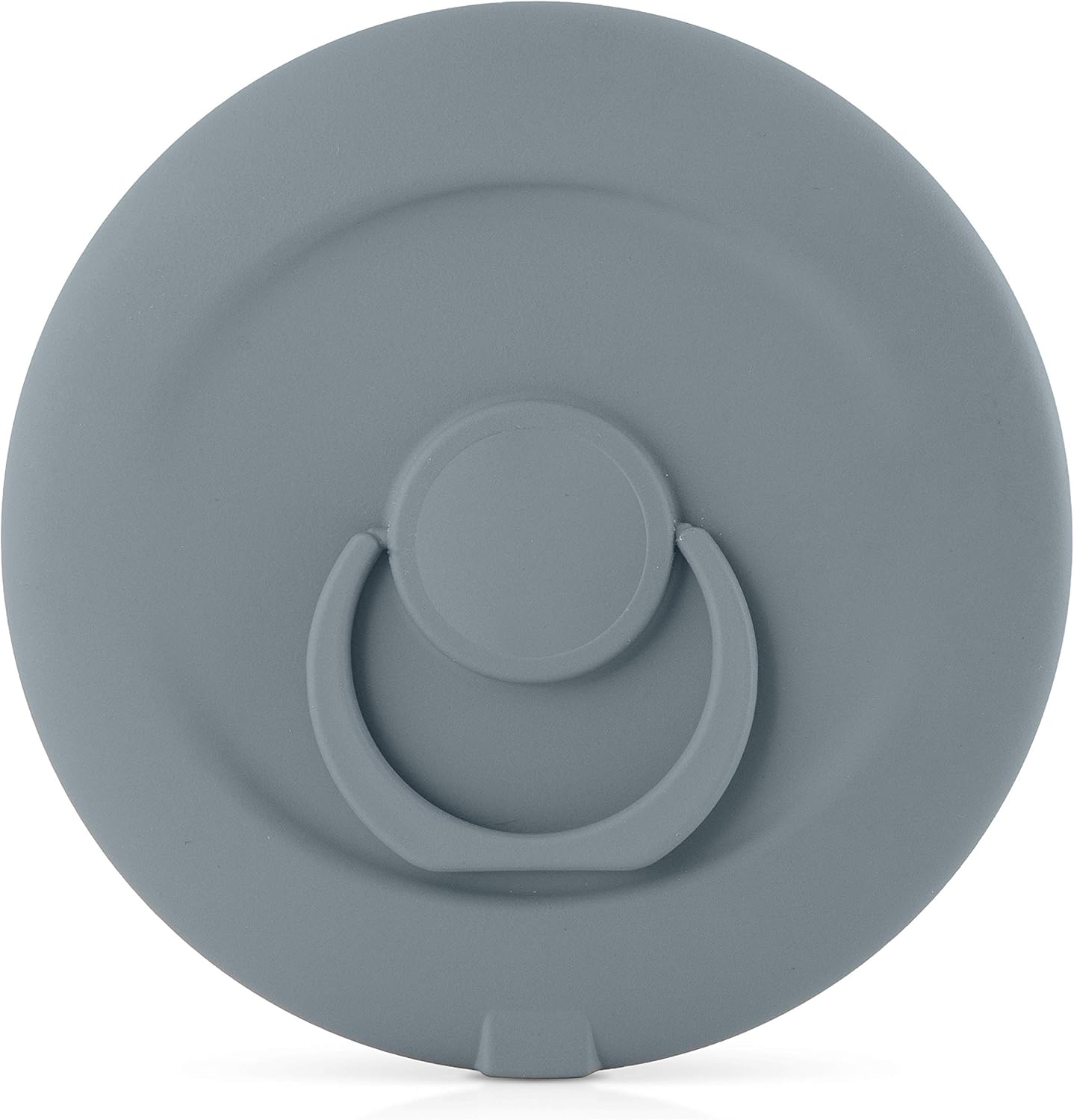
انځور: نږدې انځور view of the back of the Zadro travel mirror, clearly showing the finger ring grip in its folded, compact position.
ساتنه
پاکول
To maintain the clarity and functionality of your mirror:
- Ensure the mirror is turned off and unplugged before cleaning.
- Wipe the mirror surface with a soft, damp cloth. Do not use abrasive cleaners or harsh chemicals, as they may damage the mirror or its finish.
- For the body of the mirror, use a soft, dry cloth.
- Avoid getting water into the charging port or touch button area.
ذخیره کول
When not in use, store the mirror in its provided carrying pouch to protect it from scratches and dust. Store in a cool, dry place away from direct sunlight and extreme temperatures.
د ستونزو حل کول
| ستونزه | احتمالي لامل | د حل لاره |
|---|---|---|
| د هندار څراغ نه روښانه کېږي. | بیټرۍ ختمه شوې. | د چمتو شوي USB کیبل په کارولو سره عکس چارج کړئ. |
| رڼا تیاره ده یا ځلیږي. | ټیټ بیټرۍ. | Recharge the mirror. |
| Cannot change light color or dim. | Touch button not responding. | Ensure your finger is clean and dry. Try tapping/holding the button firmly. If issue persists, try fully charging the mirror. |
| Mirror not charging. | غلط کیبل یا د بریښنا سرچینه. | Try a different USB cable or power adapter. Ensure the cable is securely connected to both the mirror and the power source. |
مشخصات
| فیچر | تفصیل |
|---|---|
| ماډل | B084JF1TM4 |
| برانډ | ځدرو |
| د هندارو قطر | 4 انچه (10.16 سانتي متره) |
| Reflective Surface Diameter | 3.5 انچه (8.89 سانتي متره) |
| روښنايي | LED with 3 Color Settings (Evening, Office, Daylight) |
| بیټرۍ | Rechargeable (up to 3 hours use per charge) |
| د کنټرول ډول | Multi-functional Touch Button |
| ځانګړي ځانګړتیاوې | Finger Ring Grip (for holding or stand) |
| د چوکاټ مواد | پلاستیک |

Image: A visual representation of the Zadro travel mirror with its overall dimensions of 4 inches in width and 4 inches in height clearly indicated.
تضمین او ملاتړ
Zadro products are manufactured with quality and care. For information regarding warranty coverage, product support, or to purchase replacement parts, please visit the official Zadro webسایټ ته مراجعه وکړئ یا مستقیم د دوی د پیرودونکو خدماتو سره اړیکه ونیسئ.
For further assistance, you may visit the Zadro store on Amazon: Zadro Amazon Store


