1. پیژندنه
Thank you for choosing the eKids Kids Bluetooth Wireless Headphones. These headphones are designed to provide a safe and enjoyable audio experience for children, featuring volume-limiting technology to protect young ears. They offer versatile connectivity options, comfortable wear, and a durable, foldable design for easy portability.
This manual provides detailed instructions on how to set up, operate, and maintain your headphones, ensuring optimal performance and longevity.
2. د بسته محتويات
- eKids Kids Bluetooth Wireless Headphones
- د USB چارج کیبل
- 3.5mm آډیو کیبل
3. محصول ختم شوview

شکل 1: مخکی view of the eKids Kids Bluetooth Wireless Headphones, showcasing the white design with black ear cushions.

شکل 2: مفصل view highlighting key features such as the adjustable headband, foldable design for portability, soft ear cushions, charging port, and line-in audio port.

Figure 3: Illustration of the headphone controls including power/pairing/charging LED indicators, USB charging port, AUX jack, microphone, volume up/skip forward, play/pause/power on/off, hang up/answer phone, and volume down/skip back buttons. Also shows product dimensions.
کلیدي ځانګړتیاوې:
- د بلوتوټ ارتباط: Wirelessly stream high-quality stereo sound from compatible devices.
- Volume Reduced for Child Safety: Incorporates volume-limiting technology to protect young ears.
- جوړ شوی مایکروفون: Facilitates clear communication for video calls and online learning.
- وائرډ اختیار: Includes a 3.5mm audio cable for listening when Bluetooth is unavailable or the battery is low.
- د بیټرۍ اوږد ژوند: Up to 18 hours of continuous Bluetooth playtime.
- دودیز فټ: Adjustable headband and soft ear cushions for comfortable wear.
- پوښي ډیزاین: Ensures easy storage and portability.
4. پیل کول
۳.۱ د هیډفونونو چارج کول
Before first use, fully charge the headphones. Connect the included USB charging cable to the USB charging port on the headphones (refer to Figure 3 for location) and plug the other end into a USB power source (e.g., computer USB port, USB wall adapter). The LED indicator will show charging status.
- د چارج کولو وخت: د بشپړ چارج لپاره نږدې ۲-۳ ساعته.
- د LED شاخص: Red light indicates charging; light turns off when fully charged.
4.2 بریښنا کول / بندول
- د فعالولو لپاره: Press and hold the Power/Play/Pause button (refer to Figure 3) for approximately 3 seconds until the LED indicator flashes.
- د بریښنا بندولو لپاره: Press and hold the Power/Play/Pause button for approximately 3 seconds until the LED indicator turns off.
4.3 د بلوتوټ جوړه کول
د دې لپاره چې خپل هیډفونونه په بېسیم ډول له یوې وسیلې سره وصل کړئ:
- ډاډ ترلاسه کړئ چې هیډفونونه بند دي.
- Press and hold the Power/Play/Pause button for approximately 5-7 seconds until the LED indicator flashes red and blue alternately. This indicates pairing mode.
- په خپل وسیله (سمارټ فون، ټابلیټ، کمپیوټر) کې، بلوتوټ فعال کړئ او د شته وسایلو لټون وکړئ.
- Select "eKids Headphones" from the list of found devices.
- Once paired, the LED indicator on the headphones will flash blue slowly.
د بریښنا پيوستون
You can use the headphones with the included 3.5mm audio cable when Bluetooth is not desired or the battery is depleted.
- Plug one end of the 3.5mm audio cable into the AUX jack on the headphones (refer to Figure 3).
- Plug the other end into the headphone jack of your audio device.
- هیډفونونه به په اتوماتيک ډول تار لرونکي حالت ته لاړ شي.

Figure 4: Illustration demonstrating the flexibility of switching between wired mode (using the 3.5mm audio cable) and wireless Bluetooth mode, highlighting the battery life for wireless use.
۷. د هیډفونونو چلول
۶.۲ د موسیقۍ غږولو کنټرولونه
Use the control buttons on the headphones (refer to Figure 3) to manage your audio:
- پلی کول / ودرول: Press the Power/Play/Pause button once.
- حجم پورته کول: د حجم پورته کولو تڼۍ کېکاږئ.
- کموالی: د حجم کمولو تڼۍ کېکاږئ.
- مخ ته لاړشئ: د حجم پورته کولو تڼۍ کېکاږئ او ونیسئ.
- بیرته لاړ شئ: د حجم ښکته تڼۍ فشار او وساتئ.
5.2 Phone Call Controls
When connected via Bluetooth, you can manage phone calls:
- ځواب / پای کال: Press the Power/Play/Pause button once.
- زنګ رد کړئ: Press and hold the Power/Play/Pause button for approximately 2 seconds.
5.3 Volume Limiting Feature
These headphones are designed with a built-in volume limiter to ensure safe listening levels for children. This feature cannot be disabled, providing peace of mind during extended use.
6. مطابقت
The eKids Kids Bluetooth Wireless Headphones are compatible with a wide range of devices:
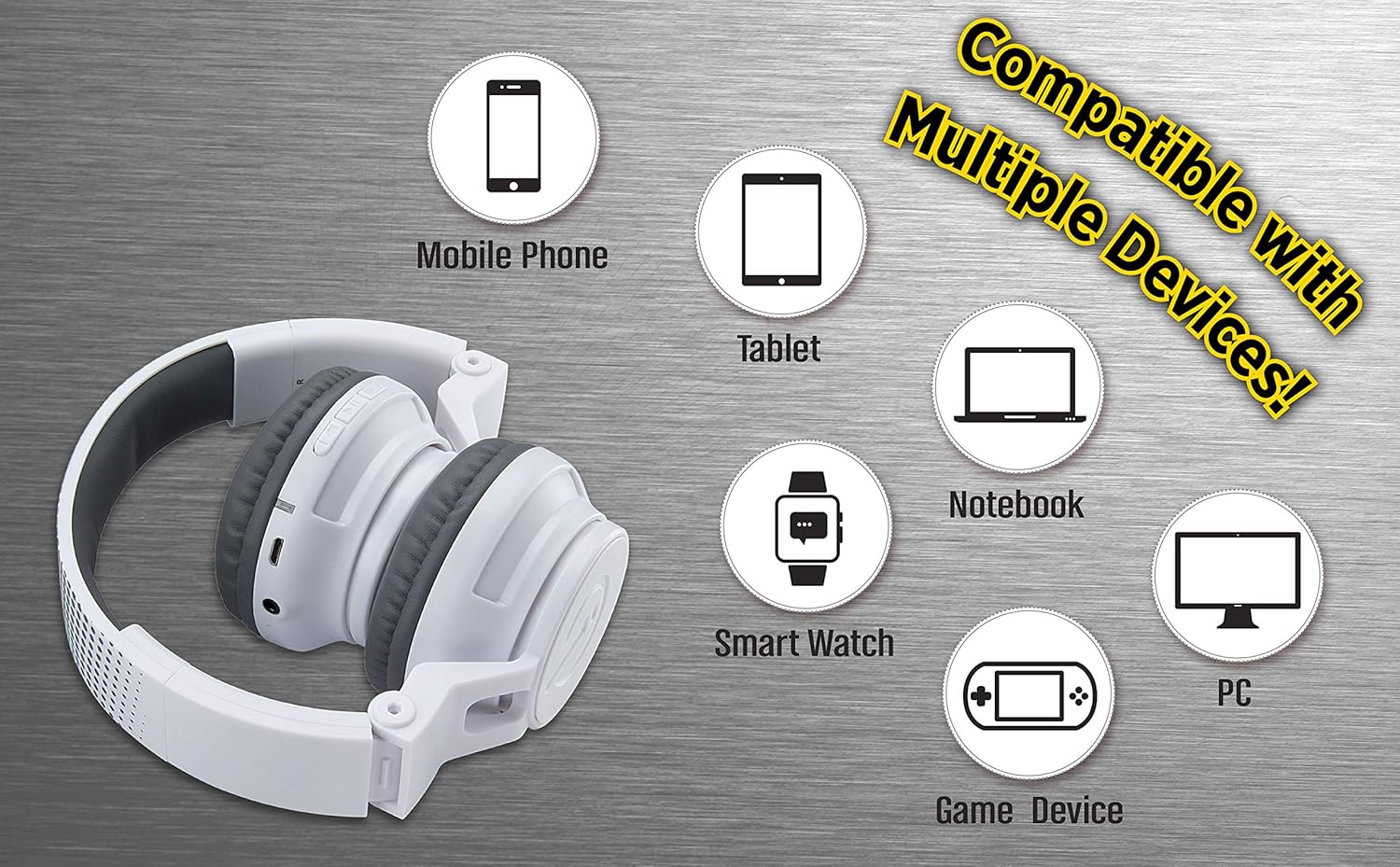
Figure 5: Visual representation of device compatibility, showing the headphones connecting to mobile phones, tablets, notebooks, smartwatches, PCs, and game devices.
- سمارټ فونونه (iOS او Android)
- ټابلیټونه
- Computers (PC, Laptops)
- Gaming Devices (with 3.5mm audio jack)
7. پاملرنه او ساتنه
- پاکول: د هیډفونونو د پاکولو لپاره نرم، وچ ټوکر وکاروئ. د مایع پاکوونکو یا ایروسولونو څخه کار مه اخلئ.
- ذخیره کول: When not in use, fold the headphones to their compact size and store them in a cool, dry place away from direct sunlight and extreme temperatures.
- د رطوبت څخه ډډه وکړئ: These headphones are not water-resistant. Keep them away from water and excessive moisture.
- په احتیاط سره سمبالول: د هیډفونونو له غورځولو یا د قوي ټکانونو سره د مخ کیدو څخه ډډه وکړئ.
8. ستونزه حل کول
۱ برېښنا نشته
- Ensure the headphones are fully charged. Connect to a power source using the USB charging cable.
- ډاډ ترلاسه کړئ چې د چارج کولو کیبل او د بریښنا سرچینه په سمه توګه کار کوي.
۶.۲ د بلوتوث له لارې جوړه نشي کېدای
- Make sure the headphones are in pairing mode (LED flashing red and blue alternately).
- ډاډ ترلاسه کړئ چې ستاسو په وسیله کې بلوتوث فعال دی او دا په حد کې دی (معمولا 10 متره).
- د خپل وسیلې د بلوتوث ترتیباتو څخه وسیله هیر کړئ او بیا د جوړه کولو هڅه وکړئ.
- هیډفونونه او خپل وسیله دواړه بیا پیل کړئ.
8.3 No Sound in Wired Mode
- Ensure the 3.5mm audio cable is securely plugged into both the headphones and the audio device.
- Check the volume level on both the headphones and the audio device.
- Test the audio cable with another device if possible to rule out a faulty cable.
۵.۲ ټیټ حجم
- Remember that these headphones have a built-in volume limiter for child safety.
- Increase the volume on both the headphones and the connected device.
9. مشخصات
| د ماډل شمیره | EK-B50W.EXV0 |
| د ارتباط ټیکنالوژي | بېسیم (بلوتوث)، تار لرونکی (۳.۵ ملي میتر جک) |
| د بې سیمه مخابراتو ټیکنالوژي | بلوتوث |
| د بیټرۍ ژوند | Up to 18 hours (Bluetooth playtime) |
| د غوږ شکل | په غوږ کې |
| ځانګړي ځانګړتیاوې | Adjustable Headband, Foldable, Microphone Included, Volume Reduced |
| مطابقت لرونکې وسیلې | Smartphones, Tablets, Computers, TVs |
| مواد | پلاستیک |
| د توکي وزن | 14.7 اونس (0.42 کیلوګرامه) |
| د کڅوړې ابعاد | 8.5 x 8.5 x 3.75 انچه |
| د اوبو د مقاومت کچه | د اوبو مقاومت نلري |
| UPC | 092298949741 |
۳.۳. د محصول رسمي ویډیو
Video: eKids Kids Bluetooth Wireless Headphones. This video provides a visual overview of the headphones' features and functionality, including their design, connectivity options, and child-safe volume limiting.
11. تضمین او ملاتړ
For warranty information and customer support, please refer to the documentation included with your purchase or visit the official eKids webسایټ. د تضمین ادعاوو لپاره د پیرود ثبوت وساتئ.
د اضافي مرستې لپاره، تاسو کولی شئ د eKids Store on Amazon.


