پیژندنه
د پیرودلو لپاره مننهasing the Helix True Wireless Earbuds. This manual provides essential information for setting up, operating, and maintaining your earbuds. Please read it carefully before use and retain it for future reference.

Image: Helix True Wireless Earbuds, black and white, resting inside their open black charging case. One earbud is also shown outside the case, indicating its design.
په بکس کې څه دي
- ریښتیني بې سیم ایربډونه (کیڼ او ښي)
- د چارج کولو قضیه
- د USB چارج کیبل
- د کارن لارښود
چمتو کول
۱. ابتدايي چارج کول
Before first use, fully charge the earbuds and the charging case. Connect the USB charging cable to the charging case and a power source. The LED indicators on the case will show charging status.

Image: An open charging case with two earbuds inside. Three blue LED lights are visible on the case, indicating power status. Text overlays highlight "Superior HD Audio", "Hands-Free Calling", and "Power LED Indicators".
2. Power On/Off and Auto-Pairing
The earbuds feature auto on/off and pairing. Simply remove the earbuds from the charging case to power them on. They will automatically enter pairing mode or reconnect to the last paired device. Place them back into the case to power off and begin charging.
3. د بلوتوث جوړه کول
- ډاډ ترلاسه کړئ چې د غوږ بډونه چارج شوي او د چارج کولو قضیې څخه لرې شوي دي.
- په خپل وسیله (سمارټ فون، ټابلیټ، او نور) کې، د بلوتوټ ترتیباتو ته لاړ شئ.
- لټون new devices and select "Helix TW" from the list.
- یوځل چې وصل شي، ستاسو وسیله به د بریالۍ جوړې نښه کړي.
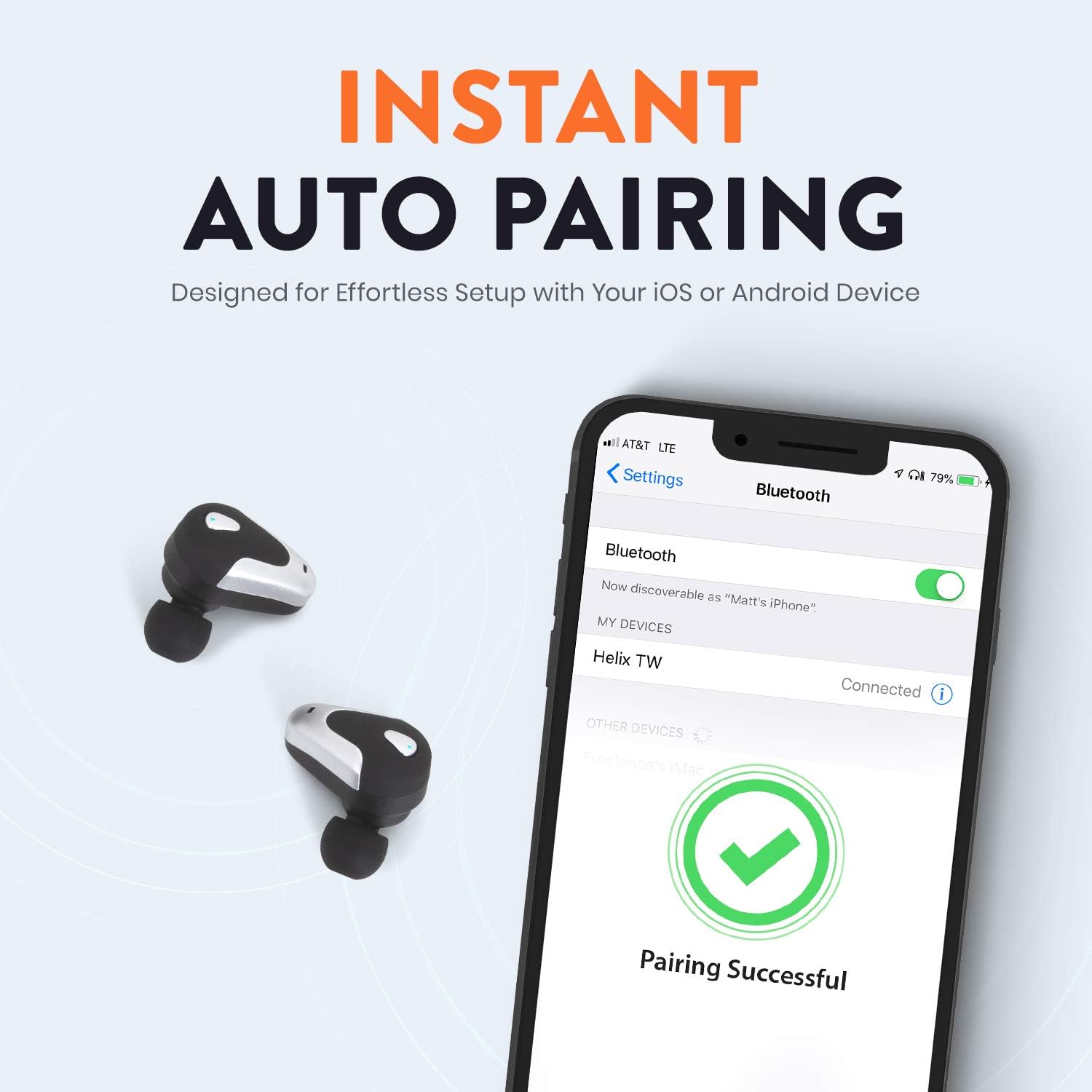
Image: A smartphone screen displaying Bluetooth settings, showing "Helix TW" as a connected device and a "Pairing Successful" message with a green checkmark. Two Helix earbuds are shown next to the phone.
4. SecureLock Fit
The Helix True Wireless Earbuds are designed with an ergonomic SecureLock Fit for comfort and stability during various activities. Gently insert the earbuds into your ears and twist slightly to secure them.

Image: A diagram illustrating the ergonomic SecureLock Fit of the earbuds, showing how they twist into the ear for a secure hold. In the background, people are exercising, suggesting the earbuds' suitability for active use.
عملیاتي لارښوونې
آډیو پلې بیک
- پلی کول / ودرول: Tap the control area on either earbud once.
- بله لار: Double-tap the control area on the right earbud.
- مخکینی لار Double-tap the control area on the left earbud.
د لاسونو څخه وړیا تلیفون کول
- ځواب / پای کال: Tap the control area on either earbud once.
- زنګ رد کړئ: Press and hold the control area on either earbud for 2 seconds.
د غږ معاون کنټرول
Triple-tap the control area on either earbud to activate your device's voice assistant (e.g., Siri, Google Assistant).
د بیټرۍ ژوند
The earbuds provide up to 4 hours of run time on a single charge. The charging case extends total listening time to approximately 16 hours.

Image: A graphic illustrating the battery life of the Helix earbuds. It shows "4 HOURS" for a single charge of the earbuds and "16 HOURS" when combined with the charging case.
HD آډیو
Experience HD audio with unrivaled bass, midtones, and treble frequencies for a rich listening experience.

Image: A graphic titled "NEXT-LEVEL HD AUDIO" with sound wave patterns in blue, representing high-definition audio quality. Two Helix earbuds are depicted in the foreground.
ساتنه
- پاکول: د غوږونو او چارج کولو کیس پاکولو لپاره نرم، وچ ټوکر وکاروئ. د کثافاتو پاکوونکي مه کاروئ یا په اوبو کې مه ډوبوئ.
- ذخیره کول: کله چې په کارولو کې نه وي، د غوږ بډونه د چارج کولو په قضیه کې وساتئ ترڅو دوی خوندي شي او چارج یې وساتي.
- د اوبو مقاومت: The earbuds are water resistant, but not waterproof. Avoid prolonged exposure to water or submersion.
د ستونزو حل کول
| ستونزه | د حل لاره |
|---|---|
| ایربډونه د وسیلې سره نه جوړیږي. |
|
| له یوه غوږ څخه غږ نشته. |
|
| د غوږۍ غوږۍ نه چارج کېږي. |
|
| ضعیف غږ کیفیت. |
|
مشخصات
| فیچر | تفصیل |
|---|---|
| د ماډل نوم | هیلکس |
| د ماډل شمیره | ETHTWB |
| د ارتباط ټیکنالوژي | بلوتوث |
| بلوتوث نسخه | 5.0 |
| د بلوتوټ رینج | 10 متره |
| د بیټرۍ ژوند (ایربډونه) | تر 4 ساعتونو پورې |
| د بیټرۍ ټول ژوند (د قضیې سره) | تر 16 ساعتونو پورې |
| د آډیو ډرایور ډول | متوازن آرماتور چلونکی |
| د فریکونسی رینج | له 20 Hz څخه تر 20,000 Hz پورې |
| د کنټرول ډول | Media Control, Voice Assistant |
| مایکروفون | Included for Hands-Free Calling |
| د اوبو د مقاومت کچه | د اوبو مقاومت |
| د غوږ شکل | په غوږ کې |
| مواد | پلاستیک |
| رنګ | تور |
| د توکي وزن | 3.2 اونس |
| جوړونکی | هیلکس |
| UPC | 816983019126 |
د تضمین معلومات
Specific warranty details are typically provided with your product packaging or available on the manufacturer's official webسایټ. مهرباني وکړئ د جامع تضمین شرایطو او مقرراتو لپاره ستاسو د پیرود سره شامل شوي اسنادو ته مراجعه وکړئ.
ملاتړ
For further assistance, technical support, or customer service inquiries, please visit the official Helix website or contact their customer support channels as listed in your product documentation.
تاسو هم کولی شئ لیدنه وکړئ Helix Store on Amazon د نورو محصولاتو معلوماتو لپاره.