پیژندنه
This manual provides comprehensive instructions for the safe and efficient use of your TUINYO TP19 Bluetooth Wireless Over-Ear Headphones. Please read this manual thoroughly before operating the device and retain it for future reference.

Image: TUINYO TP19 Bluetooth Wireless Over-Ear Headphones, showcasing the sleek design in black and blue.
د خوندیتوب معلومات
- د اوریدلو زیان څخه مخنیوي لپاره د لوړې حجم کچې سره د اوږدې مودې تماس څخه مخنیوی وکړئ.
- Do not use headphones while driving, cycling, or in situations where inability to hear ambient sounds could be dangerous.
- وسیله له اوبو، رطوبت او سخت حرارت څخه لرې وساتئ.
- د هیډفونونو د جلا کولو یا بدلولو هڅه مه کوئ. دا ممکن تضمین باطل کړي او زیان ورسوي.
- Clean the headphones with a soft, dry cloth. Avoid using harsh chemicals.
د بسته محتويات
- TUINYO TP19 Bluetooth Wireless Over-Ear Headphones
- د مایکرو USB چارج کولو کیبل
- 3.5mm آډیو کیبل
- محافظتي قضیه
- د کارونکي لارښود (دا لاسوند)

Image: All items included in the TUINYO TP19 headphone package: the headphones, a protective case, a micro USB charging cable, and a 3.5mm audio cable.
محصول پای ته ورسیدview
The TUINYO TP19 headphones feature a comfortable over-ear design with soft memory-protein earmuffs and an adjustable stainless steel headband for a perfect fit. Controls are intuitively placed on the earcup.

انځور: تفصیلي view of the headphone's ergonomic features: leather-padded headband, adjustable headband mechanism, soft memory-protein earmuffs, and the equalizer (EQ) button.
کلیدي ځانګړتیاوې:
- High Fidelity Stereo Sound: Powered by 40mm neodymium drivers for immersive audio.
- راحته ډیزاین: Memory-protein ear cushions and adjustable headband for extended wear.
- دوه ګونی حالت: Supports both wireless Bluetooth and wired 3.5mm audio connections.
- د بیټرۍ اوږد ژوند: په یوه چارج کې تر 40 ساعتونو پورې د لوبې وخت.
- جوړ شوی مایکروفون: For hands-free calls and voice commands.
- پوښي ډیزاین: د اسانه لیږد او ذخیره کولو لپاره.
چمتو کول
1. د هیډفون چارج کول
- د مایکرو USB چارج کولو کیبل د هیډفونونو د چارج کولو پورټ سره وصل کړئ.
- د کیبل بل پای د USB بریښنا اډاپټر (شامل نه دی) یا د کمپیوټر USB پورټ سره وصل کړئ.
- The LED indicator will show charging status (typically red while charging, off or blue when fully charged).
- A full charge takes approximately 2-2.5 hours and provides up to 40 hours of music playtime.

Image: Graphic illustrating the impressive battery duration, highlighting up to 35 hours of battery life and a quick charge feature where 15 minutes of charging provides 3 hours of playtime.
2. بریښنا فعال/بند
- پاور آن: Press and hold the Power button (usually the multi-function button) for a few seconds until the LED indicator lights up and you hear a power-on prompt.
- بندول: د څو ثانیو لپاره بیا د بریښنا تڼۍ فشار ورکړئ او ونیسئ تر هغه چې د LED شاخص بند نشي او تاسو د بریښنا بندولو غږ واورئ.
3. د بلوتوث جوړه کول
- ډاډ ترلاسه کړئ چې هیډفونونه بند دي.
- د بریښنا تڼۍ د نږدې 5-7 ثانیو لپاره فشار ورکړئ او ونیسئ تر هغه چې د LED شاخص په بدیل سره سور او نیلي روښانه شي، د جوړه کولو حالت په ګوته کوي.
- په خپل وسیله (سمارټ فون، ټابلیټ، کمپیوټر) کې، بلوتوټ فعال کړئ او د شته وسایلو لټون وکړئ.
- Select "TP 19" from the list of devices.
- Once paired, the LED indicator will flash blue slowly, and you will hear a connection confirmation.
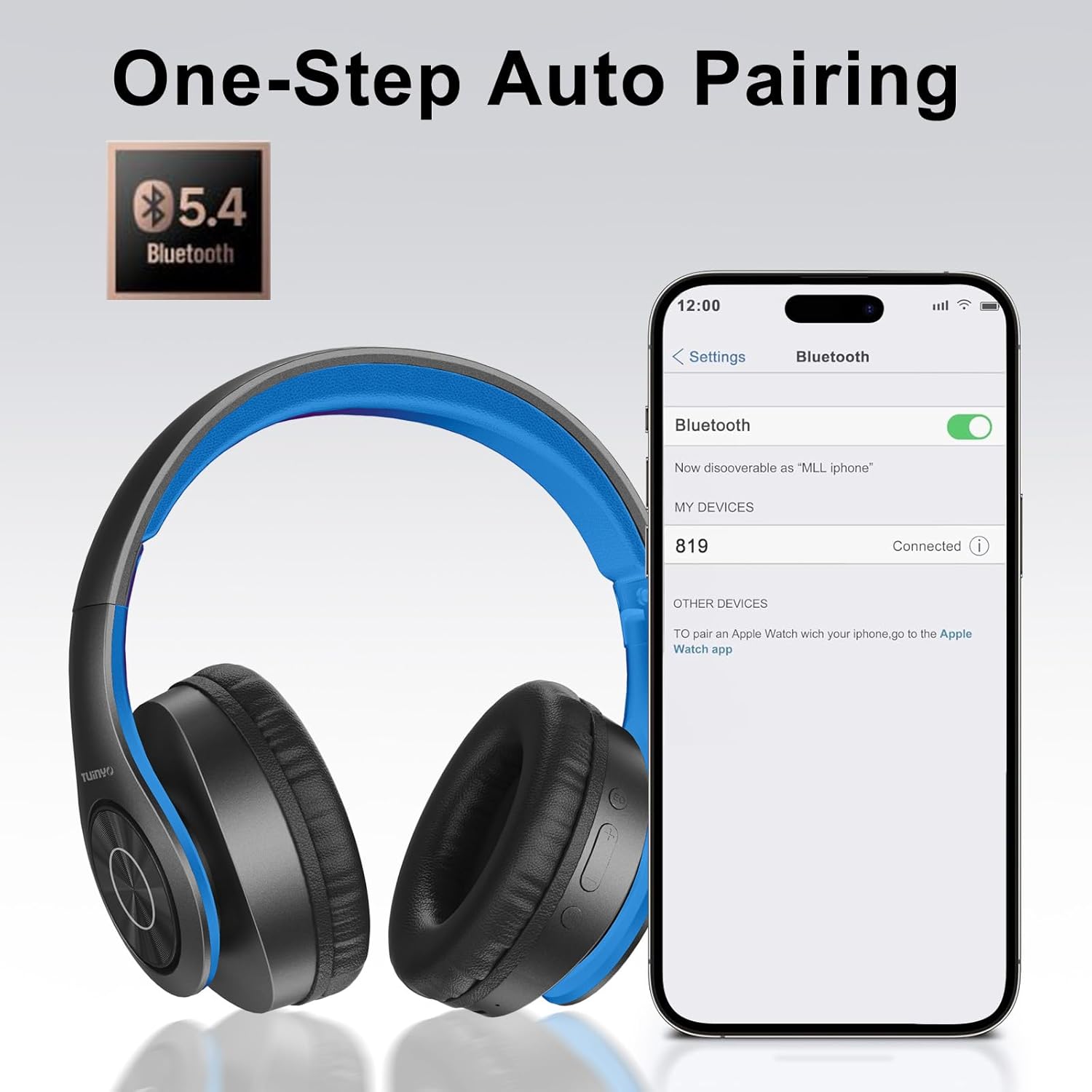
Image: A smartphone screen displaying the Bluetooth settings, showing the "819" (representing the TP19 headphones) successfully connected, illustrating the one-step auto pairing feature.
Video: An official TUINYO video demonstrating the Bluetooth pairing process and showing the headphones in use. This video highlights the ease of connecting the headphones to a device.
عملیاتي لارښوونې
1. Wireless Mode
- پلی کول / ودرول: یوځل د ملټي فنکشن ت buttonۍ فشار ورکړئ.
- حجم پورته کول: د "+" تڼۍ کېکاږئ.
- کموالی: د "-" تڼۍ کېکاږئ.
- بله لار: د "+" تڼۍ کېکاږئ او ونیسئ.
- مخکینی لار د "-" تڼۍ کېکاږئ او ونیسئ.
۴.۳. وایرډ موډ
When the battery is low or if you prefer a wired connection, you can use the included 3.5mm audio cable.
- Connect one end of the 3.5mm audio cable to the audio input port on the headphones.
- Connect the other end to your audio device's 3.5mm jack.
- In wired mode, controls on the headphones may be limited, and playback will be controlled by your connected device.
۵. د زنګ وهلو دندې
- ځواب / پای کال: یوځل د ملټي فنکشن ت buttonۍ فشار ورکړئ.
- زنګ رد کړئ: د 2 ثانیو لپاره د ملټي فنکشن تڼۍ فشار او ونیسئ.
- وروستنۍ شمیره بیا ولیکئ: د ملټي فنکشن ت .ۍ دوه ځله فشار ورکړئ.
4. د غږ معاون
The headphones support voice-enabled assistants like Siri. Press the Multi-function button twice to activate your device's voice assistant.
5. Sound Effects (EQ Mode)
The headphones feature multiple sound effects (EQ modes) to customize your listening experience. Press the EQ button (often labeled "EQ" or a similar icon) to cycle through available modes such as Normal, Rock, Pop, Classic, Jazz, and Country.
Video: An official TUINYO video showcasing the various sound modes and controls on the headphones, demonstrating how to switch between different equalizer settings.
ساتنه
- Store the headphones in the protective case when not in use to prevent damage.
- د چارج کولو پورټ او آډیو جیک له دوړو او کثافاتو څخه پاک وساتئ.
- Avoid exposing the headphones to direct sunlight or extreme heat for extended periods.
- Do not use abrasive cleaners or solvents on the headphones.
د ستونزو حل کول
| ستونزه | د حل لاره |
|---|---|
| هیډفونونه به نه چالانیږي. | ډاډ ترلاسه کړئ چې هیډفونونه په بشپړ ډول چارج شوي دي. د بریښنا سرچینې سره وصل شئ او بیا هڅه وکړئ. |
| د وسیلې سره جوړه نشي کیدی. |
|
| په بېسیم حالت کې غږ نشته. |
|
| په تار لرونکي حالت کې غږ نشته. |
|
مشخصات
| فیچر | تفصیل |
|---|---|
| د ماډل نوم | TP 19 |
| د ارتباط ټیکنالوژي | بې سیم (بلوتوث) |
| د بې سیمه مخابراتو ټیکنالوژي | بلوتوث 5.1 |
| د بلوتوټ رینج | 10 متره |
| د آډیو ډرایور ډول | متحرک چلوونکی |
| د آډیو ډرایور اندازه | 40 ملی متره |
| د تعدد ځواب | 20 KHz |
| خنډ | 32 اوهم |
| د بیټرۍ ژوند | 40 ساعته |
| د چارج کولو وخت | 2.5 ساعته |
| هیډفون جیک | 3.5 ملی جیک |
| د کنټرول ډول | د غږ کنټرول، لمس |
| ځانګړی ځانګړنه | د فولډ وړ |
| د توکي وزن | ۰.۹۸۶ اونس (۲۷.۹۴ ګرامه) |
| د محصول ابعاد | 6.85 x 3.9 x 9.72 انچه |
| مواد | پلاستیک |
| شاملې برخې | Cable, Protective Case, micro usb cable |
تضمین او ملاتړ
By choosing TUINYO, you are covered by a 30-day hassle-free return policy and a one-year warranty. For any inquiries or assistance, please contact our prompt and friendly customer service, available 24/7.
For further support, visit the official TUINYO store: TUINYO Store


