1. محصول ختم شوview
The Level Touch Smart Lock, Model C-L12U in Satin Nickel, is an advanced deadbolt designed to integrate seamlessly into your home security system. This smart lock offers multiple access methods, including touch, key card, traditional key, and smartphone app control, providing convenience and enhanced security without compromising the aesthetic of your door hardware. Its innovative design conceals the smart technology within the deadbolt itself, maintaining a sleek and traditional appearance.
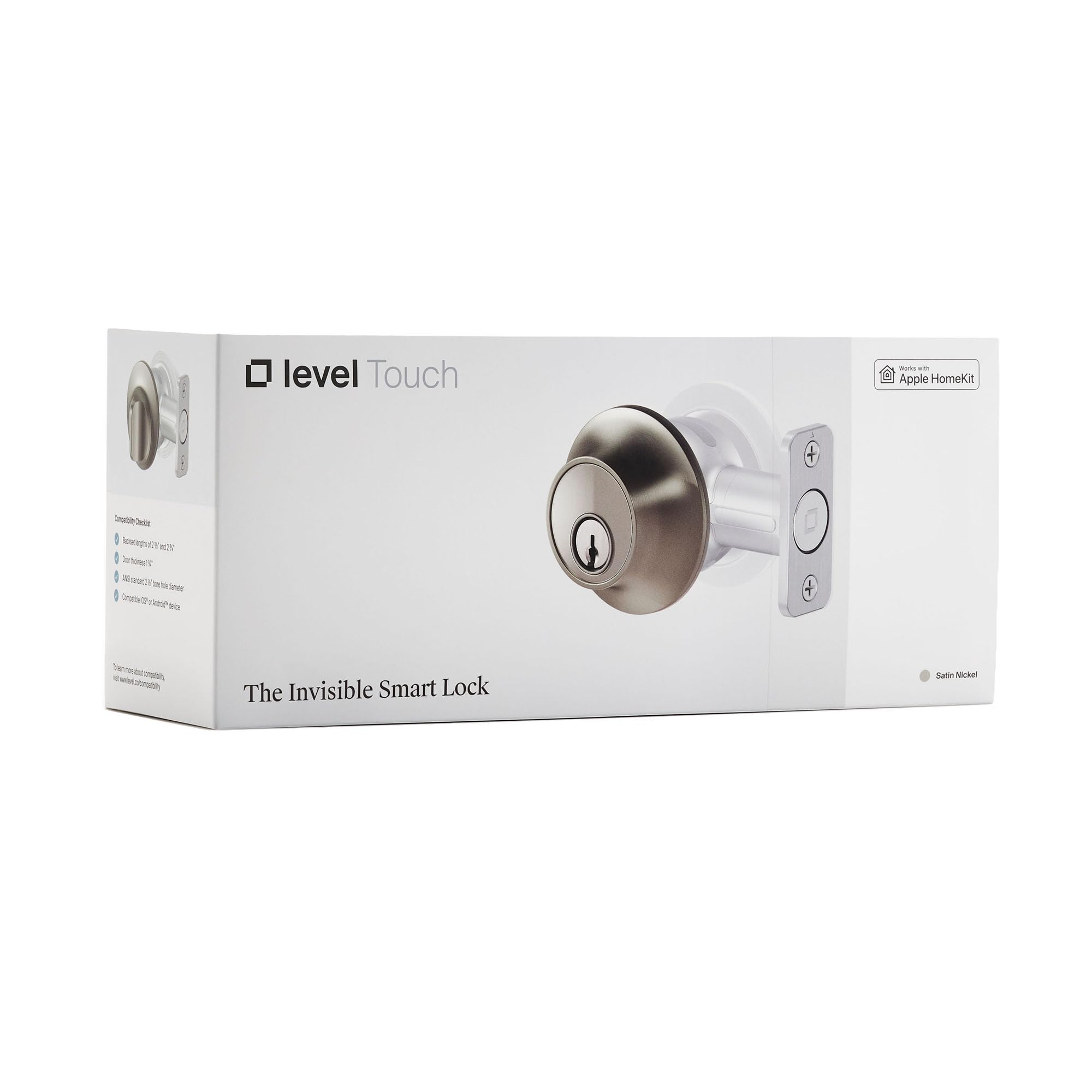
Image: The Level Touch Smart Lock in Satin Nickel, showcasinد هغې لږترلږه ډیزاین.
2. ترتیب او نصب کول
Installation of the Level Touch Smart Lock is designed to be straightforward, replacing your existing deadbolt. The smart components, including the battery, are cleverly housed within the deadbolt mechanism itself, ensuring a discreet installation.
۳.۱. د نصبولو دمخه چک
- Ensure your door meets ANSI standard strike plate dimensions. If your current strike plate cutout height measures 2 ¼ inches, a Level Lock Short Strike Plate (sold separately) may be required.
- Verify that your door is properly aligned and the existing deadbolt operates smoothly without resistance.
2.2. فزیکي نصب کول
- Remove your existing deadbolt hardware from the door.
- Insert the Level Touch deadbolt into the door, ensuring the battery compartment is accessible.
- Secure the interior and exterior components according to the detailed instructions provided in the Level Home app.
۱۰. د اپلیکیشن ترتیب
- Download the Level Home app from your device's app store (available for iOS and Android).
- Follow the in-app instructions to pair your Level Touch Smart Lock with your smartphone via Bluetooth.
- Integrate the lock with your preferred smart home platform (Apple HomeKit, Siri, iOS, Android).
3. Operating Your Level Touch Smart Lock
The Level Touch Smart Lock offers multiple convenient ways to secure and access your home.
3.1. Touch-to-Lock/Unlock
- With Touch-to-Lock enabled in the app, simply touch the exterior of the deadbolt to lock or unlock your door.
3.2. Key Card Access
- Present a programmed Level Key Card to the exterior of the deadbolt to lock or unlock the door. Key cards can be managed and assigned via the Level Home app.
3.3. Traditional Key Access
- Use the provided physical key as a backup or alternative method to lock and unlock the deadbolt.
۶.۲. د سمارټ فون اپلیکیشن کنټرول
- Use the Level Home app to remotely lock or unlock your door, check its status, and manage access for guests.
- Configure automatic lock/unlock features based on your proximity to the door (geofencing).
۴.۵. د سمارټ کور ادغام
- Control your lock using voice commands through Siri, or integrate with Apple HomeKit for advanced automation and control within your smart home ecosystem.
4. ساتنه
4.1. د بیټرۍ بدلول
The Level Touch Smart Lock is powered by a single CR2 battery, cleverly hidden within the deadbolt. The Level Home app will notify you when the battery level is low. Replace the battery promptly to ensure continuous operation.
- Access the battery compartment by following the instructions in the Level Home app or the quick start guide.
- زوړ CR2 بیټرۍ لرې کړئ او یوه نوې یې دننه کړئ، ترڅو سم قطبي والی ډاډمن شي.
- د بیټرۍ کڅوړه خوندي کړئ.
4.2. پاکول
Clean the exterior of your Level Touch Smart Lock with a soft, damp ټوکر. د کثافاتو پاکوونکو یا محلولونو څخه ډډه وکړئ کوم چې پای ته زیان رسولی شي.
5. ستونزه حل کول
- Inconsistent Lock/Unlock: If the lock operates inconsistently via touch or app, check the battery level. Ensure the door is properly aligned and the deadbolt is not experiencing any physical obstruction or jamming.
- Key Card Not Working: If key cards are not recognized, ensure they are properly enrolled in the Level Home app. Check the lock's battery.
- د ارتباط مسلې: If experiencing spotty Bluetooth connectivity, ensure your smartphone is within range of the lock. For remote access, verify your smart home hub (e.g., Apple HomePod, Apple TV) is online and within range.
- Lock Restarting Unexpectedly: If the lock makes unusual sounds or appears to restart, it may indicate low battery or excessive force required for the deadbolt to extend/retract. Check battery and door alignment.
6. مشخصات
| فیچر | تفصیل |
|---|---|
| برانډ | کچه |
| د ماډل شمیره | C-L12U |
| UPC | 850009337061 |
| د بند ډول | ډډبولټ |
| رنګ | ساټین نکل |
| مواد | نکل |
| د توکي ابعاد (L x W x H) | 4.5 x 2.75 x 2.75 انچه |
| د توکي وزن | 2.39 پونډه |
| د کنټرولر ډول | Android, Apple HomeKit, Siri, iOS |
| د کنټرول طریقه | اپلیکیشن |
7. تضمین او ملاتړ
For warranty information and technical assistance, please refer to the official Level Home website or contact their customer support. Users have reported positive experiences with Level Lock customer service, noting their quick and responsive support.
Please note: There is a newer version of this product available. To find the updated version, search ASIN B0FKLF5DPL on Amazon.


