پیژندنه
The REXING V5 Dash Cam is a state-of-the-art 4K Ultra HD car camera system designed to provide comprehensive recording of your driving experience. Featuring modular capabilities, built-in GPS, Wi-Fi connectivity, voice control, and advanced safety features like G-Sensor and Parking Monitor, the V5 ensures reliable and high-quality video evidence for your peace of mind. This manual will guide you through the setup, operation, and maintenance of your new dash cam.
د تنظیم کولو لارښود
1. د بسته محتويات
مخکې له دې چې تاسو پیل کړئ، ډاډ ترلاسه کړئ چې ټول توکي ستاسو په کڅوړه کې شتون لري:
- REXING V5 Dash Cam Unit
- د موټر بریښنا کیبل
- 3M چپکونکي ماونټونه
- د کیبل مدیریت وسیله
- Memory Card (Included)
- Quick Start Guide & Safety Guide

Figure 1: REXING V5 Package Contents. Includes the dash cam, power cable, mounting accessories, and user guides.
۱. د ډش کیم نصب کول
Mount the main camera unit to the windshield, ideally behind the rearview هنداره، ترڅو روښانه شي view of the road without obstructing your driving vision. Use the provided 3M adhesive mounts for secure attachment.
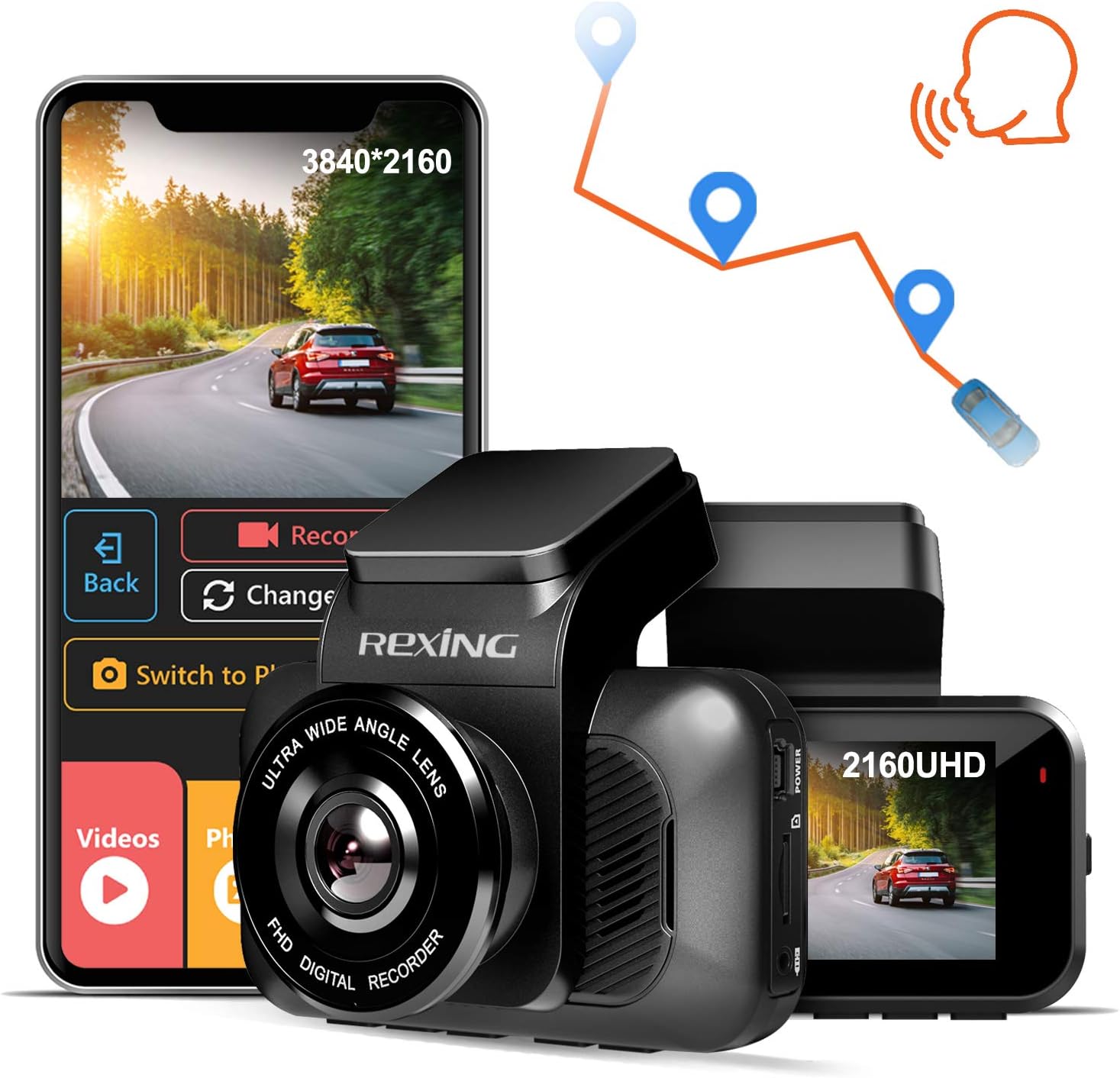
Figure 2: REXING V5 Dash Cam mounted on the windshield, capturing a wide-angle view د سړک څخه.
For optimal recording, ensure the lens is clean and free from obstructions. The 170-degree ultra-wide-angle lens captures broad views of surroundings, reducing blind spots.
3. Connecting Power and Optional Modules
Connect the car power cable to the dash cam and route it discreetly along the windshield and dashboard to your vehicle's 12V power outlet. The V5 supports modular camera attachments for expanded viewing areas, including cabin view او شاته view (په جلا توګه پلورل شوی).

Figure 3: Modular Capabilities of the REXING V5. Additional cameras can be connected for multi-channel recording.
If using optional cabin or rear cameras, connect them to the main unit as per their respective instructions. The rear camera can be mounted inside or outside the vehicle, depending on the model.
Video 1: Official REXING V5 Dash Cam overview, demonstrating setup and features. This video highlights the modular design and ease of installation.
عملیاتي لارښوونې
1. Powering On and Recording
The REXING V5 Dash Cam automatically powers on and begins recording when connected to your vehicle's power source and the ignition is turned on. Videos are recorded in 1, 2, or 3-minute intervals. When the memory card storage limit is reached, loop recording automatically overwrites the oldest unlocked recordings.

Figure 4: The V5 records in stunning 4K Ultra HD, providing clear footage even in low-light conditions thanks to its SONY IMX335 sensor and Wide Dynamic Range technology.
۶.۲. د موبایل اپلیکیشن او غږیز کنټرول
Utilize the REXING mobile app (available for iOS and Android) to view and manage dash cam recordings instantly. You can download recorded 4K videos directly to your smartphone and easily share them. The built-in GPS accurately records your driving location and speed, viewable via the Rexing GPS Player.

Figure 5: Seamless connectivity with the REXING mobile app for easy video management and sharing.
The V5 also supports voice control, allowing for hands-free operation to initiate photo/video recording and other tasks.
3. G-Sensor and Parking Monitor
The G-Sensor detects sudden impacts or collisions while driving and automatically locks the current video segment to prevent it from being overwritten. The Parking Monitor feature ensures 24/7 surveillance: the dash camera will automatically turn on and record a 20-second video if it detects vibration, even when the car is parked and turned off.

Figure 6: Key safety features including G-Sensor for impact detection, continuous loop recording, and 24-hour parking monitoring.
ساتنه
To ensure the longevity and optimal performance of your REXING V5 Dash Cam, regular maintenance is recommended:
- د میموري کارت مدیریت: Periodically format your memory card (at least once a month) to prevent data corruption and ensure smooth loop recording. Use a high-quality, high-speed microSD card (up to 256GB recommended).
- د عینکو پاکول: Gently clean the camera lens with a soft, lint-free cloth to ensure clear video quality. Avoid abrasive materials that could scratch the lens.
- د فرم ویئر تازه معلومات: Check the REXING website regularly for firmware updates. Keeping your dash cam's firmware up-to-date can improve performance, add new features, and fix bugs.
- د حرارت درجه په پام کې نیولو سره: While the V5 is built with a supercapacitor for enhanced temperature resistance, avoid prolonged exposure to extreme temperatures when possible to prolong its lifespan.
د ستونزو حل کول
If you encounter issues with your REXING V5 Dash Cam, try the following common troubleshooting steps:
- کیمره فعاله نه ده: ډاډ ترلاسه کړئ چې د بریښنا کیبل د ډشبورډ کیم او د موټر د 12V آوټ لیټ دواړو سره په خوندي ډول وصل دی. د بریښنا آوټ لیټ لپاره د موټر فیوز وګورئ.
- د ثبت کولو مسلې: Format the microSD card. Ensure the card is not full or corrupted. Try a different high-speed microSD card.
- جي پي ایس کار نه کوي: Ensure the GPS module (if external) is properly connected and has a clear view of the sky. Allow several minutes for the GPS signal to acquire.
- د وای فای اتصال ستونزې: Ensure the REXING app is updated to the latest version. Restart both the dash cam and your mobile device.
- د غږ کنټرول ځواب نه ورکوي: Speak clearly and ensure there is minimal background noise. Check the dash cam's settings to ensure voice control is enabled.
For more detailed troubleshooting or persistent issues, please refer to the official REXING support resources.
مشخصات
| فیچر | تفصیل |
|---|---|
| د محصول ابعاد | 2 x 3.75 x 1.25 انچه |
| د توکي وزن | 15 اونس |
| د ماډل شمیره | V5 |
| د ویډیو نیول حل | ۲۱۶۰p (۴K الټرا ایچ ډي) |
| د ارتباط ټیکنالوژي | وای فای |
| ځانګړي ځانګړتیاوې | Loop Recording, G-Sensor, Night Vision, Parking Monitor, Voice Control |
| د نصب کولو ډول | سکشن ماونټ |
| شاملې برخې | د حافظې کارت |
تضمین او ملاتړ
REXING stands behind its products with a د 18 میاشتو تضمین. For any inquiries, technical assistance, or warranty claims, please contact REXING's personal LIVE CUSTOMER SUPPORT via email or phone. You can also visit the official REXING website for FAQs, troubleshooting guides, and to register your product for warranty extension.
د نورو معلوماتو لپاره، لیدنه وکړئ: www.rexingusa.com


