پیژندنه
د پیرودلو لپاره مننهasing the Gdrasuya10 SYF-C008 23-inch Flush Mount Ceiling Fan with LED Light. This manual provides essential information for safe installation, operation, and maintenance of your new ceiling fan. Please read all instructions carefully before beginning installation or use, and retain this manual for future reference.
د خوندیتوب معلومات
د خلکو لپاره د بریښنا شاک، اور لګیدو یا ټپي کیدو خطر کمولو لپاره، ټولې لارښوونې په دقت سره ولولئ او تعقیب یې کړئ.
- تل د نصب یا ساتنې دمخه په اصلي سرکټ بریکر کې د بریښنا رسولو بند کړئ.
- Ensure all electrical connections comply with local codes and ordinances, and national electrical codes. If you are unfamiliar with electrical wiring, consult a qualified electrician.
- د نصب کولو جوړښت باید د فین وزن (تقریبا 10.93 پونډه) ملاتړ کولو وړ وي.
- Do not touch the surface of the high-power patch LED by hand, as it may cause burns or damage.
- د کار کولو پرمهال ماشومان له فین څخه لرې وساتئ.
د بسته محتويات
د نصبولو پیل کولو دمخه ډاډ ترلاسه کړئ چې ټولې برخې شتون لري:
- د چت د پنکې واحد د مدغم LED څراغ سره
- Remote Control (2 x 12V batteries included)
- د خولو لگول
- د نصبولو هارډویر (پیچونه، لنگرونه)
- د کارن لارښود

Image: Unboxing the Gdrasuya10 ceiling fan, showing the remote control, mounting hardware, and instruction manual.
مشخصات
| فیچر | مشخصات |
|---|---|
| برانډ | Gdrasuya10 |
| د ماډل شمیره | SYF-C008 |
| د محصول ابعاد | ۳۳"لیتر x ۱۹.۵"لوی x ۴۳"نوی (۸۳.۸ سانتي متره لیتر x ۴۹.۵ سانتي متره لیتر x ۱۰۹.۲ سانتي متره لیتر) |
| رنګ | خړ |
| د رڼا سرچینې ډول | د SMD LED |
| واټtage | ۴۵ واټه |
| روښانتیا | 4500 Lumens |
| د رنګ د حرارت درجه | ۳۰۰۰K (ګرم سپین)، ۴۵۰۰K (طبیعي سپین)، ۶۰۰۰K (سړه سپین) |
| د کمولو وړ حد | 10%-100% |
| د فین سرعت | 3 (ټيټ، متوسط، لوړ) |
| د کنټرول طریقه | ریموټ کنټرول |
| د وخت ترتیب | 1H، 2H |
| د شور کچه | Ultra Quiet (<30db) |
| مواد | اکریلیک، فلزي |
| د لګولو ډول | نیمه فلش ماونټ |
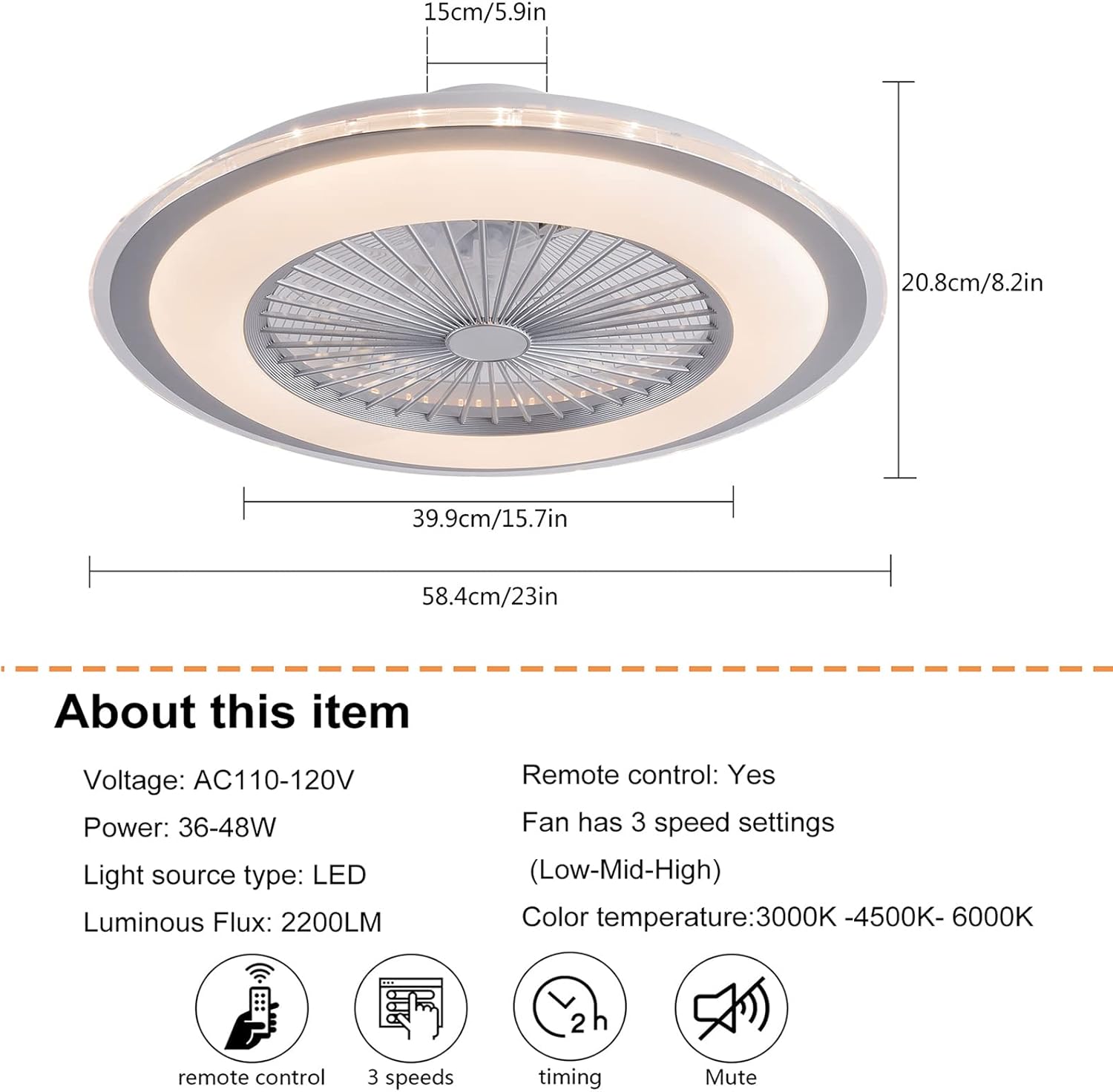
انځور: د محصول ابعاد ختم شولview.

Image: Detailed specifications and remote control functions.
نصب کول
Professional electricians are recommended for installation. Always ensure the power supply is disconnected before installation.
- د نصبولو قوس چمتو کړئ: Remove the mounting bracket from the fan unit. Securely attach the mounting bracket to the ceiling junction box using appropriate screws and anchors. Ensure the bracket is firmly fixed and can support the fan's weight.
- د تارونو نښلول: Connect the fan's electrical wires to the household wiring. Typically, this involves connecting the live (black), neutral (white), and ground wires. Use wire nuts to secure connections.
- د فین واحد نصب کړئ: Carefully lift the fan unit and align it with the installed mounting bracket. Secure the fan unit to the bracket using the provided screws. Ensure all screws are tightened to prevent the fan from falling.
- وروستی چک: Once mounted, double-check all connections and ensure the fan is securely attached to the ceiling.
Video: Detailed installation guide for the 23-inch ceiling fan with light. This video demonstrates the steps for mounting the bracket, wiring, and securing the fan to the ceiling.

انځور: تفصیلي view of fan components and installation suggestions.
عملیات
The fan and light functions are controlled via the included remote control.
د ریموټ کنټرول دندې:
- بریښنا فعال/بند: د فین او څراغ د فعالولو یا بندولو لپاره د بریښنا تڼۍ فشار ورکړئ.
- څراغ فعال/بند: په خپلواکه توګه رڼا کنټرول کړئ.
- د رنګ د حرارت درجه تنظیمول: د 3000K (ګرم سپین)، 4500K (طبیعي سپین)، او 6000K (سړه سپین) ترتیباتو له لارې تیر شئ.
- د روښانتیا سمون: Dimmable from 10% to 100% for the LED light.
- د فین سرعت کنټرول: Select from 3 fan speeds: Low, Medium, High.
- د وخت دنده: Set the fan to turn off automatically after 1 hour or 2 hours.

Image: Light On/Off comparison.

Image: Color temperature and fan speed settings.
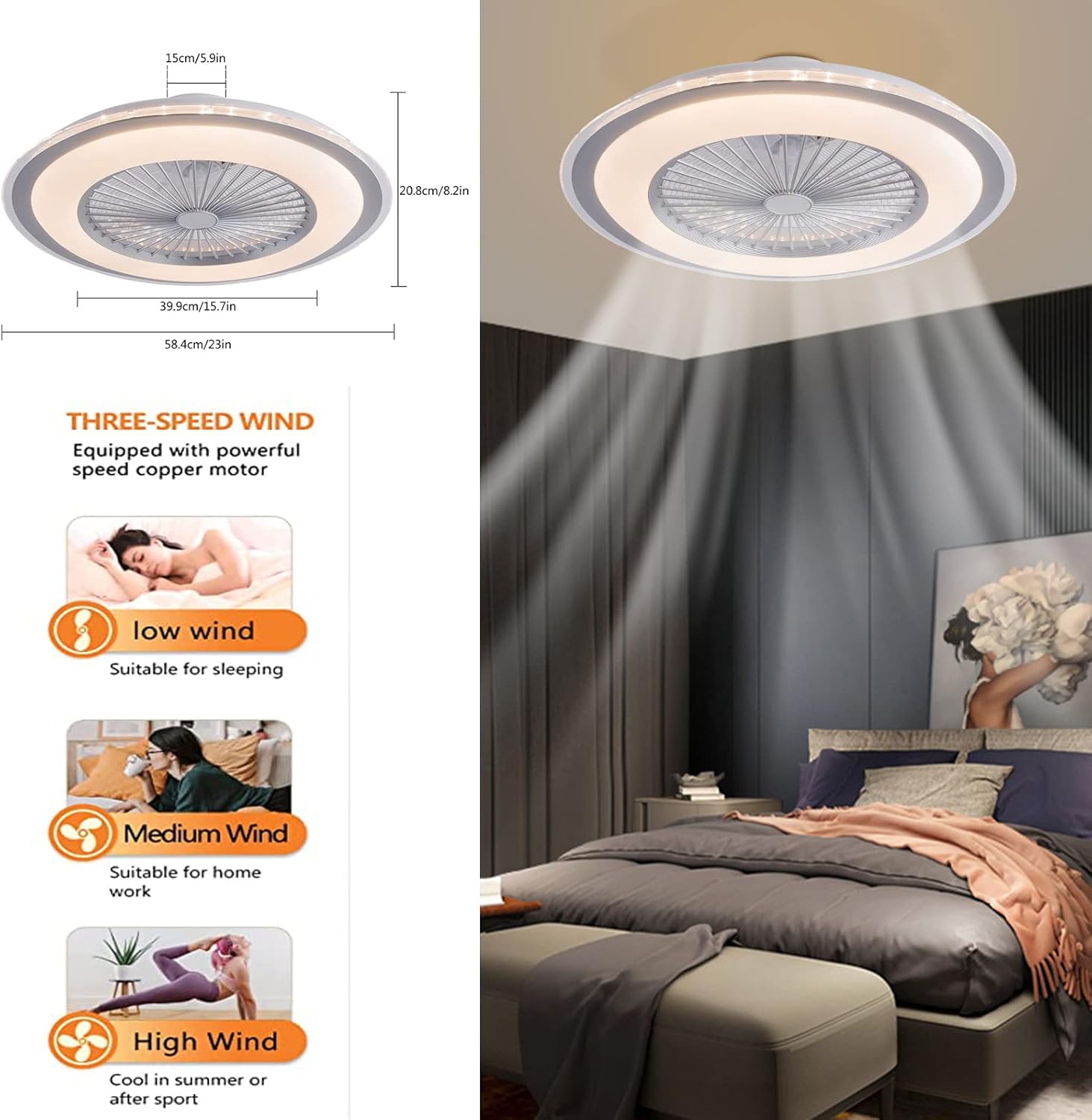
Image: Three-speed wind settings.
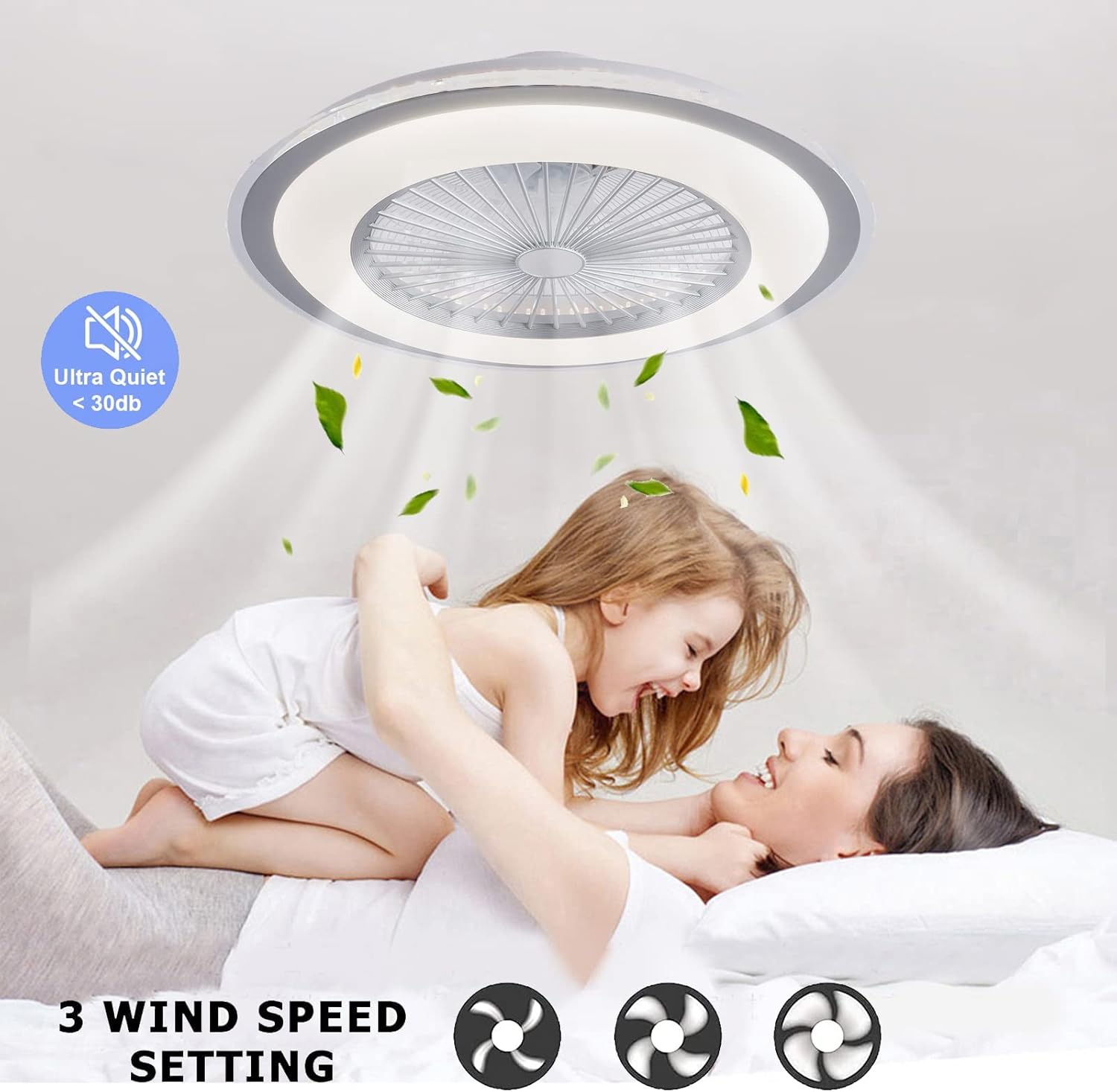
Image: Ultra-quiet operation and 3 wind speed settings.
ساتنه
منظم ساتنه ستاسو د چت د پنکې غوره فعالیت او اوږد عمر تضمینوي.
- پاکول: To clean the unit, ensure the power is off at the circuit breaker. Use a soft, damp د بهرنۍ سطحې د پاکولو لپاره ټوکر. د کثافاتو پاکوونکي یا محلولونه مه کاروئ.
- د دوړو لرې کول: د هوا جریان او د رڼا تولید ساتلو لپاره په دوره یي ډول د فین تیغونو او د رڼا پوښ څخه دوړې لرې کړئ.
- معاینه: Annually check all connections and mounting screws to ensure they are secure.
Note: To thoroughly clean the internal components, the unit may need to be removed from the ceiling. This should be done by a qualified professional.
د ستونزو حل کول
که تاسو د خپل فین سره ستونزې تجربه کوئ، لاندې عامې ستونزې او حل لارې وګورئ:
| ستونزه | احتمالي لامل | د حل لاره |
|---|---|---|
| فین نه چالانیږي | No power, loose wiring, remote control battery dead | Check circuit breaker, ensure wiring is secure, replace remote control batteries. |
| رڼا نه راځی | No power, loose wiring, LED module failure | Check circuit breaker, ensure wiring is secure. If LED module is faulty, contact customer support. |
| فین ډېر شور کوي | Loose mounting screws, unbalanced fan blades | Tighten all mounting screws. Ensure fan blades are clean and free from obstructions. |
| ریموټ کنټرول کار نه کوي | بېټرۍ مړې دي، ریموټ نه دی جوړ شوی | Replace batteries. Refer to remote control pairing instructions (if applicable, usually involves turning power off/on and pressing a button on the remote). |
تضمین او ملاتړ
For warranty information or technical support, please refer to the documentation included with your purchase or contact Gdrasuya10 customer service directly. Keep your purchase receipt as proof of purchase.


