پیژندنه
This manual provides instructions for the Mars Gaming MCPTKLES RGB Combo, which includes a gaming keyboard and mouse. This combo is designed for optimal desktop space utilization and is compatible with multiple platforms, including Windows, Mac, PlayStation 4, Xbox One, and Nintendo Switch. The keyboard features RGB Breathing and RGB Flow lighting, H-Mech technology, and anti-ghosting capabilities. The mouse is equipped with a 3200 DPI optical sensor, RGB Flow lighting, and durable HUANO mechanical buttons.
د بسته محتويات
- Mars Gaming MCPTKLES TKL RGB Keyboard
- Mars Gaming MCPTKLES RGB Mouse
- د کارونکي لارښود (دا لاسوند)
چمتو کول
Connecting the Combo
The Mars Gaming MCPTKLES combo uses a standard USB connection for both the keyboard and mouse. No additional drivers are typically required for basic functionality on supported operating systems.
- په خپل کمپیوټر یا د لوبو کنسول کې یو موجود USB پورټ ومومئ.
- د کیبورډ څخه د USB پورټ سره د USB نښلونکی ولګوئ.
- د موږک څخه د USB نښلونکی په بل موجود USB پورټ کې ولګوئ.
- ستاسو عملیاتي سیسټم باید په اتوماتيک ډول اړین ډرایورونه کشف او نصب کړي.
- The RGB lighting on both devices should illuminate upon successful connection.
د څو پلیټ فارم مطابقت
This combo is designed to work with:
- د وینډوز عملیاتي سیسټمونه
- Mac operating systems
- پلی سټیشن 4
- Xbox يو
- د نینټینډو سویچ
Note: Specific game or console settings may be required for full functionality on gaming consoles. Refer to your console's user manual for peripheral setup.
عملیاتي لارښوونې
Keyboard Functions (TKL Design)
The TKL (Tenkeyless) design of the keyboard omits the numeric keypad, offering a more compact form factor. It features H-Mech technology for a smooth and precise typing experience.
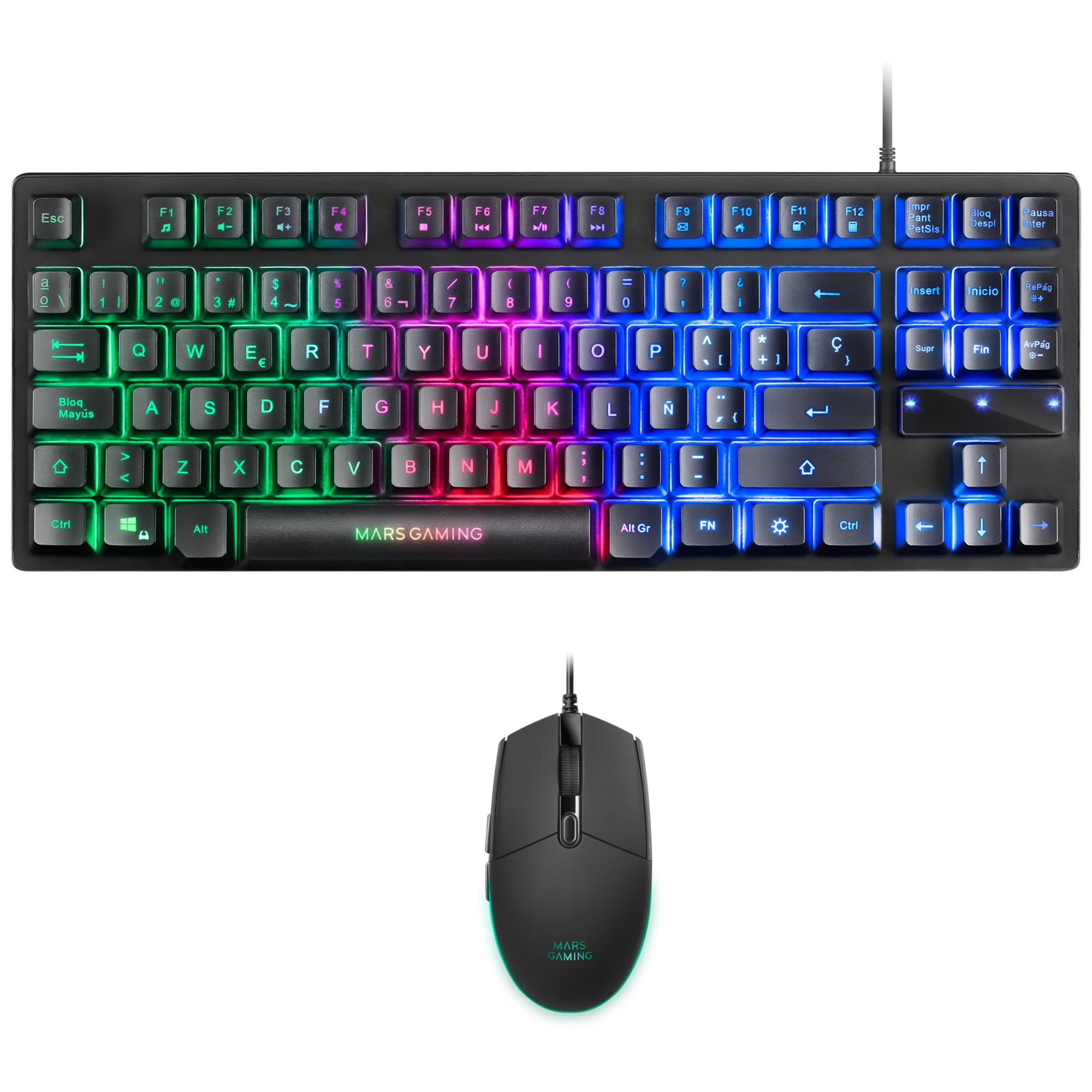
Image: Mars Gaming MCPTKLES TKL RGB Keyboard. This image shows the compact tenkeyless design of the keyboard with its RGB backlighting.
د RGB رingا کنټرول
The keyboard features RGB Control lighting. Specific key combinations allow you to cycle through different lighting modes and effects. Refer to the keyboard's function keys (Fn) combined with other keys for lighting adjustments. Common controls include:
- Fn + [کلیدي]: To change lighting modes (e.g., static, breathing, wave).
- Fn + [د غشي کیلي]: To adjust brightness or speed of effects.

Image: Close-up of Mars Gaming MCPTKLES Keyboard RGB Keys. This image highlights the individual keys and their vibrant RGB backlighting.
د غشی ضد
The keyboard is equipped with anti-ghosting technology, which ensures that multiple key presses are registered simultaneously without conflict, crucial for fast-paced gaming.
د موږک دنده
The lightweight mouse features an optical sensor with adjustable sensitivity up to 3200 DPI, RGB Flow lighting, and 6 programmable buttons with high-quality HUANO mechanical switches.

Image: Mars Gaming MCPTKLES RGB Mouse Top View. This image displays the top of the mouse, showing the scroll wheel and main buttons.
DPI Adjustment (On-the-fly)
Use the dedicated DPI button (often located near the scroll wheel) to cycle through different sensitivity levels (DPI - Dots Per Inch). This allows for quick adjustments to mouse speed without interrupting gameplay.

Image: Mars Gaming MCPTKLES RGB Mouse Side View. This image shows the ergonomic shape and side buttons of the mouse.
د پروګرام وړ تڼۍ
The mouse features 6 buttons. While basic functionality is plug-and-play, advanced customization and macro programming may require specific software from Mars Gaming, if available. Visit the official Mars Gaming webد سافټویر ډاونلوډ لپاره سایټ.

Image: Mars Gaming MCPTKLES RGB Mouse with RGB Flow Lighting. This image illustrates the dynamic RGB lighting effects on the mouse.
ساتنه
پاکول
- د پاکولو دمخه کیبورډ او ماوس له خپل کمپیوټر څخه جلا کړئ.
- Use a soft, dry, lint-free cloth to wipe down the surfaces.
- د سختې خاورې لپاره، لږ څهampټوکر د اوبو یا نرم پاکولو محلول سره ومینځئ. د ډیر رطوبت څخه ډډه وکړئ.
- سخت کیمیاوي مواد، د کثافاتو پاکوونکي، یا محلولونه مه کاروئ.
- د کیبورډ لپاره، د کیليونو ترمنځ د دوړو او کثافاتو لرې کولو لپاره فشار شوي هوا وکاروئ.
ذخیره کول
وسایل په یخ او وچ ځای کې وساتئ، د مستقیم لمر وړانګو او سختې تودوخې څخه لرې وساتئ کله چې د اوږدې مودې لپاره نه کارول کیږي.
د ستونزو حل کول
کیبورډ یا موږک ځواب نه ورکوي
- Ensure both USB cables are securely plugged into the computer or console.
- هڅه وکړئ چې وسایل په مختلفو USB پورټونو کې ولګوئ.
- خپل کمپیوټر یا کنسول بیا پیل کړئ.
- Test the devices on another computer to determine if the issue is with the combo or your system.
د RGB رڼا کار نه کوي
- Verify the devices are properly connected and powered.
- Check if the lighting has been turned off via keyboard shortcuts (Fn + lighting control keys).
- که تاسو د دریمې ډلې د رڼا کنټرول غوښتنلیکونه کاروئ، ډاډ ترلاسه کړئ چې د سافټویر شخړې شتون نلري.
Mouse Cursor Jumps or is Inaccurate
- Clean the mouse sensor area on the underside of the mouse.
- Ensure you are using the mouse on a clean, uniform surface (a mouse pad is recommended).
- Adjust the DPI settings using the mouse's DPI button.
مشخصات
| فیچر | تفصیل |
|---|---|
| برانډ | د مریخ لوبو |
| د ماډل شمیره | MCPTKLES |
| د ارتباط ټیکنالوژي | USB (ویر شوی) |
| د کیبورډ ترتیب | Spanish (TKL - Tenkeyless) |
| د کیبورډ ځانګړتیاوې | H-Mech Technology, RGB Control Lighting, Anti-Ghosting |
| د موږک سینسر | نظري |
| د موږک DPI | Up to 3200 DPI (On-the-fly adjustable) |
| د موږک تڼۍ | 6 (with HUANO mechanical switches) |
| د موږک رڼا | د RGB جریان |
| مطابقت لرونکې وسیلې | Linux, Mac, PS4, Windows, XBOX ONE |
| د محصول ابعاد | ۳۶۳ x ۱۱۹ x ۱۳ سانتي متره (کی بورډ) |
| د توکي وزن | 400 ګرامه |
| رنګ | تور |
تضمین او ملاتړ
For warranty information and technical support, please refer to the official Mars Gaming webسایټ ته مراجعه وکړئ یا د دوی د پیرودونکو خدماتو سره اړیکه ونیسئ. د تضمین ادعاوو لپاره د پیرود ثبوت وساتئ.
Official Mars Gaming Webسایټ: www.marsgaming.eu


