پیژندنه
This manual provides essential information for setting up, operating, maintaining, and troubleshooting your SYSTEMTREFF PC AMD Ryzen 7 5700G. Please read this manual thoroughly before using your new computer to ensure proper functionality and longevity.

انځور: مخکینۍ خوا view of the SYSTEMTREFF PC, showcasing its transparent side panel and illuminated internal components.
د تنظیم کولو لارښود
Follow these steps to set up your SYSTEMTREFF PC.
۱. د بکس خلاصول او ځای پر ځای کول
- کمپیوټر په احتیاط سره د هغې له بسته بندۍ څخه لرې کړئ. د راتلونکي لیږد یا خدمت لپاره ټول بسته بندۍ توکي وساتئ.
- Place the PC on a stable, flat surface with adequate ventilation. Ensure there is sufficient space around the computer for airflow, especially at the front, rear, and top vents.
- Avoid placing the PC near heat sources, in direct sunlight, or in areas with excessive dust or humidity.

انځور: مختلف views of the PC case illustrating its physical dimensions for proper placement.
2. د پردیو نښلول
Connect your monitor, keyboard, mouse, and other devices to the appropriate ports.
- څارنه: Connect your monitor to the HDMI or DVI-D port on the rear of the PC. Ensure the cable is securely fastened.
- کیبورډ او موږک: Connect your USB keyboard and mouse to any available USB ports (USB 2.0 or USB 3.0/3.2). PS/2 ports are also available for compatible devices.
- آډیو: Connect speakers or headphones to the audio output jack (green) and a microphone to the microphone input jack (pink) on the rear or front panel.
- شبکه: For a wired connection, connect an Ethernet cable from your router to the RJ45 LAN port on the rear. For wireless connectivity, ensure the included USB Wi-Fi stick is connected.
- ځواک: Connect the power cable to the power supply unit (PSU) at the rear of the PC, then plug the other end into a grounded electrical outlet.

انځور: تفصیلي view of the available front and rear ports for connecting various peripherals.
عملیاتي لارښوونې
1. First Boot and Initial Setup
- After connecting all peripherals, press the power button located on the top front of the PC.
- The system will boot into Windows 10 Pro. Follow the on-screen instructions to complete the initial Windows setup, including region, language, and user account creation.
- Drivers for all components are pre-installed, ensuring a plug-and-play experience.
2. بنسټیز کارول
- پاور آن/بند: Press the power button to turn on. To shut down, click the Start button in Windows, then select Power > Shut down.
- بیا پیل کول: د سیسټم د بیا پیلولو لپاره، د پیل تڼۍ کلیک وکړئ، بیا د بریښنا> بیا پیل غوره کړئ.
- د خوب حالت: د سیسټم د خوب حالت ته د اچولو لپاره، د پیل تڼۍ کلیک وکړئ، بیا پاور> خوب غوره کړئ.
- ارتباط: The PC supports Wi-Fi and Bluetooth for wireless connections. Use the Windows settings to connect to wireless networks or pair Bluetooth devices.

انځور: Examples of typical usage scenarios for the PC, including productivity, entertainment, and gaming.
ساتنه
Regular maintenance helps ensure the optimal performance and longevity of your PC.
1. پاکول
- بهر: یو نرم استعمال کړئ، دamp د قضیې بهرنۍ برخه پاکولو لپاره ټوکر. د کثافاتو پاکوونکو څخه ډډه وکړئ.
- دوړې: Periodically clean dust from the vents and fans using compressed air. Ensure the PC is powered off and unplugged before cleaning. The case features a mesh front and side panel for improved airflow and dust filtration.

Image: Features of the PC case designed for efficient cooling and maintenance access.
2. د سافټویر تازه معلومات
- د سیسټم ثبات او امنیت ډاډمن کولو لپاره په منظم ډول د وینډوز تازه معلومات وګورئ او نصب کړئ.
- Keep your graphics drivers updated for optimal performance, especially for gaming and multimedia applications.
د ستونزو حل کول
دا برخه هغه عامې ستونزې په ګوته کوي چې تاسو ورسره مخ کیدی شئ.
هیڅ ځواک نشته
- ډاډ ترلاسه کړئ چې د بریښنا کیبل په خوندي ډول د کمپیوټر او بریښنایی آوټ لیټ دواړو سره وصل دی.
- Verify that the power switch on the back of the power supply unit (PSU) is in the 'On' position.
- د بل وسیلې سره آوټ لیټ ازموینه وکړئ ترڅو تایید کړئ چې دا کار کوي.
په مانیټر کې هیڅ ښودنه نشته
- Check that the monitor is powered on and its video cable is securely connected to the PC's HDMI or DVI-D port.
- Ensure the monitor input source is correctly selected (e.g., HDMI 1, DVI).
- If you have multiple display outputs, try connecting to a different port.
System Slowdown or Freezing
- هغه غیر ضروري غوښتنلیکونه بند کړئ چې په شاليد کې روان دي.
- Check for sufficient free space on your drives, especially the C: drive (SSD).
- د مالویر چک کولو لپاره د ویروس سکین ترسره کړئ.
- ډاډ ترلاسه کړئ چې کمپیوټر په کافي اندازه هوا لري او ډیر ګرم نه وي.
مشخصات
Detailed technical specifications of your SYSTEMTREFF PC.
| اجزا | مشخصات |
|---|---|
| پروسیسر | AMD Ryzen 7 5700G (8 Cores, up to 4.6 GHz Turbo) |
| ګرافیک | Integrated AMD Radeon RX Vega 8 (4GB, 2000 MHz, DirectX 12.1) |
| RAM | ۸ جي بي ډي ډي آر ۵ ۴۸۰۰ ميګاهرتز |
| ذخیره کول | 1TB M.2 NVMe SSD + 2TB HDD |
| عملیاتي سیسټم | Windows 10 Pro (64-bit, pre-installed) |
| د بریښنا رسول | 500 واټ |
| ارتباط | Wi-Fi, Bluetooth, Gigabit LAN (RJ45) |
| مخامخ بندرونه | 1x USB 3.0, 2x USB 2.0, Audio In/Out |
| شا بندرونه | HDMI 4K HD, DVI-D, PS/2, 4x USB 3.2, 2x USB 2.0, HD 7.1 Sound, RJ45 LAN |
| ابعاد (HxWxD) | 45 x 20.5 x 38.5 سانتي متره |
| وزن | 12 کیلو ګرامه |

Image: Visual summary of the PC's core performance components.


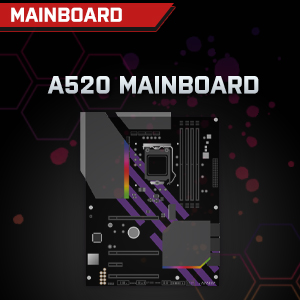

Image: Individual component representations for CPU, RAM, Graphics, Storage, Mainboard, and Power Supply.
تضمین او ملاتړ
SYSTEMTREFF is committed to providing excellent customer service.
- د جوړونکي تضمین: Your SYSTEMTREFF PC comes with a 36-month (3-year) manufacturer's warranty. This warranty covers defects in materials and workmanship under normal use.
- د کیفیت کنټرول: All individually assembled PCs undergo a quality control check before shipment.
- راستنیدنه: In case of issues, SYSTEMTREFF offers free returns.
- د ملاتړ سره اړیکه: For technical assistance, warranty claims, or any other inquiries, please contact SYSTEMTREFF customer support. Contact details can typically be found on the manufacturer's official webسایټ یا هغه اسناد چې ستاسو د پیرود سره شامل دي.

Image: Information regarding warranty, ease of setup, and customer support availability.


