پیژندنه
The Wicked Audio Driftr True Wireless Earbuds offer a seamless audio experience with easy pairing and comfortable wear. Designed for convenience, these earbuds provide clear sound and intuitive controls, making them ideal for everyday use.
په بکس کې څه دي
- Wicked Audio Driftr True Wireless Earbuds (Left and Right)
- د چارج کولو قضیه
- د USB چارج کیبل
- د کارن لارښود (دا سند)
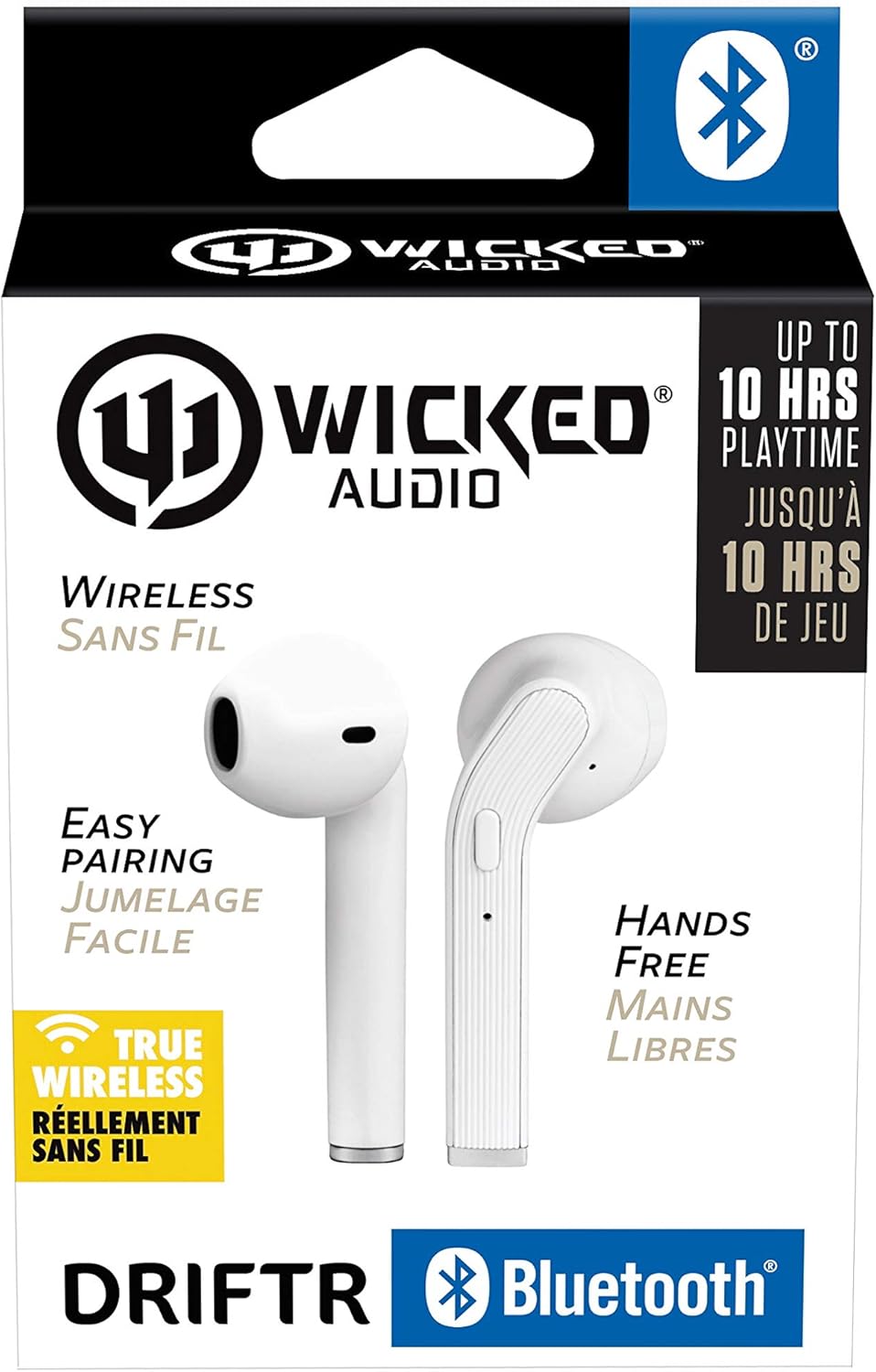
Image: Product packaging showing the earbuds and charging case.
محصول پای ته ورسیدview
The Driftr earbuds feature an angled housing design for a comfortable fit. Each earbud includes touch controls for managing audio playback and calls, along with a built-in microphone for hands-free communication. The compact charging case provides additional battery life on the go.

Image: White Wicked Audio Driftr True Wireless Earbuds resting inside their open charging case.

انځور: نږدې انځور view of the left and right Wicked Audio Driftr True Wireless Earbuds, showing their angled design and control surfaces.

Image: A person wearing a white Wicked Audio Driftr True Wireless Earbud in their ear, demonstrating the fit.
چمتو کول
۴.۱. د غوږۍ او کیس چارج کول
Before first use, fully charge the earbuds and the charging case. Connect the provided USB charging cable to the charging port on the case and plug the other end into a USB power source (e.g., computer, wall adapter). The charging indicator light on the case will show charging status. A full charge takes approximately 1 hour for both the earbuds and the case.
2. اسانه جوړه کول
- ډاډ ترلاسه کړئ چې د غوږ بډونه چارج شوي دي.
- د چارج کولو کیس خلاص کړئ. د غوږ بډونه به په اتوماتيک ډول فعال شي او د جوړې کولو حالت ته به ننوځي.
- په خپل وسیله (سمارټ فون، ټابلیټ، لیپ ټاپ) کې، د بلوتوث ترتیباتو ته لاړ شئ.
- Select "Wicked Audio Driftr" from the list of available devices.
- یوځل چې وصل شو، تاسو به د آډیو غږ واورئ، او د غوږونو د شاخص رڼا به بدله شي.
The earbuds are designed for straightforward, no-nonsense pairing in one easy step. After the initial pairing, they will automatically connect to your last paired device when removed from the case.
عملیاتي لارښوونې
ټچ کنټرولونه
The Driftr earbuds feature intuitive touch controls for various functions:
- پلی کول / ودرول: په دواړو غوږونو کې یو ځل کلیک وکړئ.
- بله لار: په ښي غوږۍ کې دوه ځله ټایپ کړئ.
- مخکینی لار په چپ غوږۍ کې دوه ځله ټایپ کړئ.
- ځواب / پای کال: د راتلوونکي زنګ په جریان کې په دواړو ایربډونو یو ځل کلیک وکړئ.
- زنګ رد کړئ: د راتلوونکي زنګ په جریان کې دواړه ایربډونه فشار ورکړئ او ونیسئ.
- د غږ همکار فعاله کړئ: په هر ایربډ درې ځله ټایپ کړئ (د مثال په توګه، سری، ګوګل اسسټنټ).
د غوږونو اغوستل
Insert the earbuds into your ears with the angled housing pointing slightly forward for a secure and comfortable fit. Adjust as needed to ensure optimal sound quality and passive noise cancellation.
ساتنه
To ensure the longevity and optimal performance of your Wicked Audio Driftr earbuds, follow these maintenance guidelines:
- پاکول: په منظم ډول د غوږ بډونه او د چارج کولو کیس د نرم، وچ، لینټ نه پاک ټوکر سره پاک کړئ. سخت کیمیاوي مواد یا د کثافاتو مواد مه کاروئ.
- ذخیره کول: کله چې په کارولو کې نه وي، تل د غوږ بډونه د چارج کولو په قضیه کې وساتئ ترڅو دوی خوندي او چارج شي.
- د رطوبت څخه ډډه وکړئ: The earbuds are not water resistant. Avoid exposure to water, sweat, and high humidity.
- دحرارت درجه: د غوږ بډونه یا کیس د سختې تودوخې (ګرم یا سړې) سره مه مخ کوئ.
د ستونزو حل کول
If you encounter issues with your Driftr earbuds, try the following solutions:
- د غوږونو نه جوړېږي:
- ډاډ ترلاسه کړئ چې دواړه غوږونه چارج شوي دي.
- دواړه ایربډونه بیرته د چارج کولو په قضیه کې ځای په ځای کړئ، پوښ وتړئ، یو څو ثانیې انتظار وکړئ، بیا پوښ بیا خلاص کړئ.
- On your device, forget "Wicked Audio Driftr" from your Bluetooth settings and attempt to pair again.
- له یوې غوږۍ څخه غږ نشته:
- Ensure both earbuds are charged and properly seated in the case.
- Try resetting the earbuds by placing them in the case and then removing them.
- د غوږۍ نه چارج کېدل:
- د چارج کولو کیبل او د بریښنا سرچینه وګورئ.
- ډاډ ترلاسه کړئ چې د غوږونو او د قضیې دننه د چارج کولو تماسونه پاک او له کثافاتو څخه پاک دي.
- د غږ خراب کیفیت:
- ډاډ ترلاسه کړئ چې اییربډونه ستاسو په غوږونو کې په سمه توګه ځای پر ځای شوي دي.
- Check the audio source and volume levels on your device.
- د مداخلې څخه د مخنیوي لپاره خپل جوړه شوي وسیلې ته نږدې شئ.
مشخصات
| فیچر | تفصیل |
|---|---|
| د ماډل نوم | Wicked Audio Driftr (WITW2151) |
| د ارتباط ټیکنالوژي | بېسیم (بلوتوث ۵.۳) |
| د بلوتوټ رینج | تر 32 فوټو پورې |
| د بیټرۍ ژوند | تر ۶ ساعتونو پورې (د غوږونو غوږۍ) |
| د چارج کولو وخت | Approx. 1 Hour (earbuds and case) |
| د آډیو ډرایور اندازه | 13 ملی متره |
| د تعدد ځواب | ۲۰ هرټز - ۲۰،۰۰۰ هرټز |
| حساسیت | 15 dB |
| خنډ | 32 اوم |
| د شور کنټرول | غیر فعاله شور لغوه کول |
| د کنټرول طریقه | لمس |
| د اوبو د مقاومت کچه | د اوبو مقاومت نلري |
| د توکي وزن | 2.11 اونس |
| د محصول ابعاد | 1.5 x 3 x 5.5 انچه |
| UPC | 712949012265 |
تضمین او ملاتړ
Wicked Audio products are designed for durability and performance. For specific warranty information and support inquiries, please refer to the official Wicked Audio webسایټ ته مراجعه وکړئ یا مستقیم د دوی د پیرودونکو خدماتو سره اړیکه ونیسئ. د تضمین ادعاوو لپاره د پیرود ثبوت وساتئ.
د نورو مرستو لپاره، لیدنه وکړئ Wicked Audio Store on Amazon.


