1. محصول ختم شوview
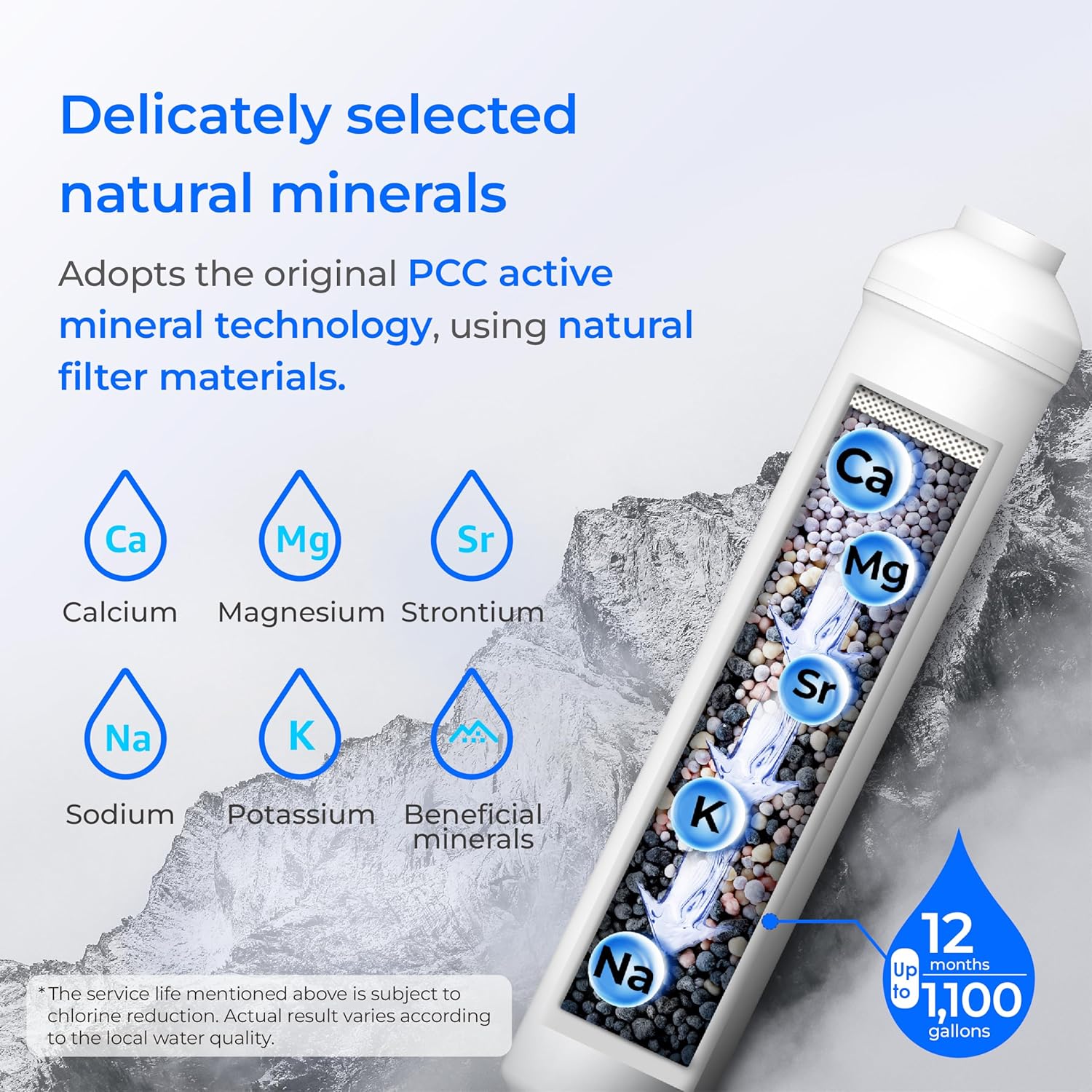
The Waterdrop WD-MNR35 Remineralization Filter is designed to restore essential minerals to water purified by a reverse osmosis (RO) system. This filter utilizes PCC technology to activate the crystalline structure of minerals, mimicking natural spring water formation to enhance water quality and taste.
کلیدي ګټې:
- Mineral Restoration: Adds beneficial minerals such as calcium, magnesium, sodium, and potassium back into purified water.
- Improved Taste: Enhances the taste of RO water, making it more akin to natural spring water.
- Health Support: Contributes to overall well-being by providing essential minerals that may be removed during the RO filtration process.

2. مشخصات
| د ماډل شمیره | WD-MNR35 |
| مواد | پی پی پنبه |
| د محصول ابعاد | ۱۶"د x ۲۶"وچ x ۴۷"ح |
| د توکي وزن | 12.6 اونس |
| د بهرنۍ ازموینې تصدیق | RoHS |
| د محصول ګټې | Restore Essential Minerals |
| د فلټر کارول | 9-12 میاشتې یا 1,100 ګیلن |
3. نصب کول
The Waterdrop WD-MNR35 Remineralization Filter features 1/4" quick-connect fittings for easy installation and replacement. It is designed for compatibility with most reverse osmosis water systems, under-sink water filtration systems, and can also be connected to refrigerators or RO water purifiers.
د نصبولو مرحلې:
- Turn off the feed water adapter and turn on the faucet to drain residual water.
- Remove the expired filter from its fixed support.
- Press the lock sleeve with one hand while pulling out the input and filtered water tubing from both ends of the filter. Do not pull out the tubing directly, as this may damage the fitting and cause leakage.
- Insert the input and filtered water tubing into the quick-connect fittings at both ends of the new filter. Ensure all tubing is fully inserted.
- Turn on the faucet to flush the filter for 30 minutes (about 30 gallons) until the water runs clear. Wipe all tubing connections with paper towels to ensure there are no leaks.
- After flushing, turn off the feed water adapter and insert the filtered water tubing into the quick-connect fitting of your RO system or appliance.


مهمه یادونه:
- دا فلټر باید د هغه اوبو سره ونه کارول شي چې د مایکروبیولوژیکي پلوه ناامنه وي یا د نامعلوم کیفیت لرونکي وي پرته لدې چې د سیسټم څخه دمخه یا وروسته مناسب غیر منتن کول.
- The mineralized filter cannot be connected to the hot water pipe.
4. عملیاتي لارښوونې
Once installed, the Waterdrop WD-MNR35 Remineralization Filter operates passively as part of your existing reverse osmosis or under-sink filtration system. It continuously adds beneficial minerals to the water as it flows through the filter.
For optimal performance, ensure your primary RO system is functioning correctly according to its own operating instructions.
مهمه یادونه:
- Connecting the remineralization filter may lead to an initial increase in Total Dissolved Solids (TDS) readings, which is normal due to the reintroduction of beneficial minerals.
5. ساتنه
د فلټر بدلول:
The WD-MNR35 Remineralization Filter has a recommended lifespan of 9-12 months or 1,100 gallons, whichever comes first. Regular replacement ensures continued mineral restoration and optimal water quality.
Refer to the installation steps in Section 3 for detailed instructions on how to replace the filter. No special tools are required for filter change-outs due to the quick-connect design.

6. ستونزه حل کول
If you experience any issues with your Waterdrop WD-MNR35 Remineralization Filter, consider the following:
- د جریان کموالی: Check if the filter is due for replacement. A clogged filter can reduce water flow.
- غیر معمولي خوند: Ensure the filter has been properly flushed after installation or replacement. If the taste persists, check for leaks or improper connections.
- لیکونه: Verify that all quick-connect fittings are securely attached and that the tubing is fully inserted. Refer to the installation instructions for proper connection techniques.
For further assistance, please contact Waterdrop customer service.
7. تضمین او ملاتړ
د تضمین معلومات:
The Waterdrop WD-MNR35 Remineralization Filter comes with a 1-year manufacturer and seller combination warranty. Please retain your proof of purchase for warranty claims.
د پیرودونکي ملاتړ:
For any questions regarding installation, filter performance, or other inquiries, please contact Waterdrop customer service.
- تلیفون: 1-888-352-3558
- شتون: 24/7, 365 days a year


