1. پیژندنه
This manual provides essential information for the safe and efficient use of your Amazon Fire HD 10 tablet (2021 release). Please read it thoroughly before operating your device.
کلیدي ځانګړتیاوې
- Fast and Responsive: Powered by an octa-core processor and 3 GB RAM, offering 50% more RAM than the previous generation.
- اوږدمهاله بیټرۍ: Up to 12 hours of battery life for reading, browsing, video, and music.
- روښانه ننداره: 10.1-inch 1080p Full HD display, 10% brighter than the previous generation, with over 2 million pixels.
- Ampذخیره کول: Available with 32 GB or 64 GB internal storage, expandable up to 1 TB with a microSD card (sold separately).
- د اپلیکیشن مطابقت: Access to popular apps like Netflix, Facebook, Disney+, Instagram, TikTok, and more via Amazon’s Appstore.
- د تولید وسیلې: Supports apps like Microsoft Office, OneNote, and Dropbox for enhanced productivity.
- دوامدار ډیزاین: Thinner and lighter than the previous generation, with a screen strengthened by aluminosilicate glass.
- د سپیټ سکرین فعالیت: Allows two compatible apps to be open side-by-side for multitasking.
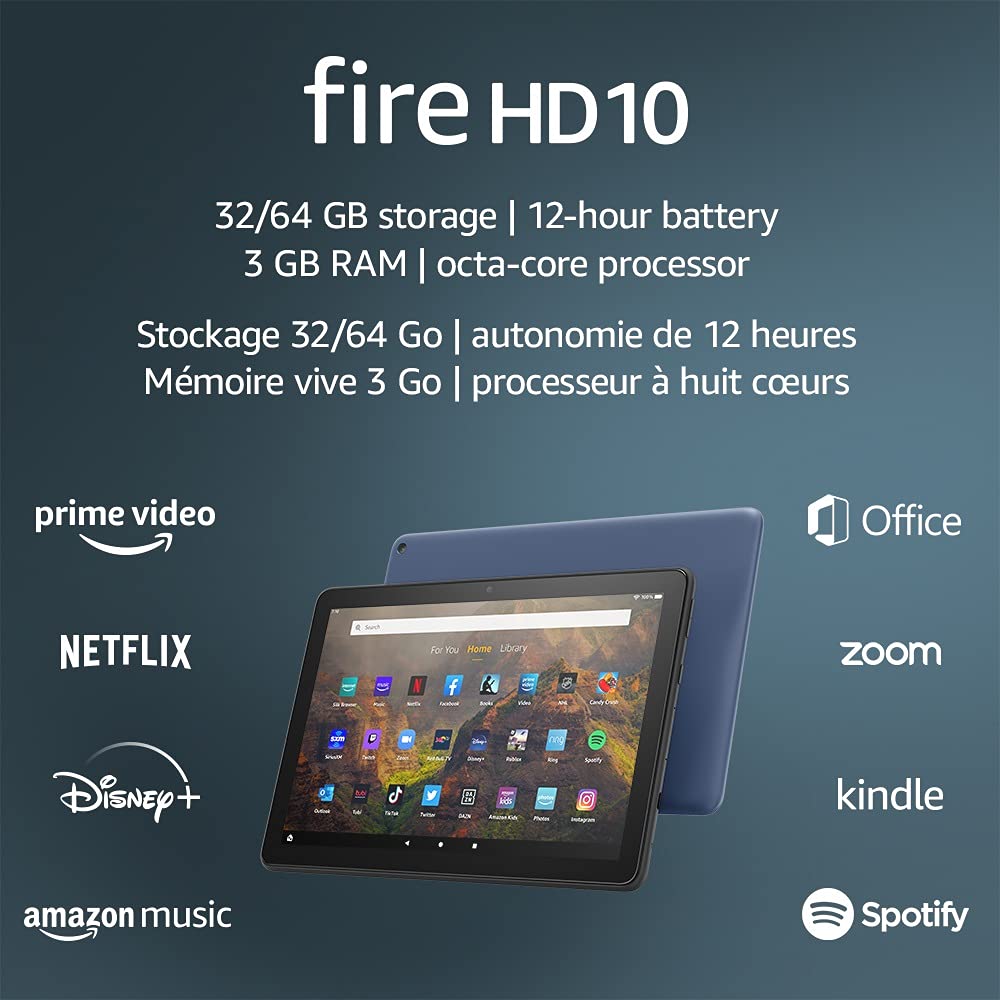
Image 1.1: The Amazon Fire HD 10 tablet highlighting its 32/64 GB storage, 12-hour battery, 3 GB RAM, and octa-core processor, alongside logos of supported applications such as Prime Video, Netflix, Disney+, Amazon Music, Office, Zoom, Kindle, and Spotify.
2. ترتیب کول
۲.۱ د بکس خلاصول او ابتدايي چارج
Upon receiving your Fire HD 10 tablet, carefully remove all components from the packaging. Before first use, it is recommended to fully charge the device.
- Connect the provided USB-C (2.0) cable to the tablet's USB-C port.
- Plug the other end of the USB-C cable into the 9W power adapter.
- د بریښنا اډاپټر په دیوال کې ولګوئ.
- A full charge from 0% to 100% typically takes approximately 4 hours while the device is in standby mode.
2.2 بریښنا کول / بندول
- د فعالولو لپاره: Press and hold the power button located on the side of the tablet until the Amazon logo appears on the screen.
- د بریښنا بندولو لپاره: Press and hold the power button until a power options menu appears. Select 'Power Off'.
- د بیا پیلولو لپاره: From the power options menu, select 'Restart'.
۵.۱ د وای فای اتصال
To access online content and services, connect your Fire HD 10 to a Wi-Fi network.
- From the Home screen, swipe down from the top to open the Quick Settings panel.
- د وائی فای آیکون ټایپ کړئ.
- د شته شبکو له لیست څخه خپل مطلوب وای فای شبکه غوره کړئ.
- که غوښتنه وشي، د شبکې پټنوم دننه کړئ او 'وصل شئ' کلیک وکړئ.
- The tablet supports 2.4 GHz and 5.0 GHz networks. Ad-hoc (peer-to-peer) Wi-Fi networks are not supported.
۴.۳.۱ د حساب تنظیمول
During the initial setup process, you will be guided to register your Fire HD 10 to an Amazon account. This is necessary to download apps, access Amazon content, and utilize cloud services.
- Follow the on-screen prompts to sign in with an existing Amazon account or create a new one.
- Ensure your account details are accurate for full functionality.
3. عملیاتي لارښوونې
۴.۱ د انٹرفیس نیویګیټ کول
The Fire HD 10 tablet features a touch-sensitive display for interaction.
- ټایپ: To select an item, open an app, or activate a button.
- سوائپ: د پاڼو، لیستونو له لارې سکرول کول، یا د کور سکرینونو ترمنځ بدلول.
- د زوم کولو لپاره پنچ: د انځورونو د زوم کولو یا کمولو لپاره، web pages, or documents.
- اوږد پریس: د شرایطو مینو ته د لاسرسي لپاره یا د اپلیکیشن شبیانو حرکت کول.
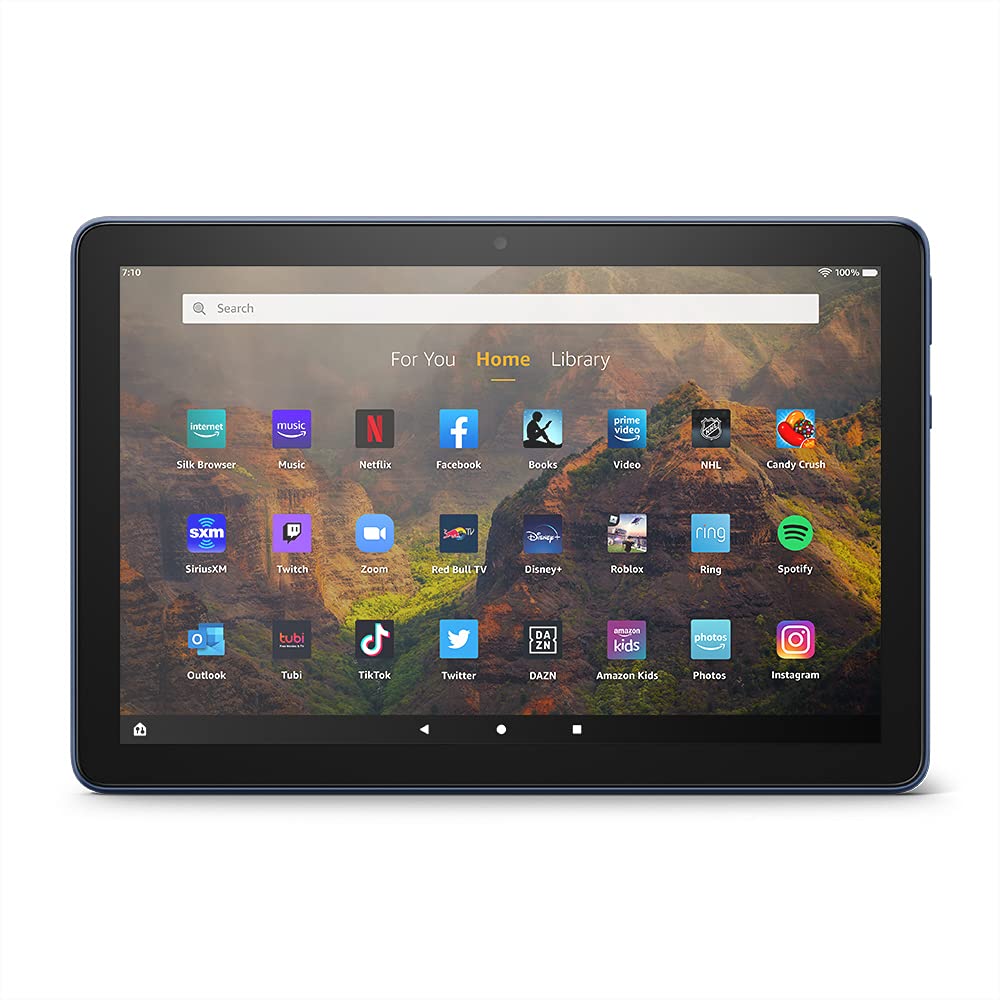
Image 3.1: The Amazon Fire HD 10 tablet's home screen, showcasing a grid of application icons including Silk Browser, Music, Netflix, Facebook, Books, Video, NHL, Candy Crush, SiriusXM, Twitch, Zoom, Red Bull TV, Disney+, Roblox, Ring, Spotify, Outlook, Tubi, TikTok, Twitter, DAZN, Amazon Kids, Photos, and Instagرام.
۶.۲ د اپلیکیشنونو کارول
Applications can be downloaded from the Amazon Appstore. Google Play is not supported.
- Tap an app icon on the Home screen to launch it.
- To find new apps, open the 'Appstore' application.
- Some apps may require a subscription for full access.

Image 3.2: A collage of content available on the Amazon Fire HD 10 tablet, featuring book covers like 'The Silent Patient', Amazon Original series and movies such as 'The Wilds', 'Coming to America', 'The Expanse', 'Dune', 'Hanna', 'One Night in Miami', 'Sound of Metal', 'The Marvelous Mrs. Maisel', 'Upload', and 'The Boys', alongside social media app logos for TikTok, Facebook, and Twitter.
3.3 Split Screen Multitasking
The Fire HD 10 supports split screen functionality, allowing two compatible applications to run side-by-side.
- لومړی اپلیکیشن چې تاسو یې کارول غواړئ خلاص کړئ.
- Swipe up from the bottom of the screen to reveal the navigation bar.
- Long-press the icon of the first app in the recent apps view.
- Select 'Split Screen' from the options.
- Choose a second compatible app from your recent apps or app drawer to fill the other half of the screen.

Image 3.3: The Amazon Fire HD 10 tablet, shown with an optional Bluetooth keyboard case, demonstrating its split-screen capability. Two applications are open simultaneously: a calendar app on the left and a messaging app on the right, illustrating enhanced productivity.
۴.۴ د کیمرې کارول
The tablet is equipped with a 2 MP front-facing camera and a 5 MP rear-facing camera, both capable of 720p HD video recording.
- Open the 'Camera' app from your Home screen or app drawer.
- د عکس اخیستلو لپاره د شټر تڼۍ کېکاږئ.
- د کیمرې ټګل آیکون په کارولو سره د مخکینۍ او شا کیمرې ترمنځ بدل کړئ.
- د ویډیو ثبتولو لپاره د ویډیو حالت غوره کړئ.
۴.۴ آډیو او بلوتوث
The Fire HD 10 includes dual integrated speakers and a 3.5 mm stereo jack for headphones. It also supports Bluetooth 5.0 LE.
- Connect wired headphones or external speakers via the 3.5 mm jack.
- To pair Bluetooth devices (headphones, speakers, microphones, LE accessories):
- Go to 'Settings' > 'Connected Devices' > 'Bluetooth'.
- ډاډ ترلاسه کړئ چې بلوټوت آن دی.
- Select your device from the list of available devices and follow pairing instructions.
3.6 د ذخیرې مدیریت
Your Fire HD 10 comes with either 32 GB or 64 GB of internal storage. You can expand this by up to 1 TB using a microSD card.
- To insert a microSD card: Locate the microSD slot on the side of the tablet, open the cover, and gently insert the card until it clicks into place.
- Manage storage by going to 'Settings' > 'Storage'. Here you can view usage and move compatible apps or media to the microSD card.
4. ساتنه
4.1 د بیټرۍ پاملرنه
- Avoid exposing the tablet to extreme temperatures, as this can degrade battery performance.
- For optimal battery longevity, avoid frequently draining the battery completely or keeping it at 100% charge for extended periods.
- Use only the provided 9W power adapter and USB-C cable for charging.
4.2 د وسیلې پاکول
- Turn off the tablet before cleaning.
- Use a soft, lint-free cloth to gently wipe the screen and body.
- د سختو داغونو لپاره، لږ څهampټوکر د اوبو سره ومینځئ. د سختو کیمیاوي موادو، خړوبونکو پاکوونکو، یا ایروسول سپرې کارولو څخه ډډه وکړئ.
4.3 د سافټویر تازه معلومات
Amazon periodically releases software updates to improve performance and add new features. Ensure your device is connected to Wi-Fi to receive these updates.
- Updates are typically downloaded and installed automatically.
- You can manually check for updates by going to 'Settings' > 'Device Options' > 'System Updates'.
5. ستونزه حل کول
۴.۱ وسیله ځواب نه ورکوي
- If the device is frozen or unresponsive, press and hold the power button for approximately 20 seconds to force a restart.
- Ensure the device has sufficient battery charge. Connect it to the charger and try powering it on again.
۷.۳ د وای فای اتصال ستونزې
- Verify that Wi-Fi is enabled in Quick Settings or 'Settings' > 'Wireless'.
- ډاډ ترلاسه کړئ چې تاسو د خپل وای فای روټر په حد کې یاست.
- خپل وای فای روټر او موډیم بیا پیل کړئ.
- Forget the network in 'Settings' > 'Wireless' and reconnect, re-entering the password if necessary.
۵.۳ اپلیکیشنونه خرابیږي یا نه پورته کیږي
- اپلیکیشن بند او خلاص کړئ.
- Clear the app's cache: Go to 'Settings' > 'Apps & Games' > 'Manage All Applications', select the problematic app, and tap 'Clear Cache'.
- ډاډ ترلاسه کړئ چې ستاسو د ټابلیټ سافټویر تازه دی.
- که ستونزه دوام ومومي، د اپلیکیشن غیر نصب او بیا نصبولو په اړه فکر وکړئ.
۵.۱ د بیټرۍ لنډ ژوند
- د سکرین روښانتیا کمه کړئ.
- هغه نا کارول شوي غوښتنلیکونه بند کړئ چې په شاليد کې روان دي.
- کله چې په استعمال کې نه وي، وای فای یا بلوتوث بند کړئ.
- د ایپسونو لپاره د شالید ډیټا کارول محدود کړئ.
- Check 'Settings' > 'Battery' to identify apps consuming the most power.
6. مشخصات
| فیچر | تفصیل |
|---|---|
| نسل | 11th نسل، 2021 خپور شو |
| ښودل | Brilliant 10.1” 1080p display (1920 x 1200) with over 2 million pixels (224 ppi). Screen strengthened with aluminosilicate glass. |
| اندازه | 247 ملي متر 166 م م x 9.2 ملي میتر |
| وزن | 465 grams (Actual size and weight may vary) |
| CPU او رام | اوکټا کور 2.0 GHz د 3 GB رام سره |
| ذخیره کول | 32 GB (24.2 GB available) or 64 GB (55.0 GB available) internal storage. Expandable up to 1 TB with microSD card. |
| د بیټرۍ ژوند | Up to 12 hours of mixed usage (reading, web, video, music). Varies by settings and usage. |
| د چارج وخت | Approx. 4 hours (0-100%) with provided 9W adapter in standby. |
| د وائی فای اتصال | Supports 2.4 GHz and 5.0 GHz networks. Does not support ad-hoc networks. |
| بندرونه | USB-C (2.0) for charging, microSD slot for external storage. |
| آډیو | 3.5 mm stereo jack, dual integrated speakers, external volume controls. |
| سینسرونه | Accelerometer, ambient light sensors. |
| د کیمرې مشخصات | 2 MP front-facing, 5 MP rear-facing cameras with 720p HD video recording. |
| مایکروفون | 2 built-in microphones. |
| د ځای خدمتونه | Location-based services via WiFi. |
| شته رنګونه | Black, Denim. |
| بلوتوث | Built-in Bluetooth 5.0 LE with A2DP support for stereo headphones, speakers, microphone, and LE accessories. |
۵.۴ د لاسرسي ځانګړتیاوې
The Fire HD 10 tablet includes various accessibility features to assist users. These can be accessed via 'Settings' > 'Accessibility'.
- غږView د سکرین ریډر: د هغو کاروونکو لپاره چې ړانده یا د لید کمزوري دي، شفاهي فیډبیک چمتو کوي.
- د سکرین میګنیفیر: Allows users to zoom in/out and pan around the screen.
- د لاسرسي بدلول: Enables interaction for users with motor impairments via compatible Bluetooth devices.
- کینډل په لوړ غږ لوستل: Alexa can read Kindle books aloud.
- د ښودلو ترتیبات: Includes options for Closed Captioning, Font Size, Display Size, High Contrast Text, Color Inversion, Color Correction, and Convert Stereo to Mono audio. (Note: Captions are not available for all content.)
7. تضمین او ملاتړ
7.1 د تضمین معلومات
Your Amazon Fire HD 10 tablet comes with a 1-year limited warranty and service. Optional 1-year, 2-year, and 3-year extended warranties are available for purchase separately for customers in Canada.
Use of the Fire HD 10 tablet is subject to Amazon's Conditions of Use and associated terms.
7.2 په بکس کې شامل دي
The following items are included with your Fire HD 10 tablet:
- د فایر ایچ ډي ۱۰ ټابلیټ
- د USB-C (2.0) کیبل
- د 9W بریښنا اډاپټر
- د چټک پیل لارښود
7.3 نور ملاتړ
For additional assistance, please visit the Amazon Device Support website or contact Amazon Customer Service.


