پیژندنه
This user manual provides comprehensive instructions for the setup, operation, maintenance, and troubleshooting of your Trust Ozaa Rechargeable Wireless Mouse. Please read this manual carefully before using the product to ensure optimal performance and longevity.

Image: The Trust Ozaa Rechargeable Wireless Mouse shown with its USB receiver and micro-USB charging cable. This image illustrates the main components included with the mouse.
د بسته محتويات
ډاډ ترلاسه کړئ چې ټول توکي په کڅوړه کې شتون لري:
- Trust Ozaa Rechargeable Wireless Mouse
- د USB رسیدونکی
- د مایکرو USB چارج کولو کیبل
- د کارولو لپاره لارښوونې (دا لارښود)

Image: The retail packaging for the Trust Ozaa Rechargeable Wireless Mouse, highlighting its key features such as 10m wireless range, comfortable design, and silent click buttons.
چمتو کول
- موږک چارج کړئ: Before first use, connect the supplied micro-USB charging cable to the mouse's charging port and to a USB power source (e.g., computer USB port, USB wall adapter). The charging indicator light will illuminate. Allow the mouse to fully charge.
- د USB ریسیور داخل کړئ: Locate the USB receiver, typically stored in a compartment on the underside of the mouse. Remove it and plug it into an available USB-A port on your computer (PC or Mac).
- پاور آن: Turn on the mouse using the on/off switch located on the underside.
- اتوماتیک پیوستون: The mouse should automatically connect to your computer. No additional drivers are typically required for basic functionality (Plug and Play).

Image: A user operating the Trust Ozaa mouse wirelessly next to a laptop, demonstrating its plug-and-play functionality and 10-meter wireless range.
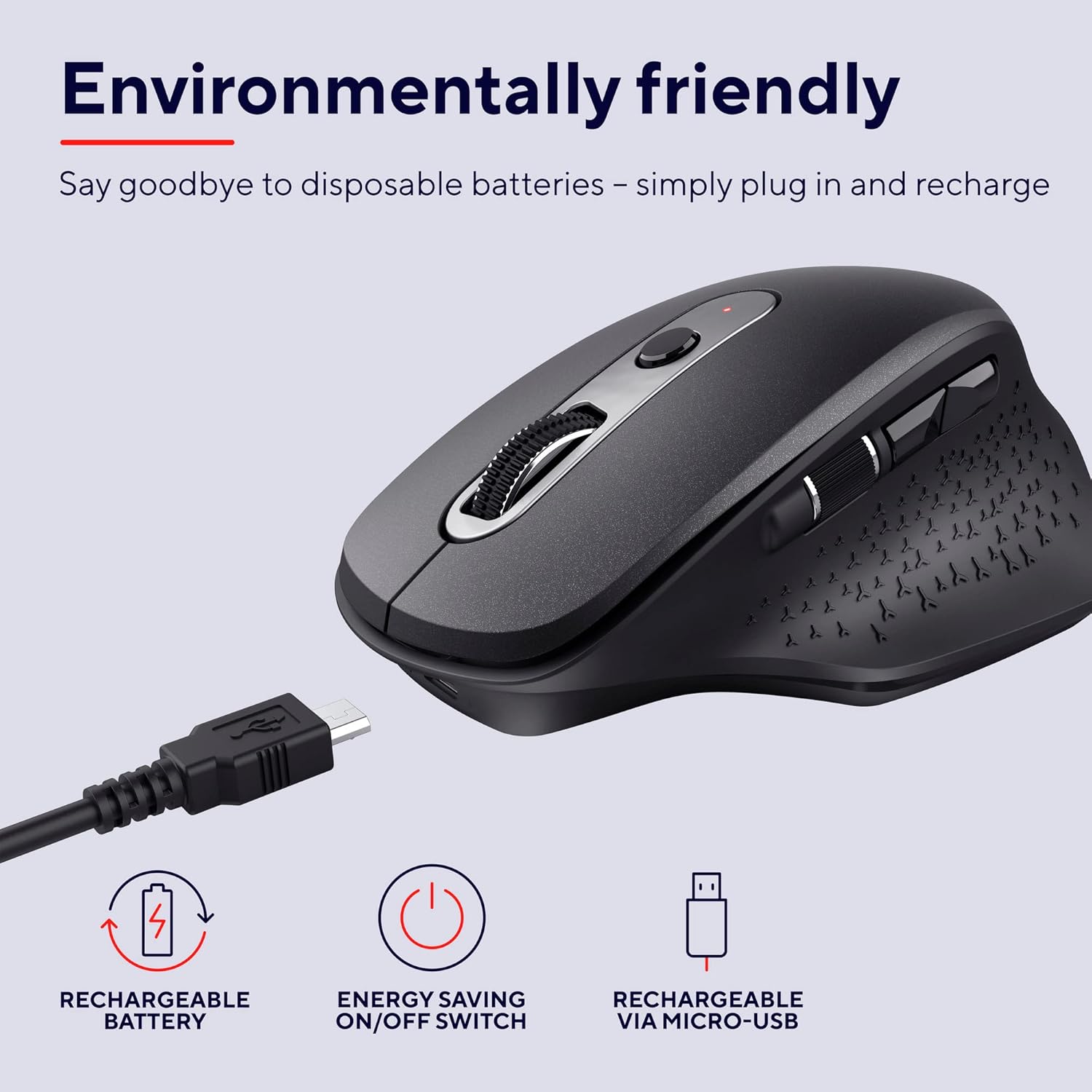
Image: The Trust Ozaa mouse being charged via its micro-USB cable, highlighting its rechargeable battery and energy-saving features.
عملیاتي لارښوونې
د تڼۍ دندې
- د کیڼ کلیک تڼۍ: Standard primary click. Designed for silent operation.
- د ښي کلیک تڼۍ: Standard secondary click. Designed for silent operation.
- د سکرول څرخ (منځنۍ تڼۍ): په عمودي ډول د اسنادو له لارې سکرول کړئ او web پاڼې. د منځني کلیک فعالیت لپاره لاندې فشار ورکړئ.
- د DPI تنظیم کولو تڼۍ: Located behind the scroll wheel. Press to cycle through different cursor speeds (DPI settings: 800, 1200, 1600, 2400 DPI).
- د غاړې سکرول څرخ: Located on the left side. Allows for horizontal scrolling.
- مخکی / شاته تڼۍ: Located above the side scroll wheel. Used for navigating forward and backward in web براوزرونه یا file سپړونکي

انځور: یو سر view of the Trust Ozaa mouse, visually indicating the DPI adjustment, silent buttons, and convenient side scroll wheel.
د DPI تعدیل
The mouse features an adjustable cursor speed (DPI) ranging from 800 to 2400 DPI. To change the DPI, press the dedicated DPI button located behind the main scroll wheel. Each press will cycle through the available settings, allowing you to select the sensitivity that best suits your task or preference.
د انرژۍ سپما
To conserve battery life, the mouse is equipped with an on/off switch on its underside. It also features an automatic sleep mode that activates after a period of inactivity. To wake the mouse, simply move it or click any button.
ساتنه
- پاکول: د موږک د پاکولو لپاره نرم، وچ ټوکر وکاروئ. د سختې خاورې لپاره، یو څه damp ټوکر کارول کیدی شي، مګر ډاډ ترلاسه کړئ چې رطوبت داخلي برخو ته ننوځي. سخت کیمیاوي توکي یا د کثافاتو پاکوونکي مه کاروئ.
- چارج کول: Recharge the mouse when the battery indicator light signals low power or when performance degrades. Use only the provided charging cable or a compatible micro-USB cable.
- ذخیره کول: When not in use for extended periods, turn off the mouse to preserve battery life. Store it in a cool, dry place.
د ستونزو حل کول
| ستونزه | احتمالي لامل | د حل لاره |
|---|---|---|
| موږک ځواب نه ورکوي. |
|
|
| د کرسر حرکت بې نظمه یا ناڅاپي دی. |
|
|
| Buttons not working. |
|
|
مشخصات
| برانډ | باور |
| د ماډل شمیره | 23812 |
| د ارتباط ټیکنالوژي | د راډیو فریکونسی (بې سیم) |
| د بیسیم رینج | تر 10 مترو پورې |
| د DPI تنظیمات | ۱۰۰۰، ۱۶۰۰، ۲۰۰۰، ۴۰۰۰ DPI (د تعدیل وړ) |
| د تڼیو شمیر | 6 (Left, Right, Scroll Wheel Click, DPI, Forward, Backward) + Side Scroll Wheel |
| اصلي تtۍ | Silent Left and Right Buttons |
| د بریښنا سرچینه | Rechargeable Battery (1 AAA battery included, contained in equipment) |
| د چارج کولو بندر | مایکرو USB |
| د محصول ابعاد (L x W x H) | 7.7 x 11.8 x 4.6 سانتي متره |
| د توکي وزن | 122 ګرامه |
| د هارډویر پلیټ فارم مطابقت | PC، Mac |
| د عملیاتي سیسټم مطابقت | کروم OS، وینډوز، میک OS |
| ځانګړي ځانګړتیاوې | Wireless, Rechargeable, Quiet, Ergonomic Design, Energy-saving On/Off Switch |
تضمین او ملاتړ
د تضمین معلوماتو او تخنیکي ملاتړ لپاره، مهرباني وکړئ رسمي ټرسټ ته مراجعه وکړئ webسایټ ته مراجعه وکړئ یا مستقیم د دوی د پیرودونکو خدماتو سره اړیکه ونیسئ. د تضمین ادعاوو لپاره د پیرود ثبوت وساتئ.
د باور رسمي Webسایټ: www.trust.com
په دې لارښود کې د شاملولو لپاره د پلورونکي لخوا د محصول رسمي ویډیوګانې شتون نه درلودې.


