پیژندنه
The ROCCAT Burst Pro is a high-performance PC gaming mouse designed for precision and speed. It features a symmetrical ergonomic shape, a lightweight bionic shell, and advanced optical switches for responsive gameplay. This manual provides essential information for setting up, operating, maintaining, and troubleshooting your Burst Pro gaming mouse.

Image: The ROCCAT Burst Pro PC Gaming Mouse, showcasing its ergonomic design and translucent shell with internal RGB lighting.
د بسته محتويات
ډاډ ترلاسه کړئ چې ټول توکي په کڅوړه کې شتون لري:
- ROCCAT Burst Pro PC Gaming Mouse
- PhantomFlex Cable (integrated)
- Additional set of heat-treated pure PTFE glides
- د چټک پیل لارښود (په دې ډیجیټل لارښود کې شامل نه دی)
ترتیب او نصب کول
- موږک سره وصل کړئ: Plug the USB connector of the PhantomFlex cable into an available USB port on your PC. The mouse is plug-and-play compatible with Windows 7, 8, and 10.
- د موټر چلوونکي نصب کول (اختیاري مګر سپارښتنه شوې): For full customization and access to all features, download and install the latest ROCCAT Swarm software from the official ROCCAT website. This software allows for DPI adjustments, button remapping, and RGB lighting customization.
- ځای په ځای کول: د غوره تعقیب فعالیت لپاره موږک په پاک، فلیټ سطح یا د موږک پیډ کې کیږدئ.

Image: The PhantomFlex cable, designed for minimal drag and a near-wireless feel.
د موږک چلول
The ROCCAT Burst Pro is equipped with several advanced features to enhance your gaming and computing experience.
کلیدي ځانګړتیاوې:
- Titan Switch Optical: Utilizes optical actuation for faster response times and a durable 100 million click lifecycle. This technology eliminates traditional mechanical switch debounce, providing a crisp and immediate click.

انځور: داخلي view of the Titan Switch Optical, highlighting its design for speed and durability.
- ROCCAT Owl-Eye Optical Sensor: Provides precise and smooth tracking with up to 19,000 DPI. DPI settings can be adjusted via the dedicated DPI button on the mouse or through the ROCCAT Swarm software.
- ROCCAT Bionic Shell: The translucent honeycomb shell design contributes to the mouse's ultra-lightweight 68g construction while maintaining structural integrity. This design also allows for vibrant RGB lighting effects.

Image: The ROCCAT Burst Pro's lightweight 68g design, featuring its translucent honeycomb shell.
- Heat-Treated Pure PTFE Glides: Pre-tuned for exceptional glide and smooth mouse movements across various surfaces. These glides are designed for durability and low friction.
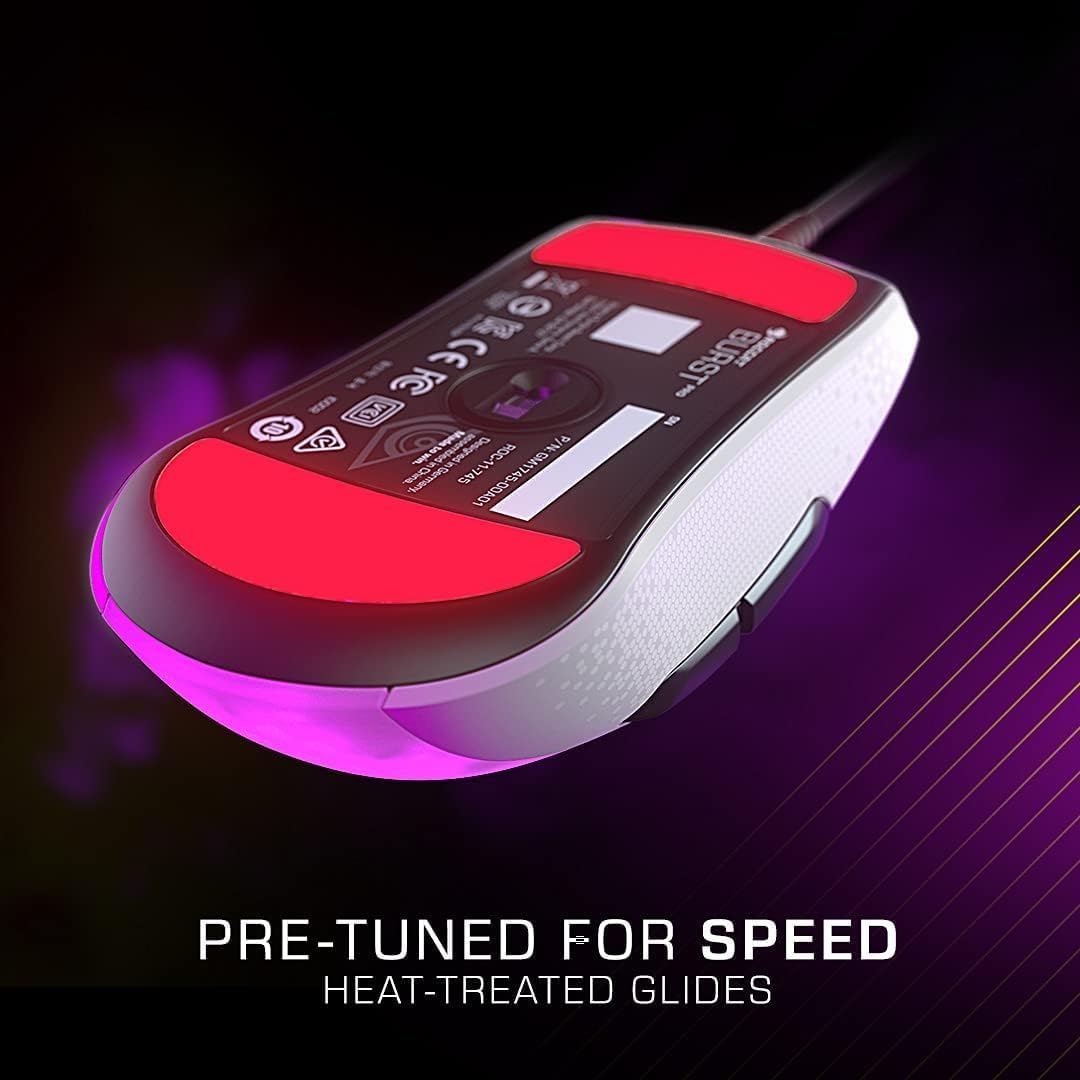
Image: The underside of the mouse, showing the heat-treated pure PTFE glides for smooth movement.
- AIMO Illumination: ROCCAT's intelligent lighting system provides vibrant RGB lighting with 16.8 million colors. AIMO can synchronize lighting effects with other compatible ROCCAT devices. Customize lighting patterns and colors using the Swarm software.
د تڼۍ دندې:
- Left Click (M1): د لومړني عمل تڼۍ.
- Right Click (M2): د دوهم عمل تڼۍ.
- سکرول ویل: Scrolls content up/down. Can also be clicked (M3) for a third action.
- د DPI تڼۍ: Cycles through pre-set DPI sensitivity levels. These levels can be customized in the Swarm software.
- Side Buttons (M4, M5): معمولا د مخ/شاته نیویګیشن لپاره کارول کیږي web browsers or customizable in games via Swarm.
ساتنه
Proper maintenance ensures the longevity and optimal performance of your ROCCAT Burst Pro mouse.
- پاکول:
- د موږک سطحه د پاکولو لپاره نرم، وچ، لینټ نه پاک ټوکر وکاروئ.
- د سختې خاورې لپاره، لږ څهampټوکر د اوبو یا یو نرم، غیر خارښونکي پاکولو محلول سره ومینځئ. د ډیر رطوبت څخه ډډه وکړئ.
- Use compressed air to clear dust and debris from crevices, especially around the scroll wheel and button gaps.
- Do not use harsh chemicals, abrasive cleaners, or immerse the mouse in liquid.
- د کیبل پاملرنه: Avoid sharp bends or kinks in the PhantomFlex cable to prevent internal damage. Store the cable loosely coiled when not in use.
- Glide Replacement: If the mouse glides show significant wear, replace them with the spare set provided or purchase new ones from an authorized ROCCAT retailer. Carefully peel off the old glides and apply the new ones, ensuring the surface is clean.
د ستونزو حل کول
If you encounter issues with your ROCCAT Burst Pro mouse, try the following solutions:
- موږک ځواب نه ورکوي:
- Ensure the USB cable is securely plugged into a working USB port on your PC.
- یو بل USB پورټ هڅه وکړئ.
- خپل کمپیوټر بیا پیل کړئ.
- Check Device Manager (Windows) to see if the mouse is recognized. Reinstall drivers if necessary.
- ناسم تعقیب یا د کرسر ځنډ:
- د موږک په لاندې برخه کې نظري سینسر د نرم او وچ ټوکر سره پاک کړئ.
- Ensure your mouse pad or surface is clean and free of debris.
- Adjust DPI settings using the DPI button or ROCCAT Swarm software.
- Update ROCCAT Swarm software and mouse firmware.
- د RGB رڼا مسلې:
- ډاډ ترلاسه کړئ چې د ROCCAT Swarm سافټویر روان او تازه شوی دی.
- د سوارم سافټویر دننه د رڼا تنظیمات وګورئ.
- Try resetting the mouse settings to default via Swarm.
- Buttons Not Responding or Double-Clicking:
- While the Titan Switch Optical is designed to prevent double-clicking, ensure the Swarm software is updated.
- Test the buttons in different applications or games.
- If the issue persists, it may indicate a hardware fault. Refer to the Warranty & Support section.
تخنیکي مشخصات

Image: Dimensions of the ROCCAT Burst Pro PC Gaming Mouse.
| فیچر | تفصیل |
|---|---|
| د ماډل شمیره | ROC-11-748 |
| ارتباط | Wired USB (PhantomFlex Cable) |
| سینسر | ROCCAT Owl-Eye Optical Sensor |
| Max DPI | 19,000 DPI |
| سویچونه | Titan Switch Optical (100 million click lifecycle) |
| وزن | ۵۴ ګرامه (تقریبا ۱.۹۲ اونس) |
| ابعاد (LxWxH) | 4.72 x 2.64 x 1.52 انچه (120 x 67 x 38.6 mm) |
| ګلیډز | Heat-treated pure PTFE glides |
| روښنايي | AIMO Illumination (RGB, 16.8 million colors) |
| د عملیاتي سیسټم مطابقت | وینډوز 7، وینډوز 8، وینډوز 10 |
تضمین او ملاتړ
The ROCCAT Burst Pro PC Gaming Mouse comes with a د 2 کلن محدود تولید کونکي تضمیندا تضمین د عادي استعمال لاندې موادو او کاریګرۍ نیمګړتیاوې پوښي.
For warranty claims, technical support, or further assistance, please visit the official ROCCAT support webسایټ ته مراجعه وکړئ یا د دوی د پیرودونکو خدماتو سره اړیکه ونیسئ. د تضمین تصدیق لپاره د پیرود ثبوت وساتئ.
آنلاین ملاتړ: www.roccat.com/support
ROCCAT Store: ROCCAT Official Amazon Store


