پیژندنه
The Amazon Echo Show 5 (2nd Gen, 2021 release) is a smart display designed to simplify your daily routines and enhance your connected home experience. This certified refurbished device has been tested and certified to function like new, offering all the features of a new unit.
With Alexa built-in, you can manage your day, stay entertained, and connect with others using just your voice. The compact 5.5-inch screen provides visual feedback for alarms, timers, news, video calls, and more.

Image: The Echo Show 5 on a nightstand, illustrating its use as a smart display for time and daily information.
چمتو کول
Setting up your Echo Show 5 is a straightforward process. The device is designed for simple setup, allowing you to connect to your Wi-Fi network with ease.
په بکس کې څه دي:
- د ایکو شو ۸ وسیله
- Glacier White power adapter (15W) with cable (4.9 ft.)
- د چټک پیل لارښود
د تنظیم کولو لومړني ګامونه:
- نښلول: د بریښنا اډاپټر خپل ایکو شو ۱۰ سره وصل کړئ او په دیوال آوټ لیټ کې یې ولګوئ.
- د پردې لارښوونې تعقیب کړئ: The device will power on and guide you through the initial setup process on its touch screen.
- وائی فای سره وصل کړئ: Select your Wi-Fi network from the list and enter the password. The Echo Show 5 supports dual-band 802.11a/b/g/n/ac Wi-Fi networks.
- Sign In to Amazon Account: د خپل ایمیزون حساب اسنادو سره ننوتل.
- د شخصي کولو ترتیبات: Customize settings such as time zone, device name, and privacy preferences.
- د الیکسا اپلیکیشن ډاونلوډ کړئ: For full functionality and advanced controls, download the Alexa app on your Fire OS, Android, or iOS device. The app is also accessible via a web براوزر
Amazon's Wi-Fi simple setup technology helps streamline the connection process, making it easier to get your device up and running quickly.
ستاسو د ایکو شو ۸ چلول
The Echo Show 5 offers a wide range of functionalities, primarily controlled by voice commands to Alexa and through its interactive touch screen.
ورځنۍ مرسته:
- الارمونه او ټایمرونه: Set alarms and timers with voice commands.
- Calendar & News: Check your calendar, get news updates, and view د هوا وړاندوینې
- ورځنۍ چارې: Create routines to automate actions, such as gradually turning on compatible lights in the morning.
د سمارټ کور کنټرول:
Manage compatible smart home devices using the interactive display, your voice, or motion detection.
- جوړ شوی کیمره: Use the 2 MP camera to look in on your home when you're away.
- د وسیلې کنټرول: Control lights, cameras, and other smart devices.

Image: A man carrying a laundry basket, with an Echo Show 5 in the foreground, demonstrating how the device can be used to control smart home devices, possibly through motion detection.
اړیکه:
- ویډیو زنګ وهل: Make video calls to friends and family who have the Alexa app or an Echo device with a screen using the 2 MP camera.
- اعلانونه: Send announcements to other compatible devices in your home.

Image: The Echo Show 5 displaying an active video call, highlighting its communication capabilities.
تفریح:
- جریان: Play TV shows and movies from services like Prime Video and Netflix on the 5.5-inch screen.
- موسيقي او آډیو: Stream music from Amazon Music, Apple Music, Spotify, and others.
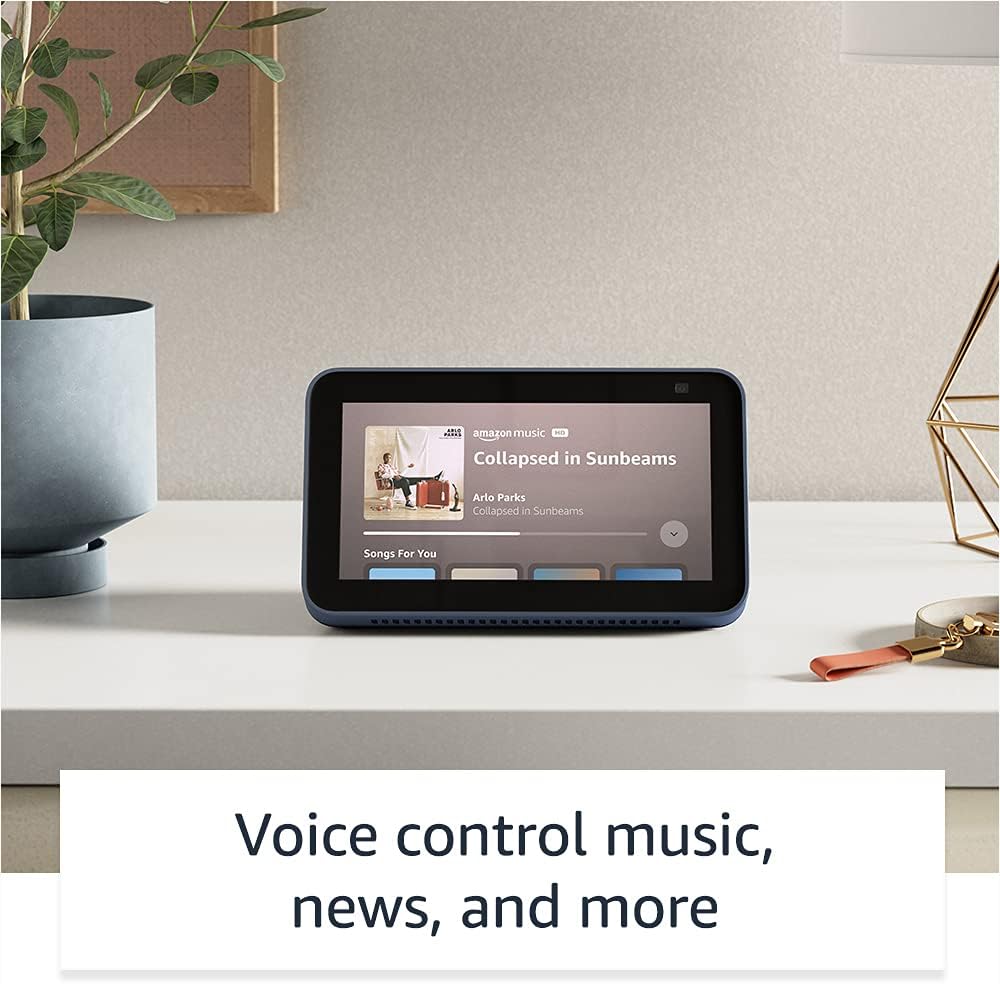
Image: The Echo Show 5 displaying a music playback screen, demonstrating its entertainment features.
شخصي کول:
- Digital Photo Frame: Use Amazon Photos to turn your home screen into a digital photo frame.

Image: The Echo Show 5 displaying a personal photo, illustrating its use as a digital photo frame.
د محرمیت ځانګړتیاوې:
د ایکو شو ۱۱ د محرمیت کنټرولونو څو طبقو سره ډیزاین شوی:
- Mic/Camera Off Button: د مایکروفونونو او کیمرې د بریښنایی بندولو لپاره یو فزیکي تڼۍ.
- د کیمرې جوړ شوی شټر: A physical shutter to cover the camera lens.
- Voice Recording Controls: وړتیا لري view او خپل غږیز ریکارډونه حذف کړئ.
- د ویښتو کلمې ټیکنالوژي: The device only begins listening after detecting your chosen wake word.
- د سټریمینګ شاخصونه: بصري شاخصونه هغه وخت ښیې کله چې آډیو یا ویډیو کلاوډ ته خپریږي.

انځور: نږدې انځور view of the Echo Show 5's top, highlighting the physical camera shutter button for privacy control.
د لاسرسي ځانګړتیاوې:
The Echo Show 5 includes various accessibility features to personalize Alexa to your abilities. These can be accessed via ترتیبات → لاسرسی ستاسو په وسیله.
- د الیکسا لپاره ټایپ کړئ: د الیکسا سره د سکرین ټایلونو یا کیبورډ له لارې د لمس کولو له لارې اړیکه ونیسئ.
- تطبیقي اورېدل: د الیکسا ځواب ورکولو دمخه د خبرو پای ته رسولو لپاره ډیر وخت ورکوي.
- د خبرو کولو غوره کچه: کنټرول کړئ چې الیکسا څومره ګړندی یا ورو خبرې کوي.
- سرلیک ورکول: Alexa Captioning, Call Captioning, and Closed Captioning provide text for supported content.
- وښایاست او ووایاست: د هغو کاروونکو لپاره د محصولاتو په پیژندلو کې مرسته کوي چې ړانده یا د لید ضعیف دي.
- غږView د سکرین ریډر: Enables access for blind or visually impaired users.
- د سکرین میګنیفیر: زوم ان/آؤټ کړئ او د سکرین شاوخوا یې وګرځئ.
- کله چې نږدې وي خبر ورکړئ: کله چې د وسیلې سره نږدې کشف شي، د خبرتیا غږونه غږوي.
- کینډل په لوړ غږ لوستل: الیکسا کولی شي ستاسو د کینډل کتابونه په لوړ غږ ولولي.
- په ریښتیني وخت کې متن: د ویډیو زنګ په جریان کې ژوندی متن ولیکئ.
- Additional settings for Color Inversion, Color Correction, Request Sound, and more.
ساتنه
The Certified Refurbished Echo Show 5 has undergone rigorous testing and certification to ensure it looks and works like new. Regular maintenance is minimal.
- پاکول: په نرمۍ سره سکرین او د وسیلې بهرنۍ برخه د نرم، لینټ نه پاک ټوکر سره پاک کړئ. د کثافاتو پاکونکو یا سپریونو څخه ډډه وکړئ.
- د سافټویر تازه معلومات: Ensure your device is connected to Wi-Fi to receive automatic software security updates, which are guaranteed for at least four years after the device is last available for purchase as a new unit.
د ستونزو حل کول
که تاسو د خپل ایکو شو 5 سره ستونزې سره مخ شئ، نو لاندې عمومي ستونزې حل کولو ګامونه په پام کې ونیسئ:
- د بریښنا دوره: Unplug the device from the power outlet, wait for 30 seconds, and then plug it back in.
- د وائی فای اتصال چیک کړئ: Ensure your Wi-Fi network is active and the device is connected. You can check network status in the device settings.
- Verify Internet Connectivity: Confirm your internet service is working by testing other devices on the same network.
- Check Microphone/Camera: Ensure the mic/camera off button is not activated and the camera shutter is open if you are trying to use these features.
- د الیکسا اپلیکیشن: Use the Alexa app on your smartphone or tablet to manage device settings, check for updates, and access further support resources.
- غږیز حکمونه: په واضح ډول خبرې وکړئ او ډاډ ترلاسه کړئ چې تاسو د وسیلې مایکروفونونو په حد کې یاست.
For more detailed troubleshooting or specific issues, refer to the help section within the Alexa app or visit the official Amazon support webسایټ
مشخصات
| فیچر | تفصیل |
|---|---|
| اندازه | 5.8 "x 3.4" x 2.9" (148mm x 86mm x 73mm) |
| وزن | 14.5 اوز (410 ګرامه) |
| ښودل | 5.5" ټچ سکرین |
| کیمره | د جوړ شوي شټر سره 2 میګاپکسله کیمره |
| د وائی فای اتصال | Dual-band wifi (802.11a/b/g/n/ac). Does not support ad-hoc networks. |
| د بلوتوټ ارتباط | A2DP support for audio streaming; AVRCP for voice control of connected mobile devices. PIN-code speakers not supported. |
| آډیو | بشپړ رینج ۱.۷۵ انچه جوړ شوی سپیکر |
| پروسیسر | میډیا ټیک ایم ټي ۸۱۶۳ |
| نسل | Echo Show 5 (2nd Gen) - 2021 release |
| ژبه | الیکسا انګلیسي او هسپانوي خبرې کوي |
تضمین او ملاتړ
Your Certified Refurbished Echo Show 5 comes with the same limited warranty as a new device. For specific details regarding your warranty, please refer to the documentation included with your device or visit the official Amazon website for Certified Refurbished Amazon devices.
For customer support, troubleshooting, and to manage your device settings, utilize the Alexa app on your compatible smartphone or tablet. You can also find extensive support resources and FAQs on the Amazon support webسایټ
د سافټویر امنیتي تازه معلومات: دا وسیله د سافټویر امنیتي تازه معلومات تضمینوي تر هغه چې لږترلږه څلور کاله وروسته له هغه چې وسیله د ایمیزون په پلورنځي کې د نوي واحد په توګه د پیرود لپاره شتون ولري. webسایټونه.
اړوند اسناد - د اکو شو 5 (دوهمه جنرال، 2 خپور شوی)
 |
د ایمیزون ایکو شو 8 (دوهم نسل) د چټک پیل لارښود ستاسو د ایمیزون ایکو شو 8 (دوهم نسل) سره د پیل کولو لپاره لارښود، چې تنظیم، ځانګړتیاوې او محرمیت پوښي. |
 |
د ایمیزون ایکو شو ۸ (دوهم نسل) کارونکي لارښود د ایمیزون ایکو شو 8 (دوهم نسل) لپاره د کارونکي جامع لارښود، د تنظیم کولو، محرمیت ځانګړتیاو، غږیز امرونو، او د الیکسا کارولو لپاره لارښوونو توضیحات. |
 |
د بهرنیو شریکانو لپاره د ایمیزون ایکو او الیکسا برانډ کارولو لارښوونې د ایمیزون ایکو او الیکسا برانډ شتمنیو د سمې کارونې په اړه د بهرنیو شریکانو لپاره رسمي لارښوونې، په شمول د لوګو، ټایپوګرافۍ، رنګونو، او د بازار موندنې موادو کې استازیتوب. د برانډ ثبات او بشپړتیا ډاډمن کړئ. |
 |
د ایمیزون ایکو شو ۸ (دوهم نسل) د چټک پیل لارښود: تنظیم او ځانګړتیاوې د خپل ایمیزون ایکو شو 8 (دوهم نسل) تنظیم او کارولو څرنګوالی زده کړئ. دا لارښود د وسیلې ځانګړتیاوې، د محرمیت کنټرولونه، او د ورځني کارونو لپاره اړین الیکسا امرونه پوښي. |
 |
د ایمیزون ایکو شو 5 (دوهم نسل) د چټک پیل لارښود A quick start guide for the Amazon Echo Show 5 (2nd Generation), covering setup, privacy features, and basic usage with Alexa. |
 |
د ایمیزون ایکو شو 8 (دریم نسل) تنظیم او د کارونکي لارښود ستاسو د ایمیزون ایکو شو 8 (دریم نسل) تنظیم او کارولو لپاره یو جامع لارښود، پشمول د ځانګړتیاوو، محرمیت کنټرولونو، او سمارټ کور ادغام. |