1. پیژندنه
Thank you for choosing the Cecotec Ready Warm 2500 Thermal Connected Electric Radiator. This manual provides essential information for the safe and efficient use of your new radiator. Please read it thoroughly before installation and operation, and keep it for future reference.
This electric radiator features 12 heating elements and a powerful 2000 W output, designed to quickly heat rooms up to 25 m². It offers versatile control options including a remote control, an LCD screen, and Wi-Fi connectivity via a smartphone application.

Image 1.1: The Cecotec Ready Warm 2500 Thermal Connected Electric Radiator positioned in a modern living room, showcasing its sleek design and portability with feet.
2. د خوندیتوب مهمې لارښوونې
د اور، برقي شاک، یا ټپي کیدو خطر کمولو لپاره، تل د خوندیتوب دا اساسي احتیاطي تدابیر تعقیب کړئ:
- د دې ریډیټر کارولو دمخه ټولې لارښوونې ولولئ.
- Do not use this radiator in bathrooms, laundry areas, or similar indoor locations where water may be present.
- بهرني شیان مه دننه کوئ یا اجازه مه ورکوئ چې د هوا د وتلو یا د وتلو په خلاصیدو کې ننوځي ځکه چې دا ممکن د بریښنا شاک یا اور لامل شي، یا ریډیټر ته زیان ورسوي.
- د احتمالي اور د مخنیوي لپاره، په هیڅ ډول د هوا اخیستلو یا اخراج مخنیوی مه کوئ. په نرمو سطحو کې مه کاروئ، لکه د بستر په څیر، چیرې چې خلاصې بندې شي.
- The radiator is equipped with a safety system against overheating. If the radiator overheats, it will automatically shut off. Unplug the radiator and allow it to cool down before restarting.
- دا وسیله د افرادو (د ماشومانو په شمول) د فزیکي ، حسي یا ذهني وړتیاو کمښت ، یا د تجربې او پوهې نشتوالي سره د کارولو لپاره ندي ، پرته لدې چې دوی ته د دوی د خوندیتوب مسؤلیت لرونکي شخص لخوا د وسیلې کارولو په اړه نظارت یا لارښوونې ورکړل شوي وي.
- Keep children under supervision to ensure they do not play with the appliance. The radiator includes a child safety lock to prevent accidental changes to settings.
- کله چې ریډیټر نه کاروئ، تل یې خلاص کړئ.
3. د بسته محتويات
مهرباني وکړئ د بسته بندۍ پر مهال د بسته محتويات وګورئ:
- Cecotec Ready Warm 2500 Thermal Connected Electric Radiator
- ریموټ کنټرول
- د پورټ ایبل کارولو لپاره پښې
- Wall mounting kit (screws and brackets)
- د کارن لارښود
4. ترتیب کول
The Cecotec Ready Warm 2500 offers two installation options: portable with feet or fixed wall-mounted.
4.1. Portable Installation
For portable use, attach the provided feet to the base of the radiator. Ensure they are securely fastened before placing the radiator on a flat, stable surface. This allows for easy movement of the radiator around your home.
4.2. دیوال نصبول
For fixed installation, use the supplied wall mounting kit. Choose a suitable wall location, ensuring adequate clearance from flammable materials and power outlets. Mark the drilling points for the brackets, drill holes, insert wall plugs, and secure the brackets. Carefully hang the radiator onto the brackets, ensuring it is stable and level.
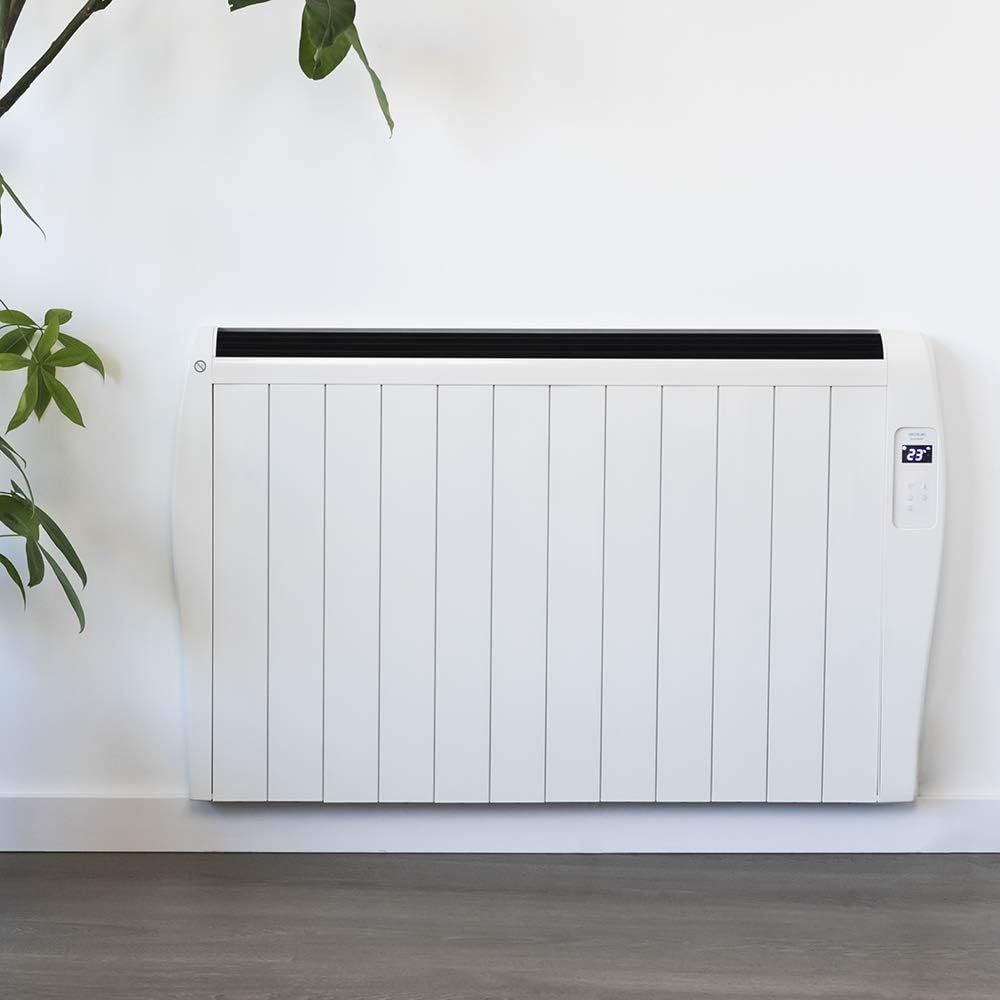
Image 4.1: The Cecotec Ready Warm 2500 Thermal Connected Electric Radiator installed on a wall, demonstrating its fixed placement option.
5. عملیاتي لارښوونې
The radiator can be controlled via its integrated LCD screen, the remote control, or a smartphone application.
5.1. Control Panel (LCD Screen)
The radiator features an intuitive LCD screen and touch controls for direct operation. The screen displays the current temperature and settings. Use the touch buttons to power on/off, adjust temperature, set the timer, and activate Wi-Fi pairing.
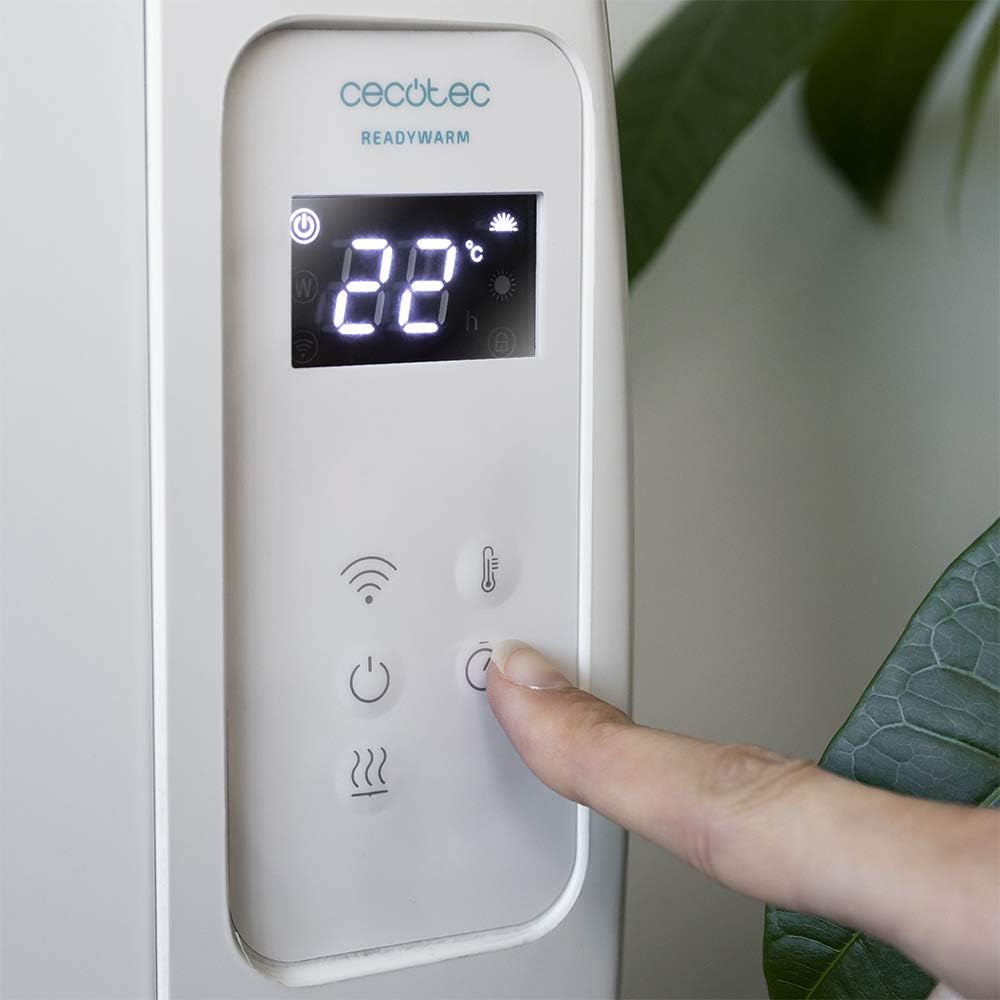
انځور ۸: یو مفصل view of the radiator's control panel, showing the LCD display with temperature and mode indicators, and the touch-sensitive buttons for various functions.
5.2. ریموټ کنټرول
The included remote control provides convenient access to all radiator functions from a distance. It allows you to power on/off, adjust the temperature, and manage timer settings without needing to approach the unit.
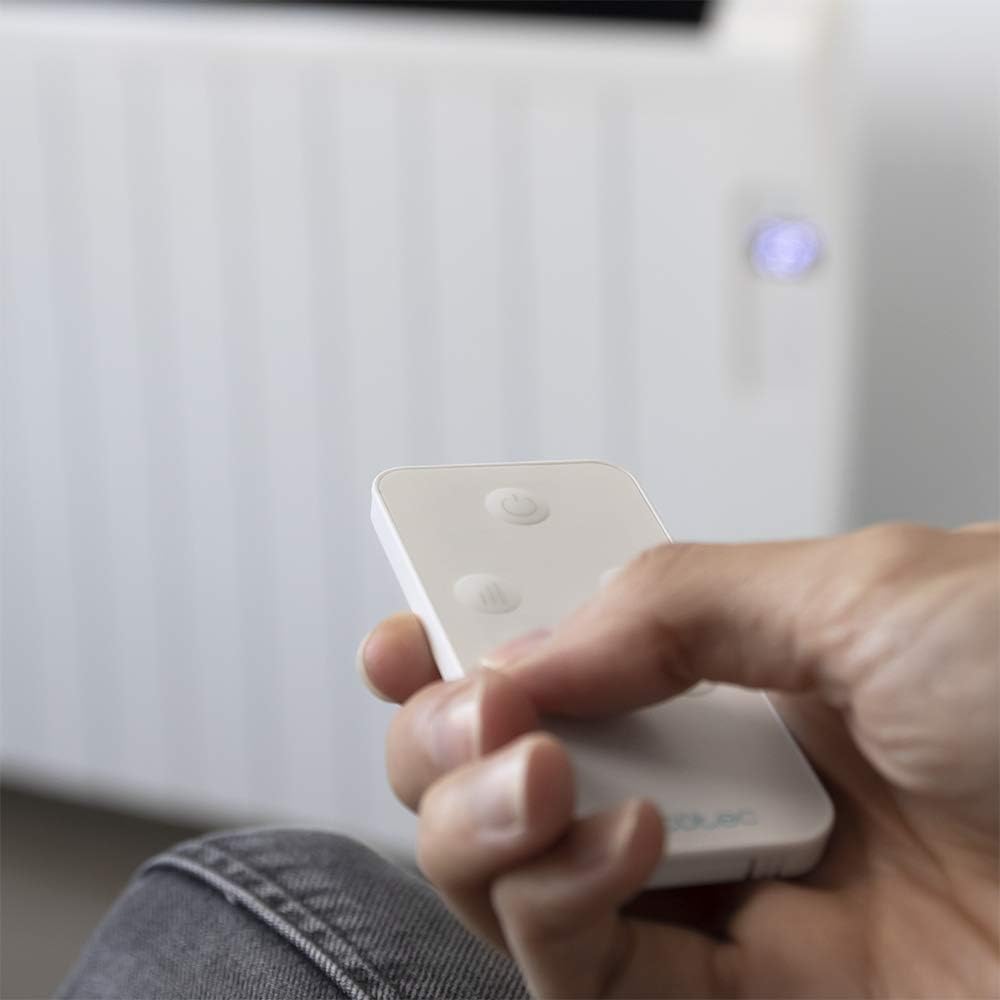
Image 5.2: A hand holding the compact remote control, demonstrating its ease of use for operating the radiator.
5.3. Wi-Fi Control via Smartphone App
For advanced control, download the official Cecotec app to your smartphone. This allows you to select different operating configurations, set schedules, and monitor the radiator remotely. Follow the app's instructions for pairing your device with the radiator.

Image 5.3: A smartphone screen showing the dedicated application for Wi-Fi control of the Cecotec radiator, highlighting smart home integration.
5.4. Temperature and Timer Settings
- ترمامیت: The integrated thermostat detects the current room temperature. You can set your desired temperature between 5°C and 40°C. The radiator will automatically adjust its operation to maintain the set temperature.
- د پروګرام وړ ټایمر: Use the timer function to set specific operating hours and durations. This allows for automated heating according to your schedule, optimizing energy consumption.
6. ساتنه
Regular cleaning and maintenance ensure optimal performance and longevity of your radiator.
- تل ریډیټر خلاص کړئ او د پاکولو دمخه یې په بشپړه توګه یخولو ته پریږدئ.
- بهرنۍ سطحې په نرمۍ سره مسح کړئ، دamp ټوکر د کثافاتو پاکوونکي یا محلول مه کاروئ.
- ډاډ ترلاسه کړئ چې اوبه د ریډیټر داخلي برخو ته نه ننوځي.
- Clean dust from the air inlets and outlets regularly using a vacuum cleaner or a soft brush to maintain efficient airflow.
- Store the radiator in a cool, dry place if not in use for extended periods.
7. ستونزه حل کول
If you encounter issues with your radiator, refer to the following table for common problems and solutions:
| ستونزه | احتمالي لامل | د حل لاره |
|---|---|---|
| ریډیټر نه چالانیږي. | Not plugged in; power switch off; circuit breaker tripped; overheating safety activated. | Ensure the power cord is securely plugged into a working outlet. Check the main power switch on the unit. Reset the circuit breaker if necessary. Unplug the unit, let it cool for 30 minutes, then plug it back in. |
| ریډیټر په مؤثره توګه نه تودوي. | Temperature setting too low; room size exceeds coverage area; air vents blocked. | Increase the desired temperature setting. Ensure the room size is within the recommended 25 m² coverage. Check and clear any obstructions from the air inlets and outlets. |
| د وای فای اتصال ناکام شو. | د وای فای پاسورډ غلط دی؛ روټر ډېر لرې دی؛ اپلیکیشن تازه شوی نه دی. | Verify your Wi-Fi password. Move the radiator closer to your Wi-Fi router. Ensure the Cecotec app is updated to the latest version. Follow the app's pairing instructions carefully. |
| د عملیاتو پرمهال غیر معمولي غږونه. | Expansion/contraction of materials; loose components. | Minor clicking or creaking sounds are normal as the metal heats and cools. If noises are loud or persistent, discontinue use and contact customer support. |
8. مشخصات
| فیچر | تفصیل |
|---|---|
| برانډ | Cecotec |
| د ماډل شمیره | 05376 |
| رنګ | سپین |
| ابعاد (L x W x H) | 63 x 10.5 x 109 سانتي متره |
| وزن | 5 کیلو ګرامه |
| ځواک | 2000 W |
| والیtage | 230 وی |
| د تودوخې عناصر | 12 |
| د پوښښ ساحه | تر 25 m² پورې |
| د حرارت درجه | له 5°C څخه تر 40°C پورې |
| د کنټرول میتودونه | LCD Screen, Remote Control, Wi-Fi App (Smartphones) |
| ځانګړي ځانګړتیاوې | Wi-Fi connectivity, Remote control, Digital display, Portable/Wall-mountable, Programmable timer, Overheating protection, Child safety lock. |
| د انرژي موثریت | الف څخه تر جی |
| د بریښنا سرچینه | بریښنایی تار شوی |
| د تودوخې طریقه | روښانه |
9. تضمین او ملاتړ
Cecotec products are manufactured to the highest quality standards. For detailed warranty information, please refer to the warranty card included with your product or visit the official Cecotec webسایټ
If you require technical assistance, have questions about your product, or need to report a fault, please contact Cecotec customer support. Contact details can typically be found on the official Cecotec webسایټ یا د محصول بسته بندي کې.
د نورو معلوماتو لپاره، لیدنه وکړئ: www.cecotec.com


