1. پیژندنه
This manual provides essential information for the safe and efficient operation of your iFFALCON 32F2A 32-inch HD Ready Android Smart LED TV. Please read these instructions thoroughly before using the television and retain them for future reference.
The iFFALCON 32F2A is an 80 cm (32 inches) HD Ready Android Smart LED TV designed to offer a comprehensive entertainment experience. It features a 720p resolution display, integrated Android operating system, and smart functionalities like Google Assistant and Chromecast built-in.
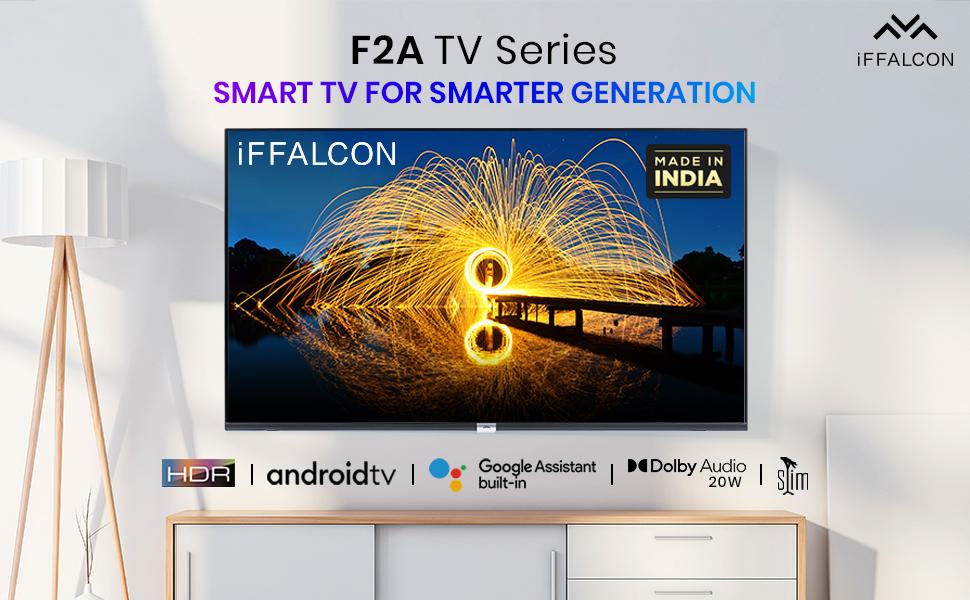
انځور 1.1: مخکی view of the iFFALCON 32F2A Smart LED TV displaying the Android TV interface, alongside icons representing key features such as HDR, Android TV, Google Assistant, Micro Dimming, IPQ Engine, Chromecast built-in, AI, and Dolby Audio with 20W speakers.
۲. په بکس کې څه دي؟
Verify that all components are present and undamaged upon unpacking your new television.
- ۱ x iFFALCON ۴۰F۲A LED تلویزیون
- ۱ x د میز سر ولاړ
- 1 x د کارونکي لارښود
- 1 x تضمین کارت
- 1 x ریموټ کنټرول
- ۲ x AAA بیټرۍ (د ریموټ کنټرول لپاره)
3. ترتیب کول
3.1 پاکول او ځای پرځای کول
Carefully remove the TV from its packaging. It is recommended to have two people for this process. Place the TV on a stable, flat surface or mount it securely on a wall.
۴.۱ د میز د سر سټینډ نښلول
- د تلویزیون سکرین په نرم او پاک سطح کې کیږدئ ترڅو د سکریچونو مخه ونیول شي.
- د تلویزیون په ښکته برخه کې د اړوندو سلاټونو سره د سټینډ اساسات تنظیم کړئ.
- د ورکړل شویو پیچونو په کارولو سره د سټینډ اساسونه خوندي کړئ. ډاډ ترلاسه کړئ چې دوی په کلکه ټینګ شوي دي.
۴.۳ دیوال نصب کول (اختیاري)
If you choose to wall mount your TV, please note that the wall mount bracket is not included and must be purchased separately. Follow the instructions provided with your wall mount kit and ensure professional installation for safety.
۲.۳ د بهرنیو وسایلو نښلول
Your iFFALCON 32F2A TV offers various connectivity options:
- HDMI بندرونه: د بلو رې پلیرونه، د لوبو کنسولونه، یا سیټ ټاپ بکسونه وصل کړئ.
- USB پورټ: د میډیا پلې بیک لپاره د USB ذخیره کولو وسایل وصل کړئ.
- ایترنیټ پورټ: د تار لرونکي انټرنیټ اتصال لپاره.
- د سر غوږ جیک: د شخصي اوریدلو لپاره.
3.5 د بریښنا نښلول
Connect the power cord to the TV's power input and then to a suitable AC power outlet (240 Volts, 50 Watts). Ensure the power cable is securely connected.
۴.۵ د بریښنا ابتدايي فعالول او تنظیمولو وزرډ
After connecting power, press the power button on the TV or remote control. The TV will guide you through the initial setup wizard, including language selection, network connection (Wi-Fi or Ethernet), Google account sign-in, and channel scanning.

Image 3.1: A diagram illustrating the physical dimensions of the iFFALCON 32F2A TV, including screen size (32 inches / 79.97 cm diagonal), width (73.20 cm / 29 inch), height (48.20 cm / 19 inch), and depth (17.30 cm / 6.9 inch).
4. عملیاتي لارښوونې
4.1 ریموٹ کنټرول
The provided remote control allows you to navigate the TV's interface and access various functions. Insert the two AAA batteries (included) into the remote control, ensuring correct polarity.
- د بریښنا تڼۍ: تلویزیون چالان یا بند کړئ.
- د نیویګیشن تڼۍ: Use the directional pad and OK button to move through menus.
- حجم +/-: د حجم کچه تنظیموي.
- چینل +/-: د تلویزیون چینلونه بدلوي.
- د کور تڼۍ: د Android TV کور سکرین ته راستنیږي.
- د شا تڼۍ: مخکینی سکرین ته راستنیږي.
- د ګوګل مرستیال تڼۍ: د غږ کنټرول فعالوي.
- د Netflix تڼۍ: Direct access to Netflix.
- د ایمیزون پرائم ویډیو تڼۍ: د ایمیزون پرائم ویډیو ته مستقیم لاسرسی.
- Zee5 Button: Direct access to Zee5.
- TCL Channel Button: Direct access to TCL channel.

Image 4.1: The smart remote control for the iFFALCON TV, highlighting the Google Assistant button and a dedicated hotkey for Netflix for quick access.
۵.۲ د انډرایډ تلویزیون انٹرفیس
Your TV runs on Android 9, providing access to a wide range of apps and services. The home screen displays recommended content, installed applications, and input sources.
- اطلاقات: Access pre-installed applications like Netflix, YouTube, Prime Video, Disney+Hotstar, Sun NXT, and Zee5. Download more from the Google Play Store.
- معلومات: Switch between HDMI inputs, USB, and other connected devices.
- ترتیبات: Customize TV settings such as picture, sound, network, and system preferences.

Image 4.2: The iFFALCON Smart LED TV showcasing its Android TV home screen, featuring prominent app icons for Netflix, YouTube, Prime Video, and other streaming services.

Image 4.3: The iFFALCON Smart LED TV interface, illustrating the availability of popular streaming platforms such as YouTube, Prime Video, Disney+ Hotstar, SonyLIV, Zee5, ALTBalaji, Voot Select, and Eros Now.
4.3 د ګوګل مرستې
The built-in Google Assistant allows you to control your TV and smart home devices using voice commands. Press the Google Assistant button on your remote and speak into the microphone.
- د منځپانګې لټون: Say "Play a cartoon movie" or "لټون action films."
- Control TV: Say "Turn up the volume" or "Switch to HDMI 1."
- معلومات ترلاسه کړئ: Ask "What's the weather today?" or "How long is Moonlight?"
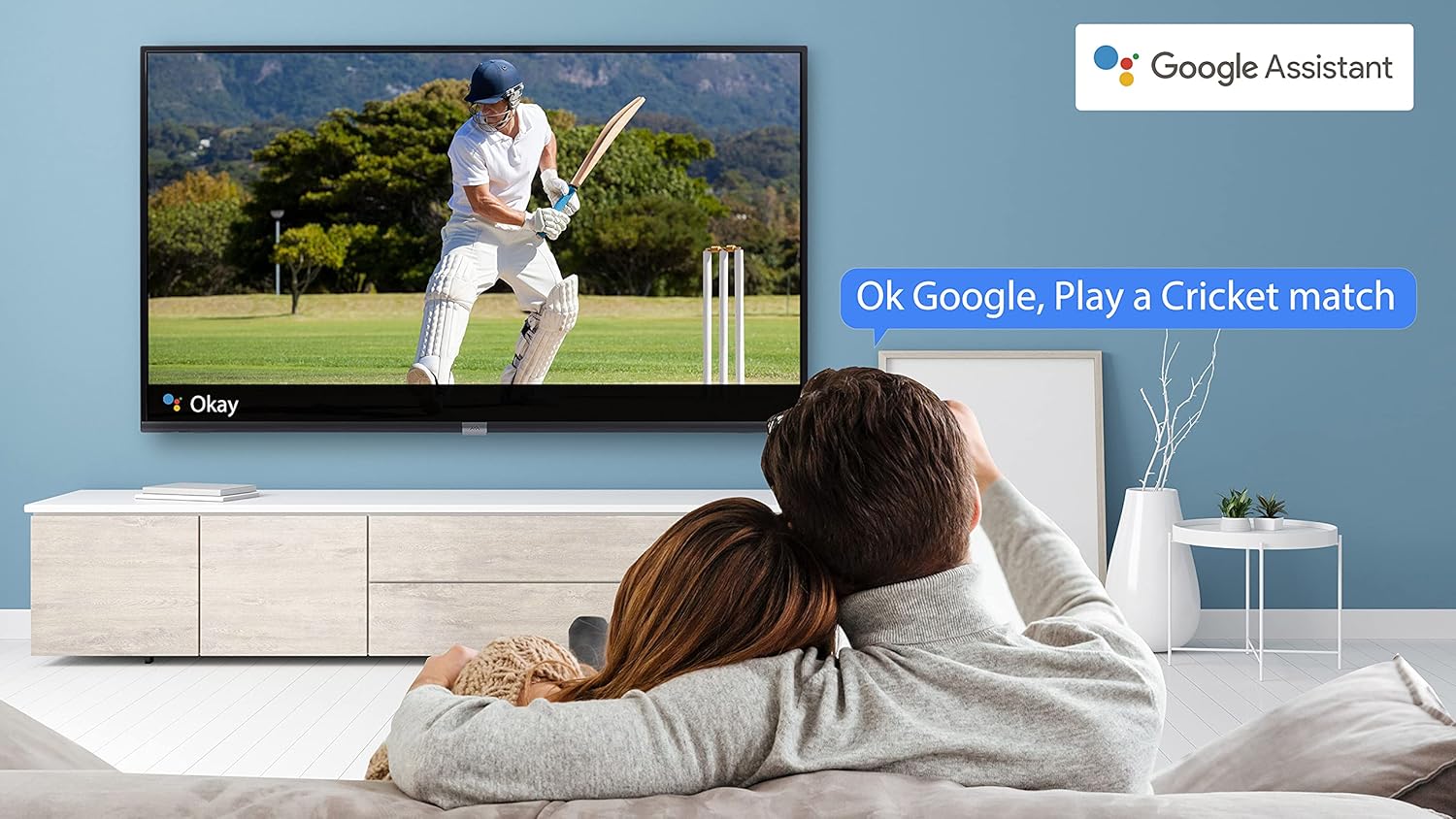
Image 4.4: A couple watching a cricket match on the iFFALCON TV, with a Google Assistant prompt bubble showing "Ok Google, Play a Cricket match," demonstrating voice control functionality.
Image 4.5: The Google Assistant logo, indicating the TV's integrated voice control capabilities.
4.4 د Chromecast جوړ شوی
Use Chromecast built-in to cast content from your compatible smartphone, tablet, or computer directly to your TV screen. Ensure your device and TV are connected to the same Wi-Fi network.

Image 4.6: A smartphone displaying a car image, with a casting icon indicating that the content is being mirrored to a larger TV screen, demonstrating the Chromecast built-in feature.
5. کلیدي ځانګړتیاوې
۵.۴ HDR (لوړ متحرک حد)
HDR technology enhances contrast, color accuracy, and brightness, delivering a more lifelike and immersive viewing experience with greater detail in both dark and bright scenes.

Image 5.1: A split-screen comparison showing the visual difference between an image without HDR 10 (left, darker, less vibrant) and with HDR 10 (right, brighter, more detailed, and richer colors).
۴.۲ مایکرو ډیمینګ
Micro Dimming analyzes the TV content in hundreds of separate zones to adjust brightness and darkness independently. This results in improved contrast and picture quality, especially in scenes with mixed light levels.

Image 5.2: A split-screen comparison demonstrating the effect of Micro Dimming, with the 'Without Micro Dimming' side appearing less vibrant and the 'With Micro Dimming' side showing enhanced contrast and color saturation in a city night scene.
5.3 IPQ Engine
The IPQ Engine (Image Quality Processing Engine) optimizes picture quality by intelligently adjusting brightness, color range, and contrast, ensuring a more vivid and accurate display.

Image 5.3: A visual representation of the IPQ Engine, highlighting its 'High Brightness Precision Control Technology' and 'Intelligent Color Range Control Technology' for optimized picture quality.
5.4 دولبي آډیو
Experience rich, clear, and powerful sound with Dolby Audio. This technology enhances the audio output, providing an immersive listening experience for movies, music, and games.

Image 5.4: The Dolby Audio logo, signifying enhanced sound quality and an immersive audio experience.
5.5 Smart Volume
Smart Volume automatically adjusts the sound level to prevent sudden changes in volume, such as during commercials or when switching channels, ensuring a consistent listening experience.

Image 5.5: An illustration of the Smart Volume feature, showing how it maintains consistent audio levels across different content types, represented by varying sound wave patterns.
5.6 سپورت موډ
Sports Mode optimizes picture and sound settings for sports content, enhancing motion clarity and audio to provide a more engaging viewد ژوندیو سپورتونو لپاره تجربه.

Image 5.6: A split-screen comparison of a cricket player, showing the 'Without Sports Mode' side with standard clarity and the 'With Sports Mode' side with enhanced motion and detail, indicated by a playback bar.
۴.۵ پتلی ډیزاین
The iFFALCON 32F2A features a slim design, allowing it to blend seamlessly into various living spaces and offering a modern aesthetic.

Image 5.7: An illustration emphasizing the slim profile of the iFFALCON TV, with a hand demonstrating its thinness.
6. ساتنه
۵.۱ د پردې پاکول
په نرمۍ سره سکرین د نرم، لینټ نه پاک ټوکر سره پاک کړئ. د سختو نښو لپاره، په نرمۍ سرهampټوکر د اوبو یا ځانګړي سکرین کلینر سره ومینځئ. د سخت کیمیاوي موادو یا خړوبونکي موادو کارولو څخه ډډه وکړئ.
6.2 د کابینې پاکول
د تلویزیون کابینه په نرم او وچ ټوکر سره پاک کړئ. په مستقیم ډول په کابینه کې د مایع پاکوونکو څخه کار مه اخلئ.
۶.۳ د بریښنا تار پاملرنه
د برېښنا تار په منظم ډول وګورئ چې کوم زیان ورته رسیدلی وي. درانه شیان په تار مه کېږدئ او یا یې ډیر تودوخې ته مه ښکاره کوئ.
7. ستونزه حل کول
که تاسو په خپل تلویزیون کې ستونزې سره مخ شئ، لاندې عامې ستونزې او حل لارې وګورئ:
| ستونزه | احتمالي لامل | د حل لاره |
|---|---|---|
| هیڅ ځواک نشته | د برېښنا تار پرې شوی، د برېښنا د وتلو ستونزه | Ensure power cord is securely plugged in. Check if the power outlet is working. |
| انځور نشته، خو غږ شته | د ننوتلو ناسمه سرچینه، غلط کیبل | Verify the correct input source is selected. Check HDMI/AV cable connections. |
| غږ نشته، خو انځور شته | Volume muted or too low, audio settings issue | حجم زیات کړئ. د تلویزیون مینو کې د آډیو آوټ پټ ترتیبات وګورئ. |
| ریموټ کنټرول کار نه کوي | Dead batteries, obstruction, remote out of range | Replace batteries. Remove obstructions between remote and TV. Ensure remote is within operating range. |
| د وائی فای سره وصل نشو | Incorrect password, router issue, TV too far from router | Re-enter Wi-Fi password. Restart router. Move TV closer to router or use Ethernet. |
که چیرې د دې حل لارو هڅه کولو وروسته هم ستونزه دوام ومومي، مهرباني وکړئ د پیرودونکو ملاتړ سره اړیکه ونیسئ.
8. مشخصات
د iFFALCON 32F2A سمارټ LED تلویزیون لپاره تفصيلي تخنیکي مشخصات:
| فیچر | مشخصات |
|---|---|
| برانډ | ایفالکون |
| د ماډل نوم | 32F2A |
| د سکرین اندازه | 32 انچونه (80 سانتي متره) |
| ټیکنالوژي ښکاره کول | LED، A+ درجې پینل |
| قرارداد | ایچ ډي چمتو (۱۳۶۶ x ۷۶۸ پکسلز) |
| د تازه کولو نرخ | 60 Hz |
| Viewزاویه | 178 درجې |
| د انځور اړخ نسبت | 16:9 |
| د عکس برعکس تناسب | 3000:1 |
| عملیاتي سیسټم | Android |
| د RAM حافظې نصب شوې اندازه | 1 جي بي |
| د ډیجیټل ذخیره کولو ظرفیت | 8 جي بي |
| د ګرافیک کاپروسیسر | مالي ۴۷۰x۲ |
| آډیو واټtage | 16 واټ |
| د سپیکر شاوخوا غږ | دولبي آډیو |
| د ارتباط ټیکنالوژي | وای فای، ایترنیټ، HDMI، USB |
| ټول USB پورټونه | 1 |
| د بریښنا سرچینه | AC |
| والیtage | 240 ولټه |
| واټtage | 50 واټ |
| د محصول ابعاد | 48.2 x 73.2 x 18.3 سانتي متره |
| د توکي وزن | 3.9 کیلو ګرامه |
9. تضمین او ملاتړ
Your iFFALCON 32F2A TV comes with a warranty. Please refer to the included Warranty Card for detailed terms and conditions, including the warranty period and coverage.
For technical assistance, service requests, or further inquiries, please visit the official iFFALCON support website or contact their customer service helpline. Contact information can typically be found on the Warranty Card or the manufacturer's official webسایټ


