1. پیژندنه
This manual provides instructions for the Xgody Mate10+ smartphone. It covers device setup, operation, features, and maintenance to ensure optimal performance and user experience. The Mate10+ operates on Android 8.1, features a 5.5-inch HD display, dual 5MP cameras, and supports dual SIM functionality.
2. د بسته محتويات
ډاډ ترلاسه کړئ چې ټول توکي د محصول په بسته بندۍ کې شتون لري:
- 1 x Xgody Mate10+ Smartphone
- 1 x چارجر اډاپټر
- 1 x USB کیبل
- 1 د تلیفون قضیه
- 1 x انګلیسي کارن لارښود
- ۱ x HD فلم (د سکرین محافظ)
- 1 x Tempered Film (Screen Protector)

Image: Contents of the Xgody Mate10+ smartphone package.
3. پیل کول
۱. د سیم کارت او ذخیره کولو کارت نصب کول
The Xgody Mate10+ supports dual SIM dual standby, allowing the use of two SIM cards simultaneously. It has two independent card slots: one for a Nano SIM and one for a Micro SIM or a TF (microSD) card for expandable storage.
- د وسیلې په اړخ کې د سیم/TF کارت ټری ومومئ.
- د ټرې د خلاصولو لپاره د چمتو شوي سیم ایجکټور وسیلې څخه کار واخلئ.
- Carefully place your Nano SIM card, Micro SIM card, and/or TF card into the designated slots. Ensure correct orientation.
- په نرمۍ سره ټری بیرته وسیله ته فشار ورکړئ تر هغه چې فلش شي.
3.2. د وسیلې چارج کول
Before first use, fully charge the smartphone using the provided charger and USB cable.
- د USB کیبل د چارجر اډاپټر سره وصل کړئ.
- د چارجر اډاپټر د بریښنا سوري سره ولګوئ.
- د خپل تلیفون د چارج کولو پورټ سره USB کیبل وصل کړئ.
- په سکرین کې د بیټرۍ عکس به د چارج حالت په ګوته کړي.
3.3. بریښنا کول/بندول
- د بریښنا د فعالولو لپاره: د بریښنا تڼۍ فشار ورکړئ او ونیسئ تر هغه چې سکرین روښانه شي.
- د بریښنا بندولو لپاره: د بریښنا تڼۍ فشار ورکړئ او ونیسئ، بیا په سکرین کې د انتخابونو څخه 'د بریښنا بند' غوره کړئ.
3.4. ابتدايي ترتیب
د لومړي ځل لپاره د بریښنا په فعالولو سره، د لومړني تنظیم بشپړولو لپاره د سکرین پرامپټس تعقیب کړئ، پشمول د ژبې انتخاب، د وای فای اتصال، د ګوګل حساب تنظیم، او امنیتي ترتیبات.
۴. کلیدي ځانګړتیاوې او عملیات
4.1. ښکاره کول
The Xgody Mate10+ features a 5.5-inch HD full-view display, providing a wide visual experience for viewمنځپانګه

Image: The 5.5-inch full-view display of the Xgody Mate10+.

Image: The compact design of the Xgody Mate10+ for easy portability.
۵. عملیاتي سیسټم (انډرایډ ۱۴)
The device runs on Android 8.1, offering a user-friendly interface and enhanced performance for daily tasks.
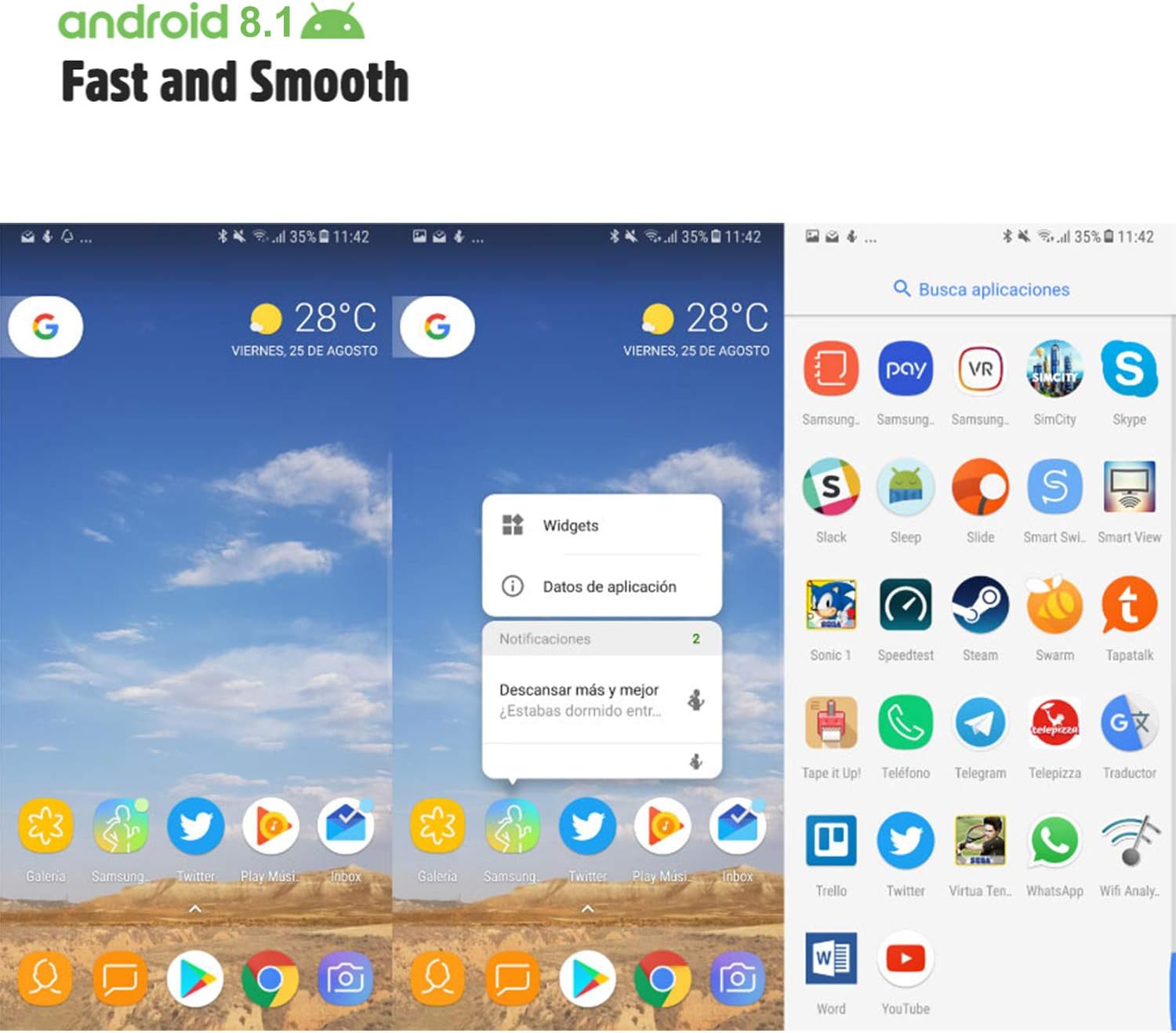
Image: Android 8.1 interface on the Xgody Mate10+.
4.3. کیمره
The Xgody Mate10+ is equipped with dual 5MP cameras, including a rear camera and a front beauty camera, for capturing photos and videos.

Image: Using the front camera for selfies.
۳.۲. فعالیت او ذخیره کول
The device includes 1GB RAM and 8GB internal storage (ROM), expandable up to 32GB with an external SD card, providing sufficient space for applications and media.

Image: Internal components and storage capabilities.
4.5. ارتباط
The Xgody Mate10+ is a 3G unlocked smartphone, supporting WCDMA 850/1900/2100MHz and GSM 850/900/1800/1900 MHz network bands. It is compatible with most WCDMA SIM carriers but not with CDMA carriers (e.g., Sprint, Verizon, Boost Mobile).
4.6. امنیت
The device supports Face ID for unlocking, providing a convenient and secure method to access your phone.
ویډیو: پایview of Xgody Mate10+ features, including camera, processor, memory, Face ID, 5.5-inch screen, dual SIM, and Android 8.1 operating system.
5. مشخصات
| ماډل | Mate10+ |
| عملیاتي سیسټم | Android 8.1 |
| ښودل | 5.5 inch HD Full View سکرین |
| RAM | 1GB |
| ROM (داخلي ذخیره) | 8GB |
| د پراخیدو وړ ذخیره | Up to 32GB (TF card) |
| شاته کیمره | 5MP |
| مخکینۍ کیمره | 5MP (Beauty Camera) |
| د سیم کارت ملاتړ | Dual SIM Dual Standby (1 Nano SIM, 1 Micro SIM or TF card) |
| د شبکې بانډونه | 3G WCDMA 850/1900/2100MHz, 2G GSM 850/900/1800/1900 MHz |
| د بیټرۍ ظرفیت | 2000mAh |
| بې سیم ټیکنالوژي | Bluetooth, Wi-Fi, Cellular |
| ارتباط | USB |
| GPS | ګلوناس |
| د توکي وزن | 14 اونس |
| د محصول ابعاد | 0.39 x 0.39 x 0.39 انچه |
6. ستونزه حل کول
If you encounter issues with your Xgody Mate10+, refer to the following common solutions:
- وسیله نه چلیږي: ډاډ ترلاسه کړئ چې بیټرۍ چارج شوې ده. چارجر وصل کړئ او د بیا چالانولو هڅه کولو دمخه څو دقیقې انتظار وکړئ.
- د بیټرۍ ضعیف ژوند: Reduce screen brightness, close unused apps running in the background, disable Wi-Fi/Bluetooth when not in use, and limit background data usage.
- د شبکې د اتصال ستونزې: Check if your SIM card is properly inserted. Verify that your SIM card supports the device's network bands (3G WCDMA 850/1900/2100MHz & 2G GSM 850/900/1800/1900 MHz). Restart the device.
- د غوښتنلیکونو کنګل کېدل یا خرابېدل: Close and restart the application. If the issue persists, clear the app's cache and data in Settings > Apps. Consider uninstalling and reinstalling the app.
- ورو فعالیت: Close unnecessary background applications. Clear cache data regularly. Ensure sufficient free storage space.
- سکرین بې ځوابه: Restart the device by holding the power button. If unresponsive, force restart by holding the power button for an extended period (usually 10-15 seconds).
7. تضمین او ملاتړ
For warranty information and technical support, please refer to the warranty card included in your product package or contact Xgody customer service through their official website or designated support channels. Keep your purchase receipt as proof of purchase for warranty claims.


