1. محصول ختم شوview
The HIKVISION Elite 7 Touch Portable SSD is a secure and high-performance external solid-state drive designed for reliable data storage and protection. It features a fingerprint encryption function, robust construction, and high-speed data transfer capabilities.

شکل 1.1: مخکی view of the HIKVISION Elite 7 Touch Portable SSD, showcasing its sleek black design and illuminated HIKVISION logo.
کلیدي ځانګړتیاوې:
- د لوړ سرعت فعالیت: Utilizes USB 3.2 Gen2 with NVMe solution for transfer speeds up to 1060MB/s.
- Fingerprint Security: Integrated fingerprint sensor for secure data access and encryption.
- دوامدار ډیزاین: All-aluminum alloy body with IPX7 waterproof rating.
- د سافټویر سویټ: Includes Hi Backup for data backup and Hi Security for enhanced data protection.
- پراخه مطابقت: Supports TV, PS4, Xbox, Windows, Mac, Linux, and Android devices.
2. د بسته محتويات
مخکې له دې چې تنظیم پیل کړئ، مهرباني وکړئ تصدیق کړئ چې ټول توکي په بسته کې شتون لري:
- 1 x HIKVISION Elite 7 Touch Portable SSD
- 1 x Type-C ته Type-C کیبل
- 1 x Type-C ته Type-A کیبل
- ۱ x د کارونکي لارښود (دا سند)

Figure 2.1: Contents of the HIKVISION Elite 7 Touch Portable SSD package, including the SSD unit, two types of USB cables, and the user manual.
3. د تنظیم کولو لارښود
3.1 Connecting the SSD
- Select the appropriate cable: Use the Type-C to Type-C cable for devices with a USB-C port, or the Type-C to Type-A cable for devices with a standard USB-A port.
- Connect the Type-C end of the cable to the HIKVISION Elite 7 Touch Portable SSD.
- Connect the other end of the cable to an available USB port on your computer, gaming console, or compatible device.

3.1 شکل: تړل view of the Type-C interface on the HIKVISION Elite 7 Touch Portable SSD, indicating its high-speed data transfer capability.
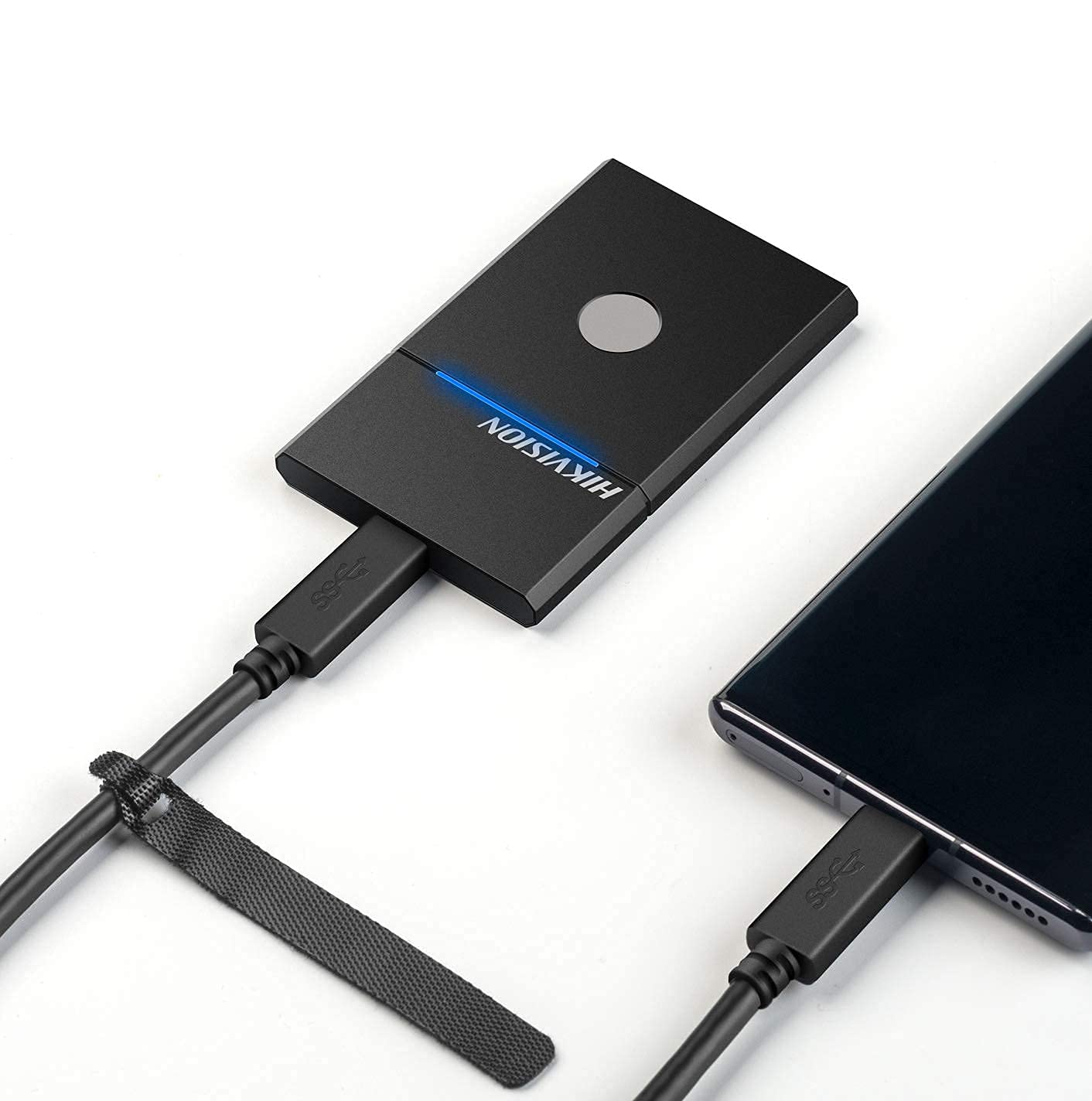
Figure 3.2: The HIKVISION Elite 7 Touch Portable SSD connected to a laptop via a USB-C cable, ready for data transfer.

Figure 3.3: The HIKVISION Elite 7 Touch Portable SSD connected to a smartphone, demonstrating its compatibility with mobile devices.
۲.۳ ابتدايي بڼه ورکول (که اړتیا وي)
For optimal compatibility with your specific device (TV, PS4, Xbox, Windows, Mac, Linux, Android), it may be necessary to format the SSD to the required file system. Refer to your device's operating system instructions for formatting external storage devices. یادونه: Formatting will erase all data on the drive. Back up any important data before proceeding.
3.3 Software Installation (Hi Backup & Hi Security)
The HIKVISION Elite 7 Touch comes with pre-loaded software for enhanced data management and security. Connect the SSD to a computer and locate the installer files for 'Hi Backup' and 'Hi Security'. Follow the on-screen instructions to install these applications.
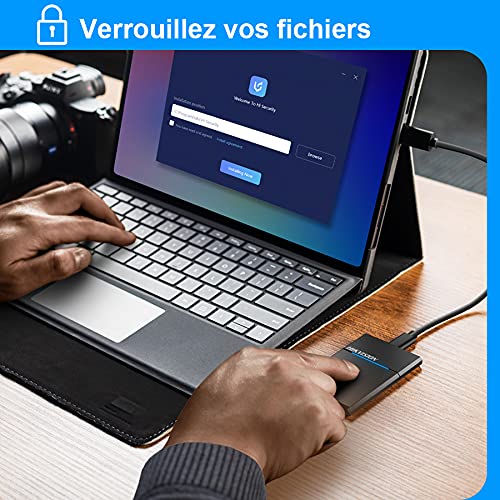
Figure 3.4: Screenshot of the 'Hi Security' software interface on a laptop, illustrating the setup process for data protection.
4. عملیاتي لارښوونې
4.1 د معلوماتو لیږد
Once connected and recognized by your device, the SSD will appear as an external storage drive. You can drag and drop files، کاپي او پیسټ کړئ، یا د خپل عملیاتي سیسټم څخه کار واخلئ file د SSD څخه د معلوماتو لیږدولو او لیږدولو لپاره د مدیریت وسایل.
4.2 Fingerprint Unlocking and Security
The Elite 7 Touch features a fingerprint sensor for secure access to your data. After installing the 'Hi Security' software, you can register your fingerprints. The SSD can be configured to require fingerprint authentication for unlocking, creating separate private storage areas.
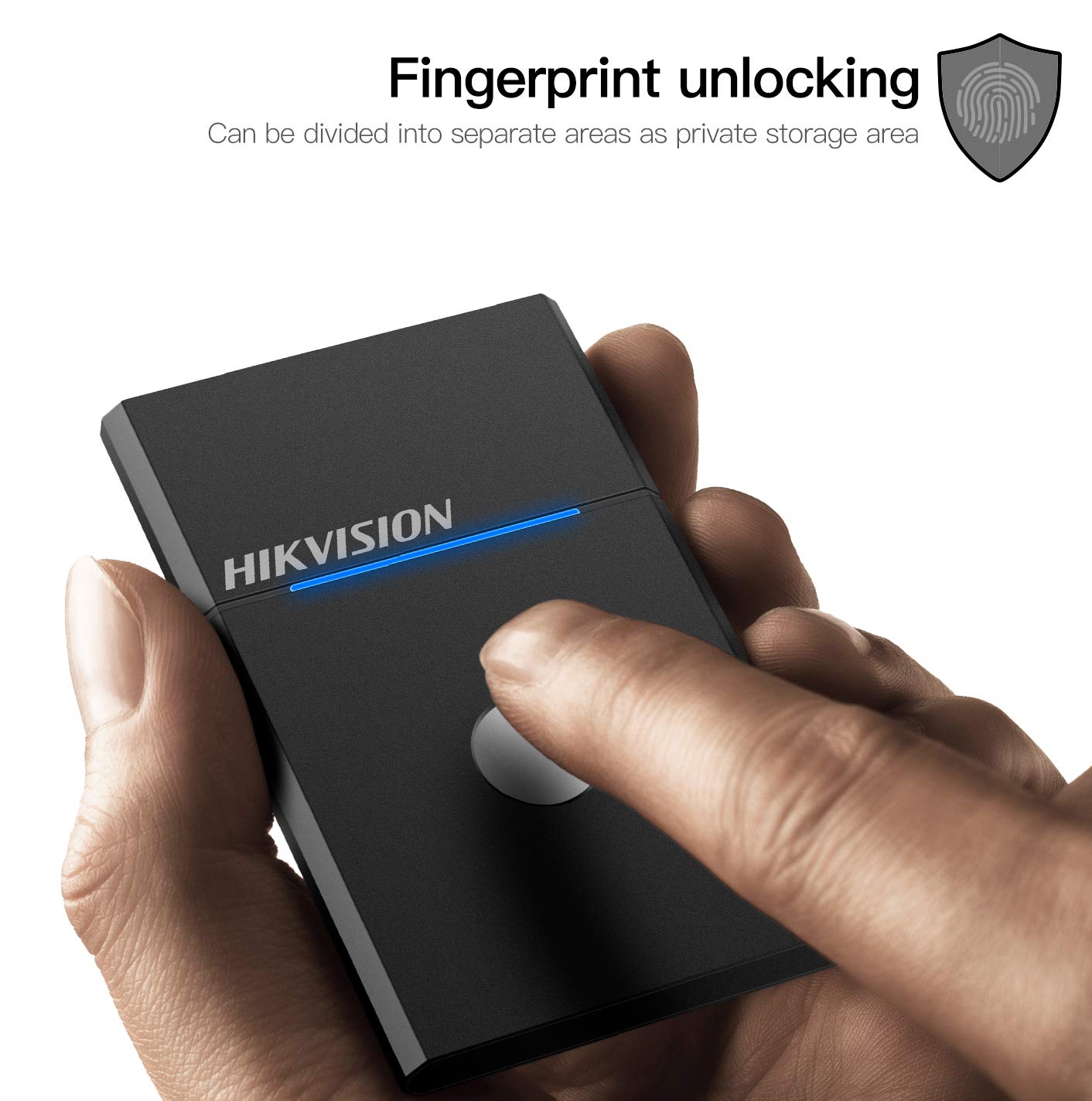
Figure 4.1: The HIKVISION Elite 7 Touch Portable SSD highlighting its fingerprint unlocking capability, allowing for secure access to data.

Figure 4.2: A user's hand interacting with the fingerprint sensor on the HIKVISION Elite 7 Touch Portable SSD to unlock the device.
4.3 Using Hi Backup Software
The 'Hi Backup' software allows you to create backups of your important files. Follow the software's interface to configure backup schedules, select files for backup, and manage your backup history. This software can also be integrated with cloud storage services for additional data redundancy.
5. ساتنه
5.1 عمومي پاملرنه
- Keep the SSD clean by wiping it with a soft, dry cloth.
- Avoid exposing the SSD to extreme temperatures or direct sunlight for prolonged periods.
- Ensure the USB port is free from dust and debris before connecting the cable.
5.2 Waterproof Feature (IPX7)
The Elite 7 Touch Portable SSD is designed with an IPX7 waterproof rating, meaning it can withstand immersion in water up to 1 meter for 30 minutes. While this provides protection against accidental spills or submersion, it is not recommended for continuous underwater use. Always ensure the USB port is dry before connecting to a device.
6. ستونزه حل کول
- SSD ندی موندل شوی:
- Ensure the USB cable is securely connected to both the SSD and your device.
- په خپل وسیله کې یو بل USB پورټ هڅه وکړئ.
- یو بل USB کیبل هڅه وکړئ.
- خپل کمپیوټر یا وسیله بیا پیل کړئ.
- Check your device's disk management utility to see if the drive is recognized but unformatted.
- د لیږد ورو سرعت:
- Ensure you are using a USB 3.2 Gen2 compatible port on your device for optimal performance.
- Verify that your device's drivers are up to date.
- په شاليد کې روان هر ډول غير ضروري اپليکيشنونه بند کړئ.
- Fingerprint Sensor Not Responding:
- ډاډ ترلاسه کړئ چې ستاسو ګوته پاکه او وچه ده.
- Re-register your fingerprints through the 'Hi Security' software.
- Ensure the 'Hi Security' software is running and properly configured.
- معلوماتو ته د لاسرسي مسلې:
- If using fingerprint security, ensure the correct fingerprint is used.
- Check if the drive requires formatting for your specific operating system (refer to Section 3.2).
7. مشخصات

Figure 7.1: Diagram illustrating the compact dimensions of the HIKVISION Elite 7 Touch Portable SSD: 84mm length, 53mm width, and 8mm thickness.
| فیچر | مشخصات |
|---|---|
| برانډ | هیکویژن |
| ماډل | Elite 7 Touch (HS-ESSD-Elite 7 Touch) |
| ظرفیت | ۲ ټې بي (۲۰۰۰ جي بي) |
| انٹرفیس | USB 3.2 Gen2 Type-C |
| د لیږد اعظمي سرعت | تر 1060MB/s پورې |
| ابعاد (LxWxH) | 8.35 x 5.35 x 0.79 سانتي متره (3.29 x 2.10 x 0.31 انچه) |
| وزن | 280 ګرامه (0.62 پونډه) |
| د پنروک درجه | IPX7 |
| د هارډویر پلیټ فارم | Mac, Windows, Linux, Android, Gaming Consoles |
| رنګ | تور |
8. تضمین او ملاتړ
۸.۱ د جوړونکي تضمین
The HIKVISION Elite 7 Touch Portable SSD comes with a د جوړونکي دوه کلن تضمین د پیرود نیټې څخه. دا تضمین د عادي استعمال لاندې موادو او کاریګرۍ نیمګړتیاوې پوښي. مهرباني وکړئ د تضمین ادعاوو لپاره د پیرود ثبوت وساتئ.
8.2 تخنیکي ملاتړ
For technical assistance, troubleshooting beyond this manual, or warranty inquiries, please contact HIKVISION customer support through their official webسایټ یا د اړیکې معلومات چې ستاسو د محصول اسنادو سره چمتو شوي.


