1. پیژندنه
This manual provides comprehensive instructions for the setup, operation, and maintenance of your LG 27UK670-B 27-inch UHD (3840 x 2160) IPS Display. This monitor is designed to deliver a high-quality visual experience with its sRGB 99% Color Gamut, HDR10 support, and a 3-Side Virtually Borderless Design. It also offers flexible connectivity including USB Type-C with 40W Power Delivery and an adjustable stand for ergonomic comfort.

شکل 1: مخکی view of the LG 27UK670-B monitor.
2. د بسته محتويات
د تنظیم کولو سره د پرمخ وړلو دمخه ډاډ ترلاسه کړئ چې ټول توکي په کڅوړه کې شتون لري.
- Monitor Display Panel
- د څارنې موقف (بنسټ او غاړه)
- د بریښنا تار
- د USB ډول - سي کیبل
- HDMI کیبل
- دسپورتپورټ کیبل
- د کارونکي لارښود (دا لاسوند)
3. ترتیب کول
۱.۲ د سټینډ راټولول
- د مانیټر ډسپلې پینل په احتیاط سره په نرم او پاک سطح باندې کیږدئ ترڅو د سکریچونو مخه ونیول شي.
- د سټینډ غاړه د مانیټر پینل شاته وصل کړئ. ډاډ ترلاسه کړئ چې دا په خوندي ډول په خپل ځای کې کلیک کوي.
- د سټینډ اساس د سټینډ غاړې سره وصل کړئ. د بیس په ښکته برخه کې سکرو ټینګ کړئ ترڅو دا خوندي شي.
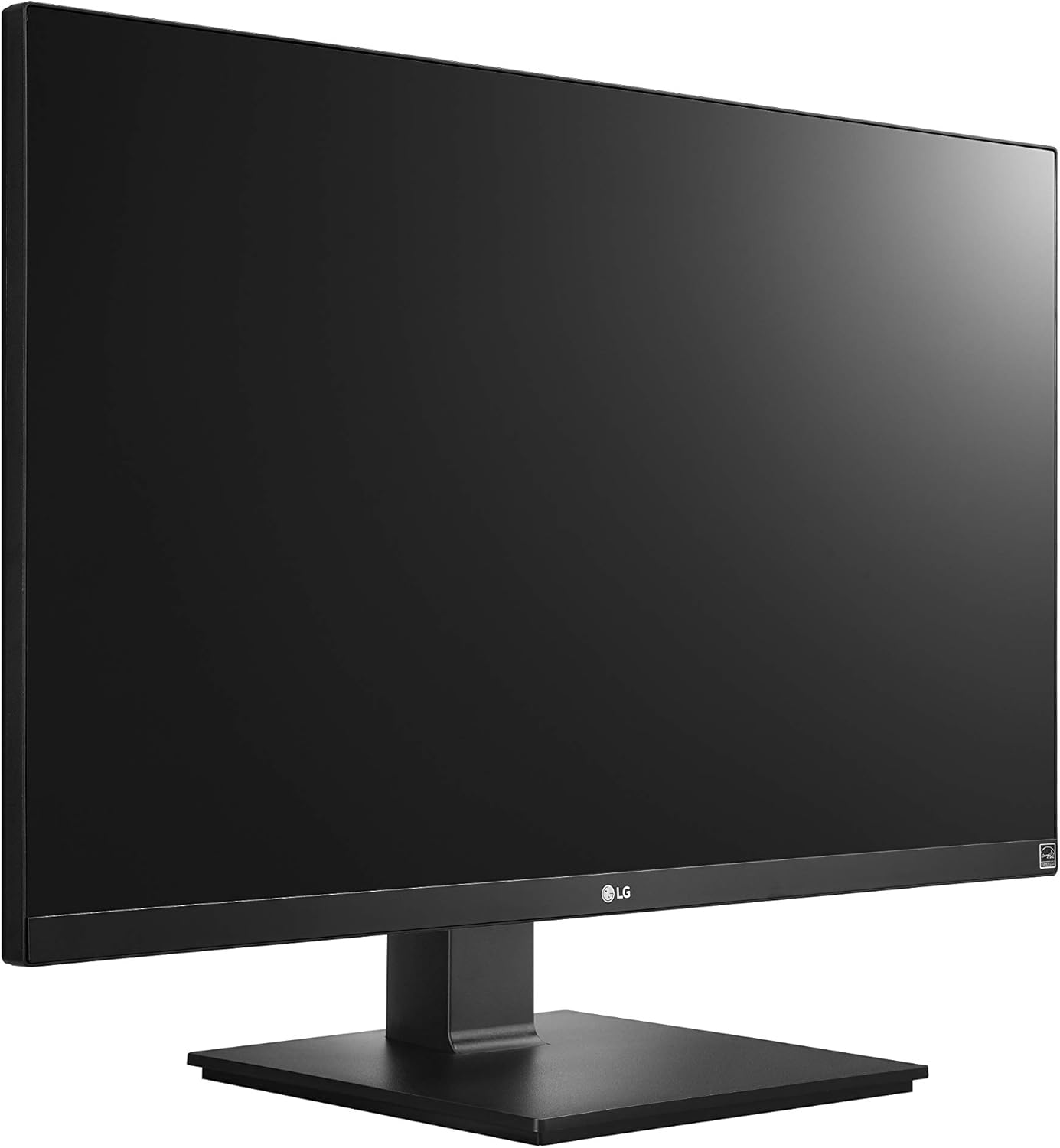
Figure 2: Assembled LG 27UK670-B monitor.
کمپیوټر سره پیوستول
The LG 27UK670-B monitor offers multiple connectivity options.
- د USB ډول-C اتصال: Connect one end of the USB Type-C cable to the USB-C port on the monitor and the other end to your computer's USB-C port. This connection supports video, data transfer, and power delivery (up to 40W) to your connected device.
- د HDMI پیوستون: Use an HDMI cable to connect the monitor to your computer's HDMI output.
- د ډیسپلی پورټ پیوستون: Use a DisplayPort cable to connect the monitor to your computer's DisplayPort output.
- د بریښنا پیوستون: د بریښنا تار د مانیټر د بریښنا ان پټ سره وصل کړئ او بیا د دیوال آوټ لیټ سره وصل کړئ.

شکل 3: شاته view د مانیټر د پورټ اتصالاتو سره.
۵.۵ د سټینډ تنظیم کول
The monitor stand allows for various ergonomic adjustments:
- د لوړوالی سمون: په نرمۍ سره مانیټر پورته یا ښکته کړئ ترڅو خپل مطلوب ترلاسه کړئ viewلوړوالی
- د خښتو سمون: Tilt the monitor screen forward or backward to optimize your viewزاویه.
- د محور سمون: مانیټر ۹۰ درجې وګرځوئ ترڅو د منظرې او پورټریټ سمتونو ترمنځ بدل شئ.
- سویول تعدیل: Rotate the monitor left or right on its base to share your screen or adjust your viewموقعیت لري.
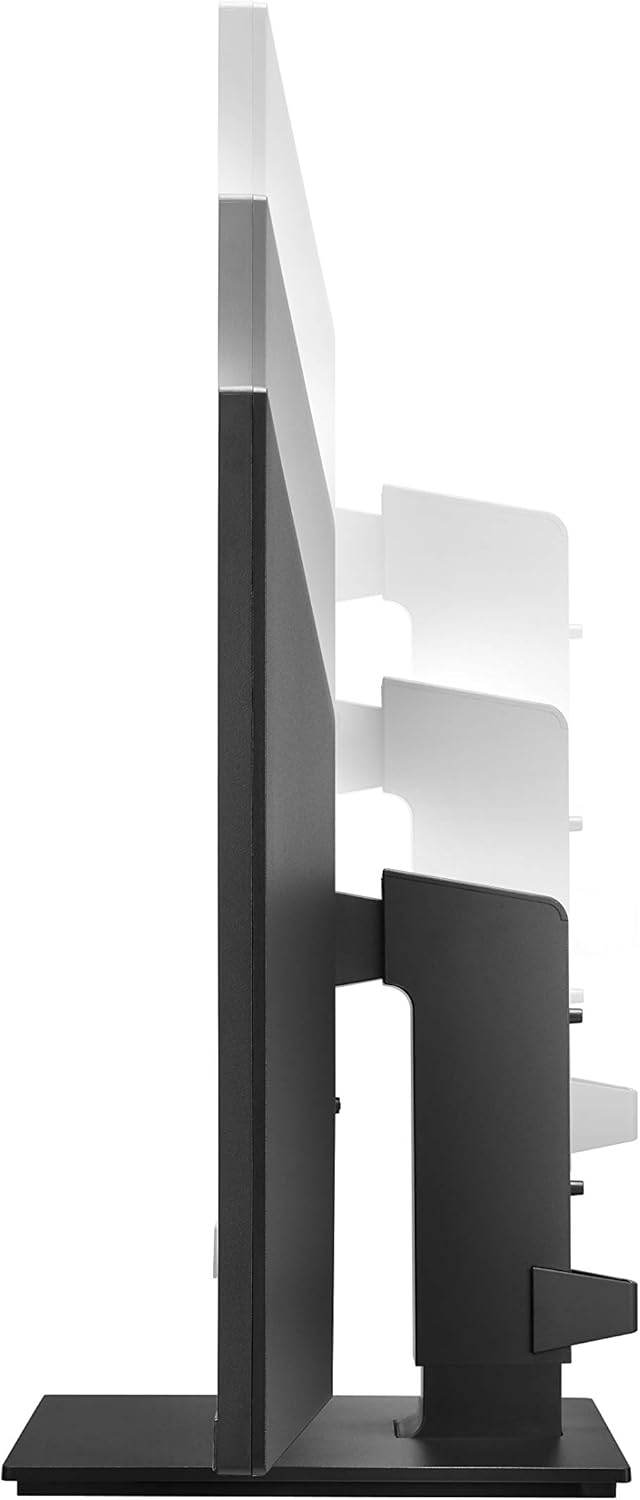
شکل ۴: د لوړوالي تنظیم څارنه.

Figure 5: Monitor in portrait orientation (pivot feature).
4. د مانیټر چلول
۸ پاور آن/بند
Press the power button, usually located on the bottom center or rear of the monitor, to turn the display on or off.
۳.۱ د پردې پرده ښودنه (OSD) مینو
The OSD menu allows you to adjust various display settings. Access it by pressing the joystick button (often located on the bottom center of the monitor). Navigate through the menu using the joystick to control brightness, contrast, color modes, input selection, and other advanced features.
4.3 کلیدي ځانګړتیاوې
- UHD (3840 x 2160) Resolution: Provides sharp, detailed images.
- IPS ښودنه: پراخه وړاندیز کوي viewزاویې او د رنګ دوامداره تکثیر.
- sRGB 99٪ رنګ ګیموټ: Ensures accurate and vibrant colors, suitable for creative professionals.
- HDR10: Enhances dynamic range for brighter whites and deeper blacks.
- د AMD FreeSync ټیکنالوژي: Reduces screen tearing and stuttering for smoother gaming and video playback.
5. ساتنه
5.1 د مانیټر پاکول
- تل د مانیټر بریښنا بند کړئ او د پاکولو دمخه د بریښنا تار خلاص کړئ.
- د نرم، لینټ پاک ټوکر څخه لږ څه کار واخلئampد اوبو یا ځانګړي سکرین پاکونکي سره مینځل کیږي.
- کلینر په مستقیم ډول په سکرین مه سپری کوئ، لومړی یې په ټوکر باندې واچوئ.
- د کثافاتو پاکوونکو، مومونو یا محلولونو کارولو څخه ډډه وکړئ ځکه چې دوی کولی شي د سکرین سطح ته زیان ورسوي.
5.2 عمومي پاملرنه
- مانیټر د مستقیم لمر وړانګو، تودوخې سرچینو او ډیرې دوړو څخه لرې وساتئ.
- د ډیر تودوخې مخنیوي لپاره د مانیټر شاوخوا مناسب هوا ورکول ډاډمن کړئ.
- په مانیټر یا د هغې په کیبلونو کې د درنو شیانو له ایښودلو څخه ډډه وکړئ.
6. ستونزه حل کول
که تاسو د خپل مانیټر سره ستونزې سره مخ شئ، لاندې عامې ستونزې او حل لارې وګورئ:
- ځواک نشته:
- Ensure the power cord is securely connected to both the monitor and a working electrical outlet.
- Check if the power button on the monitor is pressed.
- سیګنال نشته/خالي سکرین:
- Verify that the video cable (USB-C, HDMI, or DisplayPort) is securely connected to both the monitor and your computer.
- ډاډ ترلاسه کړئ چې د مانیټر په OSD مینو کې د ننوتلو سمه سرچینه غوره شوې ده.
- وګورئ چې ستاسو کمپیوټر فعال دی او د خوب حالت کې نه دی.
- Image Quality Issues (e.g., blurry, distorted):
- په خپل کمپیوټر کې د ریزولوشن ترتیبات تنظیم کړئ ترڅو د مانیټر اصلي ریزولوشن (۱۹۲۰ x ۱۰۸۰) سره سمون ولري.
- د OSD مینو له لارې د مانیټر د ښودلو ترتیبات د فابریکې ډیفالټ ته بیا تنظیم کړئ.
- ډاډ ترلاسه کړئ چې د ویډیو کیبل خراب شوی نه وي.
For further assistance, please consult the official LG support webسایټ یا د پیرودونکي خدمت سره اړیکه ونیسئ.
7. مشخصات
| فیچر | تفصیل |
|---|---|
| برانډ | LG |
| د ماډل شمیره | 27UK670-B |
| د سکرین اندازه | ۷۸۷ انچه |
| قرارداد | UHD (3840،2160 x XNUMX،XNUMX) |
| د پینل ډول | IPS |
| رنګ Gamut | sRGB 99٪ |
| د HDR ملاتړ | HDR10 |
| ارتباط | USB Type-C (with 40W PD), 2x HDMI, DisplayPort, 2x USB 3.0, 3x USB 2.0 |
| د اصولو تغیرات | کږوالی، لوړوالی، محور، څرخیدونکی |
| د توکي وزن | ۲.۴۵ پونډه |
| د محصول ابعاد (LxWxH) | 24.1 x 9.9 x 20.4 انچه |
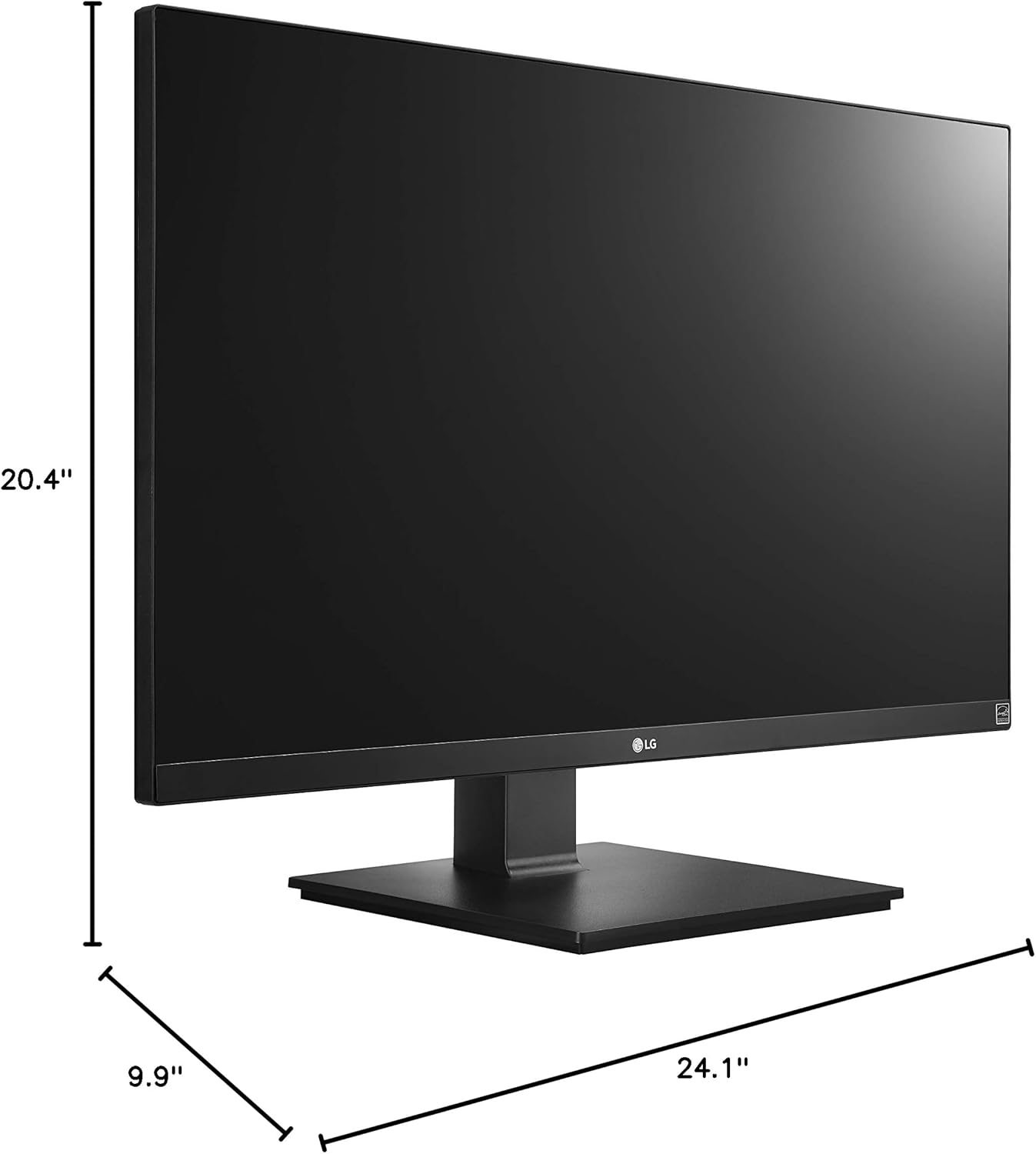
شکل ۷.۱: د مانیټر ابعاد.
8. تضمین او ملاتړ
Your LG 27UK670-B monitor is covered by a manufacturer's warranty. For detailed information regarding warranty terms, conditions, and registration, please refer to the warranty card included in your product packaging or visit the official LG Electronics webسایټ
For technical support, service inquiries, or to download the latest drivers and software, please visit the LG support portal or contact LG customer service directly.
آنلاین ملاتړ: www.lg.com/us/support