1. پیژندنه
This manual provides detailed instructions for the operation and maintenance of your QFX R-37-BL 6-Band Bluetooth Solar Radio with LED Flashlight. Please read this manual thoroughly before using the device to ensure proper function and safety. This versatile radio is designed for portability and includes multiple power options, making it suitable for various indoor and outdoor activities.
2. د محصول ب Featuresې
- 6-Band Radio: Receives AM, FM, and Shortwave (SW1-SW4) frequencies.
- د بلوتوټ ارتباط: Wirelessly connect your devices for audio playback.
- مدغم LED فلش لائټ: Provides illumination for various situations.
- د سولر چارج کول: Built-in solar panel for eco-friendly battery recharging.
- د چارج وړ بیټرۍ: Includes a removable lithium-ion battery.
- د USB او TF کارت پلی بیک: غږ غږول files directly from USB drives or TF cards.
- د USB چارج بندر: Output for charging external 5V USB devices.
- د سر غوږ جیک: د شخصي اوریدلو لپاره.
- دوربین انتن: Enhances radio signal reception.
- کمپیکٹ او پورټ ایبل ډیزاین: Lightweight with a carrying strap for easy transport.
2.1 محصول پای ته ورسیدview
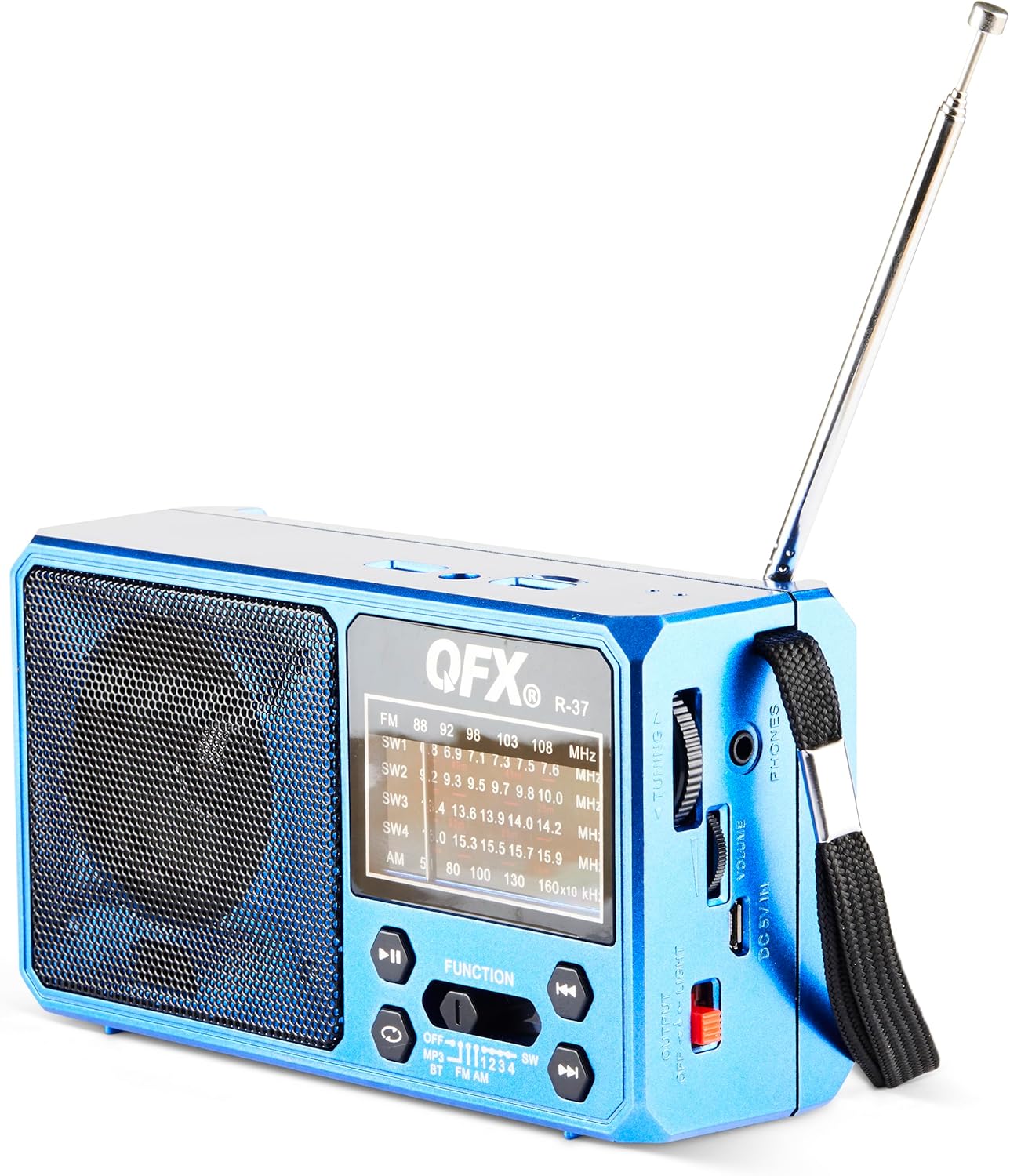
شکل 1: مخکی view of the QFX R-37-BL radio, displaying the speaker, frequency display, and main control buttons.

Figure 2: Detailed diagram highlighting key components of the QFX R-37-BL, including the solar panel, LED flashlight, USB and TF card ports, charging port, and various controls.

شکل 3: اړخ view of the radio, illustrating the tuning dial, volume control, headphone jack, DC 5V input, and the flashlight power switch.
3. د خوندیتوب معلومات
- وسیله د لوړې تودوخې، د اوږدې مودې لپاره د لمر مستقیم رڼا (د چارج کولو څخه هاخوا)، یا لوړ رطوبت ته مه ښکاره کوئ.
- وسیله د اوبو او نورو مایعاتو څخه لرې وساتئ.
- د وسیلې د جلا کولو یا بدلولو هڅه مه کوئ. دا به تضمین باطل کړي او ممکن زیان یا ټپي کیدو لامل شي.
- د وسیلې د چارج کولو لپاره یوازې ټاکل شوی چارجینګ کیبل او د بریښنا اډاپټر (که چیرې د تطبیق وړ وي) وکاروئ.
- د ځایی مقرراتو سره سم د بیټرۍ تصفیه کول.
- د ماشومانو د لاسرسي څخه لرې وساتئ.
4. ترتیب کول
4.1 Battery Installation and Initial Charging
- د راډیو شاته د بیټرۍ کڅوړه ومومئ.
- د کڅوړې پوښ خلاص کړئ.
- Insert the provided rechargeable lithium-ion battery, ensuring correct polarity.
- د بیټرۍ کمپارټ پوښ په خوندي ډول وتړئ.
- For first use, fully charge the radio using the included USB charging cord connected to a 5V USB power source. The charging indicator light will illuminate during charging and turn off when fully charged.
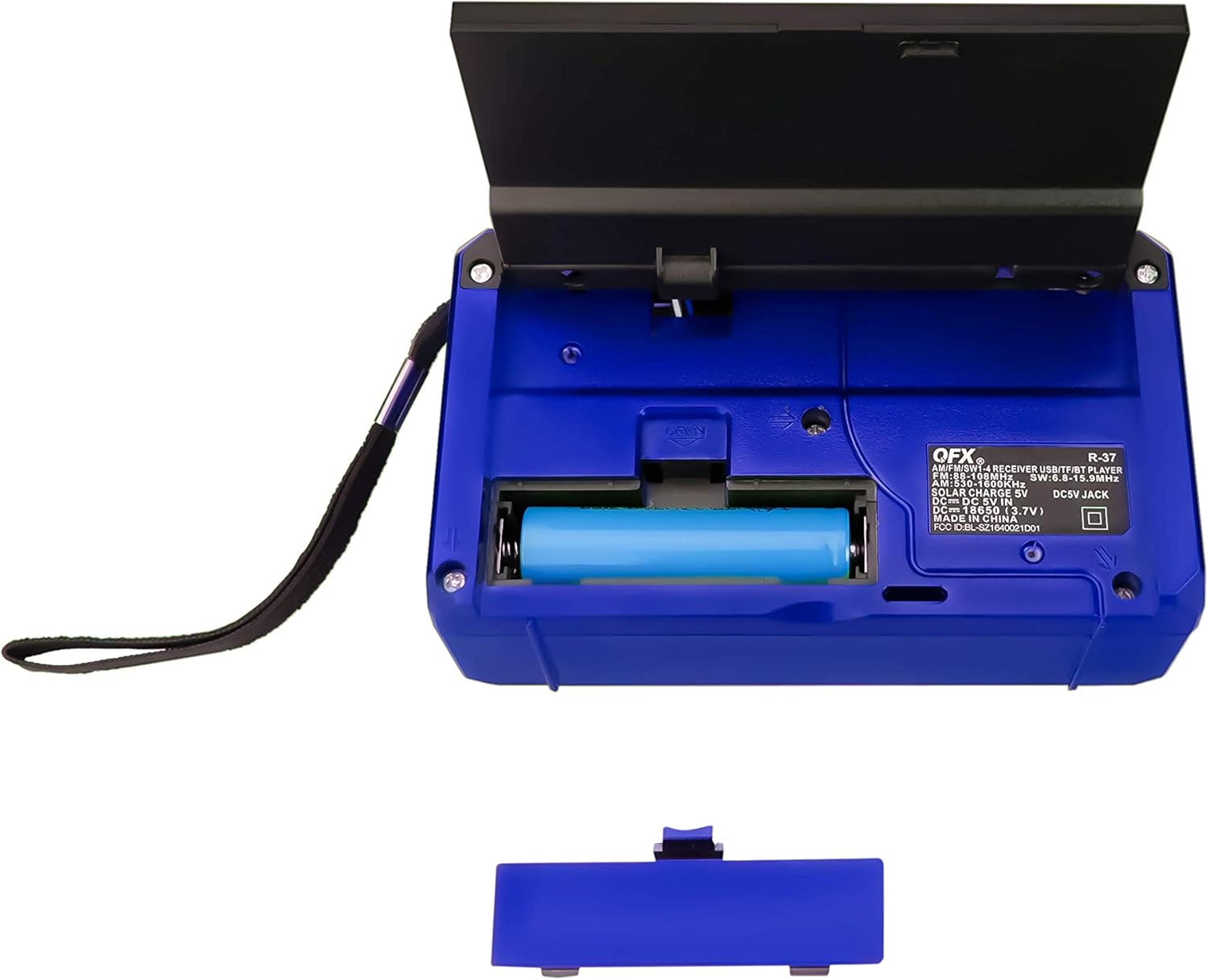
شکل 4: شاته view of the radio with the battery compartment open, showing the removable rechargeable battery.
4.2 د سولر چارج کول
The radio features a built-in solar panel for convenient charging. Place the radio with the solar panel facing direct sunlight. The solar charging indicator will light up. Solar charging is slower than USB charging and is best used for maintaining charge or in emergency situations.
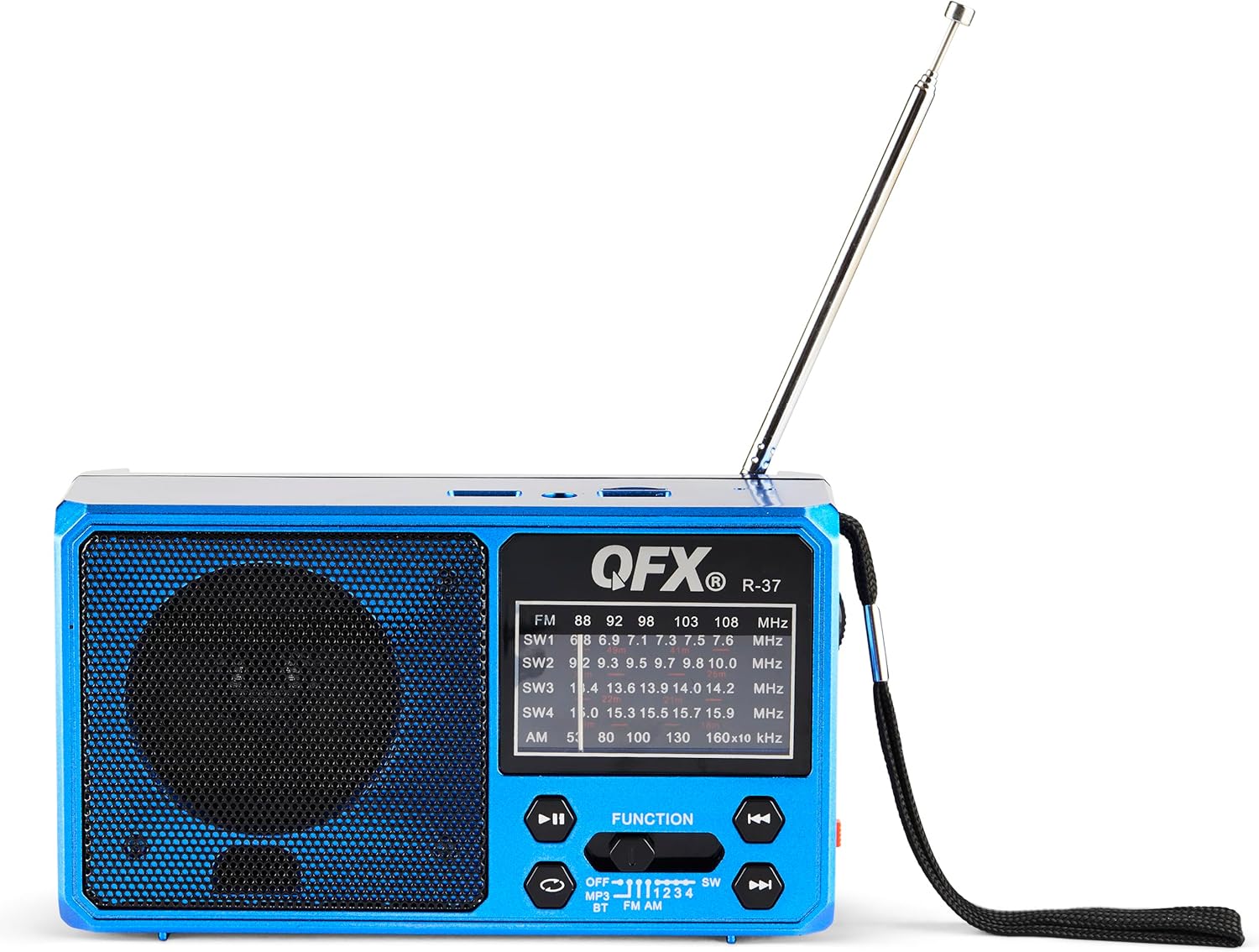
Figure 5: The solar panel on the side of the radio, shown in an extended position for optimal sun exposure.
5. عملیاتي لارښوونې
۸ پاور آن/بند
Locate the power switch (usually a slider) on the front or side of the unit. Slide it to the 'ON' position to power on the radio. Slide it to 'OFF' to power off.
5.2 Radio Operation (AM/FM/SW)
- د ښه استقبال لپاره ټیلسکوپیک انتن پراخ کړئ.
- Use the 'FUNCTION' button or switch to select the desired band: FM, AM, SW1, SW2, SW3, or SW4.
- Rotate the 'TUNING' dial (located on the side) to scan for radio stations.
- Adjust the 'VOLUME' dial to your preferred listening level.
5.3 د بلوتوت ارتباط
- Switch the radio to Bluetooth mode (often labeled 'BT' or indicated by a Bluetooth icon). The radio will enter pairing mode, usually indicated by a flashing light or an audible prompt.
- په خپل ګرځنده وسیله کې، بلوتوټ فعال کړئ او د شته وسایلو لټون وکړئ.
- Select 'QFX R-37' (or similar name) from the list of devices to pair.
- یوځل چې جوړه شي، تاسو کولی شئ د خپل وسیله څخه د راډیو له لارې آډیو غږ کړئ.
۴.۳ د USB/TF کارت پلے بیک
- Insert a USB flash drive or TF card (with compatible audio files) اړوند بندر ته.
- Switch the radio to MP3 mode (often labeled 'MP3' or 'USB/TF'). The radio should automatically begin playing audio files.
- Use the playback control buttons (Play/Pause, Next/Previous Track) on the radio to manage your audio.
۴.۳ د LED فلش لائټ عملیات
Locate the flashlight switch (often a slider or button) on the side of the radio. Slide or press it to turn the LED flashlight on or off.
۶.۲ د بهرنیو وسایلو چارج کول
The radio features a 5V USB output port. Connect your external device (e.g., smartphone) to this port using its USB charging cable. The radio's internal battery will provide power to charge your device. Note that this will drain the radio's battery.
6. ساتنه
- راډیو د نرم او وچ ټوکر سره پاک کړئ. د کثافاتو پاکوونکي یا محلول مه کاروئ.
- ډاډ ترلاسه کړئ چې د سولر پینل پاک او د کثافاتو څخه پاک دی ترڅو موثر چارج شي.
- If the radio will not be used for an extended period, fully charge the battery and store it in a cool, dry place.
- Periodically check the battery for any signs of damage or leakage.
7. ستونزه حل کول
| ستونزه | احتمالي لامل | د حل لاره |
|---|---|---|
| راډیو نه چالانېږي. | بیټرۍ ختمه شوې یا په سمه توګه نه ده نصب شوې. | ډاډ ترلاسه کړئ چې بیټرۍ په سمه توګه نصب شوې او په بشپړه توګه چارج شوې ده. |
| د راډیو ضعیف استقبال. | انتن نه غځول شوی، کمزوری سیګنال، یا مداخله. | د ټیلسکوپیک انتن په بشپړه توګه غځول. د راډیو د ځای پر ځای کولو هڅه وکړئ. |
| د بلوتوث وسیله نشي جوړه کیدی. | Radio not in pairing mode, device too far, or already paired. | ډاډ ترلاسه کړئ چې راډیو د بلوتوث جوړه کولو حالت کې ده. وسیله نږدې کړئ. د نورو بلوتوث وسیلو څخه جلا کړئ. |
| USB/TF کارت نه غږیږي. | ناسم حالت، نه ملاتړ شوی file format, or corrupted card. | Ensure radio is in MP3 mode. Check file formats (e.g., MP3). Try a different USB drive or TF card. |
| فلش لائټ کار نه کوي. | Battery is low or flashlight switch is off. | Charge the radio's battery. Ensure the flashlight switch is in the 'ON' position. |
8. مشخصات
- ماډل: R-37-BL
- ابعاد: 6.1 x 2.28 x 3.43 انچه (15.5 x 5.8 x 8.7 سانتي متره)
- وزن: 15.8 اونس (448 ګرامه)
- د راډیو بندونه: AM, FM, SW1, SW2, SW3, SW4
- ارتباط: بلوتوث، USB، TF کارت
- د بریښنا سرچینه: Solar Powered, Rechargeable Lithium-Ion Battery, DC 5V USB Input
- شاملې برخې: Radio, removable rechargeable battery, USB charging cord
9. تضمین او ملاتړ
For warranty information, technical support, or service inquiries, please visit the official QFX webسایټ ته مراجعه وکړئ یا د دوی د پیرودونکو خدماتو څانګې سره اړیکه ونیسئ. د تضمین ادعاوو لپاره د پیرود ثبوت په توګه د پیرود رسید وساتئ.


