1. پیژندنه
The Xiaomi Mi Air Purifier 3C is designed to provide clean and healthy air in your home. Featuring a high-efficiency True HEPA filter, it effectively removes fine particles and common pollutants from your breathing space. This manual provides essential information for setting up, operating, and maintaining your air purifier to ensure optimal performance.

Figure 1: Xiaomi Mi Air Purifier 3C. This image shows the sleek, white, rectangular air purifier with a digital display on the front.
The Mi Air Purifier 3C achieves a PM CADR of 11301 ft³/h, delivering 5330 liters of purified air per minute. Its precision sensors monitor current air quality, allowing for real-time adjustments to maintain optimal purification. The advanced triple-layer filtration system, consisting of a primary filter, high-efficiency filter, and activated carbon layer, is highly effective against PM2.5, smoke, pollen, cooking odors, and other pollutants as small as 0.3 microns.
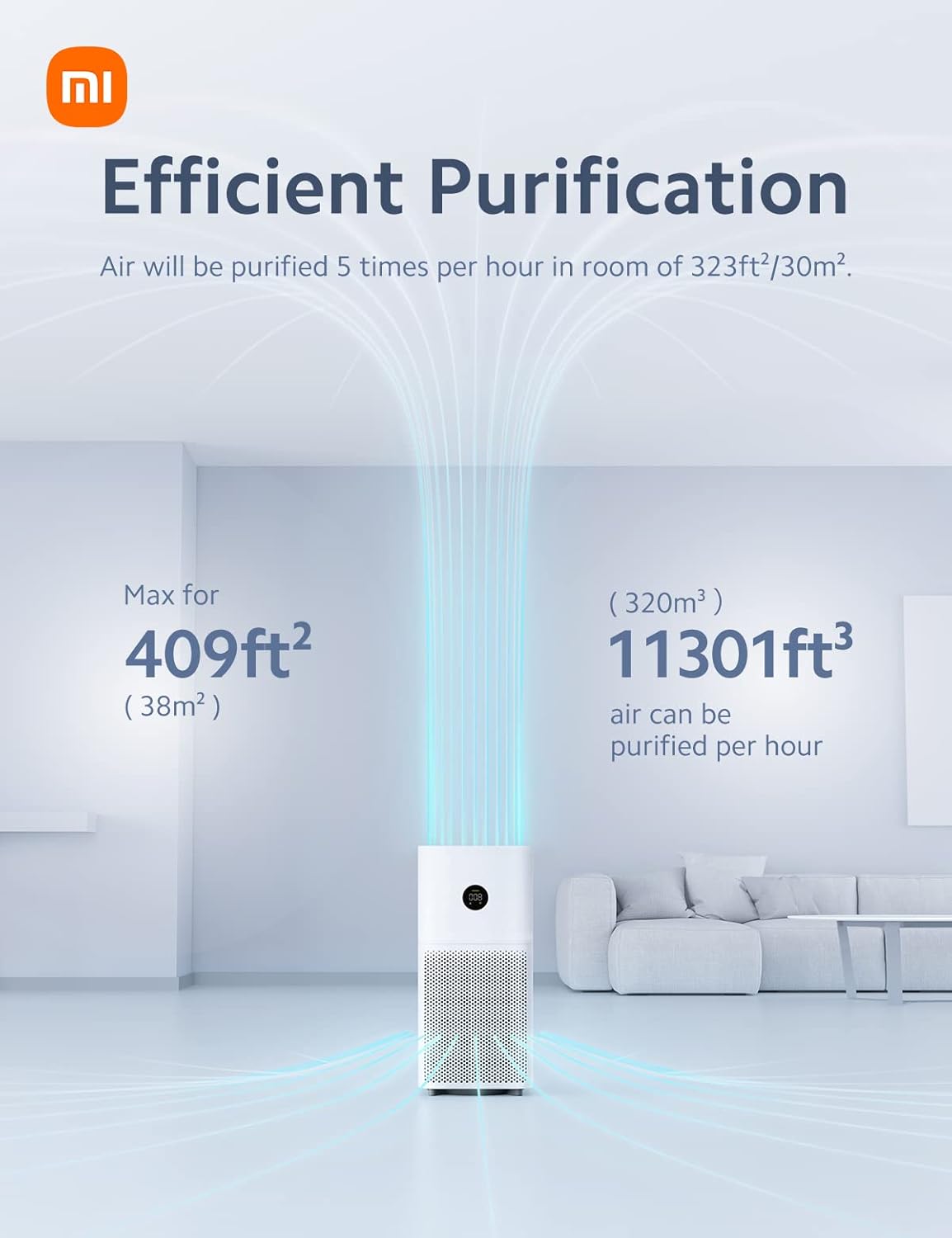
Figure 2: Efficient Purification. This diagram illustrates the air purification process, showing air being drawn into the bottom of the unit and clean air being expelled from the top, indicating coverage for up to 409 sq ft.
2. د بسته محتويات
Carefully unpack your Mi Air Purifier 3C and ensure all items are present. If any components are missing or damaged, please contact customer support.
- Mi Air Purifier 3C Unit x 1
- Filter x 1 (pre-installed or separate)
- د کارن لارښود x 1
- د بریښنا کنډک x 1

Figure 3: Package Contents. This illustration shows the main air purifier unit, a cylindrical filter, and a small user manual booklet.
۴. د تنظیم لارښوونې
- د پاکولو وسیله خلاص کړئ: Remove the air purifier from its packaging and place it on a flat, stable surface. Ensure there is adequate space around the unit for proper airflow (at least 20 cm from walls or other objects).
- فلټر ولګوه:
- Open the filter compartment cover, usually located at the back or bottom of the unit.
- Remove the new filter from its protective plastic packaging.
- Insert the filter into the compartment, ensuring it is seated correctly.
- د فلټر کمپارټمنټ پوښ په خوندي ډول وتړئ.
- بریښنا وصل کړئ: Plug the power cord into the power port on the air purifier, then plug the other end into a suitable electrical outlet.
- ابتدايي بریښنا فعاله: Press the power button on the unit to turn it on. The LED display will illuminate, and the purifier will begin operating.

Figure 4: Triple-Layer Filtration. This image illustrates the three distinct layers of the air filter: a primary filter, a high-efficiency filter, and an activated carbon layer, designed to capture various particle sizes.
۶. ستاسو د هوا پاکوونکي چلول
5.1. Digital LED Display
The Mi Air Purifier 3C features a large digital LED display that provides real-time information about your indoor air quality and current operating status.
- د PM2.5 ارزښت: Displays the concentration of fine particulate matter in µg/m³.
- حالت حالت شاخص: Shows the current operating mode (Auto, Sleep, Manual).
- د وای فای حالت: د شبکې اتصال په ګوته کوي.
- Status Light Ring: A tri-color light ring provides a quick visual reference of air quality:
- Green: Fresh and clean air
- Orange: Mild/moderate pollution
- Red: High pollution

Figure 5: LED Display. This image shows the circular LED display on the air purifier, indicating PM2.5 levels, operating mode icons (Auto, Sleep, Manual), Wi-Fi status, and a color-coded ring for air quality.
5.2. عملیاتي طریقې
- د موټرو حالت: The purifier automatically adjusts its fan speed based on the detected air quality. This mode silently purifies until impurities are detected, then ramps up speed as needed.
- د خوب حالت: Reduces operating noise levels to a whisper-quiet 31 dB, making it ideal for bedrooms or nurseries. The display brightness is also reduced.
- لاسي حالت: Allows you to manually select the desired fan speed or purification level.
5.3. Smart Control (Mi Home App & Voice Control)
The Mi Air Purifier 3C connects to your home Wi-Fi network, enabling smart control via the Mi Home/Xiaomi Home app and AI voice assistants.
- Mi Home/Xiaomi Home App: Download the app from your smartphone's app store. Follow the in-app instructions to connect your air purifier. The app allows you to:
- Monitor real-time air quality remotely.
- د عملیاتي طریقو او د فین سرعت بدل کړئ.
- د عملیاتو لپاره مهالویش تنظیم کړئ.
- Receive filter replacement reminders.
- د AI غږ کنټرول: The purifier supports Google Assistant and Amazon Alexa. Once connected through the Mi Home app, you can use voice commands to control the device (e.g., "Alexa, turn off the air purifier," "Ok Google, turn on the air purifier").
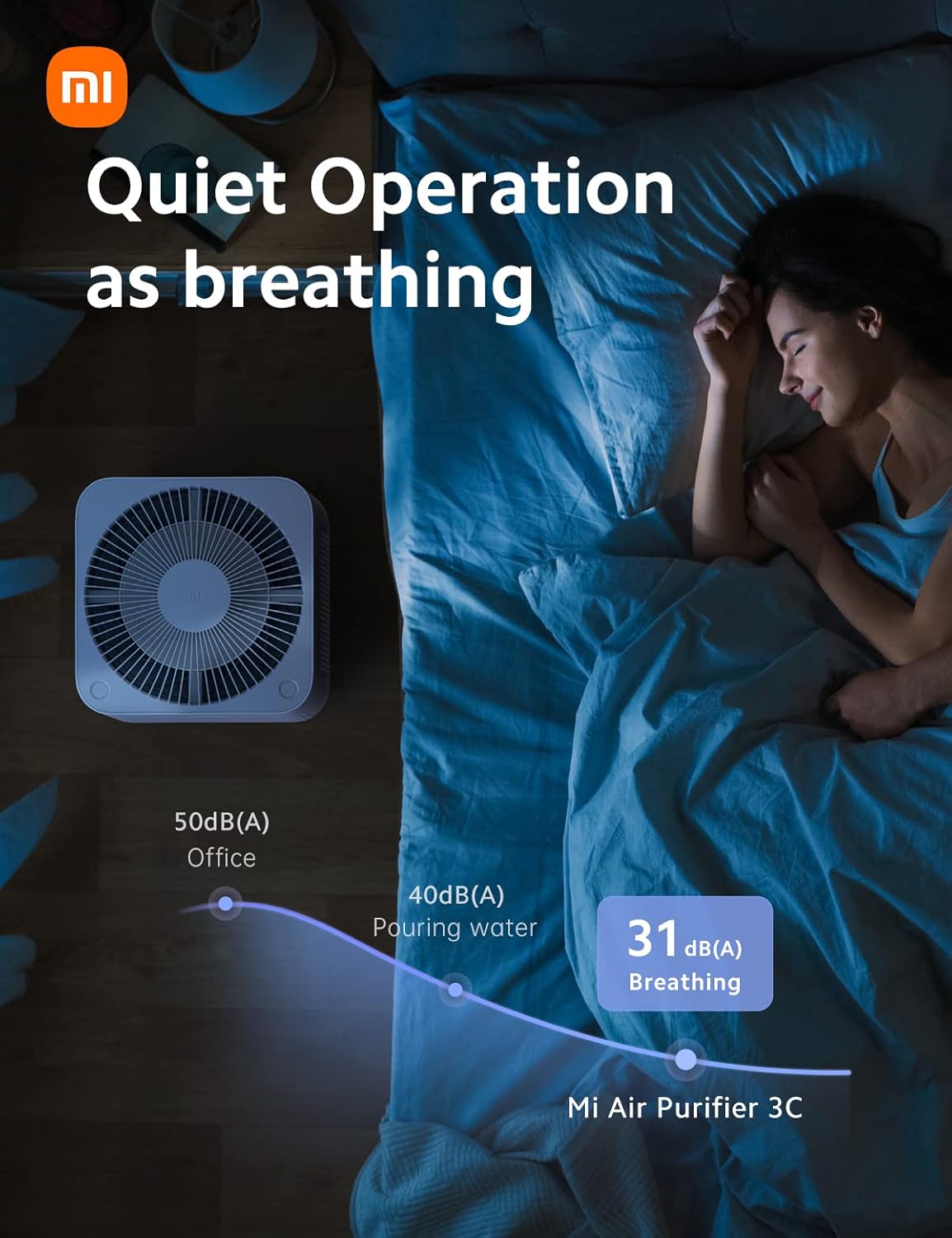
Figure 6: Smart Control. This image shows a hand holding a smartphone displaying the Mi Home app interface, with icons for Google Assistant and Alexa, demonstrating remote control capabilities.
6. ساتنه
6.1. د فلټر بدلول
The filter core should be replaced every 6-12 months, depending on usage and air quality. The Mi Home app will notify you when a replacement is due.
- بندول: د بریښنا د ځای څخه د هوا پاکونکی لرې کړئ.
- خلاصه خونه: د فلټر کمپارټمنټ پوښ خلاص کړئ.
- زوړ فلټر لرې کړئ: Carefully pull out the old filter. Dispose of it according to local regulations.
- نوی فلټر نصب کړئ: Remove the new filter from its packaging and insert it into the compartment. Ensure it is properly seated.
- Close Cover & Power On: Close the filter compartment cover securely and plug the purifier back in. The filter life counter will reset automatically.
۵.۱. د واحد پاکول
- بهر: د هوا پاکونکي بهرنۍ برخه په نرم سره پاک کړئamp ټوکر د کثافاتو پاکوونکي یا محلول مه کاروئ.
- د هوا داخلول/خارج: Periodically clean the air inlet and outlet grilles with a soft brush or vacuum cleaner to remove dust accumulation.
- د سینسر پاکول: The PM2.5 sensor may require occasional cleaning. Refer to the full user manual for detailed instructions on accessing and cleaning the sensor.
7. ستونزه حل کول
If you encounter issues with your Mi Air Purifier 3C, refer to the following common problems and solutions:
| ستونزه | احتمالي لامل | د حل لاره |
|---|---|---|
| Purifier does not turn on. | برېښنا نشته؛ د برېښنا تار خلاص دی. | Ensure the power cord is securely plugged into both the unit and the wall outlet. Check if the outlet has power. |
| د پاکولو ضعیف تاثیر. | Filter is dirty or expired; air inlets/outlets blocked. | Replace the filter. Clean any obstructions from the air inlets and outlets. |
| د عملیاتو پرمهال غیر معمولي شور. | Foreign object inside; unit not on a flat surface. | Power off and unplug the unit. Check for any foreign objects. Ensure the unit is placed on a stable, flat surface. |
| د وای فای اتصال ستونزې. | د وای فای غلط پټنوم؛ روټر ډېر لرې دی؛ د شبکې لاسوهنه. | Verify Wi-Fi password. Move purifier closer to router. Restart router and purifier. |
د نورو تفصيلي ستونزو حل کولو یا دوامداره ستونزو لپاره، مهرباني وکړئ د کارونکي بشپړ لارښود ته مراجعه وکړئ یا د پیرودونکو ملاتړ سره اړیکه ونیسئ.
8. مشخصات
| فیچر | تفصیل |
|---|---|
| د ماډل شمیره | AC-M14-SC |
| د محصول ابعاد | 20.47 x 9.45 x 20.47 انچه؛ 10 پونډه |
| درجه بندي ځواک | 29 واټ |
| د تطبیق وړ ساحه | Up to 409 sq ft (38 m²) |
| PM CADR | 11301 ft³/h (188 CFM) |
| د شور کچه | As low as 31 dB (Sleep Mode) |
| د فلټر کولو موثریت | 99.97% for 0.3 microns, 99.99% for 0.1 microns |
| ارتباط | Wi-Fi, Mi Home App, Google Assistant, Amazon Alexa |
| د فلټر ژوند | ۱۲-۱۸ میاشتې (نږدې) |
| رنګ | سپین |
| تصدیق | CARB تصدیق شوی |
9. تضمین او ملاتړ
For detailed warranty information, please refer to the warranty card included with your product or the official Xiaomi webسایټ. د تضمین شرایط او مقررات ممکن د سیمې له مخې توپیر ولري.
If you require technical support or have questions not covered in this manual, please contact Xiaomi customer service. You can often find contact information on the official Xiaomi webسایټ یا د Mi Home ایپ دننه.
د کارونې یو جامع لارښود په PDF بڼه کې د ډاونلوډ لپاره هم شتون لري:
10. مهم معلومات
قانوني اعلان
Statements regarding dietary supplements have not been evaluated by the FDA and are not intended to diagnose, treat, cure, or prevent any disease or health condition. This product is an air purifier and not a medical device.