1. پیژندنه
This manual provides instructions for the DOYOKY Wireless Switch Controller, model YS32-01. This controller is designed for use with Nintendo Switch and Switch Lite consoles, offering an enhanced gaming experience with features such as customizable LED lighting, precise motion control, dual vibration feedback, and a turbo function.
Please read this manual thoroughly before using the product to ensure proper operation and to maintain the device's longevity.
2. محصول ختم شوview
The DOYOKY Wireless Switch Controller features an ergonomic design for comfortable gameplay and includes various buttons and functions for comprehensive control.

شکل 2.1: مخکی view of the DOYOKY Wireless Switch Controller YS32-01. This image displays the controller's overall layout, including the D-pad, ABXY buttons, joysticks with LED rings, Home button, Capture button, Plus and Minus buttons, and shoulder buttons.
۱.۲ د کنټرولر اجزا
- کیڼ جویسټیک: د سمتي حرکت لپاره.
- ښي جویسټیک: د کیمرې کنټرول یا هدف ټاکلو لپاره.
- D-pad: Directional pad for precise input.
- د A/B/X/Y تڼۍ: د عمل تڼۍ.
- د L/R تڼۍ: Left and Right shoulder buttons.
- د ZL/ZR تڼۍ: Left and Right trigger buttons.
- د کور تڼۍ: Returns to the console's home screen, also used for wake-up function.
- CAPTURE Button: Takes screenshots.
- جمع (+) / منفي (-) تڼۍ: دندو پیل/ټاکل.
- د ټربو تڼۍ: Activates/deactivates turbo function.
- د LED شاخصونه: Player number and charging status.
- د USB-C پورټ: د چارج کولو او تار لرونکي اتصال لپاره.
3. ترتیب کول
3.1 د کنټرولر چارج کول
The controller is equipped with a built-in Lithium Ion battery. Before first use, fully charge the controller.
- Connect the provided USB-C cable to the charging port on the controller.
- Connect the other end of the USB-C cable to a USB power source (e.g., Nintendo Switch dock, USB wall adapter, computer USB port).
- The LED indicators on the controller will show the charging status. Once fully charged, the indicators will change or turn off.
A full charge provides approximately 8 hours of gameplay. The controller can be used while charging.

شکل 3.1: Illustration of the controller's high-performance battery, indicating 8 hours of service and a 600mAh capacity. This image highlights the internal battery and its specifications.
3.2 Pairing with Nintendo Switch / Switch Lite
The controller connects wirelessly to your Nintendo Switch or Switch Lite console.
- د نینټینډو سویچ کور مینو څخه، "کنټرولرونه" > "ګریپ/ترتیب بدل کړئ" غوره کړئ.
- On the DOYOKY controller, press and hold the dedicated pairing button (often a small button on the top or back, refer to controller diagram if available) until the LED indicators begin to flash rapidly.
- Once the controller is successfully paired, the corresponding player LED(s) on the controller will remain solid.
- To wake up the console from sleep mode, simply press the HOME button on the controller.
The wireless connection range is approximately 23 feet (7 meters).
4. عملیاتي لارښوونې
4.1 LED Colors and Lighting Modes
The controller features customizable LED lighting around the joysticks, offering 7 different colors and three lighting modes.
- شته رنګونه: Red, Orange, Green, Cyan, Blue, Purple, and Rainbow.
- د رڼا طریقې: Palette (static color), Breathe (fading in/out), Rainbow Breathe (cycling rainbow colors).
Refer to the controller's specific button combinations (usually a combination of a function button and a joystick click) to cycle through colors and modes. This allows for personalization based on game or preference.

شکل 4.1: تړل view of the controller's joysticks with illuminated LED rings, demonstrating the "6 Colors Breathing LED" feature. This image illustrates the various color options and lighting effects.
۳.۶ د حرکت کنټرول
The controller incorporates a 6-axis gyro sensor for precise motion control, enhancing gameplay in titles that utilize tilt and movement inputs.
- The gyro sensor provides accurate detection of the controller's orientation and movement in 3D space.
- This feature is automatically active in compatible games.
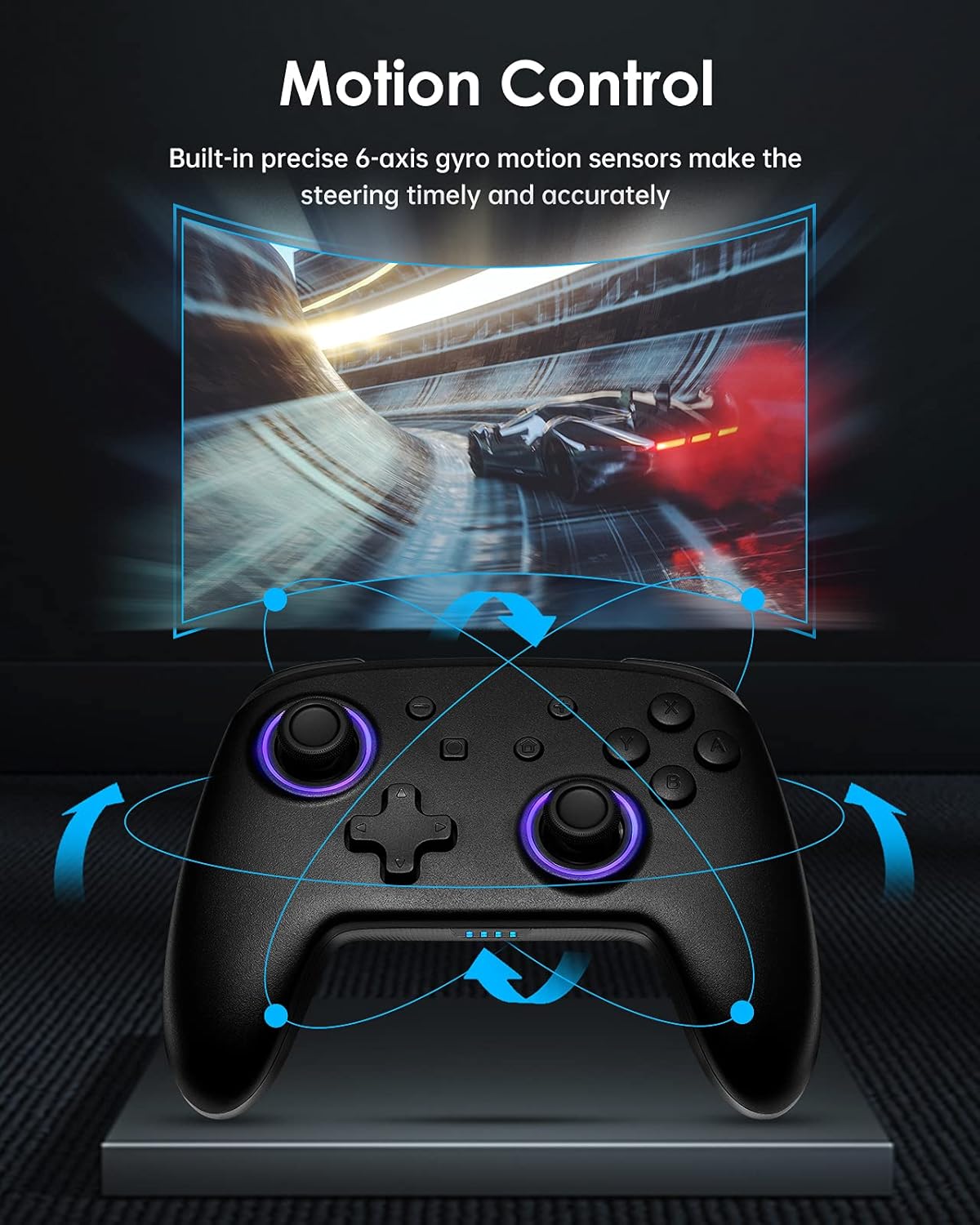
شکل 4.2: Diagram illustrating the motion control capabilities of the controller, showing how tilting and movement translate into in-game actions, such as steering in a racing game.
۴.۳ دوه ګونی وایبریشن
Experience immersive feedback with the controller's dual vibration motors, providing timely and varied haptic responses to in-game events.
- The controller features 4-level built-in dual motors for different intensities of vibration.
- Vibration feedback is automatically triggered by compatible games.

شکل 4.3: چاودنه وشوه view of the controller highlighting the dual vibration motors and illustrating the different levels of vibration feedback.
4.4 TURBO فعالیت
The TURBO function allows for continuous rapid input of a selected button, useful in games requiring fast, repeated presses.
- The controller supports a three-gear adjustable turbo speed.
- To activate TURBO: Press and hold the TURBO button, then press the desired action button (e.g., A, B, X, Y, L, R, ZL, ZR). The button will now continuously input when held.
- To adjust TURBO speed: While TURBO is active, press the TURBO button and move the Right Joystick Up or Down to cycle through speeds (e.g., 5/s, 12/s, 20/s).
- To deactivate TURBO: Press and hold the TURBO button, then press the same action button again.

شکل 4.4: Graphic illustrating the TURBO function with three adjustable speeds (5/s, 12/s, 20/s) and how the 'T' button activates this feature.
5. ساتنه
Proper care and maintenance will extend the life of your DOYOKY controller.
- کنټرولر وچ وساتئ. د لندبل یا مایعاتو سره د تماس څخه ډډه وکړئ.
- کنټرولر د نرم او وچ ټوکر سره پاک کړئ. سخت کیمیاوي مواد یا د کثافاتو پاکوونکي مه کاروئ.
- Avoid extreme temperatures. Store the controller in a cool, dry place.
- Do not attempt to disassemble or modify the controller, as this will void any warranty and may cause damage.
6. ستونزه حل کول
که تاسو د خپل کنټرولر سره ستونزې سره مخ شئ، لاندې عام حلونو ته مراجعه وکړئ:
- Controller does not connect or frequently disconnects:
- ډاډ ترلاسه کړئ چې کنټرولر په بشپړ ډول چارج شوی دی.
- د جوړې کولو پروسه بیا هڅه وکړئ لکه څنګه چې په 3.2 برخه کې تشریح شوې ده.
- Ensure the controller is within the 23-foot wireless range of the console.
- د نورو وسیلو څخه د هر ډول بېسیم مداخلې لپاره وګورئ.
- If the issue persists, try restarting both the controller and the Nintendo Switch console.
- Buttons or joysticks are unresponsive:
- ډاډ ترلاسه کړئ چې کنټرولر په سمه توګه د کنسول سره وصل دی.
- وګورئ چې د کنټرولر بیټرۍ ټیټه ده که نه.
- Clean around the buttons and joysticks with a soft, dry cloth to remove any debris.
- Test the controller in a different game or on a different console (if available) to determine if the issue is with the controller or the game/console settings.
- LEDs are not working or displaying incorrectly:
- Refer to Section 4.1 for instructions on changing LED colors and modes.
- Ensure the controller has sufficient battery power.
7. مشخصات
| فیچر | تفصیل |
|---|---|
| د ماډل شمیره | YS32-01 |
| مطابقت | نینټینډو سویچ ، د نینټینډو سویچ لایټ |
| ارتباط | بېسیم |
| د بیټرۍ ډول | ۱ د لیتیم آیون بیټرۍ (جوړه شوې) |
| د بیټرۍ ژوند | تر ۱۴ ساعتونو پورې (تقریبا) |
| ابعاد (L x W x H) | 16.51 x 11.18 x 6.86 سانتي متره |
| وزن | 290 ګرامه |
| ځانګړي ځانګړتیاوې | 7 LED Colors, 3 Lighting Modes, 6-axis Gyro Motion Control, Dual Vibration (4 levels), 3-gear TURBO Function |
8. تضمین او ملاتړ
Warranty information for the DOYOKY Wireless Switch Controller YS32-01 is typically provided with the product packaging or available on the manufacturer's official webسایټ. مهرباني وکړئ د تضمین ادعاوو لپاره د پیرود ثبوت وساتئ.
For technical support or further inquiries, please refer to the contact information provided by your retailer or visit the official DOYOKY support channels.


