1. پیژندنه
This manual provides detailed instructions for the safe and effective operation of your Teslong Rigid Rifle Borescope Model TSNTG500H. This device is designed for inspecting the interior of rifle barrels, aiding in cleaning regimen evaluation and firearm problem diagnosis. Please read this manual thoroughly before use and retain it for future reference.

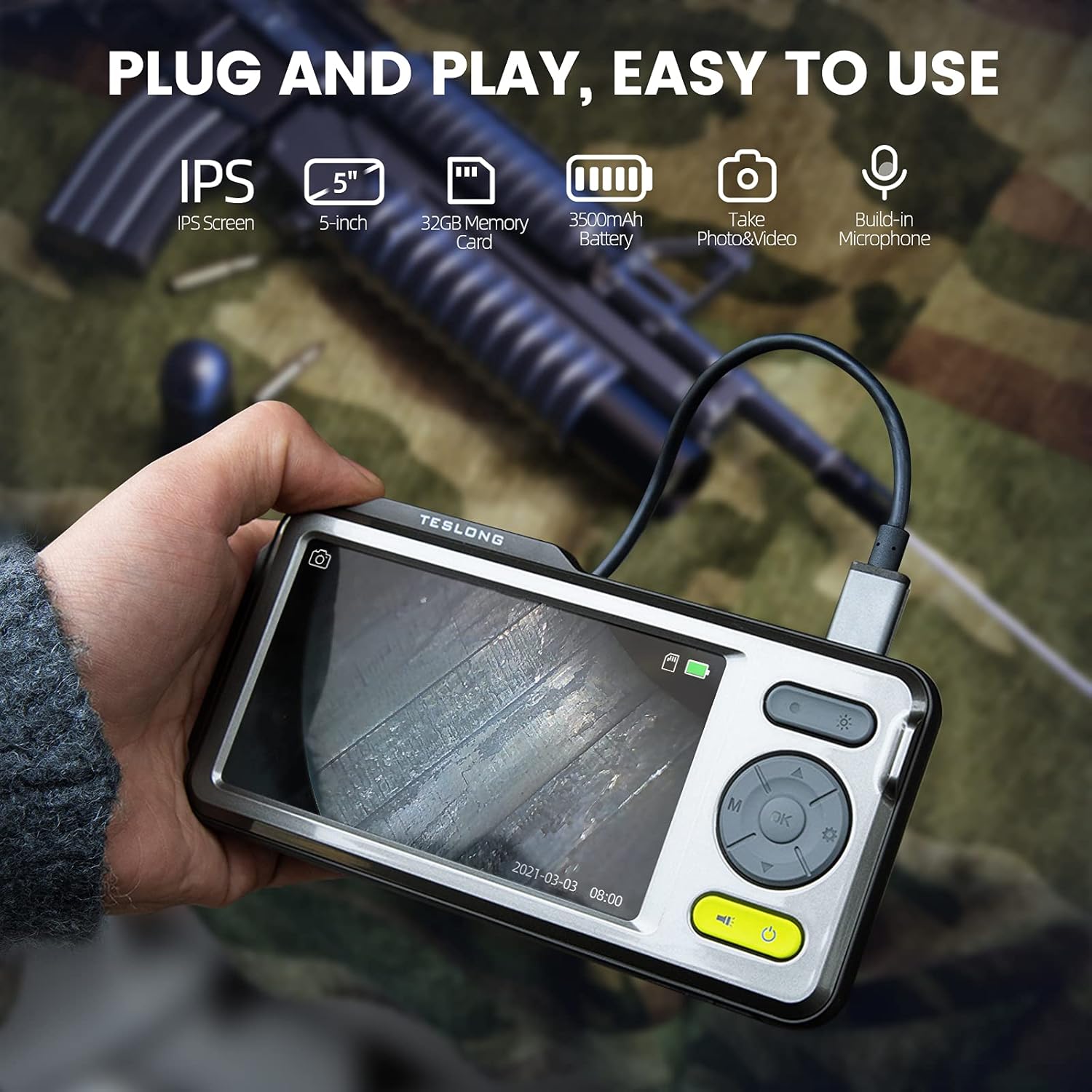
Image: The Teslong Rigid Rifle Borescope in use, showing the monitor displaying the bore's interior.
2. د بسته محتويات
ډاډ ترلاسه کړئ چې لاندې ټول لیست شوي توکي ستاسو په کڅوړه کې شتون لري:
- Teslong NTG500H Rifle Borescope with 5-inch IPS Screen
- Rigid Camera Probe (26-inch long, 0.2-inch diameter)
- Aviation to USB-C Cable
- Aviation to USB-A Cable
- USB-A to USB-C Cable (for charging and data transfer)
- څارنه
- Set of 5 Side-View Mirrors (5mm, 6mm, 7mm, 8.5mm, 10mm)
- 32GB Micro SD Card (pre-installed)
- د کارونکي لارښود (دا لاسوند)
انځور: اوورview of the Teslong Borescope components and accessories.
3. محصول ختم شوview
3.1. Monitor Features
The 5-inch HD color IPS LCD screen provides a clear view of the inspection area. It features intuitive controls for operation.
- د بریښنا تڼۍ: وسیله آن/بندوي.
- د حالت تڼۍ (M): Switches between Photo, Video, and Playback modes.
- د OK/Enter تڼۍ: انتخابونه تاییدوي.
- د ترتیباتو تڼۍ (د ګیر آیکون): د وسیلې ترتیباتو ته لاسرسی لري.
- Lights Button (Sun Icon): Adjusts LED brightness (3 levels) or turns lights off.
- پورته/ښکته تیرونه: مینو ته ځي او ترتیبات تنظیموي.
- د USB-C پورټ: د چارج کولو او کمپیوټر سره وصل کیدو لپاره.
- د مایکرو SD کارت سلاټ: For storing images and videos (32GB card included).
- Probe Lock: Secures the camera probe connection.
- سپیکر: د آډیو غږولو لپاره.
- ولاړ غر: For attaching the monitor stand.
- د بیا تنظیم تڼۍ: وسیله بیا تنظیموي.

Image: The Teslong Borescope monitor highlighting its various buttons and ports.
۴.۲. د کیمرې د پلټنې ځانګړتیاوې
The rigid probe is specifically designed for rifle barrel inspection.
- Rigid Tube: 26-inch long for stable insertion.
- Small Diameter: 0.2-inch diameter fits .20 caliber and larger barrels.
- د LED حلقوي څراغ: Six adjustable LED lights illuminate dark inspection areas.
- اړخ-View عکس: Detachable 90° mirror for inspecting barrel walls. Includes various sizes for different calibers.
- Inch Scale: Laser-marked scale on the probe for depth measurement.

Image: The rigid probe of the borescope, illustrating its length and diameter.
4. ترتیب کول
- مانیټر چارج کړئ: If the battery indicator is low, connect the monitor to a power source using the USB-A to USB-C cable.
- د مایکرو ایس ډی کارت داخل کړئ: Ensure the 32GB Micro SD card is properly inserted into the slot on the bottom of the monitor.
- د نښلولو پلټنه:
- Thread the Aviation to USB-C cable onto the camera probe.
- Plug the other end of the cable into the probe port on top of the monitor.
- Secure the connection using the probe lock.
- Remove Protective Tip: Carefully remove the black protective tip from the end of the probe.
- Attach Side-View Mirror (Optional): If side-view inspection is required, select the appropriate caliber mirror and carefully screw it onto the threaded end of the probe. Use the lock ring to secure it in place once focus is achieved.
Video: A detailed instruction video on setting up and using the Teslong Rigid Rifle Borescope.
5. عملیاتي لارښوونې
5.1. بریښنا فعال/بند
فشار ورکړئ او ونیسئ د بریښنا تڼۍ (green button) for a few seconds to turn the monitor on or off. The Teslong logo will appear, and the probe's ring light will illuminate.
5.2. د حالت بدلول
فشار ورکړئ د حالت تڼۍ (M) د لاندې طریقو له لارې د سایکل چلولو لپاره:
- د عکس حالت: د جامد انځورونو د نیولو لپاره.
- د ویډیو حالت: د ویډیو ثبتولو لپارهtage.
- د پلې بیک حالت: د بیا لپارهviewنیول شوي عکسونه او ویډیوګانې.
5.3. Light Adjustment
فشار ورکړئ Lights Button (Sun Icon) to adjust the brightness of the LED ring light on the probe. There are three brightness levels, and you can also turn the lights off.
۴.۱. انځور او ویډیو نیول
- Ensure the probe is inserted into the barrel and positioned correctly.
- ته واړوئ د عکس حالت or د ویډیو حالت په کارولو سره د حالت تڼۍ (M).
- فشار ورکړئ OK/Enter Button to capture a photo or start/stop video recording. A timecode will appear on the screen when recording video.

Image: The borescope monitor showing a detailed view of a rifle barrel's interior.
5.5. Mirror Installation and Adjustment
The borescope comes with various side-view mirrors to inspect barrel walls. The probe has a fixed focal distance of approximately 10mm for direct viewing. When using a mirror, the focus is adjusted by how far the mirror is threaded onto the probe.
- For smaller caliber barrels (e.g., .22 caliber), position the mirror farther away from the lens.
- For larger caliber barrels (e.g., .30 caliber), move the mirror closer to the lens to achieve sharp focus.
- Use the small lock ring on the threads to secure the mirror in place once the desired focus is achieved.

Image: A selection of removable side-view mirrors for various caliber rifles.
Video: A demonstration of how to attach and adjust the side-view mirrors for optimal focus.
6. د معلوماتو لیږد
There are two primary methods to transfer photos and videos from your borescope to a computer:
- مستقیم اړیکه:
- Connect the monitor to your computer using the provided USB-A to USB-C cable.
- Turn on the monitor. Your computer should recognize the device as a removable drive.
- Navigate to the "DCIM" folder to access your stored photos and videos. You can then drag and drop them to your computer.
- د مایکرو ایس ډی کارت ریډر:
- Carefully remove the Micro SD card from the monitor's slot.
- Insert the Micro SD card into a compatible card reader connected to your computer.
- Access the "DCIM" folder on the card to transfer your files.
7. ساتنه
Proper maintenance ensures the longevity and optimal performance of your borescope:
- Cleaning the Lens and Mirrors: Always clean the camera lens and any attached mirrors before and after each use. Use a soft microfiber cloth and a cotton swab. For stubborn stains, warm water or rubbing alcohol can be used. Do not use stronger solvents as they may damage the lens or mirror coatings.
- د مانیټر پاکول: Wipe the monitor screen and case with a microfiber cloth and a few drops of warm water or rubbing alcohol to remove dust and fingerprints.
- ذخیره کول: Store the borescope and its accessories in the provided protective case in a cool, dry place when not in use.
8. ستونزه حل کول
- وسیله نه فعاله کیږي: Ensure the monitor is fully charged. If the battery indicator is low, connect it to a power source.
- په سکرین کې هیڅ انځور نشته: Verify that the camera probe is securely connected to the monitor and the probe lock is engaged. Check if the LED lights are on.
- خړ انځور: If using a side-view mirror, adjust its position by threading it closer or farther from the lens until a clear image is achieved. Ensure the lens and mirror are clean.
- لیږدول کیدی نشي Fileکمپیوټر ته: Ensure the monitor is turned on when connected to the computer. If it's off, it will only charge. Try using a different USB port or a Micro SD card reader.
- وسیله بې ځوابه: Use a small pin to press the د بیا تنظیم تڼۍ د مانیټر په شا کې موقعیت لري.
9. مشخصات
| فیچر | مشخصات |
|---|---|
| ماډل | TSNTG500H |
| د سکرین اندازه | د 5 انچ IPS ډیسپلی |
| د تفتیش ډول | سخت |
| د پلټنې اوږدوالی | 26 انچه |
| د پروب قطر | 0.2 inches (fits .20 caliber & larger) |
| د ویډیو نیول حل | 1080p |
| ذخیره کول | 32GB مایکرو ایس ډی کارت (شامل دی) |
| بیټرۍ | ۱ بیټرۍ ته اړتیا ده (شامل ده) |
| د میکرو فوکس رینج | 1-10 سانتي متره |
| رنګ | تور |
| د توکي وزن | ۲.۴۵ پونډه |
| د کڅوړې ابعاد | 30.75 x 4.25 x 2 انچه |
10. تضمین او ملاتړ
Teslong products are designed for reliability and performance. For warranty information, technical support, or service inquiries, please refer to the official Teslong webسایټ ته مراجعه وکړئ یا مستقیم د دوی د پیرودونکو خدماتو سره اړیکه ونیسئ. د تضمین ادعاوو لپاره د پیرود ثبوت په توګه د پیرود رسید وساتئ.
د نورو سرچینو او محصول معلوماتو لپاره، لیدنه وکړئ Teslong Store on Amazon.


