1. پیژندنه
This manual provides comprehensive instructions for the safe and effective use of your Teslong Rifle Borescope NTG500. This device is designed for detailed visual inspection of rifle barrels, aiding in maintenance, cleaning evaluation, and diagnosis of firearm issues. Please read this manual thoroughly before operation and retain it for future reference.
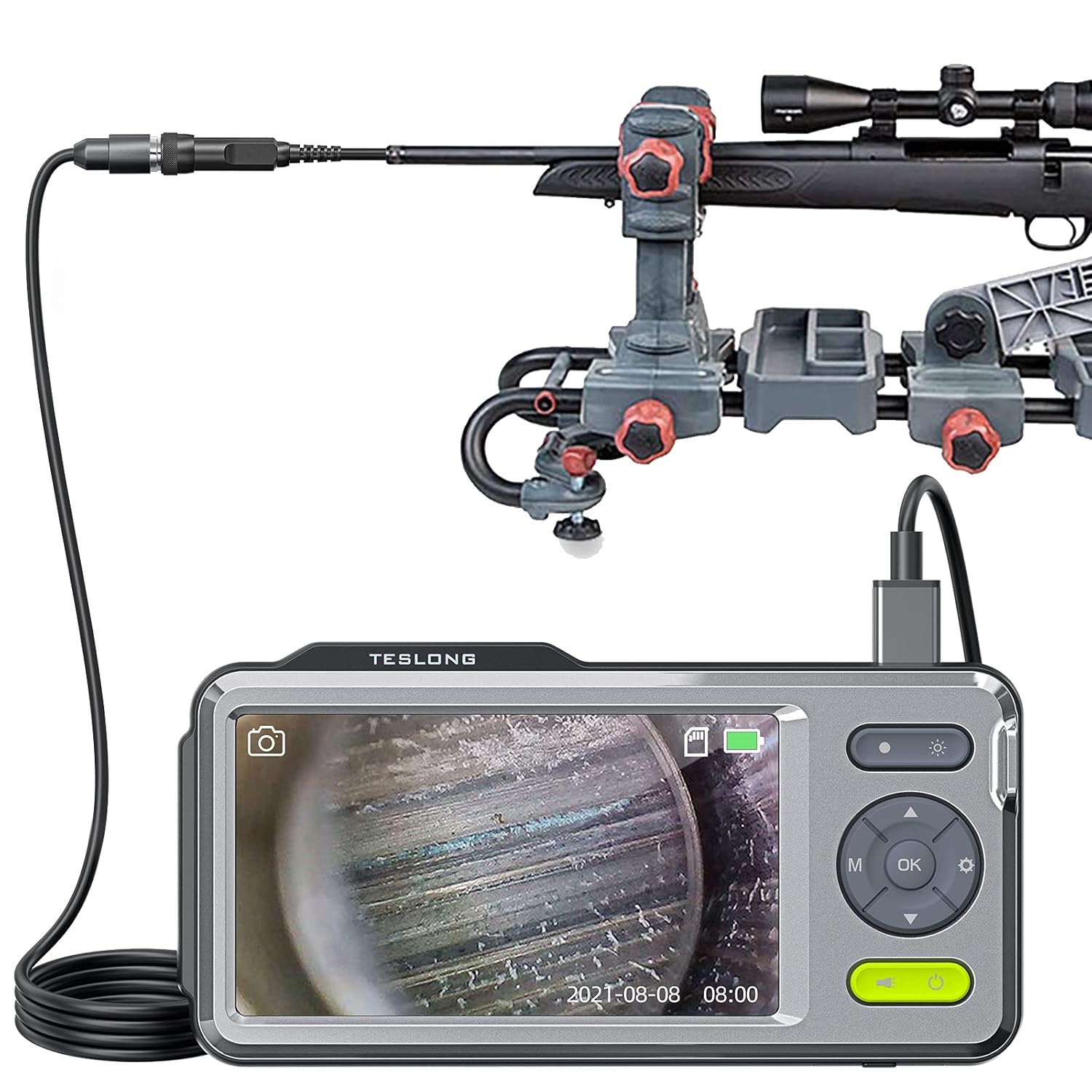
Image 1.1: The Teslong Rifle Borescope NTG500 system, showing the monitor connected to the flexible probe, positioned near a rifle.
2. د خوندیتوب معلومات
د وسیلې د ټپي کیدو یا زیان څخه د مخنیوي لپاره تل لاندې خوندیتوب احتیاطي تدابیر په پام کې ونیسئ:
- Ensure the firearm is unloaded and safe before inserting the borescope probe.
- Do not force the probe into the barrel. If resistance is met, withdraw and re-evaluate.
- Keep the device away from water and extreme temperatures, unless specified for waterproof components. The probe is waterproof, but the monitor unit is not.
- د وسیلې د جلا کولو یا بدلولو هڅه مه کوئ. ټولې خدمتونه وړ پرسونل ته راجع کړئ.
- د ماشومانو د لاسرسي څخه لرې وساتئ.
3. د بسته محتويات
ډاډ ترلاسه کړئ چې ټول توکي ستاسو په کڅوړه کې شتون لري:
- Teslong Rifle Borescope Monitor (5-inch IPS Screen)
- Flexible Probe (45-inch length, 0.2-inch diameter)
- Set of Right-Angle Side-View Mirrors (5mm, 6mm, 7mm, 8.5mm, 10mm)
- Locking Ring for Mirrors
- د USB چارج کیبل
- 32GB Micro SD Card (pre-installed)
- د لیږد قضیه
- د کارونکي لارښود (دا لاسوند)

Image 3.1: The Teslong Borescope monitor, highlighting its 5-inch IPS screen, 32GB memory card, 3500mAh battery, photo/video capability, and built-in microphone.
4. محصول ختم شوview
۱ د څارنې واحد
The monitor unit features a 5-inch HD IPS LCD color screen for clear viewing. It includes intuitive controls for navigation, brightness adjustment, and recording functions. A 3500mAh rechargeable battery provides portable operation, and a 32GB Micro SD card is pre-installed for storing images and videos.
4.2 انعطاف وړ تحقیقات
The 45-inch flexible probe is designed for rifle barrel inspection. Its 0.2-inch (approximately 5mm) diameter allows entry into barrels as small as .20 caliber. The probe tip is equipped with six adjustable LED lights for illumination and a threaded end for attaching side-view عکسونه

Image 4.1: Illustration showing the probe's 0.2-inch diameter and 45-inch length.
4.3 Side-View عکسونه
A selection of detachable 90-degree side-view mirrors (5mm, 6mm, 7mm, 8.5mm, 10mm) are included to allow inspection of the barrel walls. These mirrors attach to the probe tip and are secured with a locking ring.

Image 4.2: Various sizes of removable side-view mirrors (5mm, 6mm, 7mm, 8.5mm, 10mm) and their attachment mechanism to the borescope camera.
5. ترتیب کول
۵.۳ د مانیټر چارج کول
Before first use, fully charge the monitor unit using the provided USB charging cable. Connect the cable to the Type-C port on the monitor and a standard USB power adapter (not included).
5.2 د مایکرو ایس ډی کارت داخلول
The 32GB Micro SD card is typically pre-installed. If not, locate the SD card slot on the monitor unit and insert the card until it clicks into place. Ensure the card is correctly oriented.
5.3 د تحقیقاتو نښلول
Connect the flexible probe to the monitor unit by aligning the connectors and gently pushing until it clicks securely. The device is designed for "plug and play" operation, meaning it should be ready for use immediately after connection.

انځور ۳.۱: نږدې انځور view of the secure connection point between the flexible probe and the monitor unit.
5.4 Attaching Side-View Mirrors (Optional)
If a side-view inspection is required, select the appropriate size mirror for your barrel caliber. Carefully screw the chosen mirror onto the threaded tip of the probe. Secure it with the small locking ring to maintain focus. Ensure the mirror is clean and free of debris.
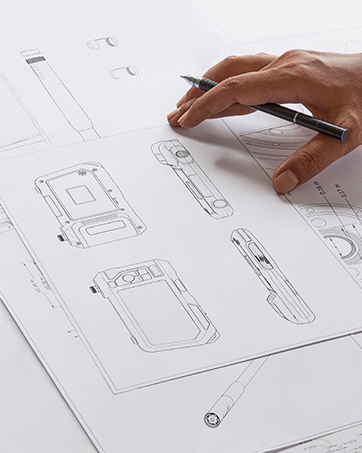
Image 5.2: The borescope probe tip with a side-view mirror attached, demonstrating how to achieve a 90-degree viewزاویه.
6. عملیاتي لارښوونې
6.1 بریښنا کول / بندول
Press and hold the power button on the monitor unit to turn the device on or off. The screen will display the live feed from the probe camera.
۶.۵ د LED روښانتیا تنظیم کول
Use the brightness adjustment buttons on the monitor to increase or decrease the intensity of the six LED lights at the probe tip. Adjust for optimal visibility within the barrel.

Image 6.1: Close-up of the borescope probe tip illuminating the inside of a firearm chamber with its integrated LED light.
6.3 Performing an Inspection
- ډاډ ترلاسه کړئ چې وسله خالي شوې او په خوندي لوري اشاره شوې ده.
- Gently insert the flexible probe into the rifle barrel, either from the muzzle or breech end.
- Slowly advance the probe, observing the live feed on the monitor.
- Look for signs of fouling, corrosion, tool marks, rifling wear, or chamber damage.
- If using a side-view mirror, rotate the probe to inspect the entire circumference of the barrel walls.

Image 6.2: The Teslong Borescope monitor displaying a detailed view of a rifle barrel's interior during an inspection.
6.4 Recording Images and Videos
The monitor unit supports both still image capture and video recording:
- د عکس اخیستلو لپاره: Press the dedicated photo button (usually marked with a camera icon).
- د ویډیو ثبتولو لپاره: Press the dedicated video button (usually marked with a video camera icon). Press again to stop recording.
- All captured media is saved to the internal 32GB Micro SD card.
- The built-in microphone allows for audio recording during video capture.
۴ ريviewد رسنیو
Access the gallery or playback mode on the monitor to review saved images and videos. You can also remove the Micro SD card and insert it into a computer or card reader for viewing on a larger screen.

انځور 6.3: اوورview of the Teslong NTG500 Flexible Series Borescope, highlighting its 5-inch IPS screen, 0.2-inch diameter, 3500mAh battery, photo/video capabilities, and 32GB memory card.
7. ساتنه
7.1 Cleaning the Probe and Mirrors
After each use, especially when inspecting dirty barrels, clean the probe tip and any attached mirrors. Use a soft cloth and a mild cleaning solution suitable for optics. Ensure no residue remains that could obstruct the view.
7.2 د مانیټر پاکول
Wipe the monitor screen and body with a soft, dry cloth. Avoid abrasive cleaners or excessive moisture. The monitor unit is not waterproof.
7.3 د بیټرۍ پاملرنه
To prolong battery life, charge the monitor regularly and avoid fully discharging it frequently. Store the device in a cool, dry place when not in use.
7.4 ذخیره کول
Store the borescope and its accessories in the provided carrying case to protect them from dust, impact, and environmental damage.
8. ستونزه حل کول
| ستونزه | احتمالي لامل | د حل لاره |
|---|---|---|
| په پرده هیڅ عکس نشته | Low battery; Probe not connected; Device not powered on. | Charge the monitor; Ensure probe is securely connected; Power on the device. |
| انځور غلی دی | Dirty lens/mirror; Incorrect mirror focus (if applicable); Probe too far/close to object. | Clean lens/mirror; Adjust locking ring for mirror focus; Adjust probe distance. |
| د LED څراغونه کار نه کوي | Brightness set to minimum; Faulty probe connection. | Increase LED brightness; Reconnect probe. |
| Cannot record/save media | SD card full; SD card not inserted correctly; SD card error. | زاړه ړنګ کړئ files or replace SD card; Reinsert SD card; Format SD card (will erase data). |
9. مشخصات
| فیچر | تفصیل |
|---|---|
| ماډل | NTG500 |
| ښودل | 5-inch HD IPS LCD Color Screen |
| د پروب قطر | ۱۶ انچه (تقریبا ۴۰۰ ملي متره) |
| د پلټنې اوږدوالی | 45 انچه |
| Compatible Calibers | .20 Caliber & Larger |
| بیټرۍ | 3500mAh د چارج وړ |
| ذخیره کول | Built-in 32GB Micro SD Card |
| د ویډیو نیول حل | 1920x1080، 1280x720 |
| د اوبو د مقاومت کچه | Waterproof (probe only) |
| ارتباط | Type-C, Micro USB, USB (via interchangeable cable design) |

Image 9.1: Comparison chart detailing features of the NTG500 (flexible 45-inch probe) and NTG500H (rigid 26-inch probe) models.
10. تضمین او ملاتړ
Teslong products are designed for reliability and performance. For warranty information, technical support, or service inquiries, please refer to the official Teslong webسایټ ته مراجعه وکړئ یا مستقیم د دوی د پیرودونکو خدماتو سره اړیکه ونیسئ. د پیرود ثبوت په توګه د پیرود رسید وساتئ.
جوړونکی: ټیسلونګ
د شتون لومړۍ نیټه: د می 20، 2021
د اضافي ملاتړ لپاره، لیدنه وکړئ Teslong Store on Amazon.


