پیژندنه
This user manual provides comprehensive instructions for the installation, operation, and maintenance of your Thinkware X1000 Dual Channel Dash Cam. The X1000 is designed to record high-quality video footage from both the front and rear of your vehicle, offering enhanced security and peace of mind. Please read this manual thoroughly before using the device to ensure proper functionality and safety.
په بکس کې څه دي
ډاډ ترلاسه کړئ چې ټولې برخې په بسته کې شتون لري:
- 2K QHD Main Unit (Front Dash Cam)
- 2K QHD Rear Cam
- 32GB مایکرو ایس ډی کارت
- د هارډویر کیبل
- Windshield Mount with 3M Tape
- (Optional: GPS Antenna, 12V Power Cable, Adhesive Wire Clips, Spare Mounting Tape, CS Info - may vary by package)

Image: Components included with the Thinkware X1000 Dash Cam system.
محصول پای ته ورسیدview
The Thinkware X1000 is a high-performance dual-channel dash cam system. Key features include:
- Dual 2K QHD Recording: روښانه او مفصل فو نیولtage from both front and rear cameras (2560 x 1440 resolution).
- Sony STARVIS IMX335 Sensor: Ensures sharp video quality even in low-light conditions.
- Night Vision 3.0 with Real DOL HDR: Advanced technology for improved visibility and color accuracy at night.
- 3.5" IPS Touchscreen: Provides live view, playback, and easy access to settings directly on the device.
- جی سینسر: Automatically detects impacts and saves footage to a protected folder.
- ضدFile فساد: Safeguards recorded video files د مایکرو ایس ډی کارت کې.
- Smart Parking Surveillance Suite: Includes motion and impact detection, Time Lapse, and Energy Saving 2.0 modes (requires hardwiring).
- Advanced Driver Assistance System (ADAS): Provides alerts for Lane Departure, Forward Collision, and Front Vehicle Departure (requires optional GPS antenna).

Image: The Thinkware X1000 Dash Cam system, showing the main unit, rear camera, and hardwiring cable.

انځور: نږدې مخ view of the Thinkware X1000 main unit, highlighting the QHD recorder lens.
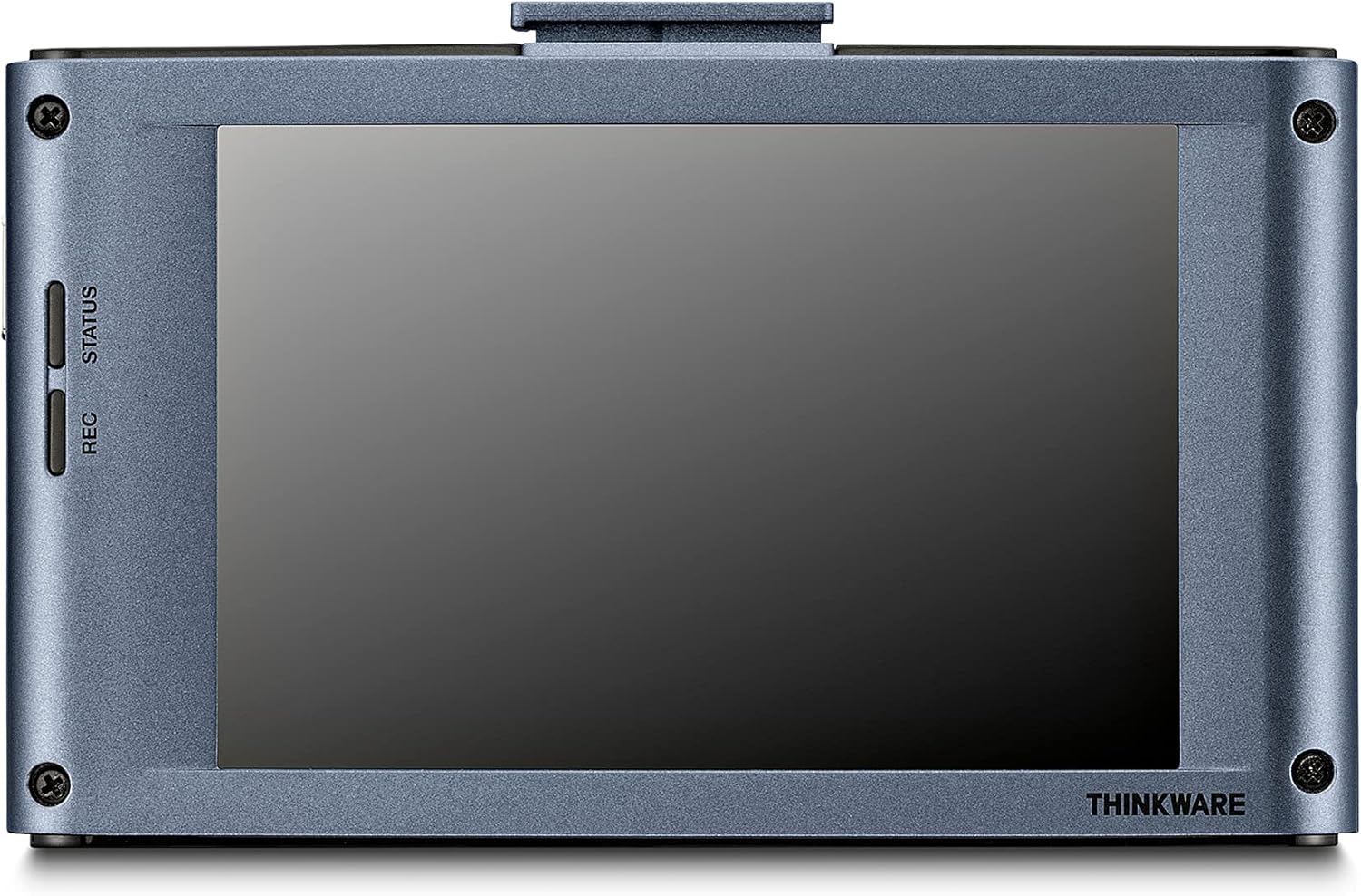
انځور: شاته view of the Thinkware X1000 main unit, displaying its 3.5-inch IPS touchscreen.
تنظیم او نصب کول
۱. د مایکرو ایس ډی کارت چمتو کړئ
Before first use, it is recommended to format the included 32GB MicroSD card using the dash cam's menu or the Thinkware PC Viewer software. This ensures optimal performance and compatibility.
2. Mount the Front Dash Cam
- Clean the windshield area where the dash cam will be mounted. Ensure it is free of dust and grease.
- Attach the 3M adhesive tape to the windshield mount.
- Peel off the protective film from the adhesive tape and firmly press the mount onto the windshield, ideally behind the rearview د یوې بې خنډه لپاره هنداره viewلږ تر لږه د 30 ثانیو لپاره ونیسئ.
- Slide the main unit onto the mounted bracket.
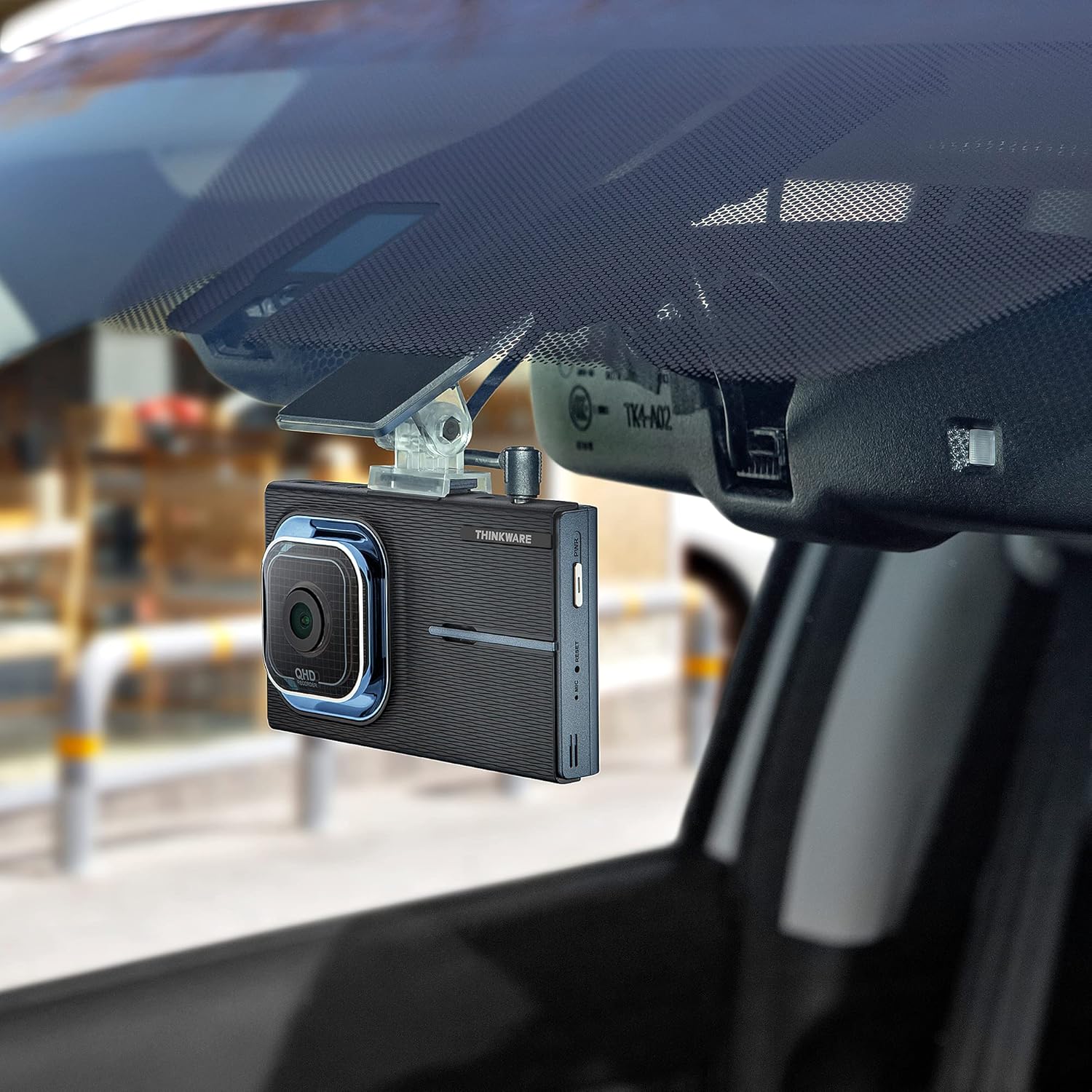
Image: The Thinkware X1000 main unit installed on a vehicle's windshield, positioned discreetly behind the rearview عکس
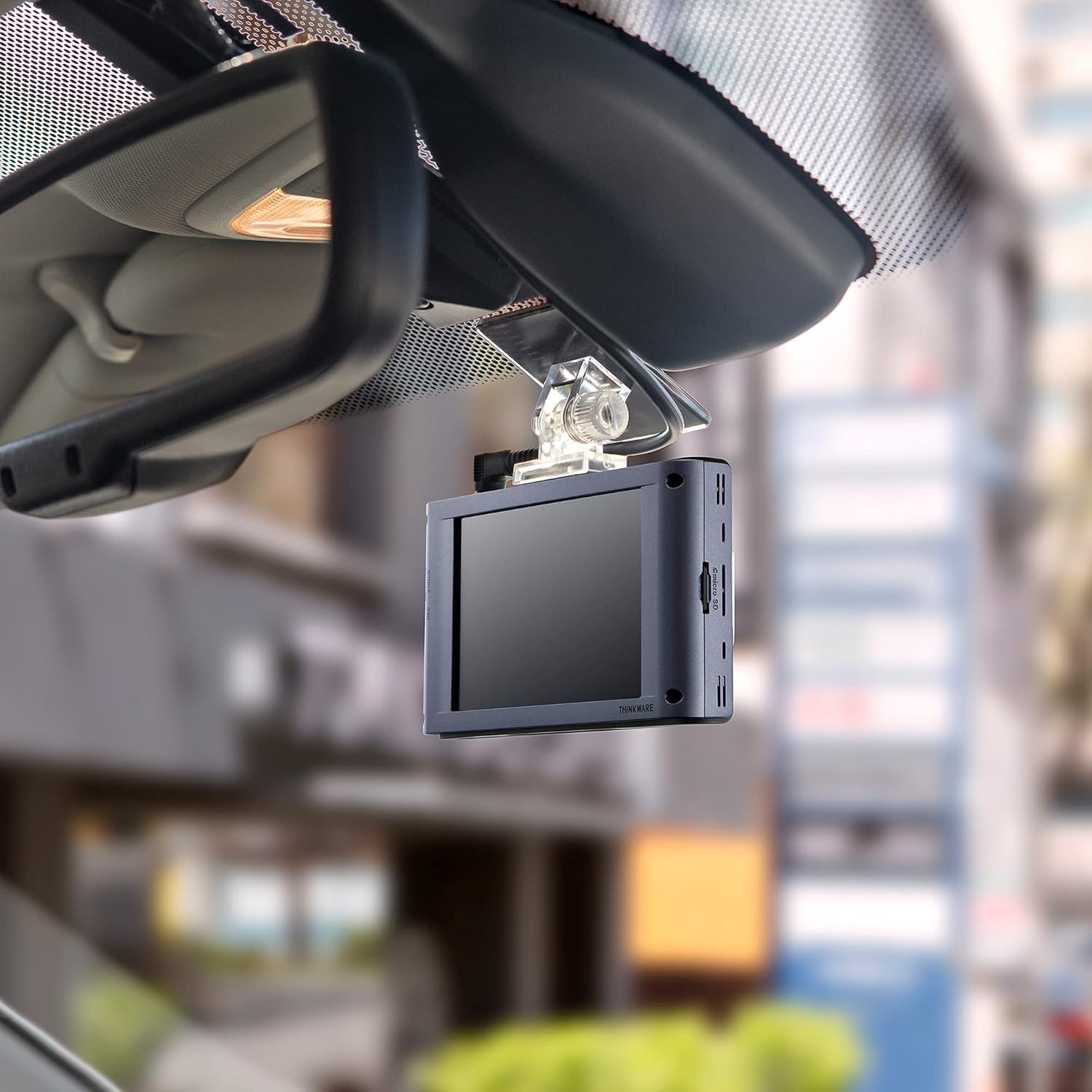
انځور: داخلي view of the Thinkware X1000 Dash Cam mounted on the windshield, displaying its screen.
۳.۳. شاته کیمره نصب کړئ
- شاته کیمره په شا وینډشیلډ کې نصب کړئ، ډاډ ترلاسه کړئ چې روښانه وي view.
- Connect the rear camera cable to the rear camera and route it neatly along the vehicle's headliner and A-pillars to the main unit.
- Plug the rear camera cable into the appropriate port on the main unit (usually labeled "V-IN" or "REAR CAM").
4. Power Connection (Hardwiring)
The X1000 includes a hardwiring cable for continuous power and parking surveillance features. Professional installation is recommended for hardwiring.
- Connect the yellow wire (BATT) to a constant power fuse (always on).
- Connect the red wire (ACC) to an accessory power fuse (on when ignition is on).
- Connect the black wire (GND) to a metal ground point on the vehicle chassis.
- Plug the hardwiring cable into the DC-IN port on the main unit.
Alternatively, a 12V power cable (cigarette lighter adapter) can be used for basic recording, but parking surveillance features will not be available.

انځور: پورته view of the Thinkware X1000 main unit, illustrating the various connection ports for power, GPS, and the rear camera.
5. Optional GPS Antenna Installation
If you have the optional GPS antenna, connect it to the GPS port on the main unit. This enables speed logging, route tracking, and ADAS features.
عملیاتي لارښوونې
بریښنا کول / بند کول
- The dash cam will automatically power on when the vehicle's ignition is turned on (if hardwired) or when connected to a 12V power source.
- To manually power off, press and hold the PWR button on the side of the unit.
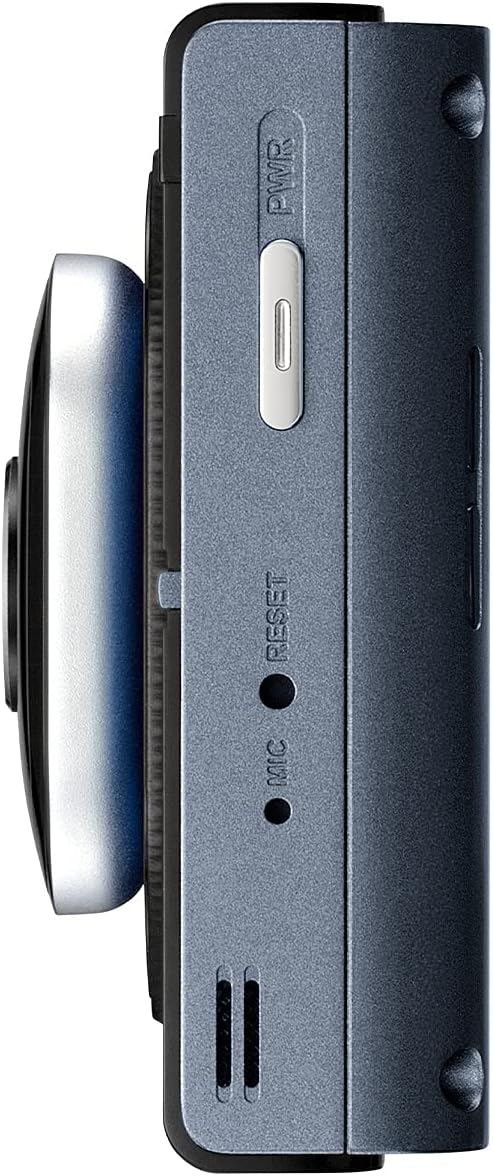
انځور: اړخ view of the Thinkware X1000 main unit, indicating the power button and reset pinhole.
د ثبت کولو اکرونه
The X1000 supports various recording modes:
- دوامداره ثبت کول: Records automatically when the vehicle is in operation. Footage is saved in 1-minute segments.
- د پېښې ثبتول: Triggered by the G-sensor upon impact. These files are saved in a separate, protected folder and are not overwritten by continuous recording.
- لاسي ثبتول: Press the REC button to manually initiate an event recording.
د ټچ سکرین کارول
The 3.5-inch IPS touchscreen allows for easy control:
- ژوندی View: د ریښتیني وخت foo ښیېtage from the front and rear cameras.
- پلې بیک: Review recorded videos directly on the device. Navigate through folders (Continuous, Incident, Manual, Parking).
- ترتیبات: Access and adjust various settings such as recording quality, G-sensor sensitivity, parking mode options, and ADAS settings.

Image: Visual comparison demonstrating the superior viewing angles of an IPS panel compared to a standard panel, as featured on the X1000's touchscreen.
د پارکینګ څارنې طریقې
When hardwired, the X1000 offers advanced parking surveillance features to protect your vehicle while parked:
- د حرکت کشف: Records 20-second video clips when motion is detected around the vehicle.
- د اغیزو کشف: Records 20-second video clips when an impact is detected while parked.
- د وخت ضایع کیدو ثبت کول: Records continuously at 2 frames per second, compressing hours of footage into minutes.
- Energy Saving 2.0: Extends parking coverage by putting the dash cam into a low-power standby mode, waking up to record only when an impact is detected.

Image: Depiction of the dash cam's parking surveillance mode, showing motion detection in a parking environment.

Image: A battery indicator symbolizing the energy-saving feature of the parking surveillance mode, designed to extend recording time.
د پرمختللی موټر چلوونکي مرستې سیسټم (ADAS)
With the optional GPS antenna, the X1000 provides ADAS features to enhance driving safety:
- د لین د وتلو د خبرتیا سیسټم (LDWS): Alerts you if your vehicle drifts out of its lane.
- د مخ په وړاندې د ټکر د خبرداري سیسټم (FCWS): Warns you of an impending collision with the vehicle ahead.
- د موټر د مخکینۍ برخې د وتلو خبرداری (FVDW): Notifies you when the vehicle in front starts to move from a standstill.

Image: A visual representation of the Advanced Driver Assistance System (ADAS) in action, showing alerts for lane departures and potential forward collisions.
ساتنه
- د مایکرو ایس ډی کارت مدیریت: Regularly format the microSD card (e.g., once a month) to prevent data corruption and ensure optimal recording performance. The X1000 features Anti-File Corruption technology, but periodic formatting is still recommended.
- پاکول: Use a soft, dry cloth to clean the dash cam lens and touchscreen. Avoid abrasive cleaners or solvents.
- د فرم ویئر تازه معلومات: Check the Thinkware webسایټ ته په دوره یي ډول د فرم ویئر تازه معلوماتو لپاره مراجعه وکړئ ترڅو ډاډ ترلاسه کړئ چې ستاسو ډشبورډ کیم وروستي ځانګړتیاوې او د بګ اصلاحات لري.

انځور: اړخ view of the Thinkware X1000 main unit, highlighting the microSD card slot for easy access and maintenance.

Image: A conceptual image representing the Anti-File Corruption technology, which protects recorded video files on the memory card from data loss.
د ستونزو حل کول
| ستونزه | احتمالي لامل | د حل لاره |
|---|---|---|
| ډش کیم نه چالانیږي. | Loose power connection, vehicle power issue, faulty cable. | Check all power cable connections. Ensure vehicle's ignition is on if using ACC power. Test with a different power source if possible. |
| د ثبت بندونه یا footage فاسد دی. | MicroSD card error, card full, incompatible card, card wear. | Format the microSD card. Try a new, high-quality microSD card. Ensure the card is Class 10 or higher. |
| سکرین خالي یا غیر ځواب ورکوونکی دی. | د سافټویر ستونزه، د بریښنا ستونزه. | Perform a soft reset using the reset pinhole (refer to side view image). Ensure stable power supply. |
| د پارکینګ حالت کار نه کوي. | Not hardwired, incorrect hardwiring, low vehicle battery. | Ensure the dash cam is correctly hardwired to constant and accessory power. Check vehicle battery voltage. |
| ADAS features not active. | GPS antenna not connected or faulty, ADAS settings disabled. | Ensure the optional GPS antenna is securely connected. Enable ADAS features in the dash cam settings. |
مشخصات
| فیچر | تفصیل |
|---|---|
| د ماډل نوم | TW-X1000D32H |
| د محصول ابعاد | 3.9 x 0.9 x 1.3 انچه |
| د توکي وزن | ۲.۴۵ پونډه |
| د ویډیو نیول حل | Front: 2K QHD (2560x1440p), Rear: 2K QHD (2560x1440p) |
| د ډګر View | 156 Degrees (Wide Angle) |
| سینسر | Sony STARVIS IMX335 |
| ښودل | 3.5" IPS Touchscreen |
| د ارتباط ټیکنالوژي | USB (for PC connection) |
| ځانګړي ځانګړتیاوې | Night Vision 3.0, Real DOL HDR, G-Sensor, Anti-File Corruption, Smart Parking Surveillance Suite (Motion/Impact Detection, Time Lapse, Energy Saving 2.0), ADAS (LDWS, FCWS, FVDW - with optional GPS) |
| شاملې برخې | Main Unit, Rear Cam, 32GB MicroSD Card, Hardwiring Cable, Windshield Mount with 3M Tape |
| د نصب کولو ډول | چپکۍ غر |
| رنګ | تور |
د خوندیتوب معلومات
- Do not install the dash cam in a location that obstructs the driver's view or interferes with airbag deployment.
- Ensure all cables are routed safely and do not interfere with vehicle controls.
- وسیله د سختې تودوخې، د اوږدې مودې لپاره د مستقیم لمر وړانګو، یا ډیر رطوبت سره مخ کیدو څخه ډډه وکړئ.
- د وسیلې د جلا کولو یا بدلولو هڅه مه کوئ. دا به تضمین باطل کړي او ممکن زیان ورسوي.
- Use only genuine Thinkware accessories and power cables.
تضمین او ملاتړ
For warranty information and technical support, please refer to the documentation included with your product or visit the official THINKWARE webسایټ تاسو هم کولی شئ لیدنه وکړئ THINKWARE Store on Amazon د اضافي سرچینو او اړیکو معلوماتو لپاره.
The product is sold by THINKWARE USA, ensuring official support channels are available.


