1. پیژندنه
This manual provides essential information for the setup, operation, and maintenance of your Anderic OEM ONN Roku TV Remote Control. Designed as a direct replacement, this remote offers seamless control for compatible ONN Roku TV models without requiring complex programming.

انځور ۱.۱: مخ او اړخ view of the Anderic OEM ONN Roku TV Remote Control, highlighting its ergonomic design and button layout.
The Anderic RCAFIR remote is engineered to provide convenient access to all essential functions of your ONN Roku TV, including dedicated buttons for popular streaming services like Netflix, Disney, Hulu, and Vudu.

Image 1.2: The Anderic remote control pointing towards an ONN Roku TV, illustrating its capability to control the TV with a single device.
2. ترتیب کول
2.1 د بیټرۍ نصب کول
The remote control requires two (2) AAA batteries for operation. Batteries are not included.
- د ریموټ کنټرول شاته د بیټرۍ کمپارټ پوښ ومومئ.
- پوښ ښکته خوا ته وغورځوئ یا لیچ (که شتون ولري) فشار ورکړئ او د خلاصولو لپاره یې پورته کړئ.
- دوه AAA بیټرۍ دننه کړئ، ډاډ ترلاسه کړئ چې مثبت (+) او منفي (-) ټرمینلونه د خونې دننه د نښانونو سره په سمه توګه سمون لري.
- د بیټرۍ د برخې پوښ بیرته خپل ځای ته د سلایډ کولو سره بدل کړئ تر هغه چې په خوندي ډول کلیک وکړي.

Image 2.1: Diagram illustrating the remote control's dimensions and the required AAA batteries for operation.
2.2 Initial Use (No Programming Required)
This Anderic remote control is pre-programmed for ONN Roku TVs. No manual programming or setup is required. Once batteries are installed, the remote is ready for immediate use with compatible ONN Roku TV models.

Image 2.2: A couple comfortably using the remote control, emphasizing the 'No Programming Needed' feature for immediate enjoyment.
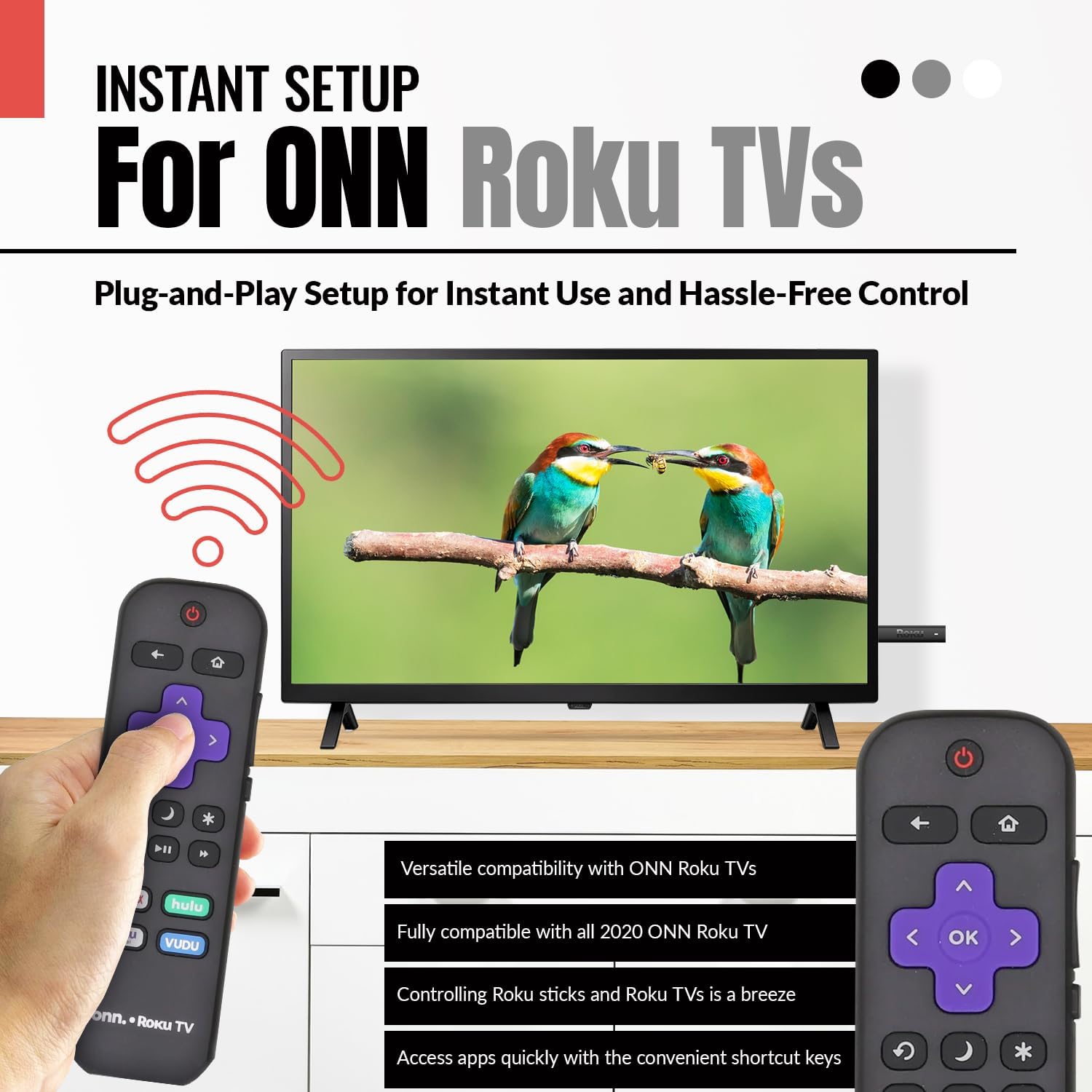
Image 2.3: A hand holding the remote control with a TV displaying content, illustrating the instant plug-and-play setup for ONN Roku TVs.
3. عملیاتي لارښوونې
۴.۱ د تڼۍ ترتیب او دندې
The Anderic ONN Roku TV remote control features a user-friendly layout with dedicated buttons for various functions. Ensure a clear line of sight between the remote and your TV's infrared sensor for optimal performance.

انځور ۲: یوه نږدې انځور view of the remote control, emphasizing dedicated TV power, volume buttons, and pre-programmed streaming shortcut buttons for accessibility.
- د چالانېدو تڼۍ (Red Circle with Line): تلویزیون چالان یا بند کړئ.
- د شا تڼۍ (کیڼ تیر): مخکینۍ سکرین یا مینو ته راستنیږي.
- کور تtonۍ (د کور آیکون): Navigates to the Roku Home screen.
- Directional Pad (Purple Arrows): Used to navigate through menus and content.
- د سم تڼۍ (Purple 'OK'): یو توکي غوره کوي یا یو عمل تاییدوي.
- حجم پورته / ښکته تtۍ: د تلویزیون حجم تنظیموي.
- تteۍ غږول: د تلویزیون آډیو خاموش یا غیر خاموش کوي.
- Instant Replay Button (Curved Arrow): Jumps back a few seconds during video playback.
- د خوب تڼۍ (سپوږمۍ عکس): د تلویزیون لپاره د خوب وخت ټاکي.
- Star Button (ستوری): په ځینو ایپسونو کې اختیارونو یا ترتیباتو ته لاسرسی لري.
- پلی/پاز بټن (Triangle/Two Bars): Plays or pauses media content.
- فاسټ فارورډ/راونډ بټن: Skips forward or backward in media content.
- Streaming Service Shortcut Buttons (Netflix, Hulu, Vudu, Roku Channel): دې سټریمینګ غوښتنلیکونو ته مستقیم لاسرسی چمتو کوي.

Image 3.2: A user operating the remote control, highlighting its comprehensive functionality beyond just streaming.
4. مطابقت
The Anderic RCAFIR remote control is designed for broad compatibility with ONN Roku TV models. It functions as a direct replacement for several original ONN Roku remotes.
4.1 Compatible ONN Roku TV Models
This remote is fully compatible with all 2020 ONN Roku TV models and is supplied with the following specific ONN Roku TV models:
- 100005397
- 100012584
- 100012585
- 100012586
- 100012587
- 100012589
- 100012590
- 100018971
- 100021258
- 100021261
- 100024699
4.2 Replacement for Original Remotes
The RCAFIR remote serves as a direct replacement for the original ONN RCALIR Roku remote with Netflix, Disney, Hulu, and Vudu buttons, as well as other compatible models including:
- 276168
- 3226000855
- 3226000887

Image 4.1: A graphic illustrating the replacement compatibility for the ONN Roku TV RCALIR remote, highlighting preset compatibility and easy setup.

Image 4.2: A woman holding the remote control, signifying its role as a reliable replacement for entertainment mastery.
5. ستونزه حل کول
۵.۱ ریموټ ځواب نه ورکوي
- بیټرۍ چیک کړئ: Ensure batteries are inserted correctly with the correct polarity (+/-). Replace old or depleted batteries with fresh AAA batteries.
- د لید کرښه: Verify there are no obstructions between the remote control and the TV's infrared sensor. The remote operates using infrared technology, requiring a direct line of sight.
- د تلویزیون ځواک: Confirm that your ONN Roku TV is powered on and not in standby mode.
- ریموټ ری سیٹ: Remove the batteries from the remote, press each button a few times to discharge any residual power, then reinsert the batteries.
5.2 Specific Button Issues
- If a specific button is not working, gently clean around the button with a soft, dry cloth to remove any dust or debris that might be interfering with its function.
- Ensure the remote is pointed directly at the TV's IR sensor when pressing the button.
6. د محصول مشخصات
| فیچر | تفصیل |
|---|---|
| د ماډل شمیره | ONN-RCAFIR |
| د محصول ابعاد | 5.75 x 1.75 x 1 انچه |
| د توکي وزن | 1.76 اونس |
| بیټرۍ ته اړتیا ده | 2 AAA بیټرۍ (شامل ندي) |
| د ارتباط ټیکنالوژي | انفراریډ (IR) |
| مطابقت لرونکې وسیلې | Television (ONN Roku TV models) |
| ځانګړی ځانګړنه | Ergonomic design, Pre-programmed |
7. مهم معلومات
7.1 قانوني اعلان
Anderic is a registered trademark of Dan's Electronics Etc., Inc. All Rights Reserved. We are not affiliated with Roku. Roku is a registered trademark of Roku Inc.
7.2 د تولید کونکي معلومات
Anderic, a brand of Dan's Electronics Etc., Inc., has been manufacturing replacement remote controls since 1999. The company is based in NC, USA, and focuses on providing high-quality replacement remote controls and accessories to extend the life of your equipment.


