پیژندنه
The Amazon Fire HD 8 tablet is designed for portable entertainment and productivity. Featuring an 8-inch HD display and a faster hexa-core processor, it offers an enhanced experience for reading, browsing, watching videos, and listening to music. This manual provides essential information for setting up, operating, maintaining, and troubleshooting your device.

Image: The Amazon Fire HD 8 tablet, highlighting its compact and portable design.
چمتو کول
په بکس کې څه دي
- د فایر ایچ ډي ۱۰ ټابلیټ
- د USB-C (2.0) کیبل
- د 5W بریښنا اډاپټر
- د چټک پیل لارښود
ابتدايي چارج
Before first use, fully charge your Fire HD 8 tablet. Connect the USB-C cable to the tablet's USB-C port and the 5W power adapter to a wall outlet. A full charge takes approximately 5 hours with the included adapter. For faster charging, a 9W adapter (under 3 hours) or a 15W adapter with a USB-C to C cable (under 2.5 hours) can be purchased separately.
پاورینګ آن او ابتدايي ترتیب
Press and hold the power button until the Amazon logo appears. Follow the on-screen prompts to select your language, connect to a Wi-Fi network, and register your device with your Amazon account. This process will guide you through setting up your device preferences.
ستاسو د فائر ایچ ډي ۱۰ ټابلیټ چلول
نیویګیشن او انٹرفیس
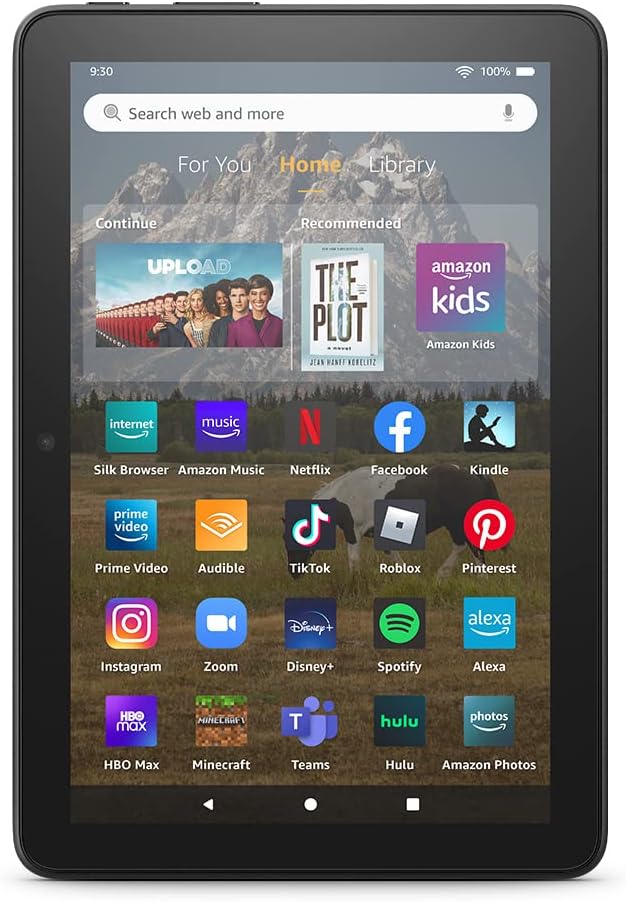
Image: The Fire HD 8 home screen, showing the intuitive Fire OS interface with quick access to apps and content.
The Fire HD 8 runs on Fire OS, providing a user-friendly interface. Swipe down from the top of the screen to access quick settings and notifications. The home screen features a "For You" section with personalized content, a "Home" tab for your apps, and a "Library" tab for quick access to recently viewed content like Kindle books or webسایټونه.
Entertainment and Apps
Stream or download your favorite shows and movies from services like Prime Video, Netflix, Disney+, and HBO. Access a wide range of apps through Amazon's Appstore, including Facebook, Hulu, Instagram, and TikTok. Note that Google Play is not supported, and some apps may require a subscription.
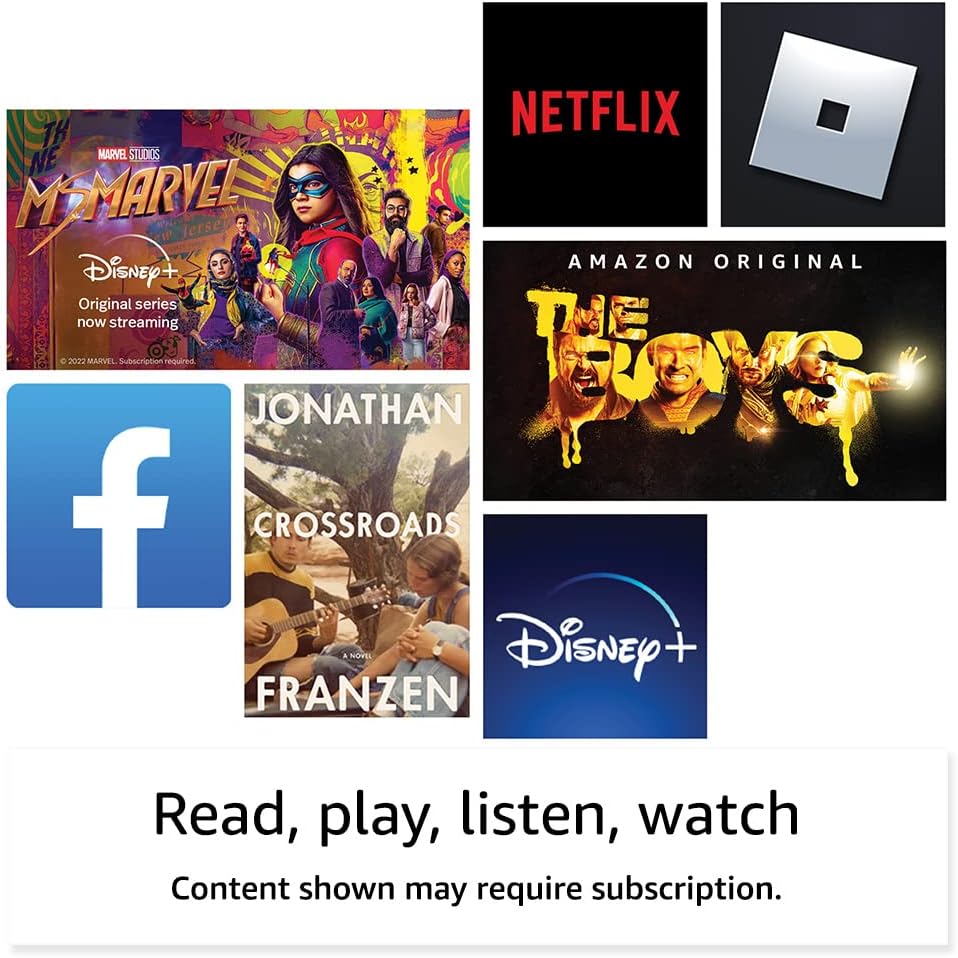
انځور: Examples of popular streaming services and content accessible on the Fire HD 8 tablet.
Reading and Audio
Enjoy reading e-books with the vibrant 8-inch HD display. The tablet also features integrated speakers and a 3.5 mm stereo jack for audio. You can listen to music, podcasts, and Audible books.

Image: The Fire HD 8 tablet is ideal for reading e-books anywhere.

Image: Using Alexa to control audio playback on the Fire HD 8 tablet.
د الیکسا ادغام
Your Fire HD 8 tablet comes with Alexa built-in. Ask Alexa to play music, get news and weather updates, manage shopping lists, set reminders, and control smart home devices. You can also make video calls to friends and family using apps like Zoom.
Parental Controls with Amazon Kids
Amazon Kids offers easy-to-use parental controls, allowing you to manage content access and screen time. Subscribe to Amazon Kids+ for access to thousands of curated books, apps, games, videos, and Audible books suitable for children.

Image: The Fire HD 8 tablet is suitable for family use, especially with Amazon Kids features.
ساتنه
ستاسو د ټابلیټ پاکول
To clean your Fire HD 8 tablet, use a soft, lint-free cloth. For stubborn smudges, slightly dampټوکر د اوبو سره ومینځئ. په مستقیم ډول په وسیله کې د کثافاتو پاکوونکو، محلولونو، یا ایروسول سپرې کارولو څخه ډډه وکړئ.
د بیټرۍ پاملرنه
The tablet offers up to 13 hours of battery life for mixed use. To prolong battery lifespan, avoid extreme temperatures and fully discharging the battery frequently. Charge the device using the provided adapter or a compatible USB-C charger.
د ذخیره کولو مدیریت
Your Fire HD 8 comes with either 32 GB or 64 GB of internal storage. You can expand storage up to 1 TB using a microSD card. Regularly review او غیر ضروري حذف کړئ files or apps to optimize performance. Some apps may require installation on internal storage.
د ستونزو حل کول
عام مسایل او حل لارې
| مسله | د حل لاره |
|---|---|
| وسیله نه فعالیږي | Ensure the tablet is fully charged. Press and hold the power button for 20-30 seconds to perform a hard reset. |
| د وائی فای اتصال مسلې | Check if Wi-Fi is enabled in settings. Restart your router and the tablet. Forget the network and reconnect. |
| د اپلیکیشنونو خرابیدل یا کنګل کیدل | Close and reopen the app. Clear the app's cache in settings. Restart the tablet. Ensure sufficient storage space. |
| ورو فعالیت | Close unused apps. Clear cache and data for frequently used apps. Free up internal storage. Restart the device regularly. |
For more detailed troubleshooting or persistent issues, visit the Amazon Device Support webسایټ یا د ایمیزون پیرودونکي خدماتو سره اړیکه ونیسئ.
مشخصات

Image: Size comparison of various Amazon Fire tablet models, including the Fire HD 8.
| فیچر | تفصیل |
|---|---|
| ښودل | 8” high-definition touchscreen; 1280 x 800 resolution at 189 ppi, HD video playback, with IPS technology |
| اندازه | 7.94” x 5.40” x 0.37” (201.90mm x 137.34 mm x 9.60 mm) |
| وزن | 11.88 اونس (337 ګرامه) |
| CPU او رام | Hexa-core 2.0 GHz with 2 GB of RAM |
| ذخیره کول | 32 GB or 64 GB internal storage; microSD slot for up to 1 TB additional storage |
| د بیټرۍ ژوند | تر لسو ساعتونو پورې مخلوط استعمال |
| د چارج وخت | Under 5 hours (5W adapter); Under 3 hours (9W adapter); Under 2.5 hours (15W adapter) |
| د وائی فای ارتباط | دوه ګونی بانډ ۸۰۲.۱۱a/b/g/n/ac (وای فای ۶ ملاتړ نه کوي) |
| بندرونه | USB-C (2.0) connector, microSD slot |
| آډیو | 3.5 mm stereo jack, integrated speakers |
| کیمرې | 2 MP front-facing, 2 MP rear-facing with 720p HD video recording |
| بلوتوث | بلوتوټ 5.2 جوړ شوی |
| نسل | دولسم نسل - ۲۰۲۲ خپرونه |
د لاسرسي ځانګړتیاوې
The Fire HD 8 tablet includes various accessibility features to personalize the device for different needs. These can be found under ترتیبات → لاسرسی.
- غږView د سکرین لوستونکی: Enables access for users who are blind or visually impaired.
- د سکرین میګنیفیر: کاروونکو ته اجازه ورکوي چې د سکرین شاوخوا زوم ان/آؤټ او پین وکړي.
- د الیکسا لپاره ټایپ کړئ: Provides access to Alexa via touch through on-screen tiles or a keyboard, including saving favorite actions.
- د لاسرسي بدلول: Enables access for users with motor impairments via compatible Bluetooth devices.
- کینډل په لوړ غږ لوستل: الیکسا کولی شي ستاسو د کینډل کتابونه په لوړ غږ ولولي.
- Additional features include settings for Closed Captioning, Font Size, Display Size, High Contrast Text, Color Inversion, Color Correction, and Convert Stereo to Mono audio.
تضمین او ملاتړ
د تضمین معلومات
Your Fire HD 8 tablet comes with a 90-day limited warranty and service. Optional 1-year, 2-year, and 3-year extended warranties are available for U.S. customers and are sold separately. Use of the Fire HD 8 tablet is subject to Amazon's Conditions of Use and related terms.
د سافټویر امنیت تازه معلومات
دا وسیله د ایمیزون په ویب پاڼه کې د نوي واحد په توګه د پیرودلو لپاره د وروستي ځل لپاره د شتون وروسته لږترلږه د څلورو کلونو لپاره تضمین شوي سافټویر امنیتي تازه معلومات ترلاسه کوي. webسایټونه. ستاسو د وسیلې لپاره ځانګړي معلوماتو لپاره، لیدنه وکړئ خپل مینځپانګه او وسایل اداره کړئ.
د پیرودونکي ملاتړ
د نورو مرستو لپاره، د ایمیزون ملاتړ ته مراجعه وکړئ website or contact Amazon customer service directly. You can find more information and support resources at امازون.


