1. پیژندنه
This manual provides essential information for the safe and effective use of your Amazon Echo Dot (5th Gen) smart speaker. Please read these instructions thoroughly before operating the device and retain them for future reference.

Image: Amazon Echo Dot (5th Gen) in Glacier White on a wooden surface, highlighting its compact size and capabilities.
۲. په بکس کې څه دي؟
ډاډ ترلاسه کړئ چې ټول توکي په بسته بندۍ کې شتون لري:
- Echo Dot (5th Gen) Device
- Glacier White Power Adapter (15W)
- د چټک پیل لارښود
3. محصول ختم شوview
The Amazon Echo Dot (5th Gen) is a compact smart speaker designed to deliver an enhanced audio experience and integrate seamlessly with your smart home ecosystem. It features a spherical design with a fabric finish and an LED light ring at the base.

Image: Amazon Echo Dot (5th Gen) in Glacier White, front view with glowing light ring.
کلیدي ځانګړتیاوې:
- Improved Audio: Features a 1.73” (44 mm) front-firing speaker for clearer vocals, deeper bass, and vibrant sound.
- د الیکسا غږ مرستیال: Provides hands-free control for music, information, timers, and smart home devices.
- د محرمیت کنټرولونه: Includes a microphone off button and the ability to view او د غږ ثبتونه حذف کړئ.
- د سمارټ کور مرکز: Supports WiFi, Bluetooth Low Energy Mesh, and Matter for compatible smart home device control.
- د حرارت سینسر: Built-in sensor for triggering smart home routines.
- ټایپ کنټرولونه: Tap the top of the device to snooze alarms or pause music.
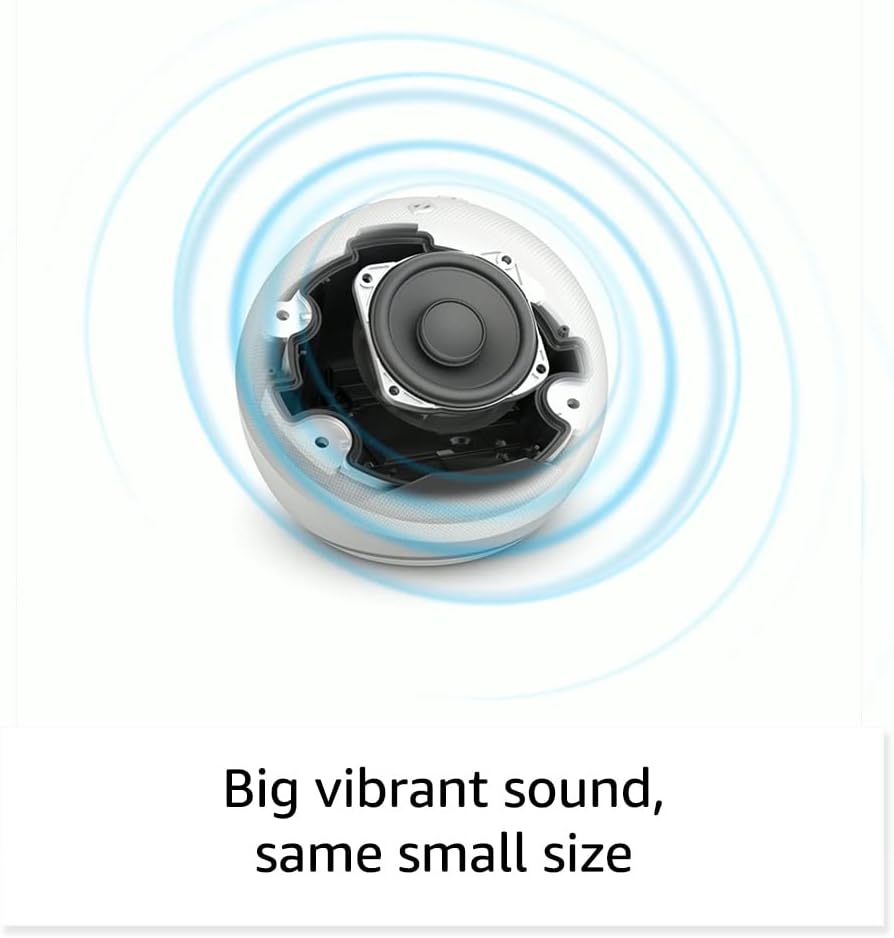
انځور: داخلي view of the Amazon Echo Dot (5th Gen) speaker components, illustrating its audio design.
4. ترتیب کول
د خپل ایکو ډاټ (څلورم نسل) تنظیم کولو لپاره دا ګامونه تعقیب کړئ:
- خپل ایکو ډاټ ولګوئ: شامل شوی بریښنا اډاپټر ستاسو د ایکو ډاټ سره او بیا د بریښنا آوټ لیټ سره وصل کړئ. د رڼا حلقه به نیلي، بیا نارنجي شي، چې دا په ګوته کوي چې دا د تنظیم لپاره چمتو دی.
- د الیکسا اپلیکیشن ډاونلوډ کړئ: On your mobile device, download and install the Amazon Alexa app from your device's app store (compatible with Fire OS, Android, and iOS devices).
- خپل وسیله اضافه کړئ: Open the Alexa app. If prompted, sign in with your Amazon account. Tap the 'Devices' icon at the bottom, then the '+' icon in the top right corner. Select 'Add Device', then 'Amazon Echo', and choose 'Echo Dot'.
- د پردې لارښوونې تعقیب کړئ: The app will guide you through connecting your Echo Dot to your Wi-Fi network. Ensure your Wi-Fi network supports 802.11a/b/g/n/ac (2.4 and 5 GHz). Ad-hoc networks are not supported.
- ځای په ځای کول: Place your Echo Dot in a central location within your room, away from walls or other objects that might obstruct sound.
۳. ستاسو د ایکو ډاټ چلول
د الیکسا سره غږیز حکمونه:
To interact with your Echo Dot, simply say the wake word "Alexa," followed by your command or question. The light ring will turn blue to indicate Alexa is listening.
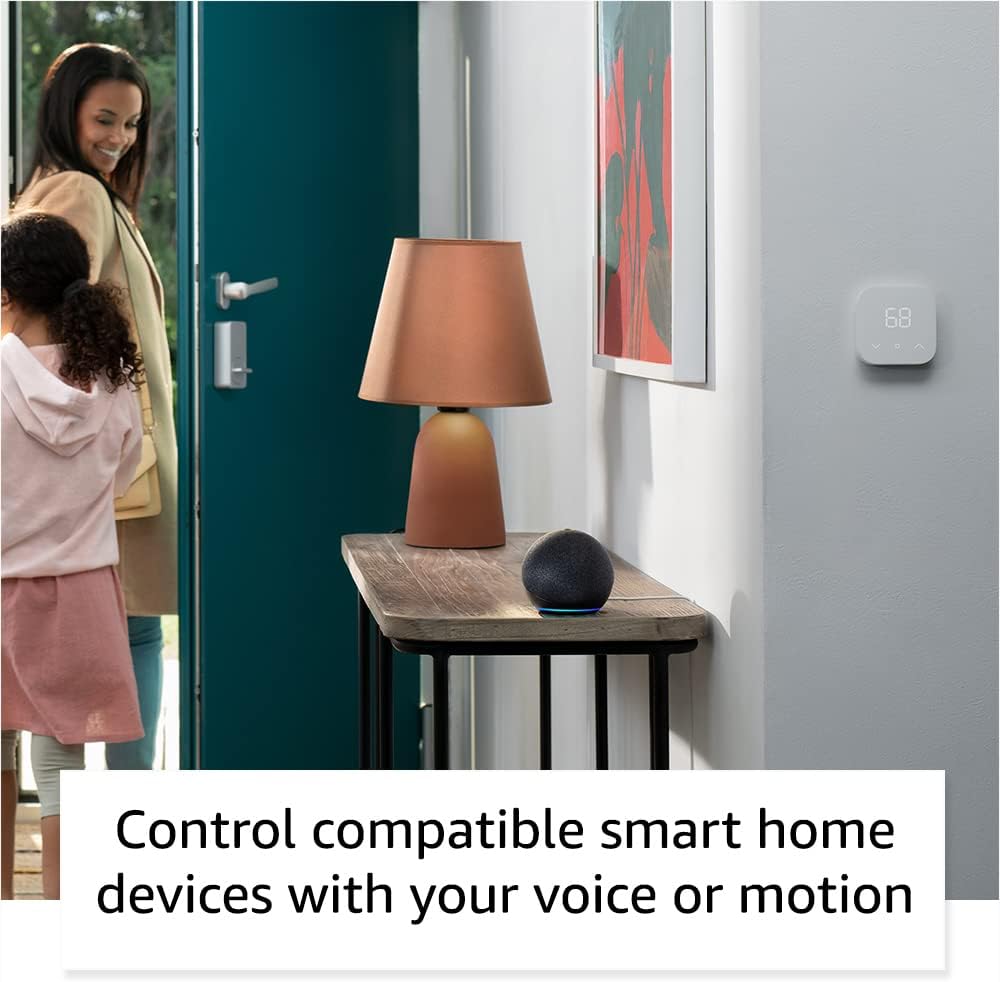
Image: Amazon Echo Dot (5th Gen) in Deep Sea Blue on a kitchen counter, demonstrating a user asking Alexa for the weather.
عام حکمونه:
- "الیکسا، موسیقي غږوه."
- "الیکسا، هوا څنګه ده؟"
- "الیکسا، د لسو دقیقو لپاره ټایمر تنظیم کړه."
- "الیکسا، یوه ټوکه راته ووایه."
- "الیکسا، غږ لوړ کړه."
ټایپ کنټرولونه:
The top surface of your Echo Dot is touch-sensitive for quick actions:
- Tap to Snooze: When an alarm sounds, tap the top of the device to snooze it.
- Tap to Pause/Resume: Tap to pause or resume music playback.

Image: A hand tapping the top of the Amazon Echo Dot (5th Gen) in Glacier White, demonstrating the tap-to-snooze or pause music function.
۴.۵. د سمارټ کور ادغام
Your Echo Dot can control compatible smart home devices using voice commands or routines. It supports WiFi, Bluetooth Low Energy Mesh, and Matter protocols.
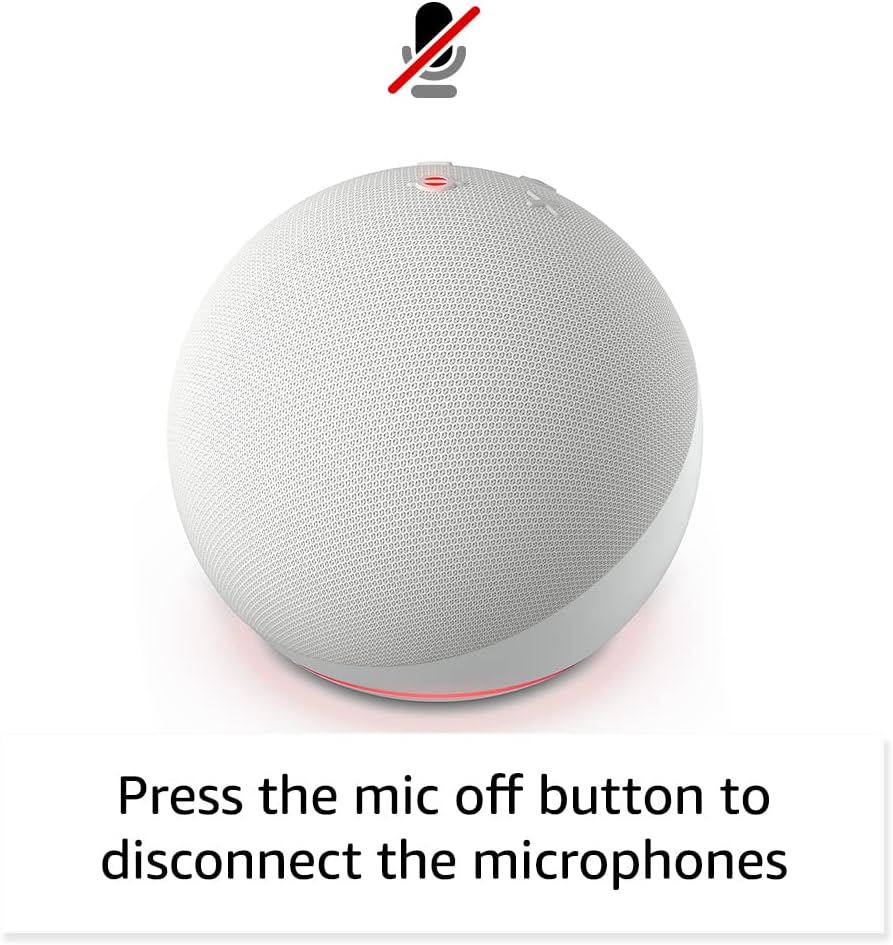
Image: Amazon Echo Dot (5th Gen) in a living space, illustrating its use for controlling compatible smart home devices.
د تودوخې سینسر کارول:
The built-in temperature sensor allows you to create routines in the Alexa app. For example, you can set a routine to automatically turn on a fan if the room temperature exceeds a specified comfort zone.
د ایمیزون سړک:
Amazon Sidewalk uses Echo and Ring devices to securely keep other devices connected and help find lost items. It can enable supported devices to remain connected even when Wi-Fi is lost or they are outside the range of their home Wi-Fi. Sidewalk uses a small portion of your internet bandwidth. You can manage Sidewalk settings in the Alexa app.
ایرو جوړ شوی:
If you have a compatible eero router, your Echo Dot can extend Wi-Fi coverage. This feature requires linking your eero and Amazon accounts and managing it through the eero mobile application. eero Built-in compatible Echo devices support up to 1,000 sq. ft. of additional coverage, speeds up to 100 Mbps, and 10 or fewer connected devices in the 5 GHz band.
۳.۴. د محرمیت ځانګړتیاوې
د ایمیزون ایکو وسایل د محرمیت کنټرولونو ډیری پرتونو سره ډیزاین شوي دي:
- د مایکروفون بند تڼۍ: Press the microphone off button on the top of your Echo Dot to electronically disconnect the microphones. The light ring will turn red to indicate the microphones are off.
- د غږ ثبتونه: ته دا وړتیا لرې چې view, listen to, and delete your voice recordings through the Alexa app or your Amazon account settings.
- د ویښتو کلمې ټیکنالوژي: The device only begins recording and sending audio to the cloud after it detects the wake word (e.g., "Alexa").
Image: Amazon Echo Dot (5th Gen) with a red light indicating the microphone is off, showing the privacy control feature.
۳. د لاسرسي ځانګړتیاوې
The Alexa app provides various accessibility features to personalize your experience. Access these settings by navigating to 'Settings' → 'Accessibility' in the Alexa App.
- تطبیقي اورېدل: د الیکسا ځواب ورکولو دمخه د خبرو پای ته رسولو لپاره ډیر وخت ورکوي.
- د خبرو کولو غوره کچه: Control how fast or slow Alexa speaks by saying "Alexa, speak slower" or "Alexa, speak faster."
- د غږ غوښتنه: Plays an audible tone in addition to the visual indicator when you speak to Alexa. Enable by saying "Alexa, turn on Start of Request Sound."
- کینډل په لوړ غږ لوستل: الیکسا کولی شي ستاسو د کینډل کتابونه په لوړ غږ ولولي.
- کله چې نږدې وي خبر ورکړئ: کله چې تاسو د خپل ایکو وسیلې ته نږدې کشف شئ نو د خبرتیا غږونه غږوي.
9. ساتنه
To ensure the longevity and optimal performance of your Echo Dot:
- پاکول: Use a soft, dry, lint-free cloth to clean the device. Do not use abrasive cleaners or sprays.
- ځای په ځای کول: وسیله په مستقیم لمر وړانګو، د تودوخې سرچینو ته نږدې، یا په ډیر مرطوب چاپیریال کې له ایښودلو څخه ډډه وکړئ.
- د سافټویر تازه معلومات: Your Echo Dot automatically receives software security updates. Ensure it remains connected to Wi-Fi for these updates.
10. ستونزه حل کول
عام مسایل او حل لارې:
- وسیله ځواب نه ورکوي:
- Ensure the microphone is not muted (red light ring indicates mute).
- Check if the device is plugged in and powered on.
- Restart the device by unplugging it from the power outlet for 30 seconds and then plugging it back in.
- د وائی فای سره نښلول کیدی نشي:
- ډاډ ترلاسه کړئ چې ستاسو د وای فای پټنوم سم دی.
- Ensure your router is working and other devices can connect.
- د ایکو ډاټ خپل وای فای روټر ته نږدې کړئ.
- خپل روټر او موډیم بیا پیل کړئ.
- ضعیف آډیو کیفیت:
- Adjust the volume using voice commands or the Alexa app.
- Ensure the device is not placed in an enclosed space that might muffle sound.
- د سپیکر شاوخوا هر ډول فزیکي خنډونه وګورئ.
- الیکسا په امرونو نه پوهیږي:
- Speak clearly and at a normal pace.
- د شاليد شور کم کړئ.
- Ensure you are within hearing range of the device.
11. مشخصات
| فیچر | تفصیل |
|---|---|
| اندازه | ۳.۹" x ۳.۹" x ۳.۵" (۱۰۰ ملي متره x ۱۰۰ ملي متره x ۸۹ ملي متره) |
| وزن | 10.7 اوز (304g) |
| آډیو | ۱.۷۳ انچه (۴۴ ملي متره) مخکینۍ سپیکر، بې ضرره لوړ تعریف |
| د وائی فای ارتباط | دوه ګونی بانډ وای فای د ۸۰۲.۱۱a/b/g/n/ac (۲.۴ او ۵ GHz) شبکو ملاتړ کوي. د اډ هاک شبکو ملاتړ نه کوي. |
| د بلوتوټ ارتباط | د آډیو سټریمینګ لپاره A2DP ملاتړ، د وصل شوي ګرځنده وسیلو د غږ کنټرول لپاره AVRCP. د بلوتوټ سپیکرې چې PIN کوډونو ته اړتیا لري ملاتړ نه کیږي. |
| د سمارټ کور وسیلې مطابقت | WiFi, Bluetooth Low Energy Mesh, and Matter |
| د سیسټم اړتیاوې | د الیکسا ایپ د فایر او ایس، انډرایډ او iOS وسیلو سره مطابقت لري. Web browser access also available. |
| نسل | ایکو ډاټ (څلورم نسل) - په ۲۰۲۰ کال کې خپور شو |
| ژبه | الیکسا انګلیسي او هسپانوي خبرې کوي |
12. تضمین او ملاتړ
د تضمین معلومات:
Your Echo Dot (5th Gen) comes with a 90-day limited warranty and service. Optional 1-year, 2-year, and 3-year extended warranties are available for U.S. customers and are sold separately. Use of the Echo Dot is subject to specific terms and conditions.
د سافټویر امنیتي تازه معلومات:
This device is guaranteed to receive software security updates for at least four years after it is last available for purchase as a new unit on Amazon websites. For more information on software security updates or to manage your device, visit the Amazon webسایټ
د پیرودونکي ملاتړ:
For further assistance, please refer to the Amazon Alexa app or visit the Amazon support website. You can also find information specific to your device by visiting 'Manage Your Content and Devices' on Amazon.


