1. پیژندنه
The VTech RM5752 Wi-Fi 1080p HD Video Monitor provides a secure and reliable way to monitor your baby. This system includes a 5-inch color screen parent unit and a 1080p HD camera unit, offering both local and remote viewing capabilities. Utilizing your home's wireless network, the monitor streams live video and audio, allowing you to stay connected whether you are at home or away via the MyVTech Baby 1080p app.
کلیدي ځانګړتیاوې عبارت دي له:
- 5-inch full color HD parent unit with 1080p HD camera.
- د روښانه لپاره اتوماتیک د شپې لید viewپه ټیټ ر lightا شرایطو کې.
- 2x local digital zoom and 10x remote digital zoom for detailed viewing.
- لرې viewing access and control via the free VTech app.
- Motion alerts and temperature sensor with alerts on both parent unit and app.
- 9 soothing sounds and lullabies to assist with sleep.
- Local and remote two-way talk functionality.
2. د بسته محتويات
Ensure all items are present in your package. If any items are missing or damaged, contact your retailer.
- Parent Unit (with rechargeable battery)
- د کیمرې واحد
- Parent Unit Power Adapter
- Camera Unit Power Adapter
- Wall Mount Bracket (for camera)
- د چټک پیل لارښود

Image: The VTech RM5752 Wi-Fi 1080p HD Video Monitor package contents, including the parent unit, camera unit, and power adapters.
3. پیل کول
3.1 فعالول
- Connect the small plug of the parent unit power adapter to the parent unit's power jack.
- د اصلي واحد بریښنا اډاپټر لوی پلګ د دیوال آوټ لیټ سره وصل کړئ.
- فشار ورکړئ او ونیسئ پاور button on the parent unit until the screen turns on.
- Connect the small plug of the camera unit power adapter to the camera unit's power jack.
- Connect the large plug of the camera unit power adapter to a wall outlet. The camera unit will power on automatically.
۴.۱ د کیمرې ځای پر ځای کول
د کیمرې واحد په یوه فلیټ سطحه کېږدئ، لکه د جامو الماری یا الماری، یا یې په دیوال کې نصب کړئ. ډاډ ترلاسه کړئ چې کیمره د روښانه ځای چمتو کولو لپاره موقعیت لري view of the desired area. The camera features an adjustable angle for optimal positioning.

Image: The camera unit of the VTech RM5752, illustrating its adjustable angle for flexible placement.
4. د مانیټر چلول
4.1 Parent Unit Functions
The 5-inch color LCD screen on the parent unit displays the live video feed from the camera. Use the control buttons to navigate menus and adjust settings.

Image: The VTech RM5752 parent unit, showcasing its 5-inch color LCD screen with a live video feed.
- د حجم کنټرول: د اوریدلو حجم د دې په کارولو سره تنظیم کړئ والیوم - او VOL+ تڼۍ
- ډیجیټل زوم: فشار ورکړئ زوم button to activate 2x local digital zoom.
- دوه اړخیزه خبرې: فشار ورکړئ او ونیسئ خبرې button to speak through the camera unit. Release to listen.
- لولوز: Access and play 9 pre-set lullabies and 4 natural sounds through the menu.
- د شپې لید: The camera automatically activates infrared night vision in low light conditions.
- د حرارت سینسر: The parent unit displays the room temperature detected by the camera. Alerts can be set for temperature fluctuations.

Image: A composite image highlighting the VTech RM5752's features: temperature sensor, automatic infrared night vision, two-way talk, and soothing sounds/lullabies.
4.2 Mobile App Integration (MyVTech Baby 1080p App)
For remote access and additional features, download the free MyVTech Baby 1080p app on your smartphone or tablet. This app allows you to:
- View live video and audio from anywhere with an internet connection.
- Control the camera's digital zoom (10x remote digital zoom).
- Receive motion alerts directly on your device.
- Engage in two-way talk with the camera unit.
- Monitor room temperature and receive alerts.
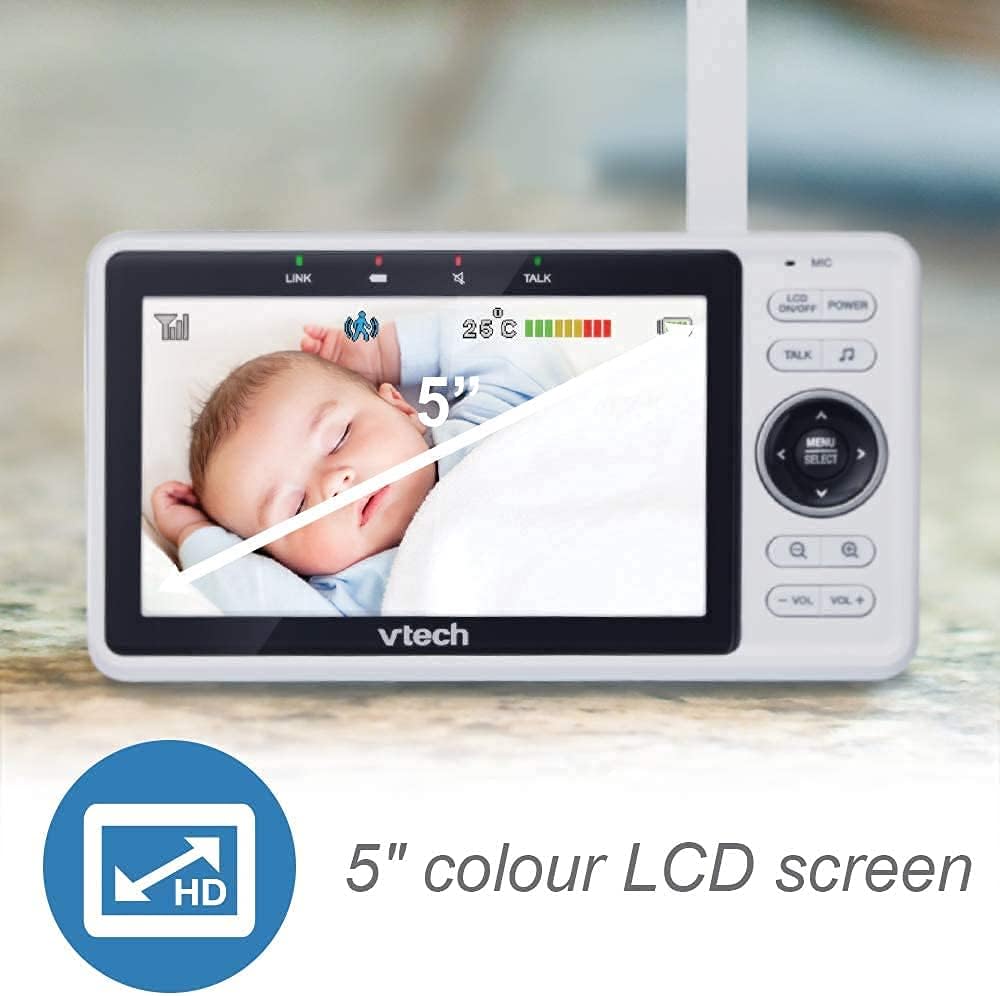
Image: A smartphone screen showing an instant motion alert notification from the VTech baby monitor app.
5. پاملرنه او ساتنه
5.1 د مانیټر پاکول
To keep your VTech RM5752 monitor clean, wipe the surfaces of the parent unit and camera unit with a soft, damp ټوکر. د پاکولو سپرې یا مایع پاکوونکي مه کاروئ. ډاډ ترلاسه کړئ چې واحدونه د پاکولو دمخه خلاص شوي دي.
۶.۲ د بیټرۍ پاملرنه (د مور او پلار واحد)
The parent unit contains a rechargeable battery. To maximize battery life:
- بیټرۍ د ابتدايي کارونې دمخه په بشپړه توګه چارج کړئ.
- د بیټرۍ ډیر تودوخې ته د افشا کولو څخه ډډه وکړئ.
- که چیرې واحد د اوږدې مودې لپاره ونه کارول شي، بیټرۍ لرې کړئ.
6. ستونزه حل کول
If you experience issues with your VTech RM5752 monitor, refer to the following common problems and solutions:
| ستونزه | د حل لاره |
|---|---|
| No link to camera / Disconnects frequently | Ensure both parent and camera units are within range of your Wi-Fi router. Check for obstructions. Restart both units and your Wi-Fi router. Verify your Wi-Fi network is stable. |
| No picture on parent unit | Check if the camera unit is powered on. Ensure the parent unit is charged and powered on. Re-pair the camera if necessary (refer to the full user manual for pairing instructions). |
| هیڅ غږ یا ټیټ غږ نشته | Increase the volume on the parent unit. Ensure the camera's microphone is not obstructed. |
| App not connecting or working | Ensure your smartphone/tablet has a stable internet connection. Verify the MyVTech Baby 1080p app is updated to the latest version. Restart the app and your device. Check your home Wi-Fi network settings. |
| Poor picture quality / Blurry image | Clean the camera lens. Ensure adequate lighting (night vision will activate in low light). Check for strong Wi-Fi signal strength. |
7. تخنیکي مشخصات
Below are the technical specifications for the VTech RM5752 Wi-Fi 1080p HD Video Monitor:
- د موډل نوم: RM5752
- د ویډیو نیول حل: 1080p
- د ارتباط ټیکنالوژي: بې سیم، وای فای
- د بریښنا سرچینه: د بریښنا تار (5 ولټه)
- مطابقت لرونکي وسایل: سمارټ فون، ټابلیټ
- د نصب کولو ډول: دیوال غر
- ځانګړي ځانګړتیاوې: د حرکت سینسر، د شپې لید
- رنګ: سپین
- د محصول ابعاد: 3 x 10 x 9 انچه
- د توکي وزن: ۲.۴۵ پونډه
- د نړیوال خوندیتوب درجه: IP54
- د تمرکز ډول: اتوماتیک تمرکز
- د زوم ډول: ډیجیټل زوم
- د خبرتیا ډول: یوازې حرکت
- د ویډیو اخیستلو بڼه: MPEG-4
8. تضمین او ملاتړ
For detailed warranty information and technical support, please refer to the warranty card included with your product or visit the official VTech webسایټ. د website provides comprehensive support resources, including FAQs, product registration, and contact information for customer service.