1. پیژندنه
د پیرودلو لپاره مننهasing the I-STAR Projection Alarm Clock Radio. This device combines a digital alarm clock with a ceiling projection feature, FM radio, and a convenient USB charging port. Designed for ease of use and optimal visibility, it ensures you wake up refreshed and your devices are charged.
کلیدي ځانګړتیاوې:
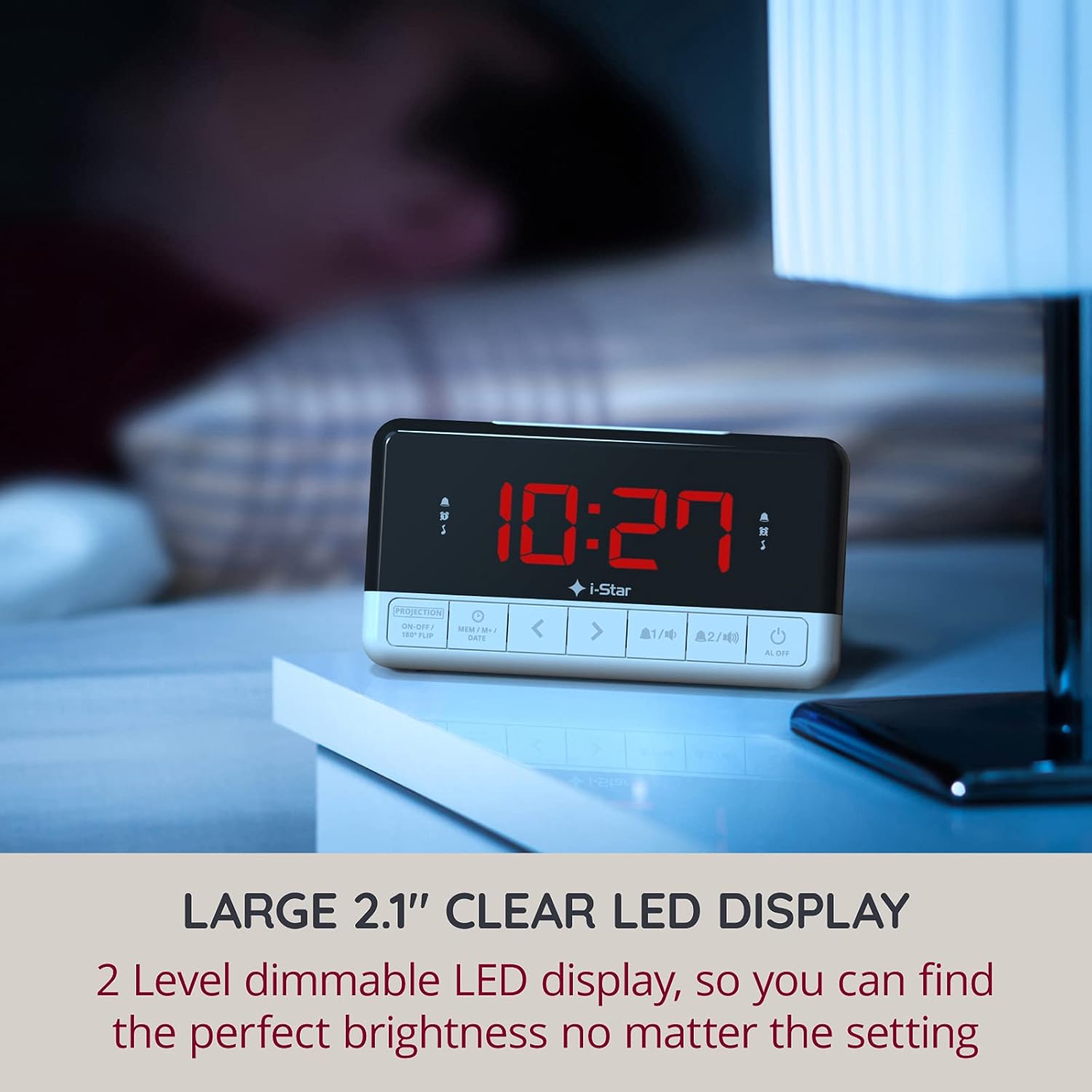
- Large 1.2-inch LED display with 2-level dimmable brightness.
- Time projection onto the ceiling with 180° rotation for easy viewing.
- Dual alarm function to set two different wake-up times.
- FM radio with up to 10 preset stations and sleep timer function.
- Integrated 1A USB output port for charging smartphones.
- Large, easy-to-reach snooze button for extra rest.
- Battery backup (CR2032, not included) for time and alarm settings during power outages.
2. د تنظیم کولو لارښود
2.1 د بسته محتويات:
مهرباني وکړئ د لاندې توکو لپاره بکس وګورئ:
- 1 x I-STAR Digital Projection Alarm Clock
- 1 x 5V DC بریښنا اډاپټر
- 1 x د کارن لارښود
2.2 فعالول:
Connect the provided 5V DC power adapter to the DC IN port on the back of the alarm clock and plug it into a standard wall outlet. The display will light up.
For battery backup, insert one CR2032 cell battery (not included) into the battery compartment on the bottom of the unit. This battery will preserve time and alarm settings in case of a power interruption.
۳.۲ د لومړني وخت ټاکل:
Upon first power-on or after a power reset without battery backup, the time may need to be set. Refer to the "Setting Time and Date" section in Operating Instructions for detailed steps.
3. عملیاتي لارښوونې
۲.۱ د وخت او نیټې ټاکل:
- فشار ورکړئ او ونیسئ MEM/M+/DATE د وخت تنظیم کولو حالت ته د ننوتلو لپاره تڼۍ.
- د کارولو < او > د ساعت تنظیمولو لپاره تڼۍ، بیا فشار ورکړئ MEM/M+/DATE تصدیق کول.
- دا پروسه د دقیقو، کال، میاشتې او ورځې لپاره تکرار کړئ.
- مطبوعاتي MEM/M+/DATE again to exit time setting.
3.2 Display and Brightness:
The clock features a large 1.2-inch LED display. To adjust the display brightness, press the سنوز/سوی/ډیمر button located on the top of the unit. There are two brightness levels to choose from, allowing you to find the perfect setting for day or night viewing.

شکل 3.2.1: The large 1.2-inch LED display provides clear time visibility. Adjust brightness for optimal viewing.
۶.۵ د پروجیکشن ځانګړتیا:
The alarm clock can project the time onto your ceiling or wall in red digits. This allows for easy time checking without needing to turn on a light or strain your eyes.
- To activate or deactivate the projection, press the PROJECTION ON-OFF / 180° FLIP په مخکینۍ پینل کې ت buttonۍ.
- To rotate the projected image by 180 degrees, press and hold the PROJECTION ON-OFF / 180° FLIP button. This is useful if the projected time appears upside down.
- The projection angle can be physically adjusted by rotating the projector lens on the top of the unit.

شکل 3.3.1: The clock projecting the time onto the ceiling, allowing for easy viewing from bed.
3.4 Setting Alarms:
The device features two independent alarms (Alarm 1 and Alarm 2).
- فشار ورکړئ د الارم. or د الارم. button to select the desired alarm. The alarm icon will flash.
- د کارولو < او > buttons to set the desired alarm time (hour and minute).
- فشار ورکړئ د الارم. or د الارم. د وخت تایید لپاره بیا تڼۍ.
- بیا، وکاروئ < او > buttons to select the alarm source: Buzzer or FM Radio.
- فشار ورکړئ د الارم. or د الارم. button one more time to confirm and activate the alarm. The corresponding alarm icon will appear on the display.
- د فعال الارم بندولو لپاره، فشار ورکړئ AL بند تڼۍ

شکل 3.4.1: Set two independent alarms to wake up to your preferred time and sound.
3.5 FM Radio Operation:
جوړ شوی ایف ایم راډیو تاسو ته اجازه درکوي چې خپل غوره سټیشنونه واورئ.
- د راډیو د چالانولو لپاره، فشار ورکړئ د ایف ایم راډیو تڼۍ
- To automatically scan and save stations, press and hold the د ایف ایم راډیو button. The clock can store up to 10 preset stations.
- د کارولو < او > buttons to manually tune or cycle through preset stations.
- Adjust the volume using the volume control knob (if present, otherwise assume buttons).
- د راډیو بندولو لپاره، فشار ورکړئ د ایف ایم راډیو بیا تڼۍ.
3.6 د سنوز فعالیت:
کله چې الارم غږیږي، لوی فشار ورکړئ سنوز/سوی/ډیمر button on top of the unit to temporarily silence the alarm for a few extra minutes of sleep. The alarm will sound again after the snooze period ends.
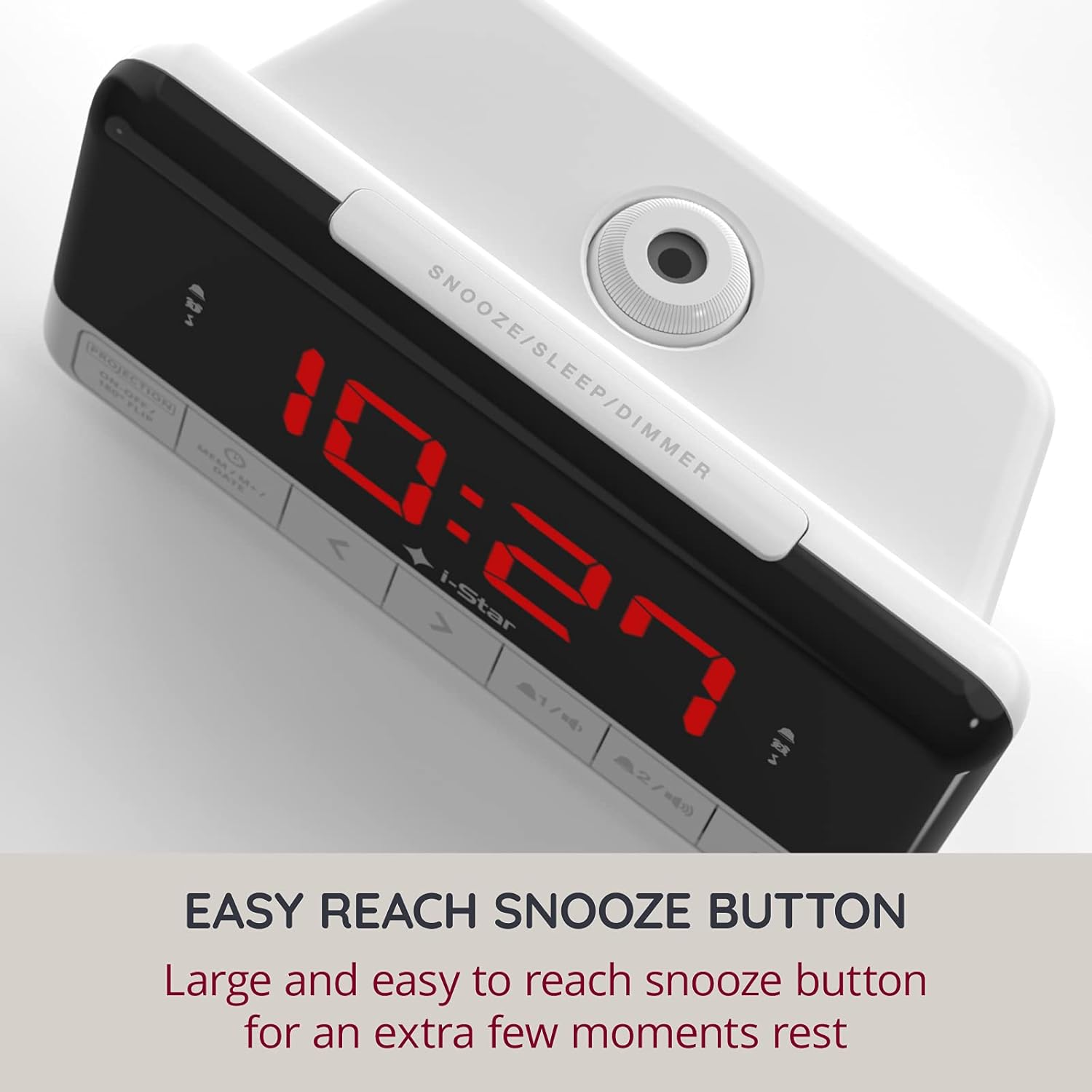
شکل 3.6.1: The easily accessible snooze button provides a few extra moments of rest.
3.7 Sleep Timer Function:
د خوب ټایمر راډیو ته اجازه ورکوي چې د یوې ټاکلې مودې لپاره غږ وکړي مخکې لدې چې په اتوماتيک ډول بند شي.
- پداسې حال کې چې راډیو غږیږي، فشار ورکړئ سنوز/سوی/ډیمر button repeatedly to cycle through available sleep timer durations (e.g., 10, 20, 30, 60, 90 minutes, or OFF).
- راډیو به د ټاکل شوي وخت وروسته په اتوماتيک ډول بنده شي.
۱۰ د USB چارج کولو پورټ:
The alarm clock is equipped with a 1A USB output port on the side, allowing you to conveniently charge your smartphone or other USB-powered devices overnight.
- د خپل وسیلې د USB چارج کولو کیبل د الارم ساعت کې د USB آوټ پټ پورټ سره وصل کړئ.
- د کیبل بل پای خپل وسیله سره وصل کړئ. چارج کول به په اتوماتيک ډول پیل شي.
شکل 3.8.1: The integrated USB port allows for convenient charging of your mobile devices.
4. ساتنه
4.1 پاکول:
To clean the alarm clock, gently wipe the surface with a soft, dry cloth. Do not use abrasive cleaners, waxes, or solvents as they may damage the finish. Ensure the unit is unplugged before cleaning.
4.2 Battery Replacement (Backup):
The CR2032 backup battery (not included) should be replaced periodically, typically every 1-2 years, or if you notice that time and alarm settings are lost after a power outage. To replace:
- Unplug the alarm clock from the power outlet.
- د بیټرۍ کڅوړه د واحد په ښکته برخه کې ومومئ.
- د کمپارټمنټ پوښ خلاص کړئ او زوړ CR2032 بیټرۍ لرې کړئ.
- یو نوی CR2032 بیټرۍ دننه کړئ چې مثبت (+) اړخ یې پورته وي.
- د بیټرۍ کمپارټ پوښ په خوندي ډول وتړئ.
- Plug the alarm clock back into the power outlet.
5. ستونزه حل کول
If you encounter any issues with your I-STAR Projection Alarm Clock Radio, please refer to the table below for common problems and their solutions.
| ستونزه | احتمالي لامل | د حل لاره |
|---|---|---|
| No display/Unit not powering on. | د بریښنا اډاپټر وصل شوی نه دی یا خراب آوټ لیټ دی. | Ensure the power adapter is securely plugged into the clock and a working wall outlet. Try a different outlet. |
| الارم نه غږېږي. | الارم نه دی ټاکل شوی، د الارم حجم ډیر ټیټ دی، یا الارم غیر فعال شوی دی. | Verify alarm time and source are correctly set. Ensure the alarm icon is visible on the display. Check radio volume if FM radio is selected as alarm source. |
| اټکل شوی وخت برعکس دی. | Projection orientation needs adjustment. | فشار ورکړئ او ونیسئ PROJECTION ON-OFF / 180° FLIP button to flip the image. |
| د راډیو استقبال کمزوری دی. | انتن نه غځول کیږي او نه مداخله کیږي. | Fully extend the FM antenna wire on the back of the unit. Reposition the clock to improve reception. Avoid placing near other electronic devices that may cause interference. |
| Radio volume is too high at minimum setting. | د ډیزاین ذاتي ځانګړتیا. | This can be a common observation. Try adjusting the clock's position or consider placing a soft material over the speaker grille to slightly dampen the sound, if acceptable. |
| د بریښنا بندیدو وروسته وخت/ترتیبات له لاسه ورکړل شولtage. | د بیک اپ بیټرۍ ورکه یا ختمه شوې ده. | Install a new CR2032 battery in the backup compartment. |
6. مشخصات
| فیچر | تفصیل |
|---|---|
| برانډ | I-STAR |
| د ماډل شمیره | 90085PI/18 |
| رنګ | سپین |
| د محصول ابعاد | ۱۰ x ۱۰ x ۱۰ سانتي متره (تقریبا ۳.۹۴ x ۳.۹۴ x ۳.۹۴ انچه) |
| وزن | ۱۵۸.۷۵ ګرامه (تقریبا ۰.۳۵ پونډه) |
| مواد | پلاستیک |
| د ښودلو ډول | ډیجیټل LED (۱.۸ انچه) |
| ځانګړي ځانګړتیاوې | Alarm, Projection, FM Radio, USB Charging Port, Dimmable Display, Snooze Function, Sleep Timer |
| د بریښنا سرچینه | AC Power Adapter (5V DC) with CR2032 Battery Backup (not included) |
7. تضمین او ملاتړ
۷.۱ د تضمین معلومات:
I-STAR offers a 12-month hassle-free warranty with this product. This warranty covers manufacturing defects and ensures reliable operation under normal use. Please retain your proof of purchase for warranty claims.
۸.۲ د پیرودونکو ملاتړ:
For any questions, technical assistance, or warranty inquiries, please contact I-STAR customer service. Refer to the product packaging or the official I-STAR webد اړیکو د تازه معلوماتو لپاره سایټ.