پیژندنه
This manual provides comprehensive instructions for the OWC 5 Port Thunderbolt Hub. It covers setup, operation, maintenance, and troubleshooting to ensure optimal performance and longevity of your device. The OWC Thunderbolt Hub expands the connectivity of your computer, offering multiple Thunderbolt 4 ports and a USB 3.2 Gen 2 Type-A port, along with power delivery capabilities.
د خوندیتوب معلومات
- وسیله د لندبل یا خورا تودوخې سره مه ښکاره کوئ.
- Use only the power adapter supplied with the hub.
- د ډیر تودوخې مخنیوي لپاره د هوا د خلاصیدو مخنیوي څخه مخنیوی وکړئ.
- هڅه مه کوئ چې وسیله پخپله جلا کړئ یا ترمیم کړئ. ټولې خدمتونه وړ پرسونل ته راجع کړئ.
- وسیله د قوي مقناطیسي ساحو څخه لرې وساتئ.
د بسته محتويات
ډاډ ترلاسه کړئ چې ټول توکي ستاسو په کڅوړه کې شتون لري:
- OWC 5 Port Thunderbolt Hub
- د بریښنا اډاپټر
- تندربولټ 4 کیبل
- د چټک پیل لارښود (په دې ډیجیټل لارښود کې شامل نه دی)
محصول پای ته ورسیدview
The OWC 5 Port Thunderbolt Hub is designed to expand your computer's connectivity, providing additional Thunderbolt 4 and USB 3.2 Gen 2 Type-A ports. It features a compact design suitable for various setups.

شکل 1: مخکی view of the OWC 5 Port Thunderbolt Hub, showing the OWC logo and the USB 3.2 10Gb/s port.
د بندر ترتیب
The hub features a variety of ports to connect your devices:
- کوربه بندر: One Thunderbolt 4 port (up to 40 Gb/s) for connecting to your computer.
- د وسیلې بندرونه: Three Thunderbolt 4 ports for connecting external drives, displays, and other Thunderbolt devices.
- USB-A پورټ: One USB 3.2 Gen 2 Type-A port (up to 10 Gb/s) for connecting USB peripherals. This port is backwards compatible with USB 2.0/3.0.
- د بریښنا ننوتل: DC IN 20V 5.5A for connecting the power adapter.

2 شکل: پورته او ښکته views of the hub, illustrating the arrangement of the DC power input, host Thunderbolt port, three device Thunderbolt ports, and the USB 3.2 port.
چمتو کول
- بریښنا وصل کړئ: Plug the provided power adapter into the DC IN port on the OWC Thunderbolt Hub, then connect the adapter to a power outlet.
- د کوربه کمپیوټر سره وصل شئ: Use the included Thunderbolt 4 cable to connect the host Thunderbolt 4 port on the hub to an available Thunderbolt 3 or Thunderbolt 4 port on your computer. For USB-C equipped devices, connect to a USB-C port.
- ډرایورونه نصب کړئ (که اړتیا وي): For most modern operating systems (macOS 11.1 Big Sur or later, Windows 10/11 with Thunderbolt 4), drivers are automatically installed. If prompted, follow on-screen instructions.
- پرفیریلز وصل کړئ: Connect your Thunderbolt devices, USB devices, and displays to the available ports on the hub.

Figure 3: The hub in use, demonstrating multiple devices connected for full performance.
عملیاتي لارښوونې
د بریښنا رسول
- The Thunderbolt 4 host port provides up to 60W of power to charge your connected host computer.
- Each Thunderbolt 4 device port provides 15W of power for external drives and other devices.
- The USB 3.2 Gen 2 Type-A port provides up to 1.5A of power for bus-powered drives and device charging.

Figure 4: The hub actively charging a laptop and providing power to connected peripherals.
د ښودلو ملاتړ
The OWC Thunderbolt Hub supports various display configurations:
- Up to one 8K display at 60Hz.
- Up to one 4K display at 120Hz.
- Up to two 4K displays at 60Hz.
- Up to two 5K displays at 60Hz.
- Display support via Thunderbolt 4: Up to 8K @ 60Hz or 4K @ 120Hz via a native Thunderbolt 4 display or other display that supports USB-C connections and DisplayPort 1.4.
- Note: Actual display support may vary based on your computer's specifications. Intel-based Apple Mac models and Thunderbolt 4 PCs typically support two displays.
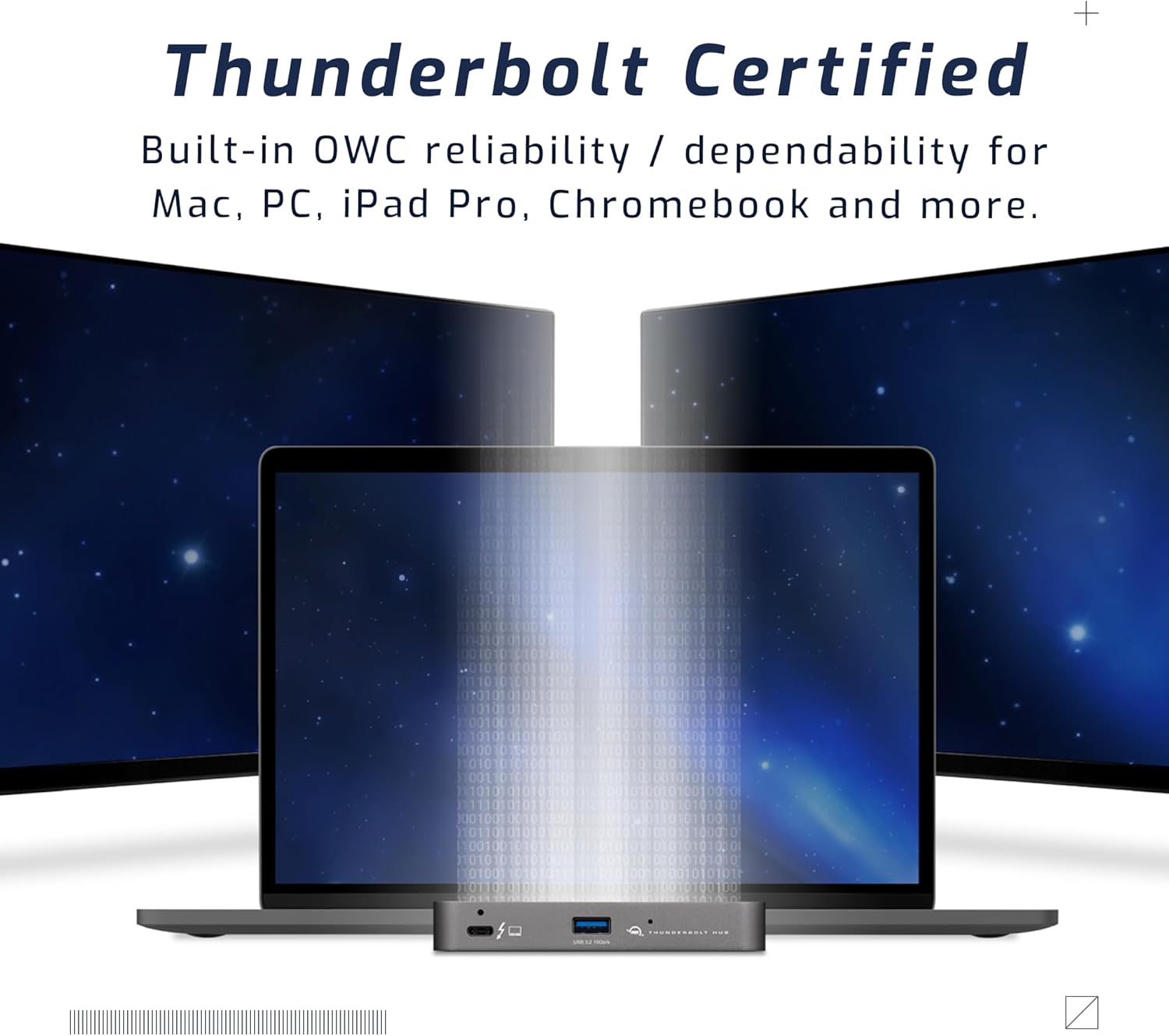
Figure 5: A setup demonstrating the hub's capability to connect a laptop to multiple external displays.
مطابقت
The hub is compatible with a wide range of devices:
- Macs with an available Thunderbolt 3 or later port running macOS 11.1 Big Sur or later.
- Windows PCs with an available Thunderbolt 4 port.
- Non-Thunderbolt USB-C machines like Chromebooks and iPads.
- USB-C equipped MacBooks, iPads, Chromebooks, and Android devices.
- Note: Thunderbolt/Thunderbolt 2 Mac models are supported via USB-A host connection, but Thunderbolt/Thunderbolt 2 host connection is not directly supported. USB connection may limit some functionality.
ساتنه
- پاکول: د مرکز بهرنۍ برخه د پاکولو لپاره له نرم، وچ، لینټ څخه پاک ټوکر څخه کار واخلئ. د مایع پاکوونکو یا ایروسولونو څخه کار مه اخلئ.
- ذخیره کول: کله چې د اوږدې مودې لپاره نه کارول کیږي، نو مرکز په یخ او وچ ځای کې د مستقیم لمر وړانګو څخه لرې وساتئ.
- د کیبل مدیریت: ډاډ ترلاسه کړئ چې کیبلونه ډیر کږ شوي یا کش شوي نه دي ترڅو بندرونو یا کیبلونو ته زیان ونه رسیږي.
د ستونزو حل کول
عام مسایل او حل لارې
- هیڅ بریښنا/وسیله نه پیژندل کیږي:
- Ensure the power adapter is securely connected to the hub and a working power outlet.
- Verify the Thunderbolt cable is firmly connected to both the hub and your computer.
- Try a different Thunderbolt port on your computer, if available.
- خپل کمپیوټر بیا پیل کړئ.
- Display Issues (No Signal, Flickering):
- Check all display cables (HDMI, DisplayPort, USB-C to display) are securely connected.
- ډاډ ترلاسه کړئ چې ستاسو ښودنه سمې ان پټ سرچینې ته تنظیم شوې ده.
- Verify your computer's display settings (resolution, refresh rate) are compatible with the connected display and hub capabilities.
- د خپل کمپیوټر ګرافیک ډرایورونه تازه کړئ.
- د معلوماتو د لیږد ورو سرعت:
- Ensure you are using high-quality Thunderbolt or USB 3.2 cables.
- Confirm the connected device supports the speeds advertised by the hub (e.g., a USB 2.0 device will not achieve USB 3.2 speeds).
- که چیرې د سرعت کموالی تجربه کوئ، نو په یو وخت کې د ډیرو لوړ بینډ ویت وسیلو سره د نښلولو څخه ډډه وکړئ.
مشخصات
| فیچر | تفصیل |
|---|---|
| د ماډل شمیره | د OWCTB4HUB5P معرفي کول |
| برانډ | OWC |
| د محصول ابعاد | 19.69 x 19.69 x 11.02 انچه |
| د توکي وزن | 7 اونس |
| رنګ | Also Black/Gray |
| هډوتري برسیر | تندر |
| ځانګړی ځانګړنه | ځواکمن شوی |
| کوربه پورټ | 1x Thunderbolt 4 (up to 40 Gb/s) |
| د وسیلې بندرونه | 3x Thunderbolt 4, 1x USB 3.2 Gen 2 Type-A (10 Gb/s) |
| Host Power Delivery | تر 60W پورې |
| Device Power Delivery | 15W per Thunderbolt 4 port, 1.5A for USB-A port |
| د ښودلو ملاتړ | Up to 8K @ 60Hz or 4K @ 120Hz (single display); Up to two 4K @ 60Hz or two 5K @ 60Hz (dual displays) |
| مطابقت لرونکې وسیلې | Macs with Thunderbolt 3+, Windows PCs with Thunderbolt 4, USB-C equipped MacBooks, iPads, Chromebooks, Android devices |
د تضمین معلومات
The OWC 5 Port Thunderbolt Hub comes with a د 2 کلن OWC محدود تضمین. For detailed terms and conditions, please refer to the official OWC webسایټ یا د پیرودونکي ملاتړ سره اړیکه ونیسئ.
ملاتړ
For further assistance, technical support, or warranty claims, please visit the official OWC support webسایټ یا د دوی د پیرودونکي خدماتو څانګې سره اړیکه ونیسئ.
- د OWC ملاتړ Webسایټ: www.owcdigital.com/support
- آنلاین سرچینې: FAQs, drivers, and additional documentation may be available online.


