پیژندنه
Thank you for choosing Soundcore Life A3i Noise Cancelling Wireless Earbuds. This manual provides essential information for setting up, operating, and maintaining your earbuds to ensure optimal performance and longevity.
The Soundcore Life A3i earbuds are designed to deliver a superior audio experience with advanced features:
- ځواکمن غږ: Equipped with 10mm oversized drivers and BassUp technology for deep, thumping bass.
- د هایبرډ فعال شور لغوه کول (ANC): Reduces external noise by up to 35dB, allowing for immersive listening.
- د روڼتیا حالت: د خپل آډیو څخه خوند اخیستلو پرمهال د خپل شاوخوا چاپیریال څخه خبر اوسئ.
- د مصنوعي ذهانت سره پرمختللي زنګونه: Six dedicated microphones and an AI algorithm ensure clear calls even in noisy environments.
- تمدید شوی د لوبې وخت: Up to 10 hours on a single charge, and a total of 40 hours with the compact charging case (ANC off).
- چټک چارج کول: 10 minutes of charge provides 2 hours of playback.
- Soundcore App Customization: Access 22 preset EQ settings and personalize your sound profile.
- دوه اړخیزې اړیکې: په بې ساري ډول د دوو جوړه شویو وسیلو ترمنځ تیر کړئ.
- د اوبو مقاومت: IPX5-rated protection against sweat, rain, and water splashes.
په بکس کې څه دي
Your Soundcore Life A3i package includes the following items:
- د ساؤنډ کور لائف A3i شور منسوخی ایربډز
- د چارج کولو قضیه
- S/M/L Ear Tips (one set pre-installed)
- USB-C کیبل
- د چټک پیل لارښود (QSG)
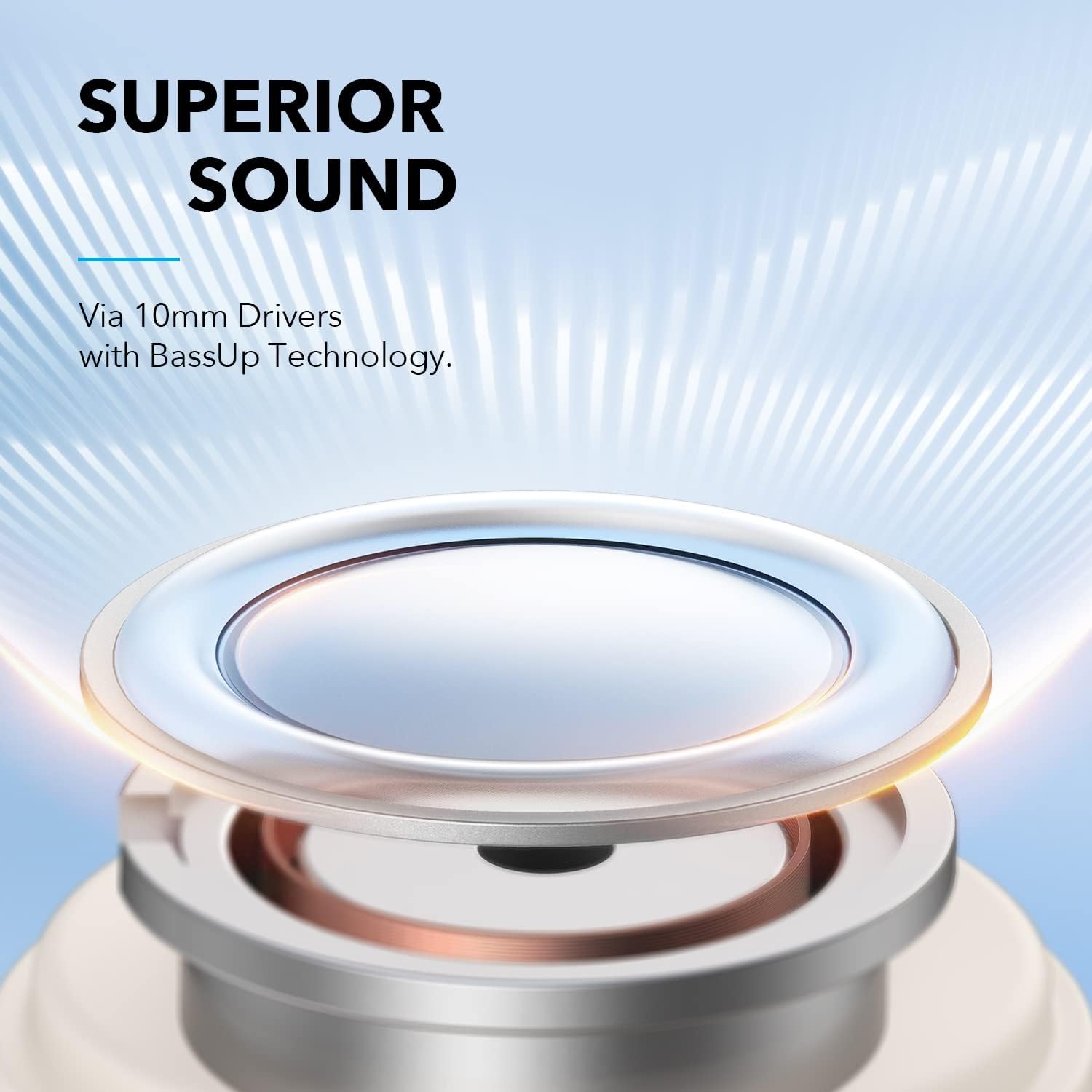
Image: The Soundcore Life A3i earbuds in their charging case, alongside the USB-C charging cable and extra ear tips.
چمتو کول
۴. لومړنی چارج
Before first use, ensure your earbuds and charging case are fully charged. Connect the provided USB-C cable to the charging port on the case and a power source. The LED indicators on the case will show charging status.

Image: The Soundcore Life A3i charging case with its lid open, showing the earbuds inside and LED indicator lights on the front of the case.
2. محافظتي فلم لرې کړئ
Upon unboxing, remove the protective film from the charging contacts on both earbuds. Place the earbuds back into the charging case and close the lid to activate them.
۲. ستاسو د وسیلې سره جوړه کول
- د چارج کولو قضیه پرانیزئ. د غوږ بډونه به په اتوماتيک ډول د جوړې کولو حالت ته ننوځي، چې د LED څراغونو د چمکولو سره ښودل کیږي.
- په خپل وسیله (سمارټ فون، ټابلیټ، لیپ ټاپ) کې، د بلوتوث ترتیباتو ته لاړ شئ.
- Select "Soundcore Life A3i" from the list of available devices.
- Once connected, the LED indicators on the earbuds will turn solid blue.
Image: A hand holding the Soundcore Life A3i charging case open, next to a smartphone screen showing "Soundcore Life A3i Connected" in the Bluetooth settings.
4. څنګه اغوستل
Choose the ear tips that provide the best fit for optimal noise cancelling performance and comfort. Gently insert the earbuds into your ears and rotate them until they fit snugly and securely.
Image: A diagram illustrating the correct way to insert the earbud into the ear canal for a secure fit and the incorrect way, which can affect noise reduction.
عملیاتي لارښوونې
کنټرولونه
The Soundcore Life A3i offers physical buttons for control. Customize these controls via the Soundcore App.
Image: A diagram detailing the button functions for the left and right earbuds, including actions for pressing once, pressing twice, and pressing and holding for 2 seconds.
- پلی کول / ودرول: یو ځل د غوږ بډ فشار ورکړئ.
- بله لار: ښي غوږۍ دوه ځله فشار ورکړئ.
- مخکینی لار د چپ غوږۍ غوږۍ دوه ځله فشار ورکړئ.
- حجم پورته کول: Press the right earbud once.
- کموالی: Press the left earbud once.
- ځواب / پای کال: یو ځل د غوږ بډ فشار ورکړئ.
- زنګ رد کړئ: د 2 ثانیو لپاره د غوږ بډ فشار ورکړئ.
- د غږ همکار فعاله کړئ: Press either earbud for 2 seconds (customizable).
د اوریدلو طریقې
The Soundcore Life A3i offers multiple listening modes to suit your environment:
- د هایبرډ فعال شور لغوه کول (ANC): Press and hold either earbud for 2 seconds to toggle between ANC and Normal mode. This mode significantly reduces ambient noise.
- نورمال حالت: د فعال شور لغوه کول یا شفافیت نشته.
- د روڼتیا حالت: This mode allows you to hear your surroundings clearly. To activate Transparency Mode, use the Soundcore App.

Image: A person wearing the Soundcore Life A3i earbuds, illustrating the Hybrid Active Noise Cancelling feature in an urban environment.
د Soundcore اپلیکیشن
Download the Soundcore App from your device's app store to unlock full customization options, including:
- Selecting from 22 preset EQ settings or creating custom sound profiles.
- Switching between ANC, Normal, and Transparency modes.
- Customizing earbud button controls.
- د فرم ویئر تازه کول.

Image: A smartphone displaying the Soundcore App interface, highlighting the 22 EQ presets available for sound customization.
ساتنه
Proper maintenance ensures the longevity and performance of your Soundcore Life A3i earbuds.
- پاکول: Regularly clean the earbuds and charging case with a soft, dry, lint-free cloth. Use a cotton swab to gently clean the ear tips and charging contacts.
- د اوبو مقاومت: د غوږۍ غوږۍ د IPX5 اوبو په وړاندې مقاومت لري، پدې معنی چې دوی کولی شي د خولې او سپکو څاڅکو سره مقاومت وکړي. په اوبو کې یې مه ډوبوئ یا یې د درنو بارانونو سره مخ مه کوئ. ډاډ ترلاسه کړئ چې دوی وچ دي مخکې لدې چې بیرته چارج کولو کیس کې یې واچوئ.
- ذخیره کول: کله چې په کارولو کې نه وي، د غوږ بډونه د چارج کولو په قضیه کې وساتئ ترڅو دوی خوندي شي او چارج یې وساتي.
- د سختې تودوخې څخه ډډه وکړئ: Do not expose the earbuds or case to extreme temperatures (hot or cold) as this can damage the battery and internal components.
د ستونزو حل کول
که تاسو د خپلو غوږونو سره ستونزې سره مخ شئ، نو لاندې د ستونزو حل کولو مرحلې هڅه وکړئ:
- د غوږونو نه جوړېږي:
- Ensure the protective film is removed from the charging contacts.
- Place earbuds back in the case, close the lid, then open to re-enter pairing mode.
- Forget "Soundcore Life A3i" from your device's Bluetooth list and try pairing again.
- له یوې غوږۍ څخه غږ نشته:
- Place both earbuds back in the charging case and close the lid. Open it again after a few seconds.
- Check the earbud's charging contacts for any debris.
- د غږ خراب کیفیت:
- ډاډ ترلاسه کړئ چې د غوږ څوکې ستاسو په غوږ کې خوندي مهر چمتو کوي. مختلف اندازې هڅه وکړئ.
- Clean the ear tips and speaker grilles.
- Adjust EQ settings in the Soundcore App.
- Noise Cancelling not effective:
- Ensure earbuds are worn correctly and snugly.
- Verify ANC is activated via the Soundcore App or earbud controls.
- د ښه مهر لپاره د غوږونو مختلفې اندازې هڅه وکړئ.
- د غوږۍ نه چارج کېدل:
- ډاډ ترلاسه کړئ چې د چارج کولو کیبل په خوندي ډول د قضیې او بریښنا سرچینې دواړو سره وصل دی.
- د غوږونو او د قضیې دننه د چارج کولو تماسونه پاک کړئ.
- یو بل USB-C کیبل او د بریښنا اډاپټر هڅه وکړئ.
مشخصات
| د ماډل نوم | ژوند A3i |
| د ماډل شمیره | A3992021 |
| د موټر چلوونکي اندازه | 10 mm x 2 |
| د تعدد ځواب | ۳۸ هرټز - ۲۰ کلو هرټز |
| خنډ | 16 Ω |
| بلوتوث نسخه | 5.2 |
| د بلوتوټ رینج | 10 m / 33 ft |
| د لوبې وخت (ایربډز) | تر 10 ساعتونو پورې (ANC بند) |
| د لوبې ټول وخت (د قضیې سره) | تر 40 ساعتونو پورې (ANC بند) |
| د اوبو د مقاومت درجه | IPX5 |
| د چارج کولو بندر | USB-C |
| د توکي وزن | 2.08 اونس |
| د محصول ابعاد | 4.53 x 3.54 x 2.76 انچه |
تضمین او ملاتړ
Soundcore provides an د 18 میاشتو تضمین for the Life A3i Noise Cancelling Wireless Earbuds.
For technical support, warranty claims, or additional information, please visit the official Soundcore website or contact their customer service. You can also refer to the Quick Start Guide included in your package for contact details.
For the latest updates and support resources, please visit: www.soundcore.com


