پیژندنه
Thank you for choosing the HTC True Wireless Bluetooth Earbuds 2. This manual provides detailed instructions on how to set up, operate, and maintain your earbuds to ensure optimal performance and longevity. Please read this manual carefully before using the product.
په بکس کې څه دي
- د 1x چارج قضیه
- 1x USB ډول-C کیبل
- 1x د چټک پیل لارښود
- 2x True Wireless Earbuds (Left and Right)
- 2x pairs of rubber tips (large and small) - Note: A medium pair is likely pre-installed.
محصول پای ته ورسیدview
Familiarize yourself with the components of your HTC True Wireless Bluetooth Earbuds 2 and their charging case.

Image: The HTC True Wireless Earbuds 2, with one earbud outside the open charging case, showing the charging contacts and indicator light.
The charging case features a USB-C port for charging and an LED indicator to show charging status. Each earbud has touch-sensitive surfaces for control and charging contacts at the bottom.
چمتو کول
۴.۱. د غوږۍ او کیس چارج کول
د لومړي ځل کارولو دمخه، ډاډ ترلاسه کړئ چې د غوږ بډونه او د چارج کولو قضیه دواړه په بشپړ ډول چارج شوي دي.
- Place the earbuds into the charging case. Ensure they are correctly seated; the indicator lights on the earbuds should illuminate, indicating charging.
- د USB Type-C کیبل د کیس د چارج کولو پورټ سره او بل پای د USB بریښنا سرچینې سره وصل کړئ (د مثال په توګه، کمپیوټر، دیوال اډاپټر).
- The charging case's indicator light will show charging status. A full charge for the case provides up to 3 additional charges for the earbuds, extending total playtime to 32 hours.

Image: The HTC True Wireless Earbuds 2 in their charging case, illustrating the long battery life performance with up to 8 hours listening time per charge and 32 hours total with the 500mAh charging case.
2. د وسیلې سره جوړه کول
The earbuds utilize Bluetooth 5.1 for fast and stable connections.
- د چارج کولو قضیه پرانیزئ. د غوږ بډونه به په اتوماتيک ډول د جوړې کولو حالت ته ننوځي.
- په خپل وسیله (سمارټ فون، ټابلیټ، لپ ټاپ) کې، بلوتوث فعال کړئ.
- لټون "HTC TWS3" or "HTC True Wireless Earbuds 2" in the list of available Bluetooth devices.
- د نښلولو لپاره د غوږ بډونه غوره کړئ. یوځل چې وصل شئ، تاسو به د تایید غږ واورئ.

Image: The HTC True Wireless Earbuds 2 and their charging case positioned near a smartphone, demonstrating the quick and easy pairing process facilitated by the latest Bluetooth 5.1 chipset.
The earbuds can be used individually or together. For optimal stereo sound, use both earbuds. They maintain a stable connection up to 10 meters (32 feet) from your device.
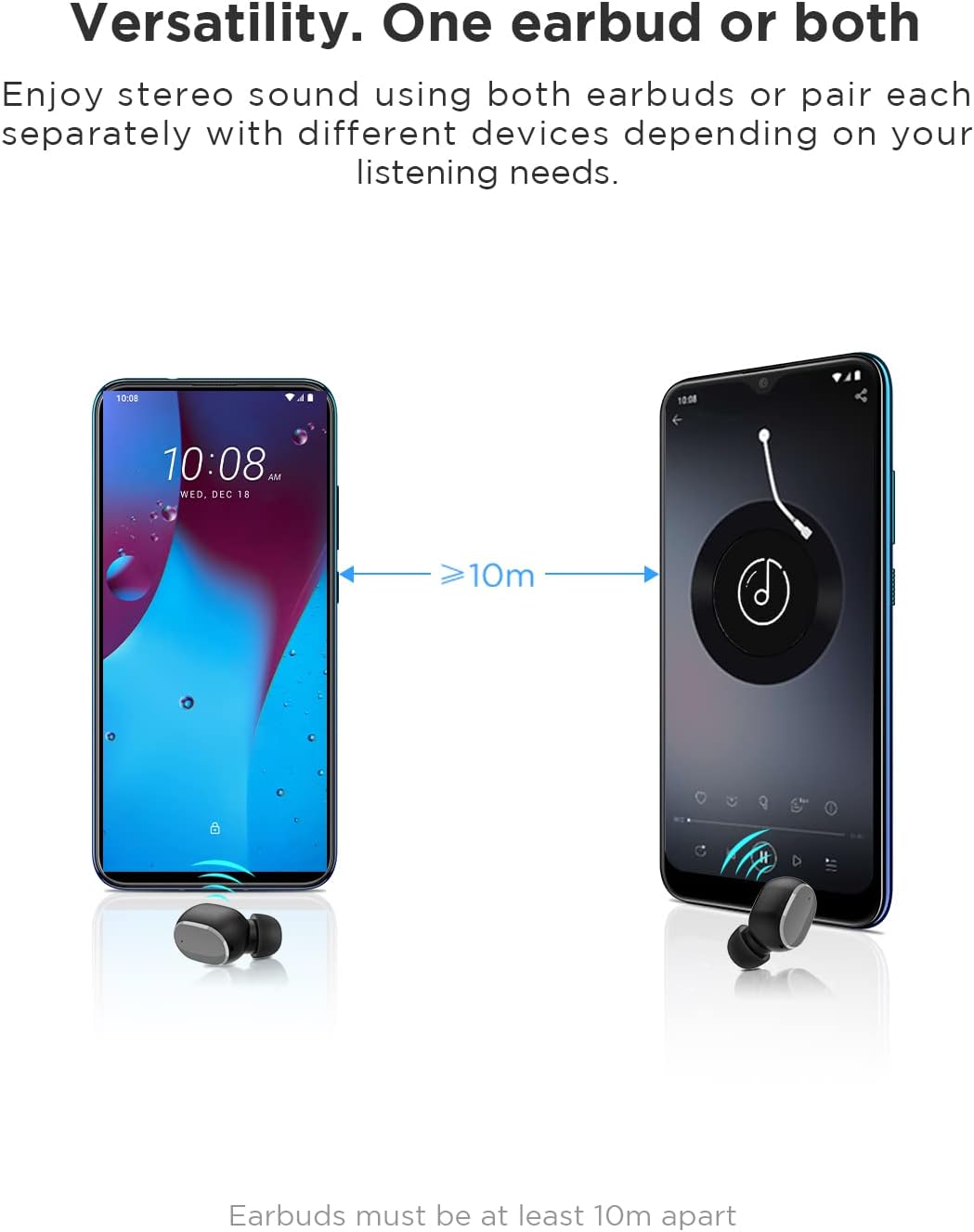
Image: An illustration showing two smartphones and earbuds, emphasizing the versatility of using one or both earbuds and the effective operating range of at least 10 meters.
عملیاتي لارښوونې
The HTC True Wireless Bluetooth Earbuds 2 feature intuitive touch controls for various functions.

Image: A detailed diagram illustrating the simple touch controls for the HTC True Wireless Earbuds 2, including commands for play/pause, track navigation, call management, voice assistant, and volume control.
| عمل | فعالیت |
|---|---|
| یو ځل د غوږ بډ ټپ کړئ | Play / Pause music, Answer / End call |
| کیڼ غوږ بډ دوه ځله ټایپ کړئ | حجم زیات کړئ |
| ښي غوږ بډ دوه ځله ټایپ کړئ | حجم کم کړئ |
| په هر ایربډ کې درې ځله ټایپ کړئ | د غږ معاون فعال کړئ |
| د 2 ثانیو لپاره د کی ear غوږ ت Tapۍ ونیسئ او ونیسئ | مخکینی سندره غږوه |
| د 2 ثانیو لپاره ښی غوږ ت Tapۍ ونیسئ او ونیسئ | بل سندره غږوئ |
| Tap and hold either earbud for 2 seconds (during incoming call) | زنګ ووهئ |
| Tap either earbud 5 times | Clear pairing / Restore factory settings |
The earbuds are designed for comfortable, long-term wear, weighing only 4.4g per earbud. They come with three different sizes of ear tips to ensure a secure and comfortable fit.

Image: A person comfortably wearing an HTC earbud, accompanied by illustrations highlighting the ergonomic design, skin-friendly material, and the inclusion of three different earplug sizes for optimal fit and comfort.
ساتنه
پاکول
منظم پاکول د غږ کیفیت او حفظ الصحې ساتلو کې مرسته کوي.
- د غوږ بډونو او چارج کولو کیس پاکولو لپاره نرم، وچ، له لینټ څخه پاک ټوکر وکاروئ.
- For earwax or debris in the ear tips or speaker mesh, use a small, soft brush or cotton swab. Do not use sharp objects.
- د کثافاتو پاکوونکو، الکولو، یا کیمیاوي محلولونو کارولو څخه ډډه وکړئ.
ذخیره کول
کله چې په کارولو کې نه وي، د غوږ بډونه د چارج کولو په قضیه کې وساتئ ترڅو دوی خوندي شي او چارج یې وساتي.
- په یخ او وچ ځای کې وساتئ، د سختې تودوخې او مستقیم لمر وړانګو څخه لرې.
- په دوړو او چټل چاپیریال کې د ذخیره کولو څخه ډډه وکړئ.
د اوبو مقاومت (IPX5)
The HTC True Wireless Bluetooth Earbuds 2 are rated IPX5 water-resistant, meaning they can withstand a sustained, low-pressure water jet spray. This makes them suitable for workouts and light rain.
- د غوږونو غوږوالۍ په اوبو کې مه ډوبوئ.
- د چارج کولو قضیه د اوبو په وړاندې مقاومت نلري. وچ یې وساتئ.
- ډاډ ترلاسه کړئ چې د زیان مخنیوي لپاره د چارج کولو په قضیه کې د بیرته ځای په ځای کولو دمخه د غوږ بډونه وچ دي.
د ستونزو حل کول
که تاسو د خپلو غوږونو سره ستونزې سره مخ شئ، لاندې عام حلونو ته مراجعه وکړئ:
| ستونزه | د حل لاره |
|---|---|
| ایربډونه د وسیلې سره نه جوړیږي |
|
| یوازې یو غوږۍ غږ لري |
|
| ایربډونه چارج نه کوي |
|
| د غږ خراب کیفیت یا قطع کیدل |
|
مشخصات
Detailed technical specifications for the HTC True Wireless Bluetooth Earbuds 2.
| فیچر | تفصیل |
|---|---|
| د ماډل نوم | TWS 2 (HTC TWS3) |
| د ارتباط ټیکنالوژي | بېسیم (بلوتوث ۵.۳) |
| هیډفون جیک | USB (د چارج کولو کیس لپاره) |
| د کنټرول ډول | لمس، د حجم کنټرول |
| د اوبو د مقاومت کچه | IPX5 (اییربډز) |
| د مایکروفون بڼه | Built-In, Stereo |
| د لوبې وخت (ایربډز) | تر اتو ساعتونو پورې (یو ځل چارج) |
| Talk Time (Earbuds) | تر اتو ساعتونو پورې (یو ځل چارج) |
| د چارج کولو کیس سره د لوبې ټول وخت | تر 32 ساعتونو پورې |
| د چارج کولو قضیه بیټرۍ ظرفیت | 500mAh |
| Earbud Weight (Single) | 4.4 ګرامه |
| اعظمي عملیاتي فاصله | ۶ فوټه (تقریبا ۱.۸ متره) |
| مطابقت لرونکې وسیلې | Android, Laptops, iPhone |
| مواد | پلاستیک |
| د محصول ابعاد | 4.34 x 4.34 x 3.45 cm; 160 g (overall package) |
د خوندیتوب معلومات
Please observe the following safety guidelines for safe and effective use:
- محصول مه جلا کوئ، ترمیم یې مه کوئ یا یې مه بدلوئ. دا ممکن د اور، بریښنا شاک یا محصول ته بشپړ زیان ورسوي.
- محصول د سختې تودوخې، مستقیم لمر وړانګو او لوړې رطوبت څخه لرې وساتئ.
- د قوي اغیزو سره د محصول له مینځه وړلو یا تابع کولو څخه ډډه وکړئ.
- Do not use the earbuds at excessively high volumes for prolonged periods, as this may cause hearing damage.
- د ماشومانو او څارویو د لاسرسي څخه لرې وساتئ.
- محصول او د هغې بیټرۍ د ځایی مقرراتو سره سم په مسؤلیت سره تصفیه کړئ.
د پیرودونکي ملاتړ
For further assistance or inquiries, please contact HTC customer support through their official channels. Refer to the product packaging or the official HTC webد اړیکو معلوماتو لپاره سایټ.
Note: Specific warranty details are not provided in this manual. Please refer to your purchase documentation or the manufacturer's webد تضمین معلوماتو لپاره سایټ.


