پیژندنه
This manual provides essential information for the safe and effective use of your NIKKOR Z DX 18-140mm f/3.5-6.3 VR lens. Please read this manual thoroughly before using the product and retain it for future reference. This lens is designed for use with Nikon Z series mirrorless cameras (DX format).
The NIKKOR Z DX 18-140mm f/3.5-6.3 VR is a versatile 7.8x zoom lens, covering a focal length range from 18mm to 140mm (equivalent to 27mm–210mm on a DX-format camera). It features built-in Vibration Reduction (VR) for enhanced image stability and a custom control ring for various functions.
چمتو کول
Unpacking and Included Items
Carefully unpack the lens and ensure all items are present:
- NIKKOR Z DX 18-140mm f/3.5-6.3 VR Lens
- LC-62B لینز کیپ (مخکې خولۍ)
- د LF-N1 لینز کیپ (شاته کیپ)
د لینز نښلول
- ډاډ ترلاسه کړئ چې کیمره بنده ده.
- د کیمرې څخه د بدن خولۍ او د لینز شاته خولۍ له لینز څخه لرې کړئ.
- په لینز کې د نصب کولو نښه د کیمرې په بدن کې د نصب کولو نښه سره سمون ورکړئ.
- لینز د ساعت په مقابل لوري وګرځوئ تر هغه چې په خپل ځای کې کلیک وکړي.

انځور: اړخ view of the NIKKOR Z DX 18-140mm VR lens attached to a Nikon Z series camera.
د لینز جلا کول
- ډاډ ترلاسه کړئ چې کیمره بنده ده.
- د کیمرې په بدن کې د لینز خوشې کولو تڼۍ فشارولو پرمهال، لینز د ساعت په لور وګرځوئ تر هغه چې جلا شي.
- د لینز عناصرو د ساتنې لپاره د مخکینۍ او شا لینز کیپونه وصل کړئ.
د لینز چلول
زوم کول
Rotate the zoom ring to adjust the focal length. The lens covers a wide-angle 18mm to telephoto 140mm range, offering flexibility for various shooting situations.
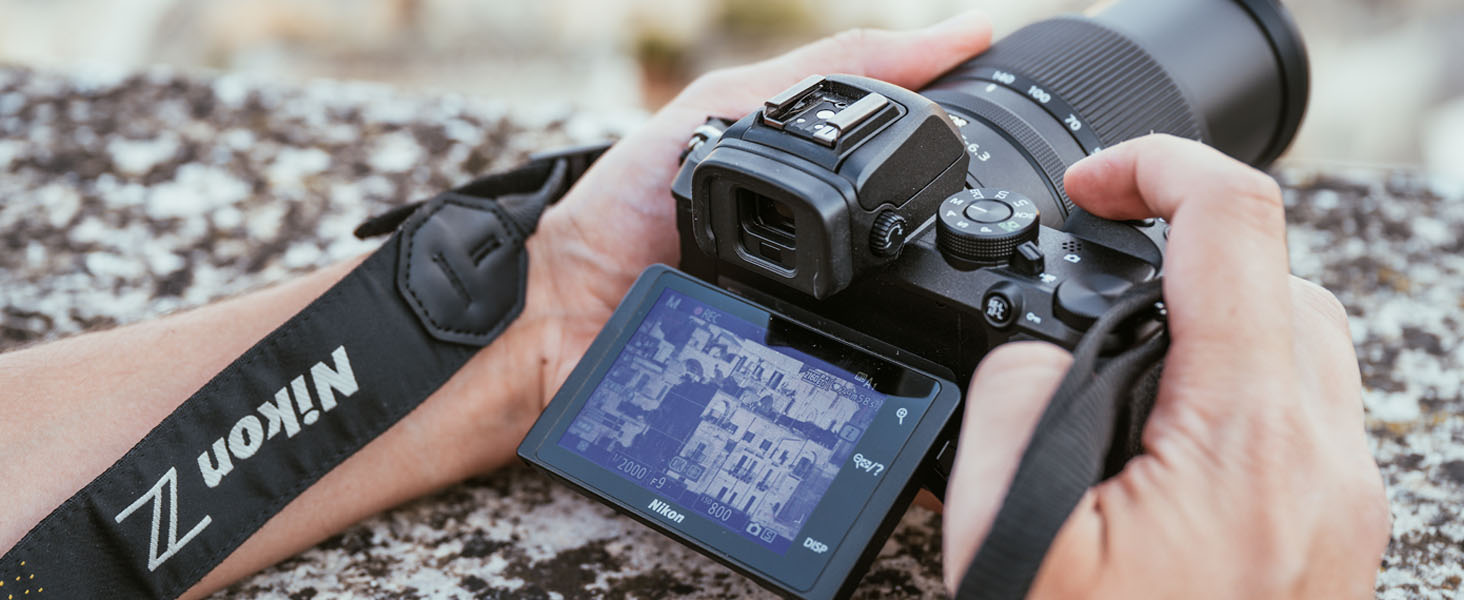
انځور: نږدې انځور view of the lens barrel with focal length markings and the NIKKOR branding.
Focusing (Auto/Manual)
The lens supports both autofocus (AF) and manual focus (MF). The focus mode is typically controlled via the camera body settings. For manual focus, rotate the focus ring on the lens. The minimum focus distance is 7.9 inches (at the wide-angle position).
د وایبریشن کمول (VR)
The lens features optical Vibration Reduction, which helps to reduce blur caused by camera shake. This system provides up to 5.0 stops of image stabilization, allowing for sharper images in challenging lighting conditions or at slower shutter speeds. VR is activated and controlled through your camera's menu settings.
د ګمرک کنټرول حلقه
The lens is equipped with a custom control ring. This ring can be assigned various functions through your camera's custom settings, such as controlling focusing, aperture, ISO sensitivity, or exposure compensation. Refer to your camera's manual for details on customizing this feature.
ویډیو ثبتول
When recording video, the lens's stepping motor (STM) provides quiet and smooth autofocus operation, minimizing operational noise that could be captured by the camera's microphone. It also allows for smooth iris transitions and exposure adjustments during video capture.
ساتنه
د لینز پاکول
- د لینز عناصر: Use a blower brush to remove dust and lint. For smudges or fingerprints, apply a small amount of lens cleaner to a clean, soft cotton cloth or lens tissue and wipe gently in a circular motion from the center outwards. Do not apply cleaner directly to the lens surface.
- د لینز بدن: د نرم او وچ ټوکر سره مسح کړئ. د سختې خاورې لپاره، په نرمۍ سره ټوکر وکاروئampد اوبو یا د پاکولو یو نرم محلول سره مینځل، بیا وچ پاک کړئ.
ذخیره کول
When not in use, attach both the front and rear lens caps. Store the lens in a cool, dry place away from direct sunlight and extreme temperatures. Avoid storing the lens with mothballs or camphor, as these can damage the lens elements.
وقایې
- Do not leave the lens pointed at the sun or other strong light sources for extended periods, as this can cause damage to the camera's image sensor.
- The lens is not water-resistant. Avoid exposure to water or high humidity.
- د قوي ټکانونو یا وایبریشنونو څخه ډډه وکړئ.
د ستونزو حل کول
که تاسو د خپل لینز سره ستونزې سره مخ شئ، لاندې عامې ستونزې او حل لارې وګورئ:
| ستونزه | احتمالي لامل / حل |
|---|---|
| لینز د کیمرې لخوا نه پیژندل کیږي | Ensure the lens is securely attached to the camera body. Clean the lens and camera contacts with a dry, lint-free cloth. Update camera firmware if necessary. |
| آټوفوکس ورو یا ناسم دی | Check camera's focus mode settings. Ensure sufficient light for autofocus. Clean lens elements. In very low light, manual focus may be required. |
| انځورونه تیاره دي | Check shutter speed (too slow can cause motion blur). Ensure VR is enabled if needed. Verify focus. Clean lens elements. Use a tripod for stability in low light. |
| Zoom ring or focus ring is stiff | This may indicate dust or debris. Do not force the rings. Contact Nikon service for inspection. |
For more complex issues or problems not listed here, please consult your camera's instruction manual or contact Nikon customer support.
مشخصات
The following table outlines the key technical specifications for the NIKKOR Z DX 18-140mm f/3.5-6.3 VR lens:

Image: Optical diagram illustrating the internal elements of the NIKKOR Z DX 18-140mm VR lens.
| فیچر | مشخصات |
|---|---|
| د ماډل نوم | NKZDX18140VR |
| فوکل اوږدوالی | 18-140mm (DX format: 27-210mm equivalent) |
| اعظمي اپرچر | f/3.5-6.3 |
| لږترلږه ضمیمه | f/22-40 |
| د لینس غره | نیکون زیډ ماونټ |
| د انځور ثبات | Optical VR (Vibration Reduction) |
| د تمرکز لږترلږه واټن | 0.20 m (0.66 ft) at 18mm, 0.40 m (1.32 ft) at 140mm |
| د فلټر اندازه | 62 ملي متره |
| ابعاد (قطر x اوږدوالی) | Approx. 73.5 mm x 90 mm (2.9 in. x 3.5 in.) |
| وزن | نږدې 315 ګرامه (0.69 پونډه) |
| د ډایفرام بلیډونه | 7 (د ګردي ډایفرام پرانیستل) |
| د تمرکز ډول | اتومات / لارښود |
د تضمین معلومات
This Nikon NIKKOR Z DX 18-140mm f/3.5-6.3 VR lens comes with a 1-year manufacturer's warranty. For detailed terms and conditions, including coverage and service procedures, please refer to the warranty card included with your product or visit the official Nikon USA webسایټ. د تضمین ادعاوو لپاره د پیرود ثبوت وساتئ.
ملاتړ
For further assistance, technical support, or service inquiries regarding your NIKKOR Z DX 18-140mm f/3.5-6.3 VR lens, please visit the official Nikon support website or contact Nikon customer service in your region. Online resources often include FAQs, software downloads, and service center locators.


