محصول پای ته ورسیدview
The Jadfezy J-7000 is a high-performance 4K Action Camera designed for capturing dynamic moments in various environments. It features 4K/60FPS video recording, 24MP photo resolution, Electronic Image Stabilization (EIS), Wi-Fi connectivity, and a robust waterproof case for underwater use.

Image: The Jadfezy J-7000 Action Camera, shown with its protective waterproof housing, a remote control, a dual battery charger with two batteries, and a compact carrying case. This image highlights the camera's readiness for various action-packed scenarios.
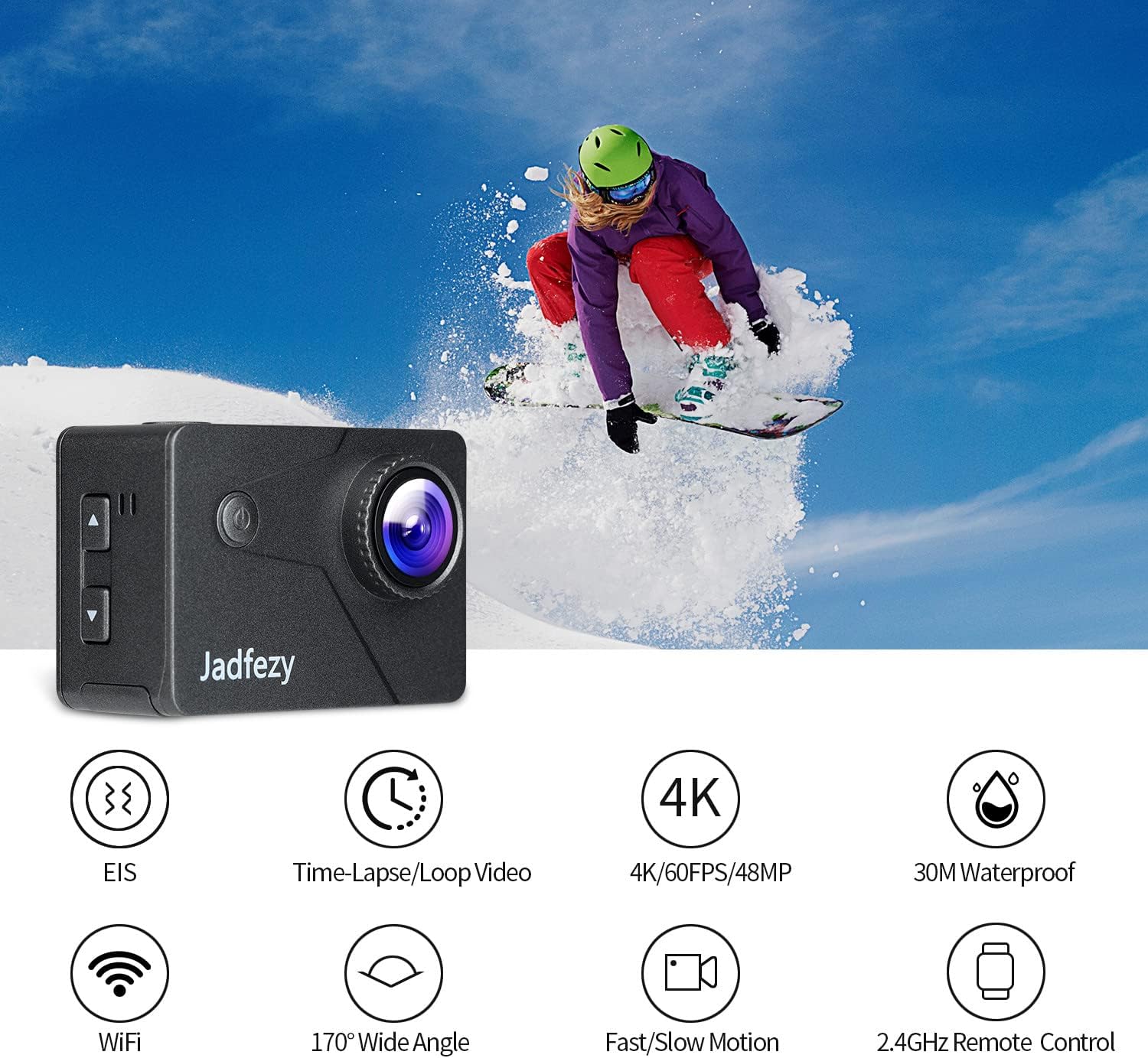
Image: The Jadfezy J-7000 Action Camera displayed alongside icons illustrating its core functionalities: Electronic Image Stabilization (EIS), Time-Lapse/Loop Video, 4K/60FPS/48MP recording, 30M Waterproof capability, Wi-Fi connectivity, 170° Wide Angle lens, Fast/Slow Motion modes, and 2.4GHz Remote Control compatibility.
چمتو کول
۱. د بیټرۍ نصب او چارج کول
The camera comes with two 1500 mAh Lithium Ion batteries. Before first use, ensure batteries are fully charged.
- د کیمرې په ښکته برخه کې د بیټرۍ د برخې پوښ خلاص کړئ.
- بیټرۍ د سم لوري سره دننه کړئ.
- د بیټرۍ کمپارټ پوښ په خوندي ډول وتړئ.
- To charge, use the included dual battery charger and USB cable. Connect the charger to a USB power source. The indicator lights will show charging status.
۴.۲. د مایکرو ایس ډی کارت داخلول
A Micro SD card (not included) is required for recording. The camera supports Micro SD cards up to 64GB (Class 10 or higher recommended).
- د کیمرې په اړخ کې د مایکرو ایس ډی کارت سلاټ ومومئ.
- Insert the Micro SD card with the contacts facing the front of the camera until it clicks into place.
- د لرې کولو لپاره، کارت په نرمۍ سره دننه کړئ تر هغه چې راووځي.

انځور: یو جامع view of the Jadfezy J-7000 Action Camera and its extensive accessory kit. This includes the camera in its waterproof housing, a dual battery charger with two batteries, a remote control, various mounts (helmet, bicycle, wrist), straps, a tripod, cleaning cloth, and a durable carrying case, demonstrating the versatility and completeness of the package.
د کیمرې چلول
۶.۱. اساسي کنټرولونه
- د بریښنا / حالت تtonۍ: Press and hold to power on/off. Press briefly to switch between video, photo, and playback modes.
- د شټر/ښه تڼۍ: Press to start/stop recording video or take a photo. In menu, press to confirm selection.
- پورته/ښکته تtۍ: Navigate menu options or zoom in/out.
2. Video Recording and Photo Capture
The J-7000 supports various resolutions for video and high-resolution photos.
- د ویډیو حلونه: 4K/60FPS, 4K/30FPS, 2.7K/60FPS, 1080P/120FPS, 1080P/60FPS.
- د عکس حل: ۴۸ میګاپکسله.
- To switch between video and photo modes, press the Power/Mode button.
- Press the Shutter/OK button to begin recording or take a picture.
۵.۶. د برېښنايي انځور ثبات (EIS)
The EIS feature helps to stabilize footage, reducing blur and shakiness, especially during action-packed activities.
- Access the camera settings menu to enable or disable EIS.
- When EIS is active, the camera digitally compensates for movements, resulting in smoother video.

Image: A visual comparison demonstrating the effect of Electronic Image Stabilization (EIS). The left side shows a clear, stable image of a skier with EIS ON, while the right side shows a blurred, shaky image of the same skier with EIS OFF, highlighting the effectiveness of the stabilization feature.
۵.۳. د وای فای اتصال او د اپلیکیشن کنټرول
Connect the camera to your smartphone via Wi-Fi for remote control and file لیږدول.
- Download the "ISMART DV" app from your smartphone's app store.
- On the camera, enable Wi-Fi through the settings menu. The camera's Wi-Fi name and password will be displayed.
- په خپل سمارټ فون کې، د کیمرې د وای فای شبکې سره وصل شئ.
- Open the "ISMART DV" app to control the camera, view ژوندی اوسیtage, and download videos/photos.

Image: The Jadfezy J-7000 Action Camera positioned next to a smartphone, illustrating its Wi-Fi connectivity feature. Various action shots are displayed on the smartphone screen, symbolizing the ability to share captured moments instantly via social media platforms like Twitter, Facebook, and Instagرام.
5. د ریموټ کنټرول عملیات
The included 2.4G wireless remote control allows for convenient operation from a distance.
- Ensure the remote control is paired with the camera (refer to the camera's settings for pairing instructions if needed).
- Use the remote to start/stop video recording or take photos without directly touching the camera.
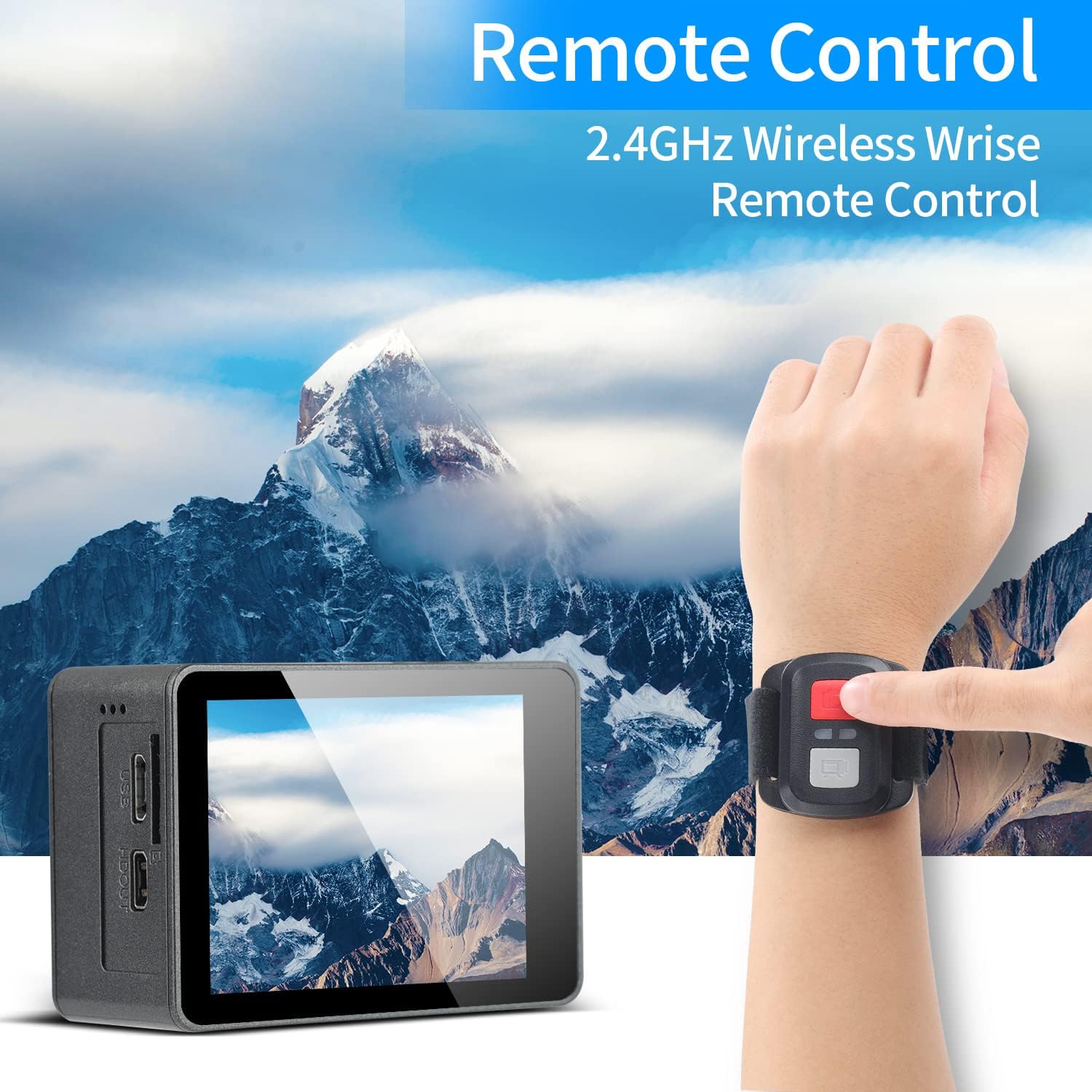
Image: A person's hand wearing the 2.4GHz wireless remote control for the Jadfezy J-7000 Action Camera, with the camera itself visible in the foreground. The background features a majestic mountain landscape, emphasizing the camera's suitability for outdoor adventures and the convenience of remote operation.
6. Underwater Usage
The camera is equipped with an IP68 certified waterproof case, allowing for dives up to 30 meters (98 feet).
- Always ensure the waterproof case is properly sealed before submerging the camera. Check for any debris or hair around the seal.
- د مالګې اوبو کې د هر استعمال وروسته، کیس په تازه اوبو سره ومینځئ او پریږدئ چې په هوا کې وچ شي.

Image: The Jadfezy J-7000 Action Camera, enclosed in its waterproof housing, submerged underwater alongside a diver. A depth scale on the right indicates its capability up to 30 meters, highlighting its suitability for various underwater activities.
7. Multiple Modes
The camera offers various shooting modes to enhance your creative possibilities:
- د وخت تېرېدو ویډیو: د چټک ویډیو جوړولو لپاره په ټاکل شویو وقفو کې چوکاټونه نیسي.
- لوپ ثبتول: ویډیو په دوامداره توګه ثبتوي، تر ټولو زوړ foo له سره لیکيtage کله چې د حافظې کارت ډک وي.
- ورو حرکت: Records at a higher frame rate to create smooth slow-motion playback.
- د موټر چلولو حالت: Functions as a dash cam, starting recording automatically when powered on.
- د وخت تیریدو عکس: Takes photos at set intervals.
- دوامداره ډزې: په چټکۍ سره ډیری عکسونه اخلي.
ساتنه
- د کیمرې پاکول: د کیمرې د بدن د پاکولو لپاره نرم، وچ ټوکر وکاروئ. د لینز لپاره، د لینز پاکولو ځانګړی ټوکر او محلول وکاروئ. د سختو کیمیاوي موادو څخه ډډه وکړئ.
- د اوبو ضد د قضیې پاملرنه: Regularly inspect the waterproof case's O-ring for dirt, sand, or damage. Clean the O-ring and its groove with a soft, damp cloth. Apply silicone grease to the O-ring periodically to maintain its seal.
- د بیټرۍ پاملرنه: Store batteries in a cool, dry place. If not using the camera for an extended period, remove the batteries. Avoid fully discharging batteries frequently to prolong their lifespan.
- ذخیره کول: Store the camera and accessories in the provided carrying case in a dry, dust-free environment away from direct sunlight and extreme temperatures.
د ستونزو حل کول
| ستونزه | احتمالي لامل | د حل لاره |
|---|---|---|
| کیمره نه چالانیږي. | بیټرۍ خالي شوې یا په سمه توګه نه ده داخل شوې. | بیټرۍ په بشپړه توګه چارج کړئ. ډاډ ترلاسه کړئ چې بیټرۍ په سمه قطبي حالت کې داخل شوې ده. |
| د ویډیو/عکس خراب کیفیت. | Lens is dirty; incorrect settings; insufficient lighting. | Clean the lens. Adjust resolution settings. Ensure adequate lighting. |
| Water leakage in waterproof case. | Case not sealed properly; O-ring damaged or dirty. | Ensure case is securely latched. Check O-ring for debris or damage; clean or replace if necessary. |
| د وای فای اتصال ستونزې. | Incorrect password; camera Wi-Fi not enabled; app issues. | Verify Wi-Fi password. Ensure camera Wi-Fi is on. Restart camera and app. |
| ریموټ کنټرول کار نه کوي. | Remote battery low; not paired with camera. | Replace remote battery. Re-pair remote with camera according to instructions. |
مشخصات
| فیچر | تفصیل |
|---|---|
| برانډ | جادفزي |
| د ماډل نوم | J-7000 |
| د ویډیو نیول حل | 4K (60FPS), 1080p (120FPS) |
| د عکس حل | 24 MP |
| د انځور ثبات | د بریښنایی عکس العمل ثبات (EIS) |
| د پنروک ژوروالی | Up to 30m (98ft) with included case |
| د سکرین اندازه | ۷۸۷ انچه |
| د ارتباط ټیکنالوژي | وای فای، USB |
| د فلش حافظې ډول | Micro SD (up to 64GB, Class 10+) |
| بیټرۍ | 2 x 1500 mAh Lithium Ion (included) |
| نظری زوم | 8x |
| د توکي وزن | ۲.۴۵ پونډه |
| د محصول ابعاد | 1.2 x 2.3 x 1.6 انچه |
تضمین او ملاتړ
For warranty information and technical support, please refer to the documentation included with your purchase or contact Jadfezy customer service directly. Keep your proof of purchase for any warranty claims.


