1. پیژندنه او وروستهview
This manual provides essential information for the installation, operation, and maintenance of your Intel Core i3-12100 Alder Lake Desktop Processor. Please read this guide thoroughly before proceeding with installation to ensure proper functionality and longevity of your product.
د محصول تفصیل
The Intel Core i3-12100 is a high-quality desktop processor designed for various computing needs. It is part of the 12th Generation Alder Lake series, offering reliable performance for everyday tasks, gaming, and multimedia. For detailed care instructions, always refer to the manufacturer's product information sheet or packaging.
کلیدي ځانګړتیاوې
- اصلي ترتیب: ۵ کورونه، ۶ تارونه
- بیس فریکونسی: 3.3 GHz
- د ټربو اعظمي فریکونسي: تر 4.3 GHz پورې
- زیرمه: ۶ ایم بي سمارټ کیش
- د ساکټ ډول: LGA 1700
- د تودوخې ډیزاین بریښنا (TDP): 60W
- مربوط ګرافیک: Intel UHD Graphics 730 (where applicable, check specific model)

شکل 1.1: مخکی view of the Intel Core i3-12100 processor packaging.
2. د تنظیم کولو لارښود
Proper installation is crucial for the performance and stability of your system. Please follow these steps carefully.
مخکې له دې چې تاسو پیل کړئ
- Ensure your motherboard supports the LGA 1700 socket and is compatible with 12th Generation Intel processors.
- اړین وسایل راټول کړئ: د فیلیپس سر سکریو ډرایور، د تودوخې پیسټ (که چیرې مخکې له مخکې په کولر کې نه وي لګول شوی)، او د جامد ضد لاس پټه.
- په پاک، ښه رڼا لرونکي او جامد چاپیریال کې کار وکړئ.
- Unplug your computer from the power outlet and discharge any residual power.
د نصبولو پړاوونه
- د مور بورډ چمتو کول: Open the CPU socket retention lever on your motherboard. Lift the load plate.
- پروسیسر نصب کړئ: Carefully align the triangular arrow on the corner of the processor with the corresponding arrow on the CPU socket. Gently place the processor into the socket. Do not force it.
- پروسیسر خوندي کړئ: Lower the load plate and then push down the retention lever until it clicks into place.
- د تودوخې پیسټ تطبیق کړئ (که اړتیا وي): If your CPU cooler does not have pre-applied thermal paste, apply a small pea-sized amount to the center of the CPU's integrated heat spreader (IHS).
- د CPU کولر نصب کړئ: Align the cooler with the mounting holes around the CPU socket. Gently press down and secure the cooler according to its specific mounting mechanism (e.g., push pins, screws, or backplate).
- د کولر فین سره وصل کړئ: د CPU کولر د فین کیبل په خپل مور بورډ کې د 'CPU_FAN' سرلیک سره وصل کړئ.
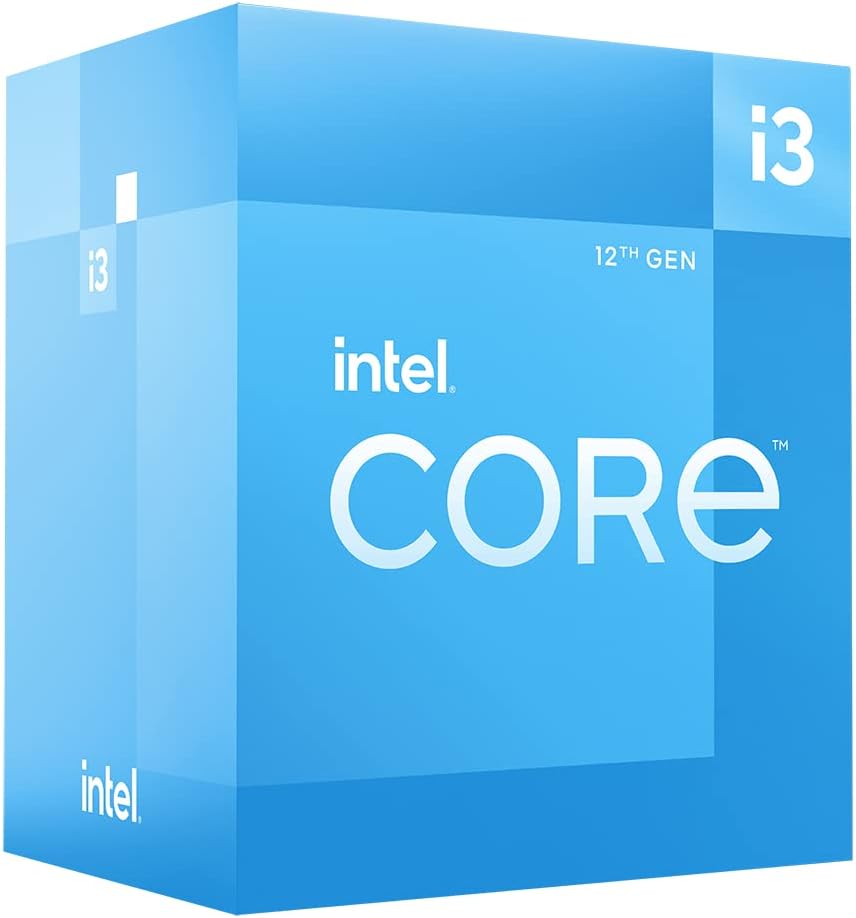
شکل ۳: زاویه لرونکی view of the Intel Core i3-12100 processor packaging.

شکل 2.2: اړخ view of the Intel Core i3-12100 processor packaging.
۳. ستاسو د پروسیسر چلول
Once installed, your Intel Core i3-12100 processor will operate automatically within your system. Here are some general considerations for optimal performance.
د حرارتي مدیریت
Maintaining proper cooling is essential for processor longevity and stable performance. Ensure your CPU cooler is functioning correctly and that your PC case has adequate airflow. High temperatures can lead to performance throttling or system instability.
د فعالیت نظرونه
The Intel Core i3-12100 is designed to dynamically adjust its clock speed based on workload and thermal conditions. This technology, known as Intel Turbo Boost Technology, allows the processor to reach higher frequencies (up to 4.3 GHz) when needed, providing a responsive computing experience.

Figure 3.1: The processor box in a typical desktop computing environment.

Figure 3.2: Visual representation of the processor's performance capabilities in a gaming scenario.

Figure 3.3: Illustrative image demonstrating the processor's architecture and platform compatibility.

Figure 3.4: Marketing image highlighting the processor's role in enhancing gaming performance.
4. ساتنه
Minimal maintenance is required for your processor itself, but ensuring its operating environment is clean and cool will prolong its lifespan.
دوړو لرې کول
- Regularly clean dust from your CPU cooler's heatsink and fan using compressed air.
- Ensure your PC case filters are clean to prevent dust buildup inside the system.
د تودوخې پیسټ بیا کارول
Over time, thermal paste can dry out and become less effective. If you notice consistently high temperatures, consider reapplying fresh thermal paste to the CPU's IHS. This typically involves removing the CPU cooler, cleaning off old paste, and applying new paste before reattaching the cooler.
5. ستونزه حل کول
If you encounter issues with your system after installing the processor, refer to the common problems and solutions below.
| ستونزه | احتمالي لامل | د حل لاره |
|---|---|---|
| سیسټم نه بوټ کیږي / نه ښودنه | CPU not seated correctly, CPU power cable disconnected, incompatible motherboard BIOS. | Re-seat the CPU, ensure all power cables are connected, update motherboard BIOS (if possible, using a compatible CPU). |
| System boots but shuts down quickly | Overheating due to improper cooler installation or insufficient thermal paste. | Check CPU cooler mounting pressure, reapply thermal paste, ensure CPU fan is connected and spinning. |
| Poor performance / Throttling | High temperatures, power limits, background processes. | Monitor CPU temperatures, ensure adequate cooling, check power settings in BIOS/OS, close unnecessary applications. |
| د سیسټم بې ثباتي / کریشونه | Overheating, faulty RAM, unstable power supply, driver issues. | Verify CPU temperatures, test RAM, check power supply, update chipset and graphics drivers. |
6. تخنیکي مشخصات
Detailed specifications for the Intel Core i3-12100 processor.
| فیچر | تفصیل |
|---|---|
| برانډ | Intel |
| لړۍ | I3 1200 |
| د توکي ماډل شمیره | BX8071512100 |
| د پروسیسر برانډ | Intel |
| د CPU ماډل | کور i3 |
| د CPU سرعت | 3.3 GHz |
| د پروسیجرونو شمیر | 4 |
| د CPU ساکټ | LGA 1700 |
| د توکي وزن | 10.6 اونس |
| د محصول ابعاد | 1.18 x 0.79 x 0.04 انچه |
| رنګ | تور / تور |
| د کمپیوټر حافظې ډول | GDDR4 |
| والیtage | 1 ولټه |
| ژبه | انګلیسي |
| نیټه لومړی شتون لري | د می 11، 2022 |
7. تضمین او ملاتړ
Intel provides a standard warranty for its processors. Please retain your proof of purchase for warranty claims.
د تضمین معلومات
The Intel Core i3-12100 processor is manufactured by Intel. For specific warranty terms and conditions, please refer to the official Intel warranty documentation included with your product or visit the official Intel support webسایټ. د تضمین پوښښ معمولا د عادي استعمال لاندې موادو او کاریګرۍ نیمګړتیاوې شاملې دي.
د اضافي محافظت پلانونه
Optional protection plans may be available for purchase from retailers. For example, a 4-Year Protection Plan or a Complete Protect plan may be offered. These plans are separate from the manufacturer's warranty and provide extended coverage or additional benefits.
تخنیکي ملاتړ
For technical assistance, troubleshooting beyond this manual, or warranty inquiries, please contact Intel's official customer support. You can typically find contact information on the Intel webسایټ یا ستاسو د محصول بسته بندۍ دننه.
آنلاین سرچینې: رسمي انټل ته مراجعه وکړئ website for drivers, software, and additional support documentation.


