د خوندیتوب مهمې لارښوونې
Please read this entire instruction manual before installation and assembly. If you have any questions regarding any of the instructions or warnings, please contact your local distributor for assistance. Failure to understand the instructions or warnings may result in serious personal injury or property damage.
- This product is designed for installation on wood stud walls and solid concrete/brick walls. Do not install on drywall alone.
- The wall must be capable of supporting five times the weight of the television and the mount combined.
- د وزن اعظمي ظرفیت له ۱۱۰.۰ پونډو (۵۰.۰ کیلوګرامه) څخه زیات مه کوئ.
- دا محصول یوازې د خپل ټاکل شوي هدف لپاره وکاروئ لکه څنګه چې پدې لارښود کې تشریح شوي. هغه ضمیمې مه کاروئ چې د جوړونکي لخوا وړاندیز شوي ندي.
- که تاسو د نصب کولو پروسې د کومې برخې په اړه ډاډه نه یاست، نو د وړ مسلکي سره مشوره وکړئ.
- Always ensure all screws are securely tightened before use. Do not overtighten screws.
- د غونډو په جریان کې ماشومان د نصب کولو ساحې څخه لرې وساتئ.
د بسته محتويات
Verify that all components are present and undamaged before beginning installation. If any parts are missing or defective, contact customer service for replacement.
- د دیوال پلیټ مجلس
- TV Bracket Arms (2)
- د نصبولو هارډویر کټ (مختلف پیچونه، واشیرونه، فاصلې، لنگرونه)
- د بلبل کچه
- د کیبل اړیکې (3)
- د لارښوونې لارښود
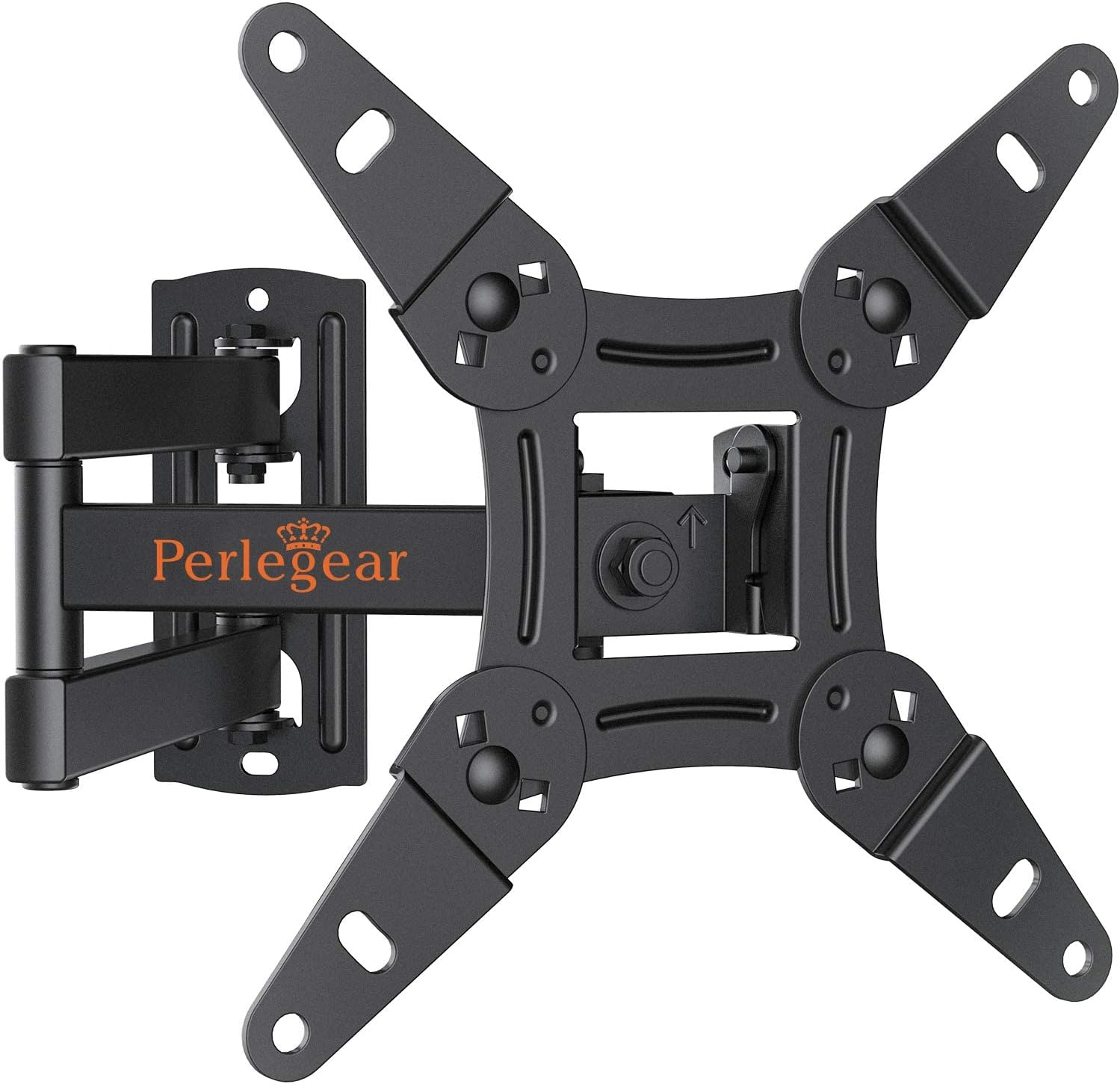
انځور: اوورview of the Perlegear PGPISF1 Full Motion TV Wall Mount, including the main mount assembly, a bubble level, and cable ties.
د محصول مشخصات
| ماډل | PGPISF1 |
| د سکرین اندازه مطابقت | ۲۳ - ۶۵ انچه |
| د وزن ظرفیت | تر 44 پونډه (20 کیلو ګرامه) |
| د VESA مطابقت | 75x75mm, 100x100mm, 100x200mm, 200x100mm, 200x200mm |
| د خښتو زاویه | له 5° څخه تر -15° پورې |
| سویول زاویه | +/- 90° (maximum angle depends on TV size) |
| گردش | 360° |
| د دیوال څخه غځول | ۲.۴ انچه (بیرته ایستل شوی) تر ۱۸.۳ انچه (غزول شوی) |
| مواد | د الماس فولاد |

Image: Diagram illustrating various VESA mounting patterns (75x75mm, 100x100mm, 100x200mm, 200x100mm, 200x200mm) supported by the mount.
نصب کول / تنظیم کول
This section provides a general guide for installing your Perlegear PGPISF1 TV wall mount. For detailed graphical instructions, please refer to the included installation guide video or the printed manual.
د نصب کولو دمخه چکونه:
- د تلویزیون VESA نمونه وګورئ: Ensure your TV's VESA pattern (the spacing of the mounting holes on the back of your TV) matches one of the supported patterns (75x75mm to 200x200mm).
- د تلویزیون وزن وګورئ: ډاډ ترلاسه کړئ چې ستاسو د تلویزیون وزن له ۱۶۵ پونډو (۷۵ کیلوګرامه) څخه زیات نه وي.
- د دیوال ډول پیژندل: Determine if your wall is wood stud or solid concrete/brick. Different hardware is used for each.
د ګام په ګام نصب کولview:
- د تلویزیون بریکٹونه تلویزیون سره وصل کړئ: Secure the two TV bracket arms to the back of your television using the appropriate screws, washers, and spacers from the hardware kit. Ensure they are centered and level.
- Mark and Drill Wall Holes: Position the wall plate assembly on the wall at your desired height. Use the integrated bubble level to ensure it is perfectly horizontal. Mark the drilling points. For wood studs, locate the center of the stud. For concrete/brick, use a masonry drill bit.
- د دیوال پلیټ نصبول: Secure the wall plate to the wall using the provided lag bolts and washers for wood studs, or concrete anchors and lag bolts for concrete/brick walls. Ensure the wall plate is firmly attached and level.
- تلویزیون په دیوال پلیټ ځړول: Carefully lift the television with the attached brackets and hook them onto the wall plate. Ensure the TV is securely seated.
- Secure TV to Wall Plate: د تلویزیون په قوسونو کې د خوندیتوب پیچونه یا د تالاشۍ میکانیزمونه ټینګ کړئ ترڅو تلویزیون په ناڅاپي ډول د دیوال پلیټ څخه پورته نشي.
- سطحه تنظیم کړئ: Use the post-installation leveling adjustment feature (typically +/-3°) to fine-tune the TV's horizontal position if needed.
عملیاتي لارښوونې
The Perlegear PGPISF1 mount offers various adjustments to optimize your viewتجربه
د خښتو تنظیمول:
To reduce glare or achieve a better viewing angle, you can tilt your TV. The mount allows for a tilt range of +5° (upward) to -15° (downward). Loosen the tilt adjustment knobs on the TV brackets, adjust the TV to the desired angle, and then securely tighten the knobs.
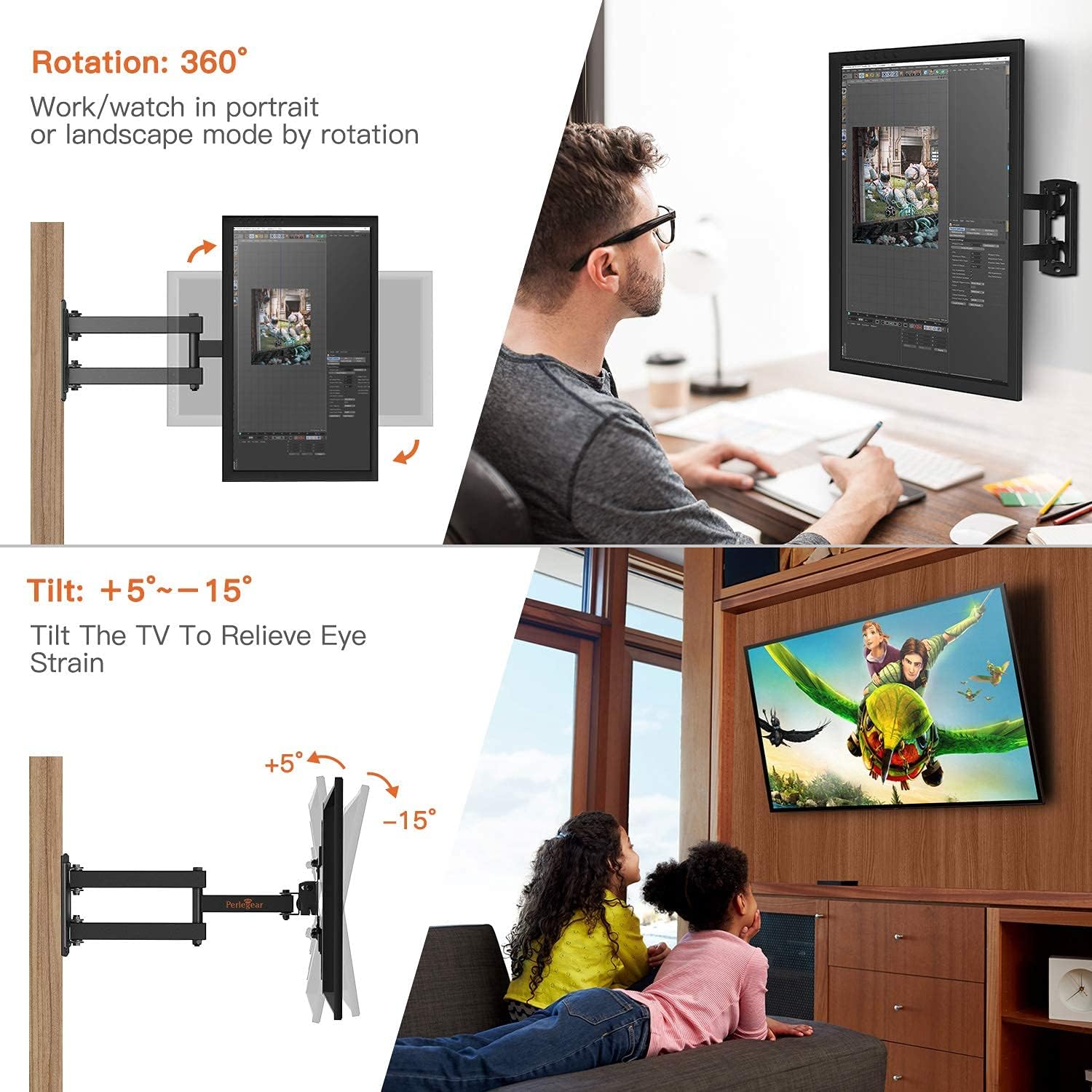
Image: Demonstrates the tilt adjustment range (+5° to -15°) and 360° rotation capability of the TV mount.
Adjusting Swivel and Extension:
The full motion arm allows you to swivel your TV up to +/-90° (left/right) and extend it from the wall. Gently pull the TV forward to extend the arm. Once extended, you can pivot the TV to the desired left or right angle. The maximum swivel angle depends on the size of your television. The mount can extend from 2.2 inches (retracted) to 14.5 inches (extended) from the wall.

Image: Illustrates the swivel functionality (up to 180°) and the extension range (2.2 to 14.5 inches) of the TV from the wall.
د گردش تنظیم کول:
This mount supports 360° rotation, allowing you to view your TV in either landscape or portrait mode. Gently rotate the TV to achieve the desired orientation.
ساتنه
منظم ساتنه ستاسو د تلویزیون دیوال ماونټ اوږد عمر او خوندي عملیات ډاډمن کولو کې مرسته کوي.
- پاکول: د دوړو د لرې کولو لپاره د نرم او وچ ټوکر سره غره پاک کړئ. د کثافاتو پاکوونکو یا محلولونو کارولو څخه ډډه وکړئ.
- اړیکې چیک کړئ: ټول پیچونه او بولټونه په دوره یي ډول وګورئ ترڅو ډاډ ترلاسه شي چې دوی کلک پاتې دي. ډیر مه کلکوئ.
- د زیانونو لپاره معاینه کول: Regularly inspect the mount for any signs of wear, damage, or corrosion. If any issues are found, discontinue use and contact customer support.
د ستونزو حل کول
| ستونزه | احتمالي لامل | د حل لاره |
|---|---|---|
| د نصبولو وروسته تلویزیون په سطحه نه دی. | Wall plate not perfectly level, or TV brackets not adjusted. | Use the post-installation leveling adjustment feature on the mount (+/-3°). If necessary, re-check wall plate level. |
| Difficulty moving the TV (tilt, swivel, extension). | بندونه ډېر تنګ دي. | Loosen the relevant adjustment bolts slightly. Do not loosen to the point of instability. |
| TV appears unstable or wobbly. | Screws are loose, or wall mounting is insufficient. | Immediately remove the TV. Re-tighten all screws. Ensure the wall plate is securely fastened to a suitable wall type. If issues persist, consult a professional. |
تضمین او د پیرودونکي ملاتړ
Perlegear provides professional customer service before and after purchase. If you have any questions, concerns, or encounter any problems with your product, please do not hesitate to contact us. Our customer support team is available to assist you.
For assistance, please refer to the contact information provided with your product packaging or visit the official Perlegear webسایټ


