پیژندنه
This manual provides essential information for the proper use and care of your SUPVAN E10 & E11 compatible label maker tape. This continuous laminated thermal label tape is designed for durability and versatility in various labeling applications.

Image: A roll of SUPVAN label tape with dimensions 0.59 inches (15mm) width and 19.68 feet (6m) length, featuring a black on dots pattern.
د محصول ځانګړتیاوې
- مطابقت: Designed for use with SUPVAN E10 and E11 label makers.
- ابعاد: 0.59 inches (15mm) width by 19.7 feet (6m) length.
- Genuine Quality: Constructed from multi-layer synthetic material for enhanced resistance.
- پایښت: Resists water, oil, and extreme temperatures, offering a 5-year extended durability.
- خوندیتوب: د BPA څخه پاک، د ماشومانو د محصولاتو لپاره د خوندیتوب معیارونو سره سم، د خوړو، کاسمیټکس، او مصرفي توکو لیبل کولو لپاره مناسب.
- چپک کول: Features strong adhesiveness for secure placement.
- د پاتې شونو پاکول: Easy to tear off without leaving adhesive residue.
- سمارټ RFID اتومات کشف: Enables instant size recognition by compatible printers, minimizing misalignment and waste.
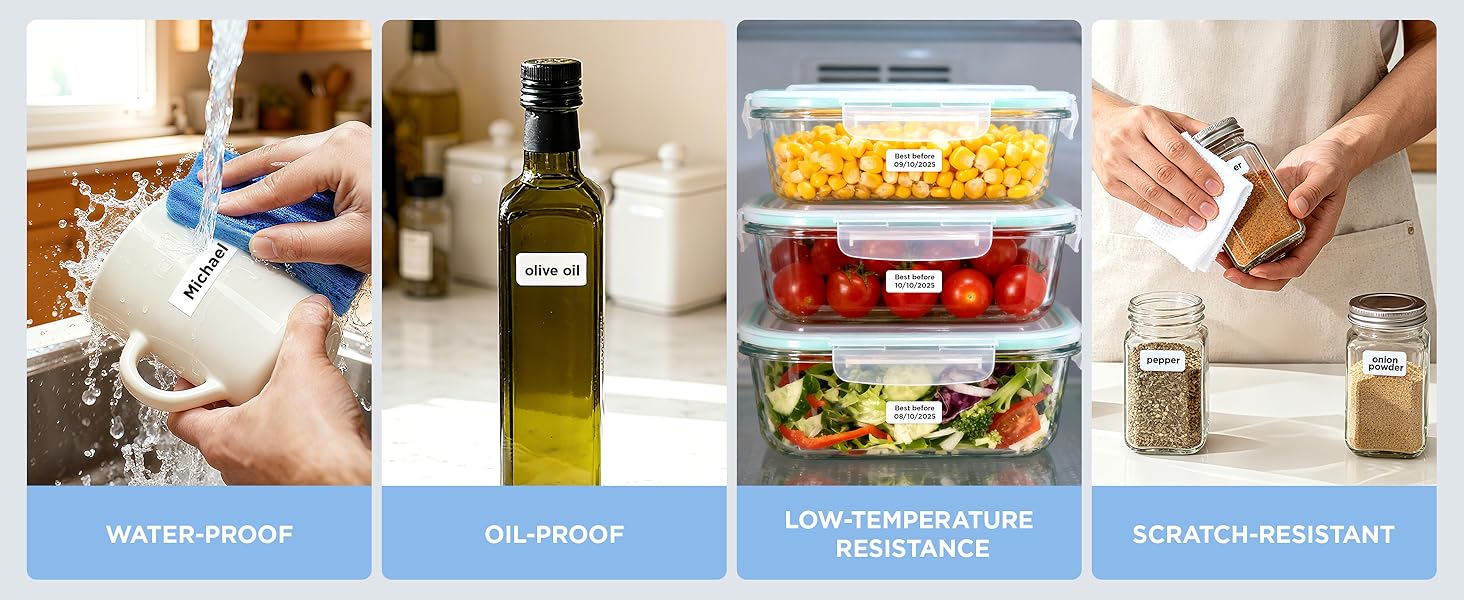
Image: Demonstrates the tape's resistance to water, oil, low temperatures, and scratches, highlighting its robust design.
مطابقت
This label tape is specifically designed for seamless integration and optimal performance with SUPVAN E10, E11, and E16 label makers. Ensure your label maker model is compatible before installation.
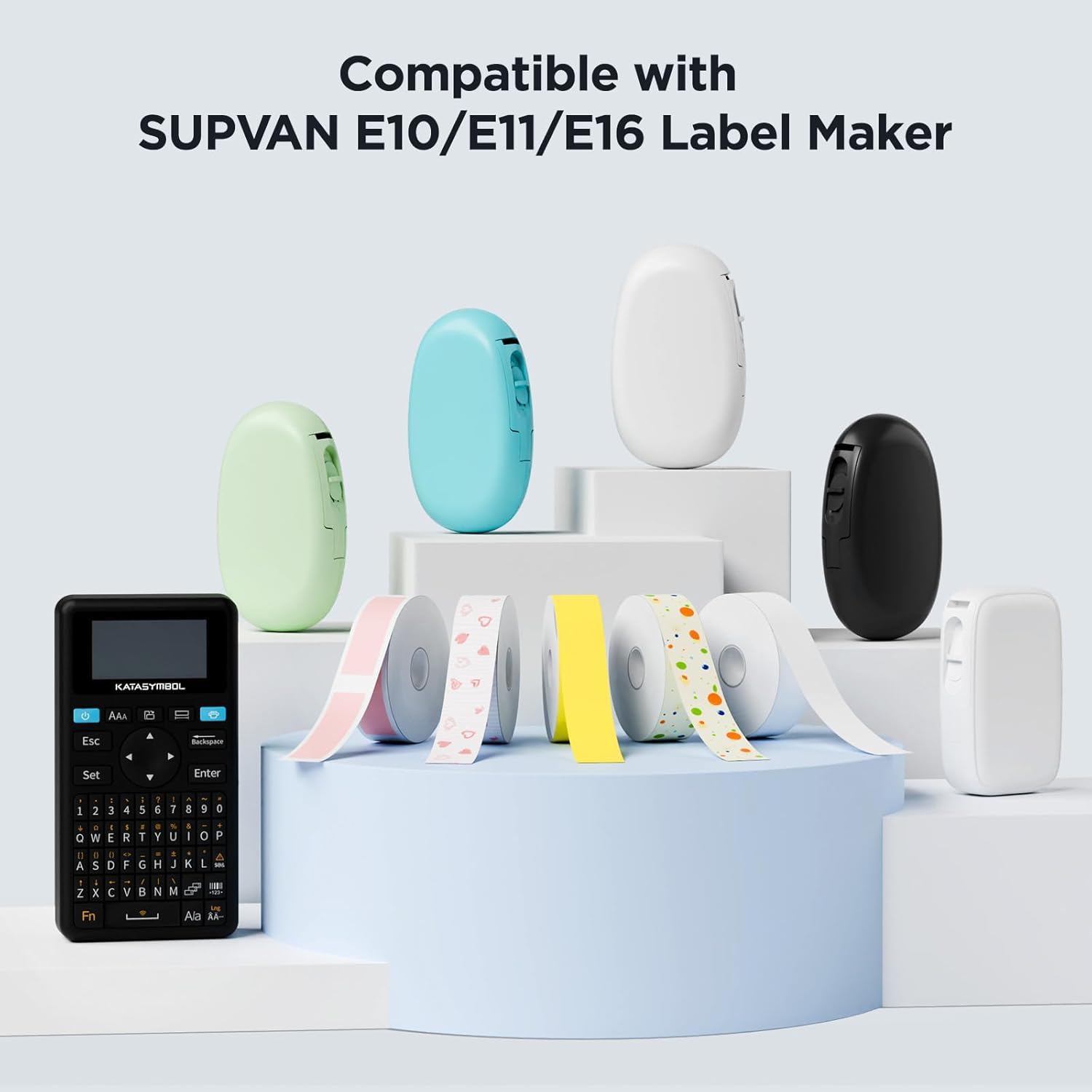
Image: Displays several SUPVAN label makers and a variety of label tape rolls, illustrating product compatibility.
Setup: Installing the Label Tape
- Open the Label Maker: Locate the tape compartment on your SUPVAN E10 or E11 label maker and open the cover.
- د ټیپ کیسټ دننه کړئ: Place the label tape cassette into the compartment, ensuring it clicks securely into place. The tape should feed smoothly from the cassette.
- پوښ بند کړئ: Close the label maker cover firmly until it latches.
- اتوماتیک کشف: The label maker's RFID auto-detection feature will recognize the tape size and type automatically.
عملیاتي لارښوونې
To create and print labels using your SUPVAN E10 or E11 label maker with this tape, follow these general steps:
- اپلیکیشن سره وصل کړئ: Ensure your label maker is connected to the SUPVAN mobile application via Bluetooth.
- خپل لیبل ډیزاین کړئ: Use the app to input text, select fonts, add icons, and customize your label design. The app offers various templates and customization options.
- مخکېview او چاپ: مخکېview your label design within the app. Adjust settings such as print density or number of copies if necessary.
- Initiate Printing: Tap the 'Print' button in the app. The label maker will print the label onto the installed tape.
- لیبل پرې کړئ: Use the label maker's integrated cutter to separate the printed label from the continuous roll.
- لیبل لګول: Peel off the backing and apply the label to your desired surface.
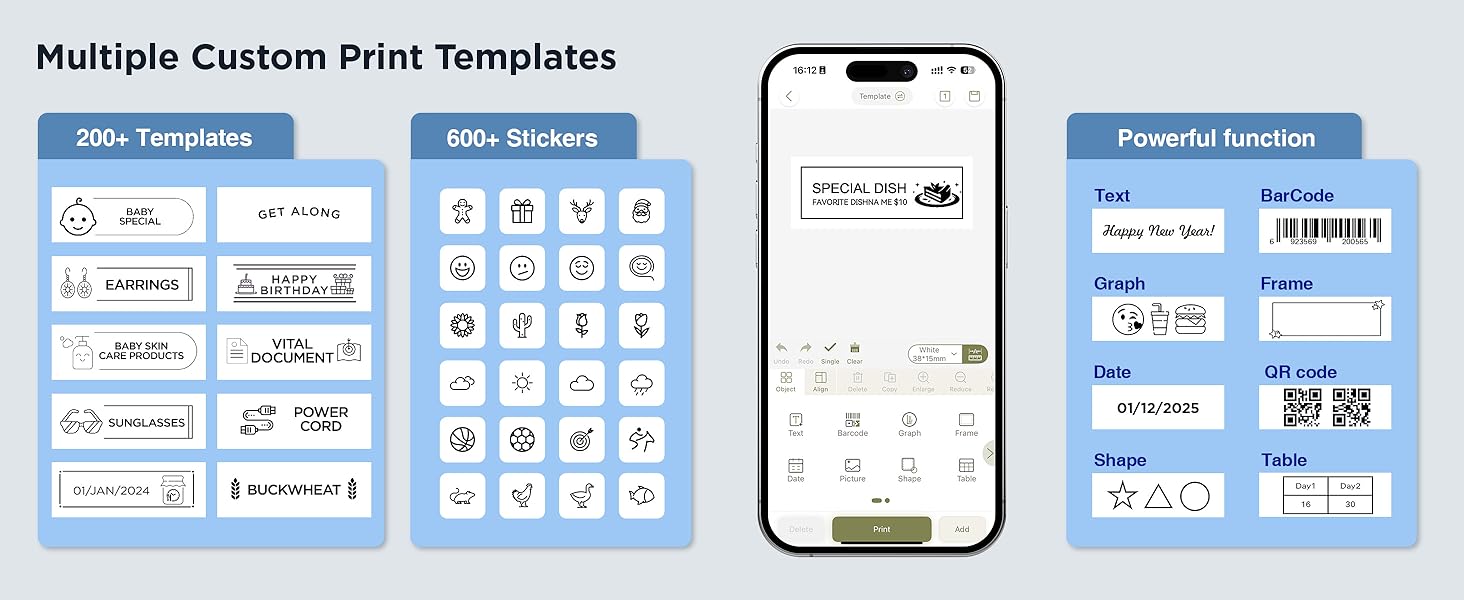
Image: A visual representation of the SUPVAN app's interface, showcasing template selection and design functionalities for label creation.

انځور: Examples of labels used in different settings such as organizing toys, documents, kitchen items, and office supplies.
ساتنه
- ذخیره کول: Store unused label tape rolls in a cool, dry place away from direct sunlight and extreme temperatures to preserve adhesive quality and print integrity.
- سمبالول: Avoid touching the printing surface of the tape to prevent smudges or oil transfer that could affect print quality.
- پاکول: If the label maker's print head or tape path becomes dirty, refer to your label maker's specific cleaning instructions. Do not attempt to clean the tape itself.
د ستونزو حل کول
- د چاپ خراب کیفیت: Ensure the tape is correctly installed and the label maker's print head is clean. Check print density settings in the app.
- Tape Not Detected: Verify the tape cassette is fully seated in the compartment. The RFID chip on the cassette should be properly aligned for automatic detection.
- هغه لیبلونه چې نه چپکېږي: Ensure the application surface is clean, dry, and smooth. Avoid applying labels to textured or oily surfaces.
- د ټیپ جام کول: Check for any obstructions in the tape path. Ensure the tape is not creased or damaged before insertion.
مشخصات
| صفت | تفصیل |
|---|---|
| برانډ | SUPVAN |
| مطابقت لرونکي ماډلونه | SUPVAN E10, E11 |
| د ټیپ پراخی | 0.59 انچه (15 ملي متره) |
| د ټیپ اوږدوالی | 19.7 فوټ (6 متر) |
| رنګ | Black on Dots |
| د موادو ډول | Plastic (Multi-layer synthetic) |
| د پای ډول | Adhesive, Laminated |
| ځانګړي ځانګړتیاوې | Waterproof, Oilproof, Child-Safe (BPA-free), Durable, Auto Detect (RFID) |
| د توکي وزن | 0.6 اونس |
د تضمین معلومات
SUPVAN products are manufactured to high-quality standards. This label tape is designed for extended durability. For specific warranty details regarding your label maker or any manufacturing defects with the tape, please refer to the documentation provided with your SUPVAN label maker or contact customer support.
د پیرودونکي ملاتړ
For further assistance, technical support, or inquiries regarding your SUPVAN label maker tape, please visit the official SUPVAN website or contact their customer service department. You can often find detailed FAQs and support resources online.
لیدنه وکړئ SUPVAN Store on Amazon د نورو محصولاتو او معلوماتو لپاره.


