پیژندنه
The Sony WF-C500 Truly Wireless in-Ear Bluetooth Earbud Headphones offer wireless connectivity with a compact design. These earbuds combine sound quality with extended battery life, personalization options, and IPX4 water resistance, making them suitable for various activities.
This manual provides essential information for setting up, operating, maintaining, and troubleshooting your WF-C500 earbuds.

Image: Sony WF-C500 Truly Wireless Earbuds (Black)
چمتو کول
۱. ابتدايي چارج کول
Before first use, fully charge the earbuds and the charging case. Place the earbuds into the charging case. Connect the charging case to a USB power source using the provided USB-C cable. The indicator light on the case will show charging status.
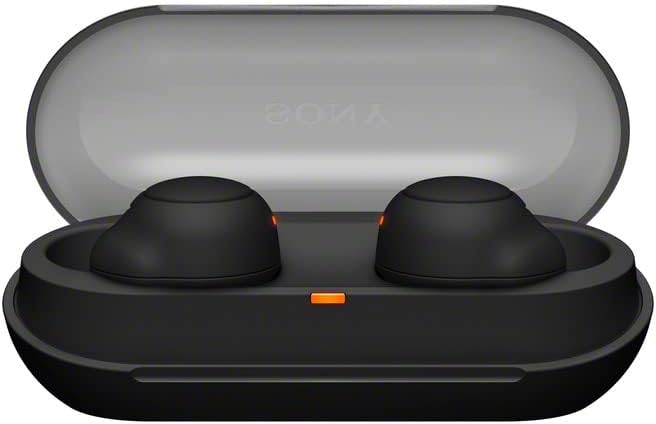
Image: Sony WF-C500 Earbuds in Charging Case
2. د بلوتوث جوړه کول
- ډاډ ترلاسه کړئ چې دواړه غوږوالۍ د چارج کولو په قضیه کې دي او پوښ یې خلاص دی.
- په خپل وسیله (سمارټ فون، ټابلیټ، او نور) کې، بلوتوث فعال کړئ.
- Select "WF-C500" from the list of available Bluetooth devices.
- یوځل چې وصل شو، د غږ پرامپټ به د بریالي جوړه کولو تایید وکړي.
عملیاتي لارښوونې
د غوږونو اغوستل
Insert the earbuds firmly into your ears. The ergonomic design ensures a snug fit for comfort and optimal sound performance. The earbuds are marked 'L' for left and 'R' for right.
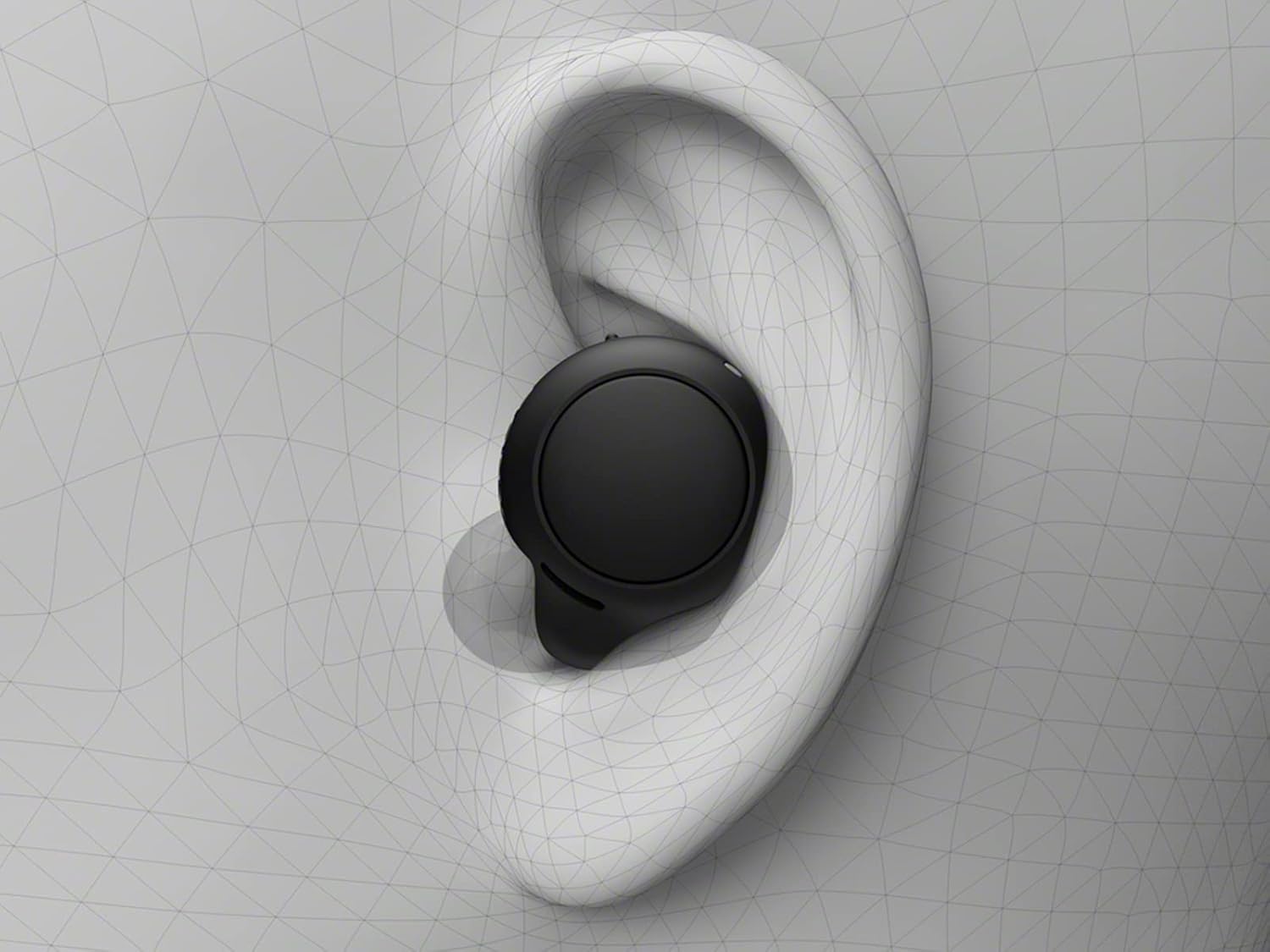
Image: Proper Earbud Placement
اساسي کنټرولونه (لمس)
- پلی کول / ودرول: په دواړو غوږونو کې یو ځل کلیک وکړئ.
- بله لار: په ښي غوږۍ کې دوه ځله ټایپ کړئ.
- مخکینی لار په چپ غوږۍ کې دوه ځله ټایپ کړئ.
- ځواب / پای کال: د راتلوونکي زنګ په جریان کې په دواړو ایربډونو یو ځل کلیک وکړئ.
- زنګ رد کړئ: د راتلوونکي زنګ په جریان کې د 2 ثانیو لپاره د هر غوږ بډ فشار ورکړئ او ونیسئ.
- د غږ همکار فعاله کړئ: په دواړو غوږونو درې ځله ټایپ کړئ.
د لاسونو څخه وړیا تلیفون کول
The built-in microphone allows for clear hands-free calling. You can answer or end calls directly from the earbuds without needing to access your phone.
د یربود واحد استعمال
The WF-C500 earbuds support optional use of a single earbud. Simply remove one earbud from the case and leave the other in, or put one away during use. The active earbud will automatically connect.
د بیټرۍ ژوند او چارج کول
The earbuds provide up to 10 hours of listening time on a single charge. The compact charging case extends the total listening time to up to 20 hours.

Image: Battery Life and Quick Charging Information
د ګړندي چارج بatureه
A 10-minute quick charge provides up to an hour of additional playback time, ideal for when you're in a hurry.
د چارج کولو شاخصونه
The charging case features an LED indicator that shows the battery status. A red light typically indicates low battery or charging in progress, while a green light indicates a full charge.
ډیزاین او پایښت
The WF-C500 earbuds are designed to be small, lightweight, and comfortable for all-day wear. Their ergonomic surface design is crafted to fit most ear shapes securely.

Image: Single Sony WF-C500 Earbud
د اوبو مقاومت
With an IPX4 water resistance rating, these earbuds are protected against splashes and sweat. This makes them suitable for workouts and outdoor activities, but they are not designed for submersion in water.
Sound Quality & Features
The WF-C500 earbuds deliver high-quality audio with features designed to enhance your listening experience.
DSEE (Digital Sound Enhancement Engine)
DSEE technology restores high-frequency sounds lost in compression, providing a richer and more natural sound experience.

Image: DSEE Technology Logo
360 حقیقت آډیو
Immerse yourself in sound all around you with 360 Reality Audio. This feature creates an immersive audio experience, making music feel as real as if you were at a live concert or in a recording studio.
د اصلاح وړ غږ
Fine-tune your sound preferences using the Sony Headphones Connect app, which allows for sound customization and equalizer adjustments.
ویډیو: پایview of Sony WF-C500 Truly Wireless Earbuds features, including sound customization and design. (Source: Amazon Videos)
مشخصات
| فیچر | تفصیل |
|---|---|
| د ماډل نوم | WFC500/B |
| د ارتباط ټیکنالوژي | بلوتوث 5.0 |
| د بې سیمه مخابراتو ټیکنالوژي | بلوتوث |
| د بیټرۍ ژوند (ایربډونه) | تر 10 ساعتونو پورې |
| د بیټرۍ ټول ژوند (د قضیې سره) | تر 20 ساعتونو پورې |
| چټک چارج | 10 min charge for 1 hour playback |
| د اوبو د مقاومت کچه | IPX4 (Splash-proof and sweat-resistant) |
| د کنټرول طریقه | لمس |
| مایکروفون | Included for hands-free calling |
| د غوږ ځای پرځای کول | په غوږ کې |
| د فارم فکتور | په غوږ کې |
| ابعاد | 3.9 x 2.2 x 2.9 انچه |
| د توکي وزن | ۲.۴۵ پونډه |
| شاملې برخې | Headphones, Charging Case |
د ستونزو حل کول
هیڅ غږ یا وقفه ای اړیکه نشته
- ډاډ ترلاسه کړئ چې دواړه غوږونه چارج شوي دي.
- Check that Bluetooth is enabled on your device and the earbuds are selected.
- Move your device closer to the earbuds to avoid interference.
- د خپل وسیله سره د ایربډونو د جلا کولو او بیا جوړولو هڅه وکړئ.
- خپل وسیله او د غوږ بډونه بیا پیل کړئ.
د چارج کولو مسلې
- Verify the USB-C cable is securely connected to both the charging case and the power source.
- ډاډ ترلاسه کړئ چې د بریښنا سرچینه فعاله ده.
- Clean the charging contacts on both the earbuds and inside the case with a dry, soft cloth.
- If the charging indicator light is not behaving as expected, refer to the full product manual for specific light patterns.
تضمین او ملاتړ
دا محصول یو تصدیق شوی بیا رغول شوی توکی دی. دا د جوړونکي لخوا بیا رغول شوی، محدود یا هیڅ اغوستل نه ښیې، او ټول اصلي لوازم پکې شامل دي. دا د 90 ورځو محدود هارډویر تضمین سره راځي.
For further support, please refer to the official Sony support webسایټ یا خپل پرچون پلورونکي سره اړیکه ونیسئ.


