1. محصول ختم شوview
The Oladance OWS1 Open Ear Headphones offer a unique open-ear design for comfort and situational awareness. These wireless Bluetooth 5.2 headphones feature dual 16.5mm drivers for high-quality sound and extended battery life, making them suitable for various activities.
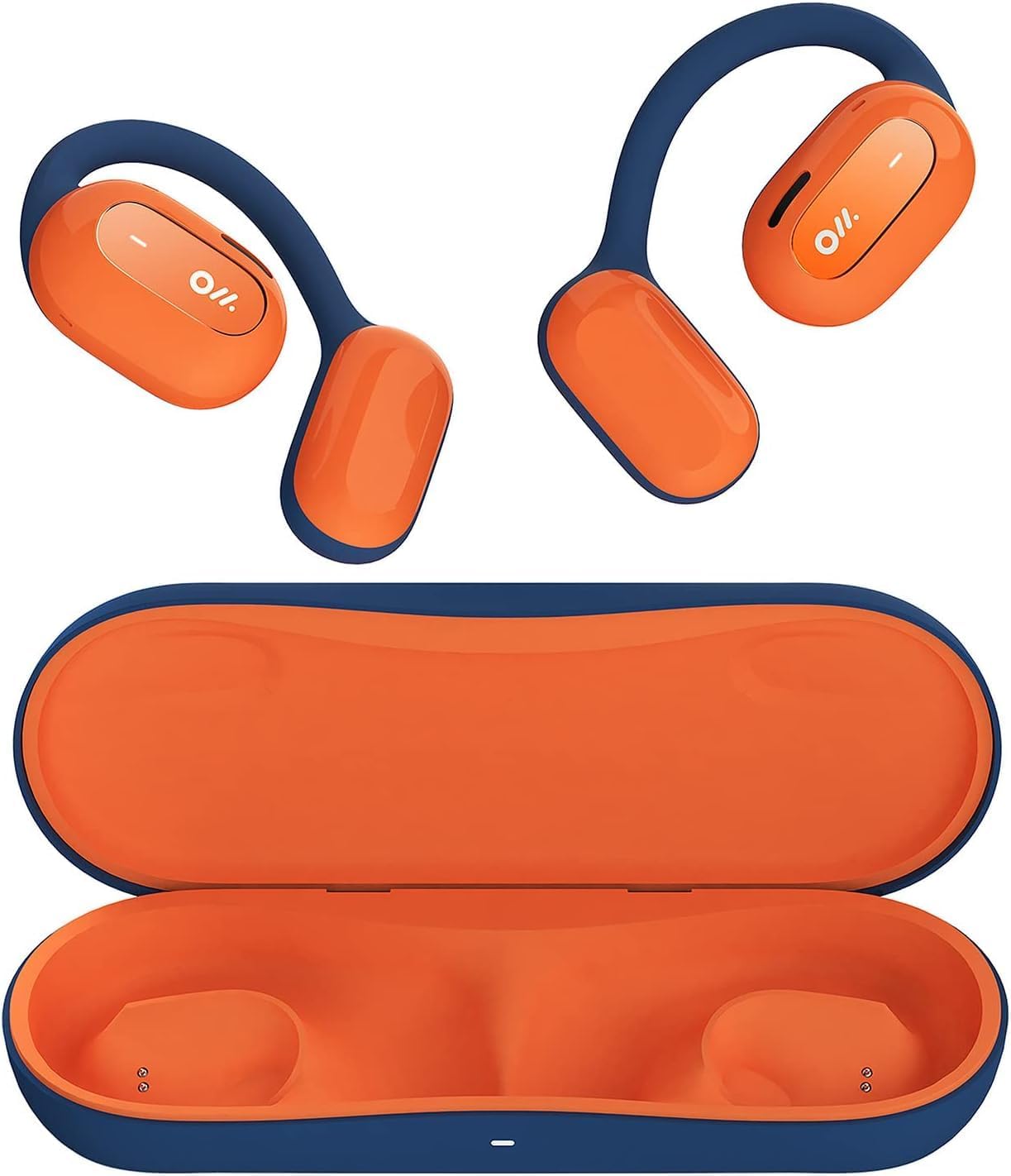
Image 1: Oladance OWS1 Open Ear Headphones and their carry case.
۲. په بکس کې څه دي؟
- 1 × Oladance Wearable Stereo (Pair of Open Ear Headphones)
- ۱ × بې چارجه کیري کیس
- 1 × Type-C کیبل
- 1 × د کارن لارښود
3. کلیدي ځانګړتیاوې
- True Open Ear Design: Earbuds rest gently on top of the ear, avoiding insertion into the ear canal for enhanced comfort and situational awareness.
- 360° Superior Sound: Equipped with dual powerful 16.5mm dynamic drivers and bio-diaphragm technology for rich, clear audio across all volume levels.
- Anti-Hearing Loss Focus: Designed to prevent common health issues associated with traditional earbuds by not blocking the ear canal, reducing pressure and potential hearing damage.
- Extended 16-Hour Playtime: Features a built-in 160mAh battery and low-consumption algorithms, providing up to 16 hours of continuous playback on a single charge. Note: A separate charging case is required for extended playtime beyond the included carry case.
- خوندي او راحته فټ: Multi-point support system distributes weight evenly across the ear, ensuring a stable and comfortable fit for various activities.

Image 2: The Oladance OWS1 headphones are designed for a secure and comfortable fit, ideal for activities like yoga.
4. د تنظیم کولو لارښود
4.1 ابتدايي چارج کول
Before first use, fully charge your Oladance OWS1 headphones. Connect the provided Type-C cable to the charging port on the headphones and a compatible USB power source. The LED indicator will show charging status.
4.2 بریښنا کول / بندول
- د فعالولو لپاره: Press and hold the power button (location typically on one of the earbud units) for approximately 2-3 seconds until you hear an audible prompt or see an LED indicator light up.
- د بریښنا بندولو لپاره: Press and hold the power button for approximately 3-5 seconds until you hear an audible prompt or the LED indicator turns off.
4.3 د بلوتوټ جوړه کول
- ډاډ ترلاسه کړئ چې هیډفونونه بند دي.
- Press and hold the power button for approximately 5-7 seconds until the LED indicator flashes red and blue alternately. This indicates the headphones are in pairing mode.
- په خپل وسیله (سمارټ فون، ټابلیټ، کمپیوټر) کې، د بلوتوټ ترتیباتو ته لاړ شئ.
- لټون "Oladance OWS1" in the list of available devices.
- Select "Oladance OWS1" to connect. Once connected, the LED indicator will typically flash blue slowly or turn off, and you will hear a confirmation tone.

Image 3: The Oladance OWS1 headphones are designed for an ergonomic and stable fit during various activities.
5. عملیاتي لارښوونې
5.1 بنسټیز کنټرولونه
| فعالیت | عمل |
|---|---|
| میوزیک پلی کړئ / بند کړئ | Single press the Multi-function button. |
| بله لار | Double press the Multi-function button. |
| مخکینی ټریک | د ملټي فنکشن تڼۍ درې ځله فشار ورکړئ. |
| حجم پورته | Single press the Volume + button. |
| حجم ښکته | Single press the Volume - button. |
| ځواب / پای کال | Single press the Multi-function button during an incoming call or active call. |
| زنګ رد کړئ | د راتلوونکي زنګ په جریان کې د ملټي فنکشن تڼۍ د 2 ثانیو لپاره فشار ورکړئ او ونیسئ. |
| د غږ معاون فعال کړئ | د 2 ثانیو لپاره د ملټي فنکشن تڼۍ فشار او ونیسئ. |
۶.۲ څو نقطې اتصال
The Oladance OWS1 headphones support multi-point connection, allowing them to be connected to two Bluetooth devices simultaneously. This enables seamless switching between devices without re-pairing.
- Ensure the headphones are paired with the first device.
- Put the headphones into pairing mode again (usually by holding the power button until the LED flashes red and blue).
- On the second device, search for "Oladance OWS1" in the Bluetooth settings and connect.
- The headphones should now be connected to both devices. Audio will automatically switch to the device playing content or receiving a call.

Image 4: The open-ear design allows for comfortable extended wear, even during work or calls.
6. پاملرنه او ساتنه
- پاکول: Use a soft, dry cloth to wipe the headphones. Avoid using harsh chemicals or abrasive materials.
- ذخیره کول: Store the headphones in their provided non-charging carry case when not in use to protect them from dust and damage.
- د اوبو مقاومت: The headphones are water-resistant (IPX4 rated). Avoid submerging them in water or exposing them to high-pressure water jets. Dry thoroughly if they get wet.
- دحرارت درجه: د هیډفونونو د سختې تودوخې (ګرمې یا سړې) یا لوړې رطوبت سره د مخ کیدو څخه ډډه وکړئ.

Image 5: The included carry case protects your Oladance OWS1 headphones during transport and storage.
7. ستونزه حل کول
- بریښنا نشي چلولی
- ډاډ ترلاسه کړئ چې هیډفونونه په بشپړ ډول چارج شوي دي. د ټایپ-سي کیبل په کارولو سره یې د بریښنا سرچینې سره وصل کړئ.
- د آلې سره جوړه نشي
- Ensure the headphones are in pairing mode (LED flashing red and blue).
- د خپل وسیله بلوتوث بند او فعال کړئ.
- په خپل وسیله کې پخواني بلوتوث اړیکې پاکې کړئ.
- هیډفونونه خپل وسیله ته نږدې کړئ.
- هیڅ غږ یا ټیټ حجم نشته
- په هیډفونونو او ستاسو وصل شوي وسیله دواړو کې د حجم کچه وګورئ.
- ډاډ ترلاسه کړئ چې هیډفونونه ستاسو وسیله سره په سمه توګه وصل دي.
- د بل اپلیکیشن یا سرچینې څخه آډیو غږولو هڅه وکړئ.
- موقتي اړیکه
- ډاډ ترلاسه کړئ چې د هیډفونونو او ستاسو وسیله ترمنځ هیڅ خنډ شتون نلري.
- د قوي الکترومقناطیسي مداخلې څخه ډډه وکړئ.
- Keep the headphones within the effective Bluetooth range (typically 10 meters).
8. د محصول مشخصات
| فیچر | تفصیل |
|---|---|
| د ماډل شمیره | OLA02 |
| برانډ | Oladance |
| د ارتباط ټیکنالوژي | بېسیم (بلوتوث ۵.۳) |
| د غوږ ځای پرځای کول | غوږ خلاص کړئ |
| د فارم فکتور | غوږ خلاص کړئ |
| د موټر چلوونکي اندازه | دوه ګونی ۱۶.۵ ملي میتر متحرک ډرایورونه |
| د بیټرۍ ژوند (اوسط) | تر 16 ساعتونو پورې |
| د چارج کولو وخت | نږدې 2 ساعته |
| د اوبو د مقاومت کچه | د اوبو مقاومت (IPX4) |
| د مایکروفون بڼه | جوړ شوی |
| د کنټرول ډول | Media Control (Buttons) |
| مواد | پلاستیک |
| د محصول ابعاد | 13 x 11 x 457.2 سانتي متره |
| د توکي وزن | 260 ګرامه |

Image 6: A close-up of the Oladance OWS1 headphones, highlighting their design and color.
9. تضمین او ملاتړ
Oladance products are covered by a limited warranty. For detailed warranty information, product support, or service inquiries, please refer to the official Oladance webسایټ ته مراجعه وکړئ یا مستقیم د دوی د پیرودونکو خدماتو سره اړیکه ونیسئ. د تضمین ادعاوو لپاره د پیرود ثبوت وساتئ.
د نورو مرستو لپاره، مهرباني وکړئ لیدنه وکړئ: www.oladance.com


