1. پیژندنه
د پیرودلو لپاره مننهasing the DOOMAY Digital Alarm Clock. This compact and versatile alarm clock is designed for convenience and readability, featuring an adjustable LCD display, snooze function, weekend mode, and temperature display. This manual will guide you through the setup, operation, and maintenance of your new alarm clock to ensure optimal performance.
2. د خوندیتوب معلومات
- وسیله د اوبو او لوړ رطوبت چاپیریال څخه لرې وساتئ.
- Avoid exposing the clock to direct sunlight or extreme temperatures.
- د وسیلې د جلا کولو یا ترمیم کولو هڅه مه کوئ. د خدماتو لپاره وړ پرسونل ته مراجعه وکړئ.
- Use only the specified battery type (2 x AAA batteries).
- که چیرې وسیله د اوږدې مودې لپاره د لیکیدو مخنیوي لپاره ونه کارول شي، نو بیټرۍ لرې کړئ.
- بیټرۍ د ماشومانو له لاسرسي لرې وساتئ.
3. د بسته محتويات
- د ډومای ډیجیټل الارم ساعت (۱ واحد)
- د AAA بیټرۍ (۲ واحدونه)
- د کارونکي لارښود (دا لاسوند)
4. محصول ختم شوview
Familiarize yourself with the components and controls of your DOOMAY Digital Alarm Clock.
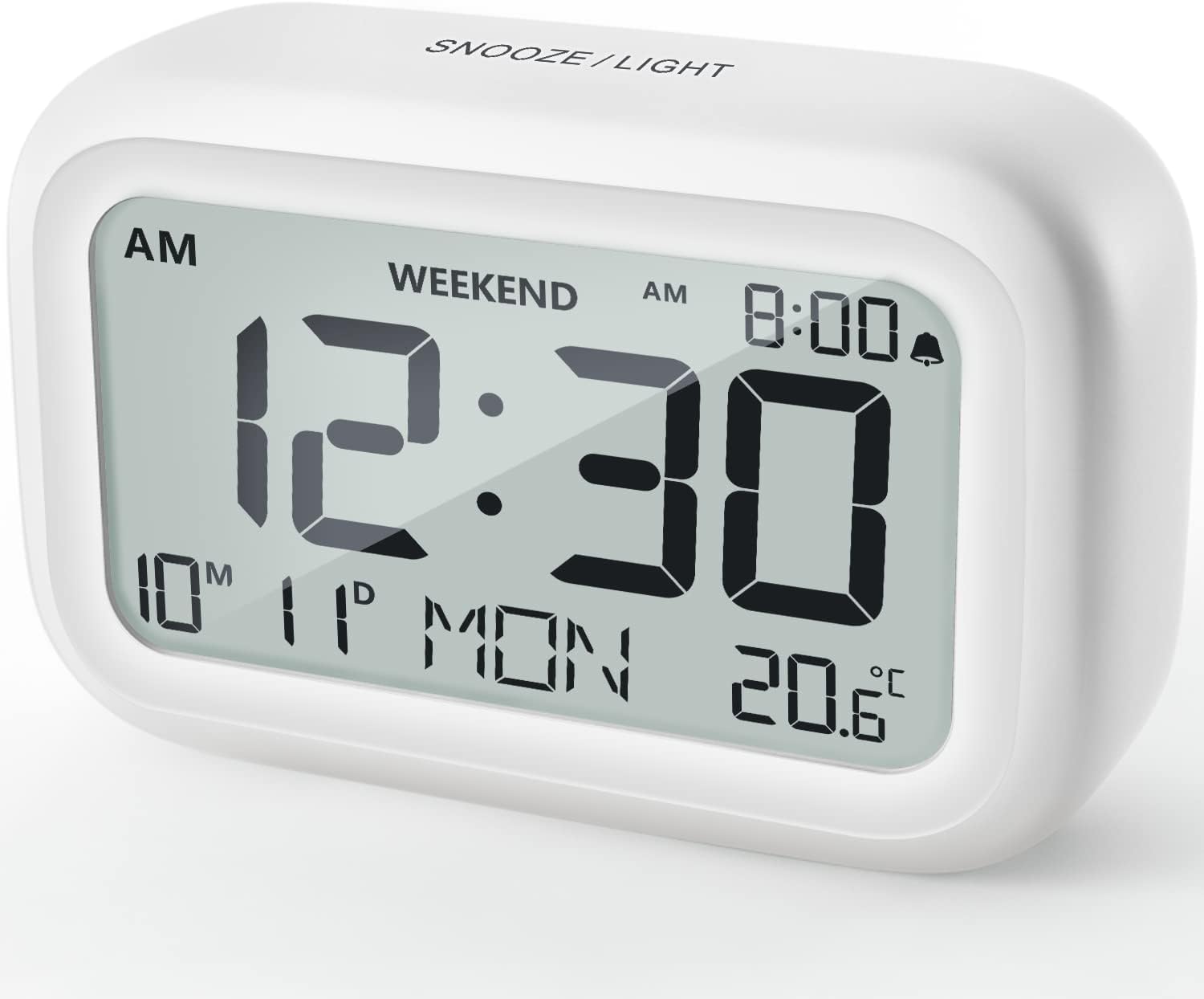
شکل 4.1: مخکی View of the Alarm Clock
This image displays the front of the DOOMAY Digital Alarm Clock, highlighting its large, clear LCD screen. The screen shows the current time (12:30), AM indicator, day of the week (MON), date (10th month, 11th day), and indoor temperature (20.6°C). The top of the clock has a "SNOOZE/LIGHT" button.

شکل ۲: مهمې ځانګړتیاوېview
This diagram illustrates the main functionalities of the alarm clock: 12/24H time display, calendar, alarm setting, adjustable volume, snooze function, backlight, weekend mode, and temperature display. The clock itself is shown on a wooden table, displaying 7:00 AM, Friday, and 28.8 degrees.

Figure 4.3: Back Panel Controls
This image shows the rear of the alarm clock, detailing the various control buttons and the battery compartment. Buttons are clearly labeled for: 12/24H time format, Alarm setting, Weekend mode, Date setting, Minus (-) for decreasing values, Plus (+) for increasing values, and °C/°F for temperature unit selection. The battery compartment is visible, designed for two AAA batteries.
کنټرول او ښودنه:
- د LCD نندارې: Shows time, date, day of week, AM/PM indicator, alarm status, and temperature.
- SNOOZE/LIGHT Button (Top): Activates snooze function during alarm; illuminates backlight for 5 seconds.
- 12/24H Button (Back): د ۱۲ ساعتونو او ۲۴ ساعتونو وخت بڼو ترمنځ بدلوي.
- ALARM Button (Back): د الارم تنظیم کولو حالت ته ننوځي.
- WEEKEND Button (Back): Activates/deactivates weekend mode.
- DATE Button (Back): Enters date setting mode.
- MINUS (-) Button (Back): Decreases values during setting; adjusts alarm volume.
- PLUS (+) Button (Back): Increases values during setting; adjusts alarm volume.
- °C/°F Button (Back): د سیلسیس او فارنهایټ د تودوخې واحدونو ترمنځ بدلیږي.
5. ترتیب کول
5.1 د بیټرۍ نصب کول
- د بیټرۍ کمپارټ پوښ خلاص کړئ چې د ساعت په شا کې موقعیت لري.
- دوه (2) AAA بیټرۍ دننه کړئ، د سم قطبیت ډاډ ترلاسه کړئ (+ او -).
- د بیټرۍ کمپارټ پوښ په خوندي ډول وتړئ.
- The display will light up, and the clock will be ready for initial setup. A low battery symbol will appear when batteries need replacement. If the display shows "8888" flashing, it's also an indication to change batteries.
۵.۱ د لومړني وخت او نیټې ټاکل
- وخت ټاکل:
- فشار ورکړئ 12/24H button to switch between 12-hour (with AM/PM) and 24-hour formats.
- فشار ورکړئ او ونیسئ 12/24H button for 3 seconds to enter time setting mode. The hour digits will flash.
- د کارولو + or - د ساعت تنظیم کولو لپاره تڼۍ.
- فشار ورکړئ 12/24H د ساعت تاییدولو لپاره بیا تڼۍ فشار ورکړئ او دقیقې ترتیب ته لاړ شئ. د دقیقې شمیرې به روښانه شي.
- د کارولو + or - د دقیقې تنظیم کولو لپاره تڼۍ.
- فشار ورکړئ 12/24H button one more time to exit time setting.
- نیټه ټاکل:
- فشار ورکړئ او ونیسئ DATE button for 3 seconds to enter date setting mode. The year digits will flash.
- د کارولو + or - د کال د سمون لپاره تڼۍ.
- فشار ورکړئ DATE button again to confirm the year and move to month setting.
- Adjust the month using + or -.
- مطبوعاتي DATE again to move to day setting.
- Adjust the day using + or -.
- مطبوعاتي DATE one more time to exit date setting. The day of the week will automatically adjust.
6. عملیاتي لارښوونې
6.1 د الارم تنظیم کول
- فشار ورکړئ او ونیسئ الارم button for 3 seconds. The alarm hour digits will flash.
- د کارولو + or - د مطلوب الارم ساعت تنظیم کولو لپاره تڼۍ.
- فشار ورکړئ الارم د ساعت تاییدولو او دقیقې ترتیب ته د تګ لپاره بیا تڼۍ. د الارم دقیقې شمیرې به فلش شي.
- د کارولو + or - د مطلوب الارم دقیقې تنظیم کولو لپاره تڼۍ.
- فشار ورکړئ الارم button one more time to exit alarm setting. The alarm icon (bell symbol) will appear on the display, indicating the alarm is active.
- To turn the alarm ON/OFF, simply press the الارم button once. The bell icon will appear/disappear.
6.2 د سنوز فعالیت
When the alarm sounds, gently tap the large ننوتل / روښانه کول button on the top of the clock. The alarm will pause for 9 minutes and then sound again. This can be repeated multiple times.

Figure 6.1: Activating Snooze
This image demonstrates how to activate the snooze function by touching the top of the alarm clock. The text highlights that this action provides an additional 9 minutes of sleep after the alarm sounds.
To completely turn off the alarm after it sounds (without snoozing), press any button on the back of the clock.
۴.۴ د اونۍ پای حالت
The weekend mode allows the alarm to sound only from Monday to Friday, preventing it from ringing on Saturday and Sunday.

Figure 6.2: Weekend Mode Activated
This image shows the alarm clock display with the "WEEKEND" indicator prominently displayed, signifying that the weekend mode is active. The accompanying text clarifies that in this mode, the alarm will only sound from Monday to Friday, ensuring undisturbed weekends.
- To activate Weekend Mode, press the د اونۍ پای button once. The "WEEKEND" indicator will appear on the display.
- To deactivate Weekend Mode, press the د اونۍ پای button again. The "WEEKEND" indicator will disappear.
۵.۳ د الارم حجم تنظیم وړ
The alarm clock offers two volume levels: Low (70 dB) and High (85 dB).

Figure 6.3: Alarm Volume Levels
This image visually represents the two available alarm volume settings: L01 (85 dB) for a louder alarm and L02 (70 dB) for a softer alarm. The alarm clock is shown in a bedroom setting, emphasizing its use as a bedside device.
- پداسې حال کې چې د نورمال وخت ښودلو حالت کې وي، فشار ورکړئ + or - buttons to cycle between the two alarm volume levels. The current volume level will be briefly displayed.
۷.۶ د شاته رڼا فعالیت
To illuminate the display in low light conditions, simply tap the ننوتل / روښانه کول button on the top of the clock. The backlight will activate for approximately 5 seconds, providing clear visibility of the time and other information.
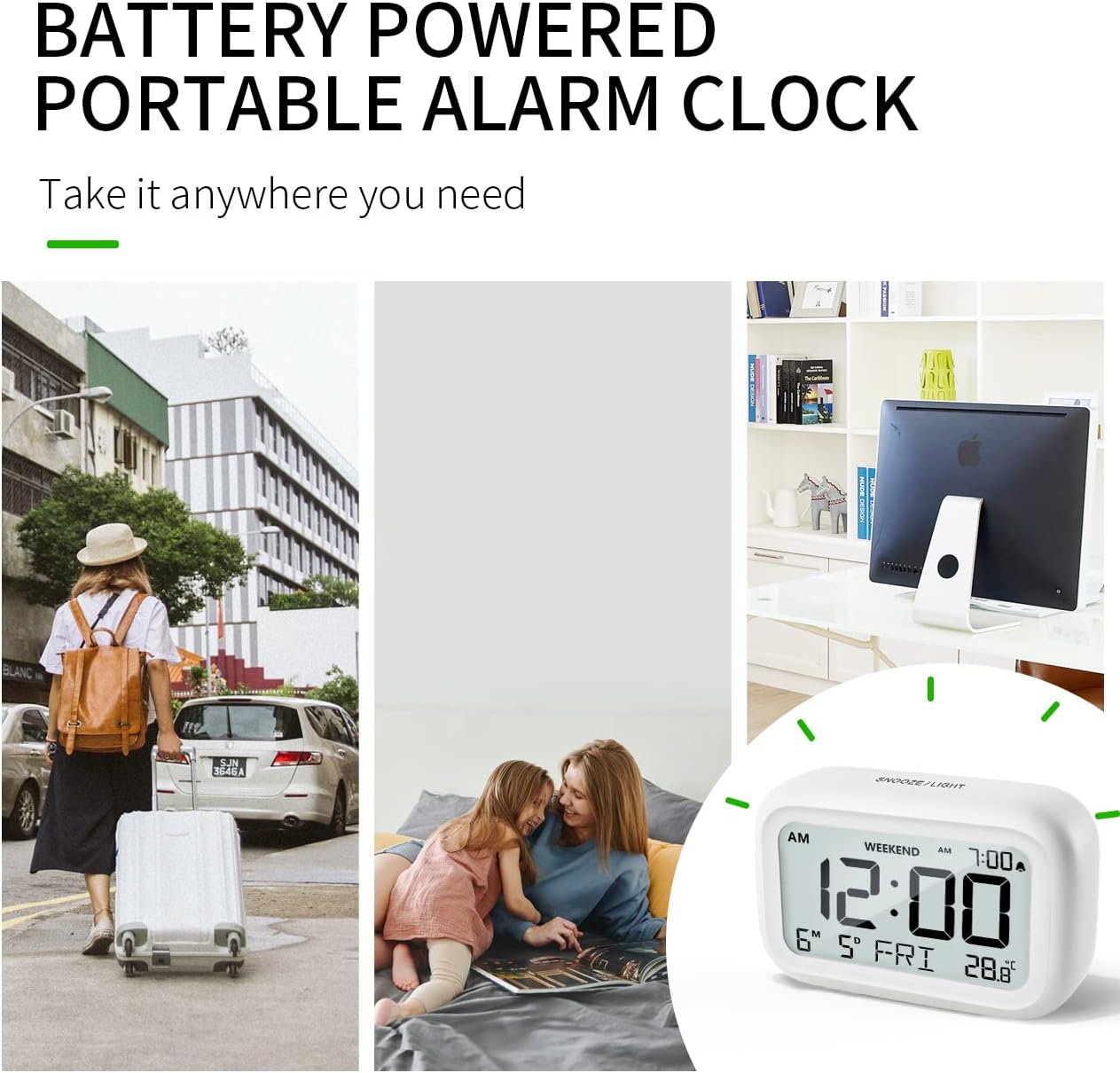
Figure 6.4: Backlight in Action
This image provides a side-by-side comparison of the alarm clock's display. On the left, the clock is shown in a well-lit environment. On the right, the same clock is shown in a dark setting with its 5-second backlight activated, demonstrating how the display becomes clearly visible at night.
6.6 د حرارت درجه ښودنه
ساعت د کور دننه تودوخه ښیي. تاسو کولی شئ د سیلسیس (°C) او فارنهایټ (°F) واحدونو ترمنځ بدل شئ.
- To change the temperature unit, press the ° سي / ° ف د ساعت شاته تڼۍ.
7. ساتنه
7.1 پاکول
ساعت په نرم، وچ ټوکر سره پاک کړئ. د کثافاتو پاکوونکي یا محلولونه مه کاروئ، ځکه چې دوی ممکن سطح ته زیان ورسوي.
7.2 د بیټرۍ بدلول
When the low battery indicator appears on the display, or if the display shows "8888" flashing, it is time to replace the batteries. Follow the steps in Section 5.1 Battery Installation to replace the two AAA batteries.
8. ستونزه حل کول
| ستونزه | احتمالي لامل | د حل لاره |
|---|---|---|
| ښودنه خالي یا تیاره ده. | بیټرۍ مړه شوي یا په غلط ډول نصب شوي. | بیټرۍ د نوي AAA بیټریو سره بدل کړئ، ترڅو سم قطبي والی ډاډمن شي. |
| الارم نه غږېږي. | Alarm is not activated, or Weekend Mode is ON. | Ensure the alarm icon is displayed. Check if Weekend Mode is active and deactivate if necessary. |
| د سنوز فعالیت کار نه کوي. | Not tapping the SNOOZE/LIGHT button correctly. | Ensure a firm, brief tap on the top SNOOZE/LIGHT button when the alarm is sounding. |
| وخت/نیټه غلطه ده. | په سمه توګه نه دي تنظیم شوي یا بیټرۍ لرې شوي. | Refer to Section 5.2 Initial Time and Date Setting to re-set. |
9. مشخصات
| فیچر | تفصیل |
|---|---|
| د ماډل شمیره | 5293UK |
| برانډ | DOOMAY |
| ابعاد (L x W x H) | 10.9 x 3.81 x 6.9 سانتي متره (4.29 x 1.5 x 2.72 انچه) |
| وزن | 127.01 ګرامه (0.28 پونډه) |
| مواد | اکریلونایتریل بوټاډین سټیرین (ABS) |
| د بریښنا سرچینه | 2 x AAA بیټرۍ (شامل دي) |
| د ښودلو ډول | ډیجیټل LCD |
| Alarm Volume Levels | Low (70 dB), High (85 dB) |
| د سنوز موده | 9 دقيقو |
| Backlight موده | 5 ثانیې |
| د تودوخې واحدونه | سیلسیس (°C) / فارنهایټ (°F) |
10. تضمین او ملاتړ
DOOMAY products are designed for reliability and performance. For any questions, technical support, or warranty claims, please contact your retailer or visit the official DOOMAY webد مرستې لپاره سایټ. مهرباني وکړئ د تضمین موخو لپاره د پیرود ثبوت وساتئ.
For further information, you may visit the brand's Amazon store page: DOOMAY Store on Amazon


