پیژندنه
Welcome to the user manual for your Tuanzi MaxO MAXo 4G Mini Rugged Android 12 Smartphone. This guide provides essential information on setting up, operating, and maintaining your device. Please read this manual thoroughly to ensure optimal performance and longevity of your smartphone.
د بسته محتويات
- 1x Tuanzi MaxO MAXo Phone
- 1x Protective Film
- 1x چارج کیبل
- 1x لارښود لارښود
- 1x چارجر
محصول پای ته ورسیدview
کلیدي ځانګړتیاوې
- IP68 Waterproof & Rugged Outdoor Design: Fully sealed to withstand rain, dust, and submersion, suitable for outdoor activities.
- Mini Android 12 Smartphone: Compact size (101*50.7*17.2mm) for portability and easy one-hand operation.
- Global 4G Bands & Dual SIM Support: Unlocked for worldwide use with dual nano-SIM slots for flexible connectivity.
- Octa-Core Performance & 6GB+128GB Memory: Equipped with a 2.0GHz 8-core processor and ample storage for smooth multitasking.
- Long-Lasting 3000mAh Battery & Compact HD Display: High-capacity battery for extended use, paired with a 3.88-inch HD screen.
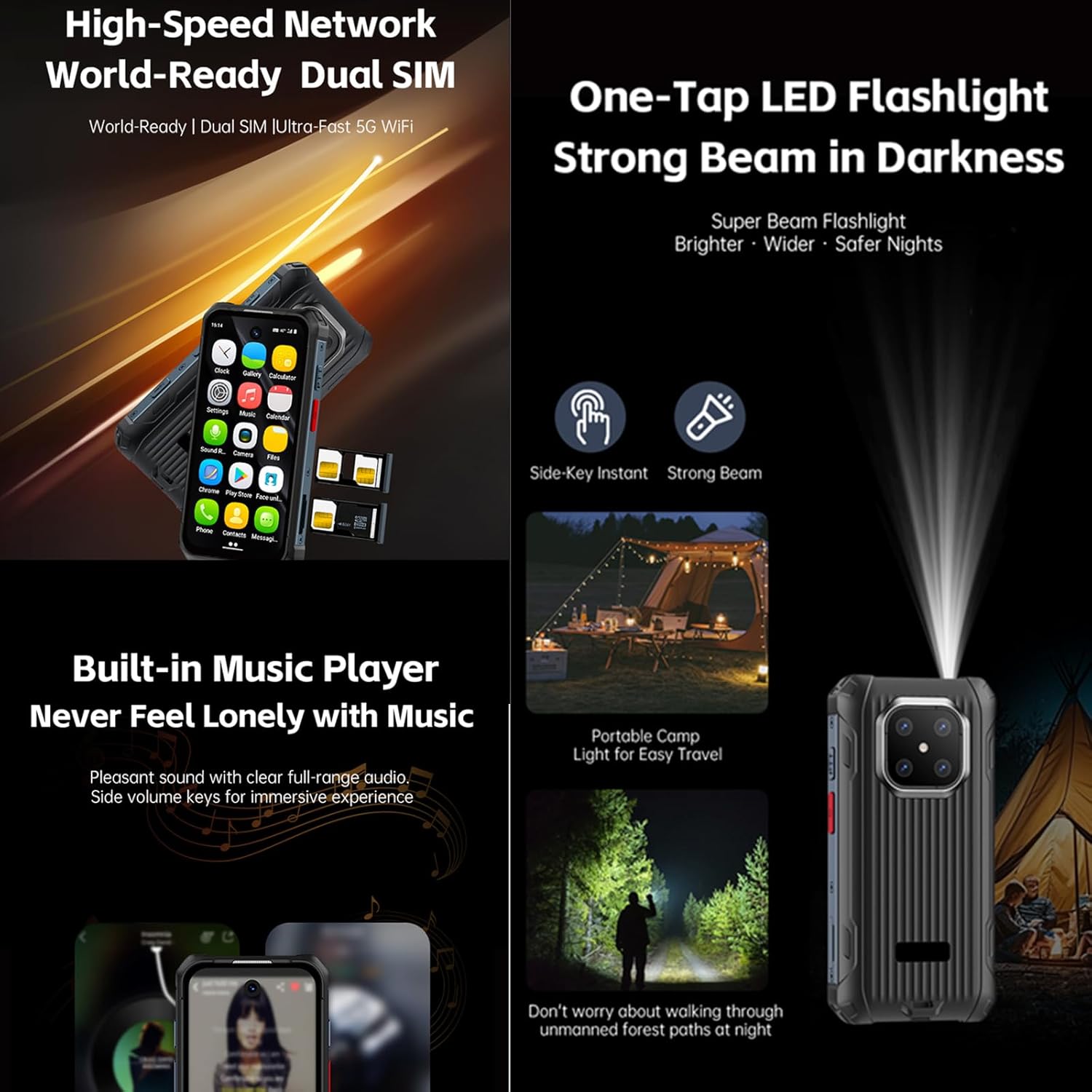
- Instant Side-Key Flashlight & Face Recognition: Features a super-bright flashlight and secure facial recognition technology for quick unlocking.
د وسیلې ترتیب
The image below illustrates the front and back of the Tuanzi MaxO MAXo smartphone, highlighting its display, camera module, and robust exterior.

مخکی او شاته view of the Tuanzi MaxO MAXo smartphone, showing the display, camera, and rugged design.
چمتو کول
1. د سیم کارت نصب کول
- د وسیلې په اړخ کې د سیم کارت ټری ومومئ.
- Insert the SIM ejector tool (not included, use a thin pin) into the small hole next to the tray to open it.
- خپل نانو سیم کارتونه او/یا مایکرو ایس ډی کارتونه په ټری کې د سرو زرو اړیکو سره ښکته کړئ.
- ټری په احتیاط سره بیرته سلاټ ته فشار ورکړئ تر هغه چې دا د وسیلې سره فلش شي.
۴. لومړنی بریښنا فعالول
- د پاور تڼۍ (معمولا په ښي خوا کې) فشار ورکړئ او ونیسئ تر هغه چې سکرین روښانه شي.
- د خپلې ژبې، سیمې د غوره کولو او د وای فای شبکې سره د وصل کیدو لپاره په سکرین کې لارښوونې تعقیب کړئ.
3. بنسټیز ترتیب
- Sign in with your Google account to access the Play Store and other Google services.
- Set up your screen lock method (PIN, pattern, password, or facial recognition).
- Review او د محرمیت ترتیبات لکه څنګه چې وغواړئ تنظیم کړئ.
عملیاتي لارښوونې
زنګونه کول
Tap the Phone icon on the home screen. Enter the phone number using the dial pad or select a contact from your address book. Tap the call button to initiate the call.
د پیغامونو لیږل
Open the Messaging app. Tap the 'Start chat' or '+' icon to compose a new message. Enter the recipient's number or select from contacts, then type your message and send.
د کیمرې کارول
Open the Camera app from your home screen or app drawer. You can switch between photo and video modes. Tap the shutter button to capture an image or start/stop video recording.

A hand holding the Tuanzi MaxO MAXo smartphone, demonstrating the camera interface.
Connectivity (Wi-Fi, Bluetooth)
Access Wi-Fi and Bluetooth settings from the Quick Settings panel (swipe down from the top of the screen) or through the main Settings app. Toggle Wi-Fi or Bluetooth on/off and select networks or devices to connect.
بصري لارښود
د محصول انځورونه
Explore various aspects of your Tuanzi MaxO MAXo smartphone through these detailed images.


د رسمي محصول ویډیوګانې
No official product videos from the seller for the Tuanzi MaxO MAXo smartphone were found that meet the specified criteria for inclusion in this manual.
ساتنه
ستاسو وسیله پاکول
Use a soft, lint-free cloth to clean the screen and body of your phone. Avoid using harsh chemicals or abrasive materials, as these can damage the device's surfaces and waterproof seals. For stubborn dirt, a slightly damp cloth with water is recommended.
د بیټرۍ پاملرنه
To prolong battery life, avoid exposing your phone to extreme temperatures. Charge your device using the provided charger and cable. Do not leave the phone charging for extended periods after it has reached 100% to prevent overcharging.
د سافټویر تازه معلومات
په منظم ډول د سافټویر تازه معلومات وګورئ او نصب کړئ ترڅو ډاډ ترلاسه کړئ چې ستاسو وسیله وروستي ځانګړتیاوې، امنیتي پیچونه، او د فعالیت ښه والی لري. تاسو معمولا دا اختیار د 'سیسټم' یا 'د تلیفون په اړه' لاندې 'ترتیباتو' مینو کې موندلی شئ.
د ستونزو حل کول
عام مسایل او حل لارې
- وسیله نه فعاله کیږي: ډاډ ترلاسه کړئ چې بیټرۍ چارج شوې ده. چارجر وصل کړئ او د بیا چالانولو هڅه کولو دمخه څو دقیقې انتظار وکړئ.
- سکرین بې ځوابه: Try restarting the device by holding down the Power button for about 10-15 seconds.
- د شبکې د اتصال ستونزې: Check if your SIM card is properly inserted. Toggle Airplane Mode on and off. Restart your device. Verify your mobile data or Wi-Fi settings.
- د اپلیکیشنونو خرابېدل یا کنګل کېدل: Clear the cache and data for the problematic app in 'Settings > Apps'. If the issue persists, uninstall and reinstall the app.
- ورو فعالیت: Close unused apps, clear cache regularly, and ensure sufficient storage space. Consider a factory reset as a last resort (back up your data first).
تخنیکي مشخصات
| فیچر | مشخصات |
|---|---|
| د محصول ابعاد | 3.98 x 2 x 0.68 انچه |
| د توکي ماډل شمیره | MAXo |
| عملیاتي سیسټم | Android 12 |
| RAM | 6 جي بي |
| د حافظې د ذخیره کولو ظرفیت | 128 جي بي |
| بېسیم مخابراتي ټکنالوژۍ | بلوتوث، سیلولر، NFC، وای فای |
| د ارتباط ټیکنالوژي | وای فای |
| ځانګړي ځانګړتیاوې | د اوبو مقاومت |
| د سکینر حل | 384 x 854 |
| د کیمرې نورې ځانګړتیاوې | مخکی |
| آډیو جیک | د هیډفون جیک نشته |
| د فارم فکتور | بار |
| رنګ | MaxO Black 128GB |
| د بیټرۍ د بریښنا درجه بندي | 3800 ملیونهamp ساعتونه |
| د تلیفون خبرې وخت | 18 ساعته |
| د تلیفون سټینډ بای وخت (د معلوماتو سره) | 7 ورځې |
| جوړونکی | PADY-Soyes |
| نیټه لومړی شتون لري | د اپریل 26، 2022 |
| د ولاړ سکرین نندارې اندازه | ۷۸۷ انچه |
| د CPU ماډل | میډیا ټیک هیلیو |
| د CPU سرعت | 2000 MHz |
| قرارداد | 384 x 854 |
| بې سیم کیریر | د ټولو بار وړونکو لپاره خلاص |
د خوندیتوب معلومات
مهرباني وکړئ لاندې خوندیتوب لارښوونې په پام کې ونیسئ ترڅو خپل وسیله ته زیان ونه رسوئ یا ځان ته زیان ونه رسوئ:
- هڅه مه کوئ چې وسیله جلا کړئ، ترمیم کړئ، یا ترمیم کړئ.
- وسیله د سختې تودوخې سرچینو، مستقیم لمر وړانګو او خلاص اور څخه لرې وساتئ.
- قوي مقناطیسي ساحو ته د وسیلې له څرګندولو څخه ډډه وکړئ.
- یوازې د جوړونکي لخوا تصویب شوي چارجرونه او لوازمات وکاروئ.
- وسیله او د هغې بیټرۍ د ځایی مقرراتو سره سم په مسؤلیت سره تصفیه کړئ.
تضمین او ملاتړ
Your Tuanzi MaxO MAXo smartphone comes with a standard manufacturer's warranty. For detailed warranty terms, conditions, and support, please refer to the warranty card included in your package or contact Tuanzi customer service directly. Keep your proof of purchase for warranty claims.


