پیژندنه
The WOLFBOX i07 is a high-performance 3-channel dash camera system designed to provide comprehensive video surveillance for your vehicle. It simultaneously records footage from the front, interior, and rear of your car, ensuring 360-degree protection. Equipped with advanced features such as 4K resolution, infrared night vision, built-in GPS, Wi-Fi connectivity, and multiple parking modes, the i07 offers reliable evidence collection and enhanced driving safety.

انځور: اوورview of the WOLFBOX i07 Dash Cam system, including the main unit, rear camera, and mobile app interface.
په بکس کې څه دي
مهرباني وکړئ تصدیق کړئ چې ټولې برخې شتون لري او د بکس خلاصولو پرمهال په ښه حالت کې دي:
- i07 Dash Cam (Main Unit)
- 1080P IP68 Rear Camera
- د GPS ماډل
- 32GB مایکرو ایس ډی کارت
- 20-foot Rear Camera Cable
- Type-C Power Supply Cable with Car Charger
- د کارن لارښود
- الیکتروسټیک سټیکر
- د موټر تار ترم کولو وسیله

Image: Contents of the WOLFBOX i07 package.
چمتو کول
۲. د حافظې کارت داخلول
Before initial use, insert the provided 32GB MicroSD card into the dash cam's card slot. Ensure the card is inserted correctly until it clicks into place. It is recommended to format the card within the dash cam's settings before first use.

Image: Inserting the 32GB MicroSD card.
۴.۴. د اصلي واحد نصبول
- د کړکۍ هغه ساحه پاکه کړئ چیرې چې ډش کیم به نصب شي.
- Apply the electrostatic sticker to the clean windshield.
- Attach the main unit onto the electrostatic sticker using the adhesive mount. Ensure it does not obstruct your driving view.
- Connect the Type-C power cable to the dash cam and route it along the windshield edge and A-pillar to the car's cigarette lighter socket.
۲. د شا کیمرې نصب کول
- شاته کیمره په شا وینډشیلډ کې نصب کړئ، ډاډ ترلاسه کړئ چې روښانه وي view.
- Connect the 20-foot rear camera cable to the main unit and route it discreetly along the vehicle's interior trim to the rear camera.
- Ensure the rear camera's headphone jack is firmly inserted for proper detection.

Image: Easy installation and cable routing for the dash cam and rear camera.
عملیاتي لارښوونې
1. بریښنا فعال/بند
The dash cam will automatically power on and begin recording when connected to the car's power supply and the vehicle is started. It will power off automatically when the car is turned off.
۲.۲. د ثبت طریقې
The WOLFBOX i07 supports various recording configurations:
- د ۳ چینل ثبت کول: Simultaneously records Front (2.5K), Interior (1080P), and Rear (1080P) footage.
- دوه ګونی چینل ثبت کول: Records Front (4K UHD) and Interior (1080P FUD) footage.

Image: Triple Channel Recording overview.

Image: Dual Channel Recording overview.
3. انفراریډ د شپې لید
The interior camera features 6 infrared LED lights and advanced STARVIS technology to capture clear and balanced video in low-light conditions, ensuring visibility inside the cabin even at night.

Image: Infrared Night Vision capability.
4. Parking Modes (24/7 Protection)
The i07 offers two parking monitoring modes for continuous vehicle protection:
- Collision Boot Recording: The dash cam will automatically power on and record when an impact is detected while the vehicle is parked.
- Time-Lapse Record: Captures 24-hour time-lapse footage at 1 frame per second (FPS) when the vehicle is parked. Note: Collision Boot Recording does not function in Time-Lapse Mode.
A hardwire kit (sold separately) is required for 24/7 parking monitoring functionality.

Image: Parking Modes (Collision Boot Recording and Time-Lapse).
5. Built-in GPS & Wi-Fi
The integrated GPS module accurately records driving routes, speeds, and times, embedding this data into video files for evidence. Built-in Wi-Fi allows you to connect the dash cam to your smartphone via the WOLFBOX app for easy management, video playback, editing, and sharing.

Image: Built-in Wi-Fi and GPS features with app connectivity.
۸. د جي سینسر او لوپ ثبت کول
- جی سینسر: Detects sudden impacts or collisions and automatically locks the current video footage د دې د بیا لیکلو څخه مخنیوي لپاره.
- لوپ ثبتول: Continuously records video in short segments. When the memory card is full, the oldest unlocked footage is automatically overwritten by new recordings.
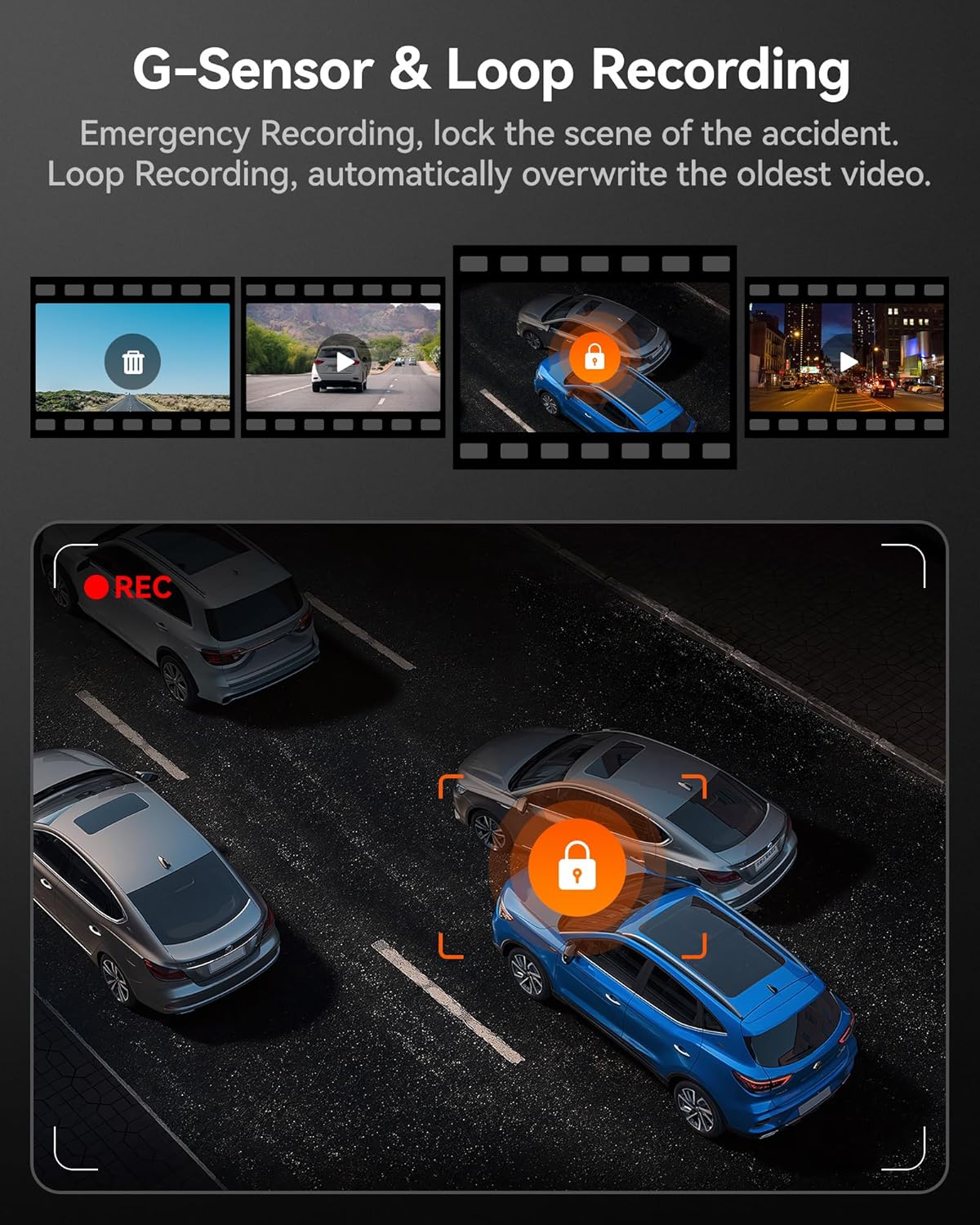
انځور: د جي سینسر او لوپ ثبتولو فعالیت.
ساتنه
- منظم بڼه ورکول: To maintain optimal performance and prevent data corruption, it is recommended to format the MicroSD card every 2-4 weeks using the dash cam's settings.
- د عینکو پاکول: Gently clean the camera lenses with a soft, lint-free cloth to ensure clear video quality. Avoid abrasive materials.
- د فرم ویئر تازه معلومات: Check the official WOLFBOX webسایټ ته په دوره یي ډول د فرم ویئر تازه معلوماتو لپاره مراجعه وکړئ ترڅو ډاډ ترلاسه کړئ چې ستاسو ډشبورډ کیم وروستي ځانګړتیاوې او د بګ اصلاحات لري.
- د حرارت درجه په پام کې نیولو سره: The dash cam is designed to operate within a wide temperature range due to its supercapacitor. However, extreme prolonged heat or cold can affect battery life (if applicable) and overall longevity.
د ستونزو حل کول
| ستونزه | احتمالي لامل | د حل لاره |
|---|---|---|
| ډش کیم نه چالانیږي. | No power supply; faulty cable; car charger issue. | Check power connection; try a different USB port or car charger; ensure vehicle's ignition is on. |
| ثبت کول ودریږي یا کنګل کیږي. | Memory card full/corrupted; low-quality SD card; firmware issue. | Format the SD card; use a high-speed (Class 10 or U3) MicroSD card; update firmware. |
| Rear camera not detected. | Loose connection; damaged cable. | Ensure the rear camera cable's headphone jack is firmly inserted into the main unit. Check cable for damage. |
| د وای فای اتصال ستونزې. | Incorrect app usage; interference. | Ensure Wi-Fi is enabled on the dash cam and your phone; restart both devices; try connecting in a different location. |
| جي پي ایس سیګنال نه ترلاسه کوي. | Poor satellite reception; GPS module obstructed. | Ensure the GPS module has a clear view of the sky; move the vehicle to an open area. |
مشخصات
| فیچر | تفصیل |
|---|---|
| د ماډل نوم | i07 |
| د محصول ابعاد | 4.72 x 1.38 x 3.07 انچه |
| د توکي وزن | 5 اونس |
| د مخکینۍ کیمرې ریزولوشن | تر 4K پورې (2160p) |
| د داخلي کیمرې ریزولوشن | 1080P |
| د شا کیمرې ریزولوشن | 1080P |
| ښودل | 3 انچه LCD سکرین |
| Lens Angle (Front/Interior/Rear) | 150° / 160° / 155° |
| د شپې لید | 6 Infrared LEDs (Interior Camera) |
| د بریښنا سرچینه | Type-C Power Input, Supercapacitor |
| ارتباط | جوړ شوی وای فای، جوړ شوی GPS |
| ذخیره کول | Supports MicroSD Card (32GB included) |
| ځانګړي ځانګړتیاوې | 4K HDR, 3-channel All-round Protection, App Control, Parking Monitor, Compact Design, WDR, G-Sensor, Loop Recording |
| د موټرو خدمت ډول | Bus, Car, Minivan, Truck |
تضمین او ملاتړ
WOLFBOX is committed to providing high-quality products and excellent customer service.
- تضمین: The WOLFBOX i07 Dash Cam comes with a 12-month assurance from the date of purchase.
- د راستنیدو پالیسي: A 7-day return policy is available for defects.
- د پیرودونکو خدمت: For any queries, technical support, or warranty claims, please contact our dedicated after-sale service team.
بریښنالیک: service@wolfbox.com
تلیفون: +1 888 296 8399
مهرباني وکړئ د ملاتړ سره د تماس نیولو پر مهال د خپل محصول ماډل او د پیرود معلومات چمتو وساتئ.


