1. پیژندنه
The ThruNite TN12 Pro is a high-performance, USB-C rechargeable Everyday Carry (EDC) flashlight designed for versatility and reliability. It features a powerful SFT40 LED, delivering up to 1900 lumens, and offers a maximum beam distance of 380 meters. Its dual-switch interface provides intuitive control, making it suitable for various applications from daily tasks to tactical use.

Figure 1.1: The ThruNite TN12 Pro Flashlight, showcasing its compact design and pocket clip.
Constructed from durable aluminum alloy with a scratch-resistant anodized finish, the TN12 Pro is built to withstand challenging conditions. It is also waterproof with an IPX-8 rating, ensuring performance even when submerged up to 2 meters. The integrated USB-C charging port allows for convenient and fast recharging without removing the battery.
2. ترتیب کول
2.1 د بسته محتويات
د لومړي ځل کارولو دمخه، مهرباني وکړئ تصدیق کړئ چې ټول توکي په کڅوړه کې شتون لري:
- ThruNite TN12 Pro Flashlight
- ۱x لیتیم آیون بیټرۍ (شامل ده)
- د USB-C چارج کیبل
- هولسټر
- لاینارډ
- سپیر O- حلقې
- Spare USB Port Cover

Figure 2.1: All components included in the ThruNite TN12 Pro product package.
2.2 Battery Installation & Initial Charging
The TN12 Pro comes with a pre-installed Lithium Ion battery. Ensure the battery is properly seated before first use. For optimal performance, fully charge the flashlight before its initial operation.
- د فلش لائټ د لکۍ کیپ خلاص کړئ.
- Ensure the included 18650 Lithium Ion battery is inserted with the positive (+) terminal facing towards the head of the flashlight.
- د لکۍ کیپ بیرته په خوندي توګه وخورئ.
- Connect the provided USB-C cable to the flashlight's charging port and to a USB power source (e.g., wall adapter, computer USB port).
- The indicator light on the side switch will show the charging status:
- سور: چارج کول
- آبي: په بشپړ ډول چارج شوی
- ارغواني: غیر معمولي چارج کول
- Once fully charged, disconnect the USB-C cable and replace the port cover to maintain water resistance.

Figure 2.2: Illustration of the USB-C charging port and the color-coded charging indicator on the side switch.

شکل 2.3: مفصل view of the power indicator on the side switch, showing battery level ranges.
3. عملیات
3.1 عمومي دندې
- لاک او خلاصول: When the flashlight is off, press and hold the side switch to enter Firefly mode. From Firefly mode, press and hold the side switch again to access lockout mode. To unlock, press and hold the side switch.
- آن/بندول: After the light is unlocked, press the side switch to turn the light ON/OFF. The light will turn on in the last mode used, except for Firefly, Turbo, and Strobe.
- بدلون موډل: Single-click the side switch to activate the last used mode. Then, press and hold the side switch to cycle through Low, Medium, and High modes.
3.2 ځانګړي طریقې
- د اور وژونکي لپاره شارټ کټ: When the light is off, press and hold the side switch to directly access Firefly mode.
- Direct Access to Turbo (Side Switch): Double-click the side switch quickly from any mode to activate Turbo mode.
- Direct Access to Turbo (Tail Switch): When the flashlight is unlocked, single-click the tactical tail switch to access Turbo mode directly.
- سټروب: Triple-click the side switch quickly from any mode to activate Strobe mode.

Figure 3.1: Demonstrates holding the TN12 Pro and its versatility for everyday carry, including clipping to a pocket or bag.
4. ساتنه
4.1 عمومي پاملرنه
- Keep the flashlight clean, especially the threads and O-rings. Lubricate O-rings periodically with silicone grease to maintain water resistance.
- د فلش لائټ له غورځولو یا د سختو ټکانونو سره مخ کیدو څخه ډډه وکړئ.
- کله چې د اوږدې مودې لپاره نه کارول کېږي، فلش لائټ په یخ او وچ ځای کې وساتئ.
- If the flashlight will not be used for a long time, it is recommended to remove the battery to prevent potential leakage.
۵.۲ د اوبو ضد کول
The TN12 Pro is rated IPX-8 waterproof, meaning it can be continuously submerged in water up to 2 meters. To ensure this rating is maintained:
- ډاډ ترلاسه کړئ چې د خولۍ کیپ په بشپړ ډول ټینګ شوی دی.
- Ensure the USB-C charging port cover is securely closed.
- Regularly inspect and replace O-rings if they appear damaged or worn.
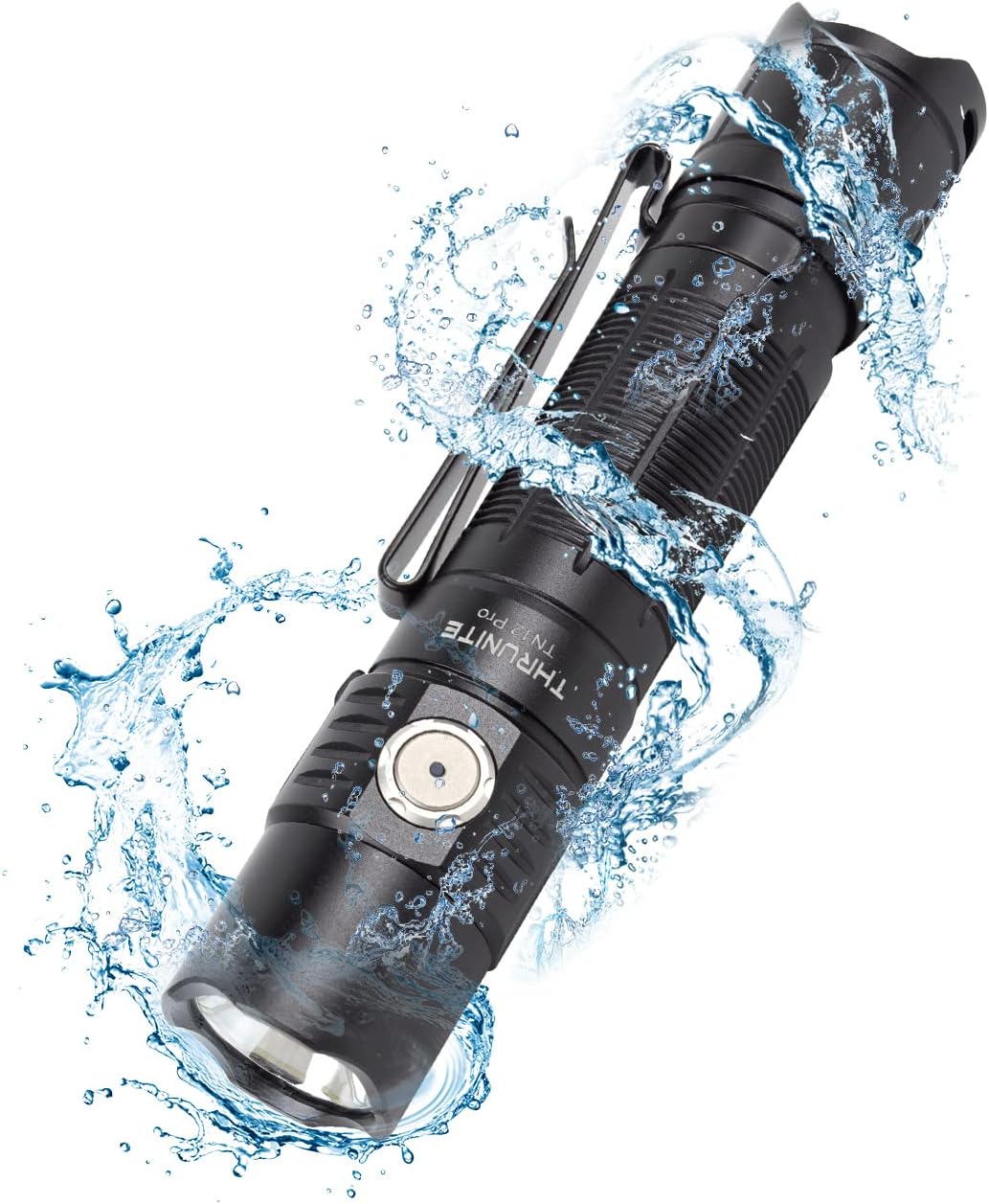
Figure 4.1: The TN12 Pro demonstrating its IPX-8 waterproof capability, suitable for use in wet conditions.
5. مشخصات
Below are the detailed specifications for the ThruNite TN12 Pro Flashlight:
| فیچر | تفصیل |
|---|---|
| ماډل | TN12 Pro cw |
| برانډ | د ترونایټ |
| د رڼا سرچینه | SFT40 LED |
| اعظمي محصول | 1900 Lumens |
| د بیم اعظمي واټن | 380 متره |
| د بریښنا سرچینه | ۱x لیتیم آیون بیټرۍ (شامل ده) |
| چارج کول | د USB-C چټک چارج کول |
| مواد | د المونیم مصر |
| د اوبو مقاومت | IPX-8 (2 meters submersible) |
| د اغیزې مقاومت | 1.5 متره |
| ابعاد | 131.5mm (Length) x 27mm (Head Diameter) x 25.5mm (Body Diameter) |
| وزن | 85g (د بیټرۍ خارج شوی) |
| د رڼا طریقې | د اور لمبې، ټیټ، منځنی، لوړ، ټربو، سټروب |
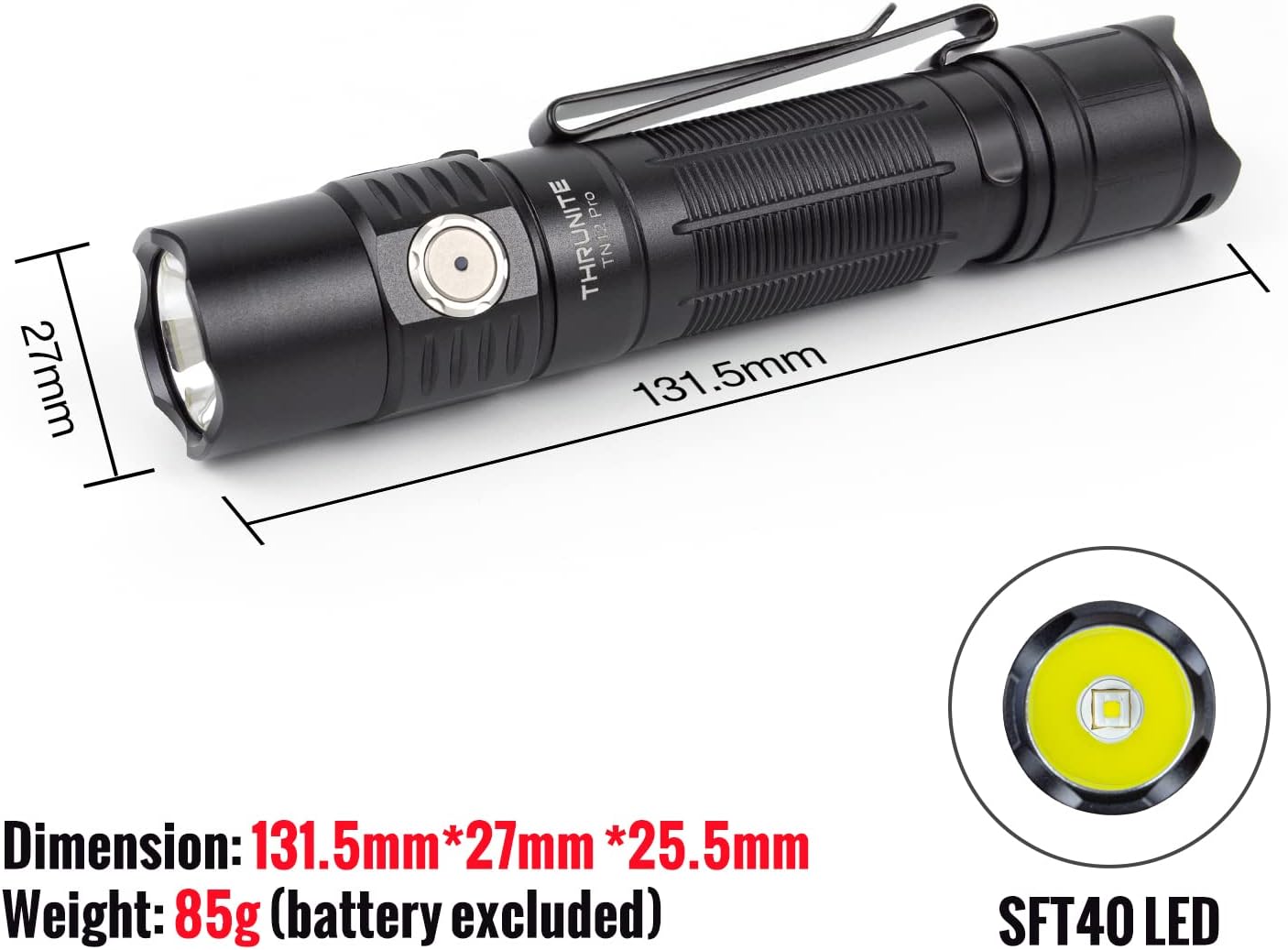
Figure 5.1: Physical dimensions and the SFT40 LED of the TN12 Pro flashlight.

Figure 5.2: Key performance metrics including max output, runtime, beam distance, waterproof rating, and impact resistance.
6. ستونزه حل کول
If you encounter issues with your ThruNite TN12 Pro, please refer to the following common solutions:
- فلش لائټ نه فعالیږي:
- Ensure the battery is correctly inserted with the positive (+) terminal facing the head.
- وګورئ چې بیټرۍ چارج شوې ده که نه. که اړتیا وي نو بیا یې چارج کړئ.
- ډاډ ترلاسه کړئ چې د لکۍ پوښ په بشپړه توګه ټینګ شوی دی. د لکۍ خلاص پوښ کولی شي د بریښنایی تماس مخه ونیسي.
- Check if the flashlight is in lockout mode. Press and hold the side switch to unlock.
- د رڼا تولید کم یا ځلیدونکی دی:
- بیټرۍ ممکن ټیټه وي. بیټرۍ چارج کړئ.
- د بیټرۍ اړیکې او د فلش لائټ تارونه د پاک ټوکر سره پاک کړئ.
- Flashlight gets hot during use:
- High output modes (e.g., Turbo) generate significant heat. This is normal. The flashlight has thermal regulation to prevent overheating.
- If it becomes uncomfortably hot, switch to a lower mode.
- چارج کول کار نه کوي:
- Ensure the USB-C cable is properly connected to both the flashlight and the power source.
- یو بل USB-C کیبل یا د بریښنا اډاپټر هڅه وکړئ.
- Check the charging indicator light for status (Red for charging, Blue for full, Purple for abnormal).
7. تضمین او ملاتړ
7.1 د تضمین معلومات
For detailed warranty information regarding your ThruNite TN12 Pro flashlight, please refer to the official ThruNite website or the warranty card included with your product. ThruNite typically offers a limited warranty covering manufacturing defects.
7.2 د پیرودونکي ملاتړ
If you require further assistance, have questions not covered in this manual, or need to report a defect, please contact ThruNite customer support through their official website or the contact information provided in your product packaging. Please have your model number (TN12 Pro cw) and purchase date ready when contacting support.
یادونه: د ایمبیډ کولو لپاره چمتو شوي معلوماتو کې د محصول رسمي ویډیوګانې شتون نه درلودې.


